
Ներածություն
This manual provides instructions for the ACV 1140-44 radio connection cable, designed to integrate AUX and USB functionality into compatible Hyundai vehicle radio systems. The cable adheres to the ISO standard for car radio connections, ensuring a reliable interface for your audio needs.
Փաթեթի բովանդակությունը
- 1 x ACV 1140-44 Radio Connection Cable
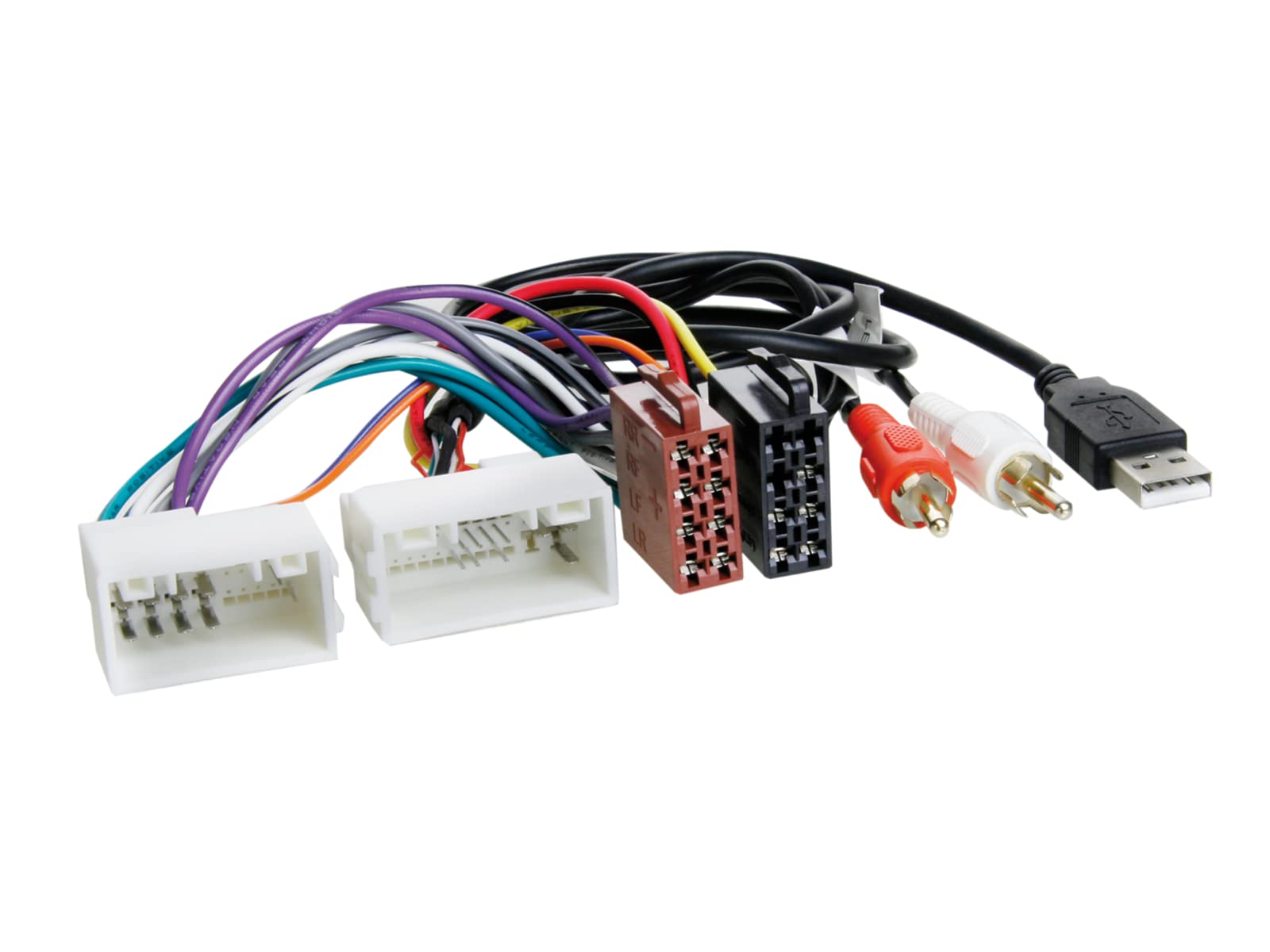
Image showing the ACV 1140-44 radio connection cable, featuring the ISO connector on one end and the AUX and USB ports on the other.
Համատեղելիություն
The ACV 1140-44 cable is compatible with various Hyundai models. Please verify your vehicle's model and year against the list below to ensure proper fitment:
- Hyundai Elantra (2011 onwards)
- Hyundai H1 (2010 onwards)
- Hyundai i10 (2014 onwards)
- Hyundai Tucson (2009 onwards)
- Hyundai i30 (2012 onwards)
- Hyundai i40 (2011 onwards)
- Hyundai ix20 (2010 onwards)
- Hyundai ix35 (2010 onwards)
- Hyundai Santa Fe (June 2012 onwards)
- Hyundai Sonata (2009 onwards)
Կարգավորում
Installation of this radio connection cable typically involves accessing the rear of your vehicle's car radio unit. It is recommended that installation be performed by a qualified professional if you are unfamiliar with car audio wiring.
- Պատրաստում: Համոզվեք, որ ձեր մեքենայի բոցավառումն անջատված է, և մարտկոցը անջատված է՝ էլեկտրական կարճ միացումներից խուսափելու համար։
- Մուտքի ռադիո։ Carefully remove the car radio from its dashboard housing. Consult your vehicle's specific service manual for instructions on how to safely remove the radio.
- Connect ISO Connector: Locate the existing ISO standard connector at the back of your car radio. Connect the corresponding ISO plug of the ACV 1140-44 cable to this port. Ensure a secure and firm connection.
- Route AUX/USB: Route the AUX and USB ends of the cable to a convenient location within your vehicle, such as the glove compartment, center console, or a custom-installed panel. Ensure the cable is not pinched or exposed to excessive heat.
- Secure Radio: Once all connections are made and cables are routed, carefully re-install the car radio into its housing.
- Կրկին միացնել մարտկոցը. Վերամիացրեք մեքենայի մարտկոցը։
- Փորձարկման գործառույթ. Turn on your car radio and test the AUX and USB functions as described in the 'Operation' section.
Գործողություն
After successful installation, you can utilize the AUX and USB features through your car's radio system.
Օգտագործելով AUX մուտքագրումը
- Connect your audio device (e.g., smartphone, MP3 player) to the 3.5mm AUX jack on the cable.
- Select the AUX input source on your car radio. This is typically done by pressing a 'Source', 'Mode', or 'AUX' button on your radio.
- Adjust the volume on both your audio device and the car radio for optimal sound.
Օգտագործելով USB պորտը
- Connect your USB device (e.g., USB flash drive with music, smartphone for charging/data) to the USB port on the cable.
- If playing music from a USB drive, select the USB input source on your car radio. The radio should automatically detect and begin playing compatible audio files.
- If connecting a smartphone, the USB port may provide charging capabilities and/or allow for data transfer depending on your car radio's features and your phone's settings.
Տեխնիկական սպասարկում
To ensure the longevity and optimal performance of your ACV 1140-44 cable, follow these simple maintenance guidelines:
- Պահպանել մաքրություն: Periodically wipe the cable and connectors with a dry, soft cloth to remove dust and debris.
- Խուսափեք սթրեսից. Do not bend the cable sharply or pull on the connectors forcefully. This can damage the internal wiring or the connector pins.
- Ջերմաստիճանը: Avoid exposing the cable to extreme temperatures, both hot and cold, as this can degrade the cable's materials over time.
- Ապահով տեղադրում. Ensure the cable is securely routed and not dangling where it can be stepped on or caught, which could lead to damage.
Անսարքությունների վերացում
If you encounter issues with your ACV 1140-44 cable, refer to the following common problems and solutions:
- No Audio from AUX:
- Ensure the 3.5mm jack is fully inserted into both the cable and your audio device.
- Verify that the car radio is set to the correct AUX input source.
- Check the volume levels on both your audio device and the car radio.
- Test with a different audio device or AUX cable to rule out device-specific issues.
- USB Device Not Recognized or Not Playing:
- Ensure the USB device is fully inserted into the USB port.
- Verify that the car radio is set to the correct USB input source.
- Ստուգեք file format of the audio files on your USB drive; ensure they are compatible with your car radio (e.g., MP3, WMA).
- Try a different USB device to confirm the issue is not with the device itself.
- If using a smartphone, ensure it is set to the correct USB mode (e.g., 'Media Device' or 'File Transfer') if prompted.
- Ընդհատվող միացում.
- Check all connections, especially the ISO connector behind the radio, to ensure they are secure.
- Ստուգեք մալուխը՝ տեսանելի վնասվածքների, ծռվածքների կամ մաշված լարերի համար։
Տեխնիկական պայմաններ
| Մոդելի համարը | 1140-44 |
| Բրենդ | Acv |
| Ապրանքի չափերը (L x W x H) | 18 x 7 x 4.9 սմ |
| Քաշը | 100 գրամ |
| Միակցիչի տեսակը | USB, AUX (3.5mm jack) |
| Մալուխի տեսակը | Radio Interconnection Cable (ISO Standard) |
| Standard Complied | ISO |
| Համատեղելի սարքեր | Hyundai Elantra 2011, Hyundai Tucson 2009, and other listed Hyundai models |
Երաշխիք և աջակցություն
Information regarding specific warranty terms for the ACV 1140-44 cable is not available in the provided product data. For warranty claims, technical support, or further assistance, please contact the manufacturer, ACV, or your product retailer directly. Keep your proof of purchase for any warranty-related inquiries.