
Baseus W06
Baseus Encok True Wireless Earbuds W06 User Manual
Model: W06 | Brand: Baseus
Ներածություն
Thank you for choosing the Baseus Encok True Wireless Earbuds W06. This manual provides detailed instructions on how to set up, operate, and maintain your earbuds to ensure optimal performance and longevity. Please read this manual thoroughly before using the product.
Փաթեթի բովանդակությունը
Խնդրում ենք տուփը բացելուց հետո ստուգել փաթեթի պարունակությունը։ Եթե որևէ ապրանք բացակայում է կամ վնասված է, կապվեք ձեր վաճառողի հետ։
- Baseus Encok True Wireless Earbuds (L/R)
- Լիցքավորման պատյան
- USB-C լիցքավորման մալուխ
- Սիլիկոնե ականջակալներ (տարբեր չափերի)
- Օգտագործողի ձեռնարկ
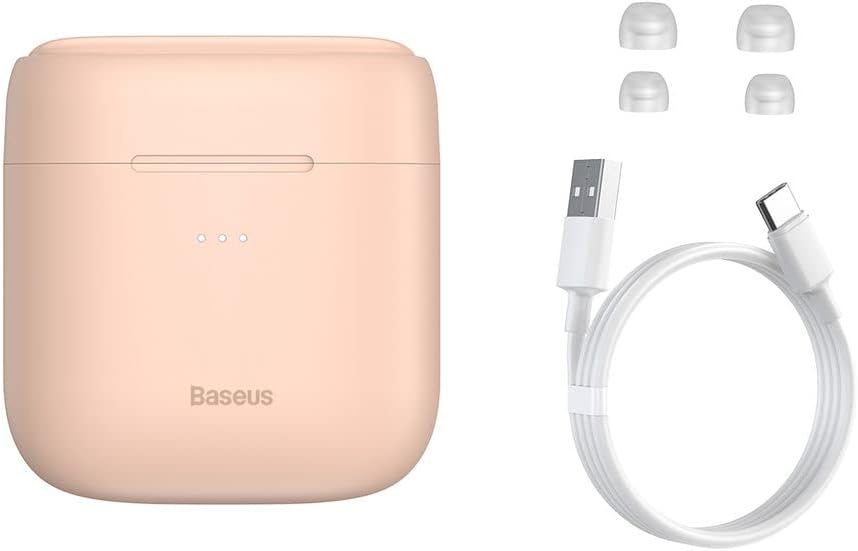
Image: The package contents, showing the charging case, two earbuds, a USB-C charging cable, and several pairs of silicone eartips.
Կարգավորում
1. Ականջակալների և պատյանի լիցքավորում
Before first use, fully charge the earbuds and the charging case. Place the earbuds into the charging case. Connect the USB-C cable to the charging case and a power source, or place the charging case on a compatible wireless charging pad.
- Պատյանի վրա ցուցիչ լույսերը կցուցադրեն լիցքավորման կարգավիճակը։
- Լրիվ լիցքավորումը սովորաբար տևում է մոտ 1.5 ժամ։
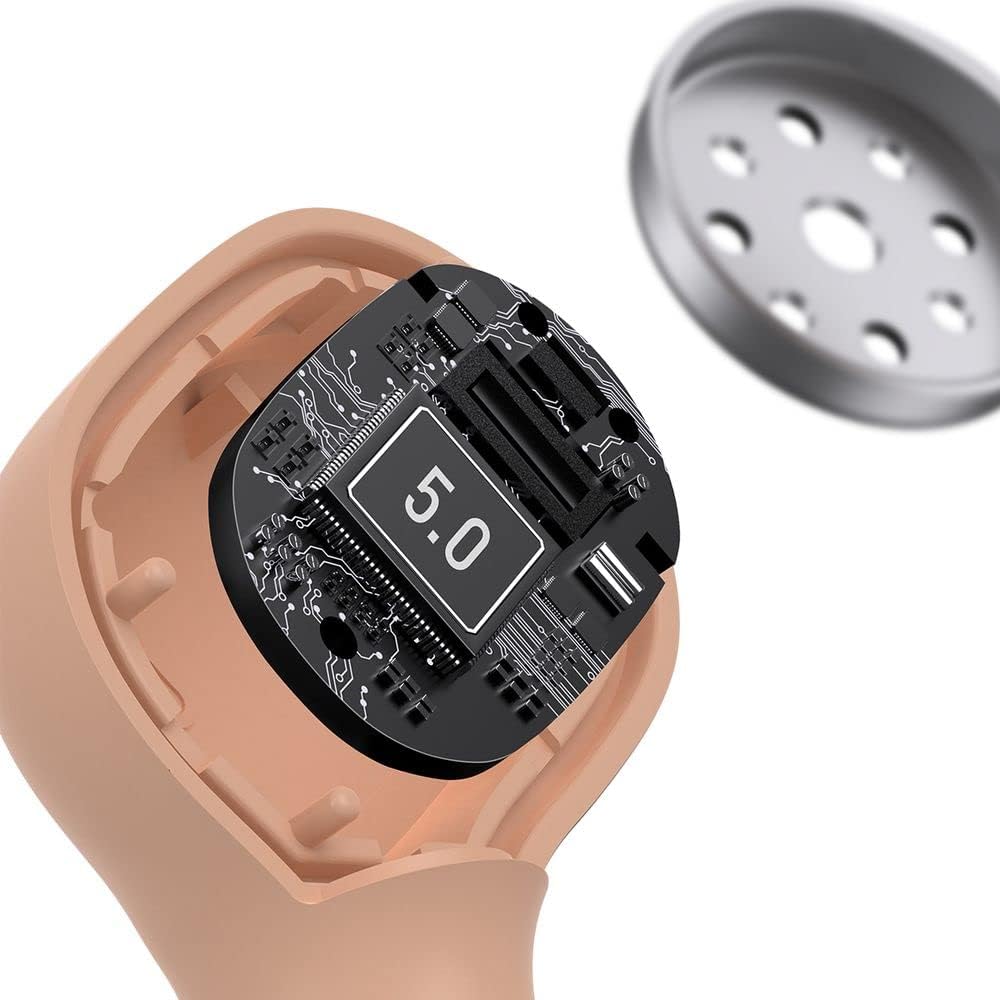
Image: The Baseus Encok W06 earbuds resting inside their open charging case, indicating they are ready for charging or use.

Image: Two Baseus Encok W06 charging cases, one connected via a USB-C cable and another placed on a wireless charging pad, demonstrating charging methods.
2. Bluetooth զուգավորում
- Համոզվեք, որ ականջակալները լիցքավորված են:
- Բացեք լիցքավորման պատյանը։ Ականջակալները ավտոմատ կերպով կմտնեն զուգավորման ռեժիմ, ինչը կնշվի ականջակալների վրա թարթող լույսով։
- Ձեր սարքի վրա (սմարթֆոն, պլանշետ և այլն) միացրեք Bluetooth-ը։
- Որոնել "Baseus Encok W06" in the list of available Bluetooth devices.
- Select it to connect. Once connected, the indicator light on the earbuds will stop flashing.
Ականջակալները պատյանից հանելուց հետո ավտոմատ կերպով կմիանան վերջին զուգակցված սարքին, եթե սարքի վրա Bluetooth-ը միացված է։
3. Ականջակալներ կրելը
Choose the silicone eartips that provide the best fit and seal for your ears. Insert the earbuds gently into your ear canal and rotate them slightly until they feel secure and comfortable.

Image: A person wearing a Baseus Encok W06 earbud, illustrating how the earbud sits comfortably and securely in the ear.
Գործառնական հրահանգներ
The Baseus Encok W06 earbuds feature touch controls for various functions.
- Միացում՝ Open the charging case, or press and hold the touch panel for 3 seconds if earbuds are out of case.
- Անջատել: Place earbuds back into the charging case and close the lid, or press and hold the touch panel for 5 seconds.
- Նվագարկել/Դադար. Double-tap the touch panel on either earbud.
- Հաջորդ հետքերը. Եռակի հպեք աջ ականջակալին:
- Նախորդ ուղի ՝ Եռակի հպեք ձախ ականջակալին:
- Պատասխանել/Ավարտել զանգը. Double-tap the touch panel on either earbud during an incoming call.
- Մերժել զանգը. Press and hold the touch panel on either earbud for 2 seconds during an incoming call.
- Ակտիվացնել ձայնային օգնականը. Սեղմեք և 3 վայրկյան պահեք ականջակալներից մեկի սենսորային վահանակը։
Հիմնական հատկանիշները
- Double-sided Wireless Charging: The charging case supports wireless charging from both sides, allowing flexible placement on a wireless charging pad.
- APT-X Audio Decoding: Provides high-quality audio transmission for a superior listening experience.
- CVC Noise Canceling: Clear Voice Capture technology reduces background noise during calls for clearer communication.
- Երկարացված մարտկոցի ժամկետը. Offers up to 300 hours of standby time.
- Bluetooth 5.0: Ապահովում է կայուն և արդյունավետ անլար կապ։

Image: A visual representation of the Baseus Encok W06 earbuds and charging case, accompanied by text detailing key features such as two-sided wireless charging, APT-X audio decoding, CVC noise canceling, and 300 hours of battery life.

Պատկեր՝ մանրամասն view of the internal circuitry of a Baseus Encok W06 earbud, prominently displaying '5.0', signifying its Bluetooth 5.0 connectivity.
Տեխնիկական սպասարկում
Մաքրում
- Ականջակալները և լիցքավորման պատյանը պարբերաբար մաքրեք փափուկ, չոր, թել չթողնող կտորով։
- Հանեք ականջակալների ծայրակալները և մաքրեք դրանք մեղմ օճառով և ջրով, ապա լավ չորացրեք դրանք՝ դրանք կրկին ամրացնելուց առաջ։
- Մի օգտագործեք հղկող մաքրող միջոցներ, սպիրտ կամ քիմիական լուծիչներ։
- Համոզվեք, որ ականջակալների և պատյանի լիցքավորման կոնտակտները մաքուր են և զերծ են կեղտից։
Պահպանում
- Պահպանեք ականջակալները լիցքավորման տուփի մեջ, երբ դրանք չեն օգտագործվում՝ դրանք պաշտպանելու և լիցքավորված պահելու համար:
- Խուսափեք պահել ծայրահեղ ջերմաստիճաններում (տաք կամ սառը) կամ բարձր խոնավության պայմաններում։
Մարտկոցի խնամք
- To preserve battery life, charge the earbuds and case regularly, even if not used frequently.
- Խուսափեք մարտկոցի լիակատար լիցքաթափումից երկար ժամանակ։
Անսարքությունների վերացում
| Խնդիր | Լուծում |
|---|---|
| Ականջակալները չեն միանում սարքին։ |
|
| Մեկ կամ երկու ականջակալներից ձայն չկա։ |
|
| Լիցքավորման պատյանը չի լիցքավորվում։ |
|
Տեխնիկական պայմաններ
| Առանձնահատկություն | Մանրամասն |
|---|---|
| Բրենդ | Բասեուսը |
| Մոդելի անվանումը | NGJW06-04 (W06) |
| Նյութի մոդելի համարը | B00F2ZIDTS |
| Միացման տեխնոլոգիա | Անլար (Bluetooth 5.0) |
| Ականջակալների ձևի գործակից | Ականջի մեջ |
| Մալուխի առանձնահատկությունը | Անլար |
| Նյութի քաշը | 50 գրամ |
| Ապրանքի չափերը | 10 x 3 x 2 սմ |
| Արտադրող | Բասեուսը |
| Անլար լիցքավորում | Supported (Double-sided) |
| Աուդիո վերծանում | APT-X |
| Աղմուկի չեղարկում | CVC (for calls) |
| Մարտկոցի ժամկետը (Սպասման ռեժիմ) | Մինչև 300 ժամ |
Անվտանգության տեղեկատվություն
- Մի ապամոնտաժեք, վերանորոգեք կամ փոփոխեք արտադրանքը:
- Ապրանքը հեռու պահեք ջրից, խոնավությունից և ծայրահեղ ջերմաստիճանից:
- Խուսափեք բարձր ձայնի բարձր մակարդակի երկարատև ազդեցությունից՝ լսողության վնասը կանխելու համար:
- Արտադրանքը և դրա մարտկոցը պատասխանատու կերպով դեն նետեք՝ համաձայն տեղական կանոնակարգերի։
- Պահել երեխաների և ընտանի կենդանիներից հեռու:
Երաշխիք և աջակցություն
Baseus products typically come with a limited warranty. For specific warranty terms and conditions, please refer to the warranty card included in your package or visit the official Baseus website. For technical support, product inquiries, or warranty claims, please contact Baseus customer service or your local retailer.
Ավելի շատ տեղեկությունների համար կարող եք այցելել Baseus-ի պաշտոնական խանութ՝ Baseus խանութ