
Ներածություն
Thank you for choosing the OldShark Dash Cam. This 1080P Full HD dashboard camera is designed to provide reliable and high-quality video recording of your journeys, enhancing driving safety and providing crucial evidence in case of incidents. Equipped with a 3-inch display, 170° wide-angle lens, G-Sensor, and loop recording, it's an essential companion for every driver.
Please read this manual thoroughly before operating the device to ensure proper usage and to maximize its performance and lifespan.
Փաթեթի բովանդակությունը
Փաթեթը բացելիս խնդրում ենք ստուգել, որ ձեր փաթեթում ներառված են հետևյալ բոլոր իրերը.
- OldShark Dash Cam Unit
- Ավտոմեքենայի լիցքավորիչ
- Ներծծող լեռ
- 32 ԳԲ Micro SD քարտ
- USB տվյալների մալուխ
- Օգտագործողի ձեռնարկ (այս փաստաթուղթը)

Image: All components included in the OldShark Dash Cam package, neatly laid out.
Ապրանքի առանձնահատկությունները
- Ultra HD Video Recording: Captures clear 1080P Full HD video, ensuring detailed footage even in challenging light conditions.
- 170° Super Wide Angle Lens: Ապահովում է լայն դաշտ view, minimizing blind spots and capturing more of the road.
- Built-in G-Sensor: Automatically detects sudden impacts or collisions and locks the current video footage to prevent overwriting, serving as crucial accident evidence.
- Անխափան հանգույցի ձայնագրում. Overwrites the oldest unlocked footage when the memory card is full, ensuring continuous recording without manual intervention.
- 24-ժամյա կայանման մոնիթորինգ։ Records short video clips when vibrations are detected while the vehicle is parked, offering surveillance even when you're away.
- Գիշերային Super Vision. Equipped with F1.6 large aperture, WDR (Wide Dynamic Range), and HDR (High Dynamic Range) technology for enhanced clarity in low-light conditions.
- Հեշտ տեղադրում. Simple plug-and-play setup with included suction mount and car charger.
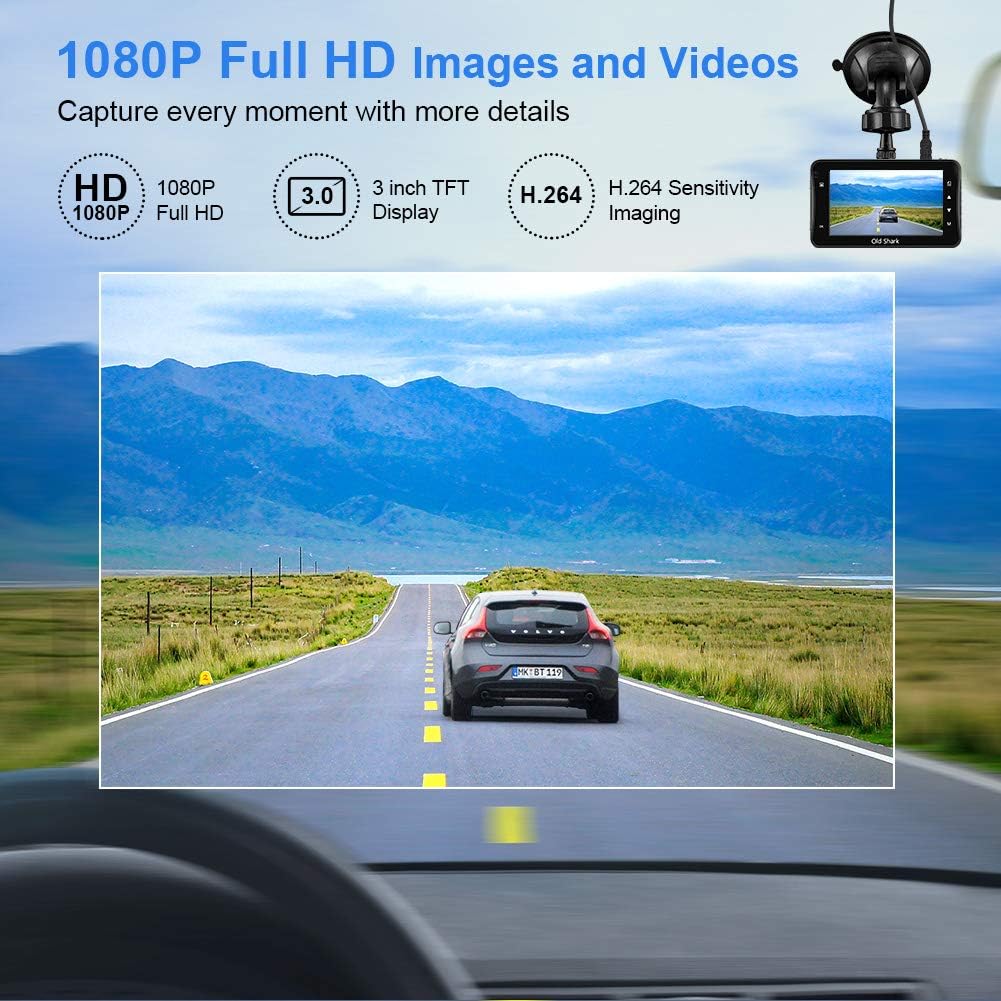
Image: Visual representation of the dash cam's 1080P Full HD video capabilities and display features.

Image: The G-Sensor feature, which automatically locks video footage during an impact to secure accident evidence.

Image: The 24-Hour Parking Monitor feature, which activates recording upon detecting vibrations while parked.

Image: The Super Night Vision capability, demonstrating improved low-light performance with its F1.6 aperture.

Image: The 170° wide-angle lens providing a broad view, նախկինի հետampձայնագրված սննդի քանակtage during day and night.
Կարգավորման ուղեցույց
1. Dash Cam-ի տեղադրում
- Մաքրեք դիմապակու այն հատվածը, որտեղ պատրաստվում եք տեղադրել վահանակի տեսախցիկը։ Համոզվեք, որ այն զերծ է փոշուց և ճարպից։
- Ամրացրեք ներծծող ամրակը վահանակի տեսախցիկի միավորին։
- Press the suction cup firmly against the windshield and flip the lever to secure it. Position the camera to ensure a clear view ճանապարհի մի մասը՝ առանց խոչընդոտելու ձեր վարորդական տեսողությունը։
2. Միկրո SD քարտի տեղադրում
- Locate the Micro SD card slot on the side of the dash cam.
- Insert the provided 32GB Micro SD card into the slot until it clicks into place. Ensure the card is inserted correctly with the gold contacts facing the back of the camera.
- For optimal performance, it is recommended to format the SD card within the dash cam's settings before first use and periodically thereafter.
3. Միացում
- Միացրեք մեքենայի լիցքավորիչը տեսախցիկի հոսանքի մուտքի միացքին։
- Մեքենայի լիցքավորիչի մյուս ծայրը միացրեք ձեր մեքենայի ծխախոտի կրակայրիչի վարդակին։
- The dash cam will automatically power on and begin recording when your vehicle's ignition is turned on. It will also power off automatically when the ignition is turned off.

Image: The OldShark Dash Cam, showing its compact design, the included suction mount for windshield attachment, and the 32GB Micro SD card for storage.
Գործառնական հրահանգներ
Հիմնական գործողություն
- Միացում/անջատում. The camera powers on/off automatically with the car ignition. You can also manually power it on/off by pressing and holding the Power button.
- Ձայնագրում: Once powered on, the dash cam automatically starts loop recording. A red flashing dot or similar indicator on the screen confirms recording is active.
- Դադարեցնել ձայնագրումը. Press the OK button to stop recording. Press it again to resume.
- Ռեժիմի փոխարկում. Use the Mode button to switch between Video Recording, Still Photo, and Playback modes.
- Նվագարկում: In Playback mode, use the Up/Down buttons to navigate through recorded files. Press OK to play a selected video.
Ընտրացանկի նավիգացիա
- Press the Menu button to access settings.
- Use the Up/Down buttons to scroll through menu options.
- Press OK to select an option or confirm a setting.
- Press Menu again to exit the menu.
Հիմնական գործառույթներ
- Օղակային ձայնագրում. Set the duration for video segments (e.g., 1, 3, 5 minutes). When the card is full, the oldest unlocked file կվերագրվի:
- G-Sensor Զգայունություն: Adjust the sensitivity of the G-Sensor (Low, Medium, High). A higher sensitivity means the camera will lock footage more easily upon detecting bumps or impacts.
- Կայանման մոնիտոր. Enable this feature to allow the dash cam to automatically record a short video when it detects a vibration while the car is parked and turned off.
- Շարժման հայտնաբերում. When enabled, the camera will start recording automatically if it detects movement in front of the lens while parked.
- Ամսաթիվ/ժամ Սբamp: Ensure the correct date and time are set in the menu for accurate timestamps on your recordings.
Տեխնիկական սպասարկում
- Մաքրում: Օգտագործեք փափուկ, չոր կտոր՝ տեսախցիկի օբյեկտիվը և էկրանը մաքրելու համար: Խուսափեք հղկող մաքրող միջոցների կամ լուծիչների օգտագործումից:
- SD քարտի խնամք. Regularly format the Micro SD card (at least once a month) within the dash cam's settings to maintain optimal recording performance and prevent data corruption. Use only high-quality Class 10 or higher Micro SD cards.
- Ջերմաստիճանը: Avoid exposing the dash cam to extreme temperatures (very hot or very cold) for extended periods, as this can affect battery life and component integrity.
- Fրագրակազմի թարմացումներ. Check the official OldShark webՊարբերաբար ստուգեք կայքը՝ ծրագրակազմի թարմացումների համար, որպեսզի ձեր տեսախցիկն ունենա ամենաթարմ գործառույթները և շտկված սխալները։
Անսարքությունների վերացում
| Խնդիր | Լուծում |
|---|---|
| Ավտոմեքենայի տեսախցիկը չի միանում։ | Ensure the car charger is securely connected to both the dash cam and the vehicle's cigarette lighter. Check if the vehicle's cigarette lighter is receiving power. Try a different power source if available. |
| Ձայնագրումը անսպասելիորեն դադարում է։ | Check if the Micro SD card is full. Format the SD card. Ensure you are using a Class 10 or higher SD card. Reduce G-Sensor sensitivity if it's triggering too often. |
| Տեսանյութ footage-ն մշուշոտ է կամ անորոշ։ | Clean the camera lens and your car's windshield. Ensure the protective film has been removed from the lens. Check video resolution settings. |
| Ավտոտեսախցիկը կախվում է կամ չի արձագանքում։ | Press the reset button (if available, usually a small pinhole) or disconnect and reconnect the power. Format the Micro SD card. |
| Ամսաթիվը և ժամը սխալ են։ | Go to the system settings menu and manually set the correct date and time. Save the settings. |
Տեխնիկական պայմաններ
| Առանձնահատկություն | Մանրամասն |
|---|---|
| Մոդելի անվանումը | GS505 |
| Նյութի մոդելի համարը | A1OS-GS505-T032 |
| Տեսանյութի նկարահանման լուծում | 1080p լիարժեք HD |
| Ոսպնյակի անկյուն | 170° լայն անկյուն |
| Ցուցադրման չափը | 3 դյույմ |
| Հատուկ առանձնահատկություններ | G-Sensor, Loop Recording, Parking Guard, Motion Detection, Auto On/Off, Time Stamp, Screensaver, Night Vision (F1.6 Aperture) |
| Միացման տեխնոլոգիա | USB |
| Մոնտաժման տեսակը | Ներծծող լեռ |
| Ապրանքի չափերը | 3.46 x 1 x 0.59 դյույմ |
| Նյութի քաշը | 4.4 ունցիա |
| Արտադրող | Old Shark |
Երաշխիքային տեղեկատվություն
OldShark products are manufactured with high-quality standards. For specific warranty terms and conditions, please refer to the warranty card included in your product packaging or contact OldShark customer support. The warranty typically covers manufacturing defects for a specified period from the date of purchase.
Խնդրում ենք պահպանել ձեր գնման կտրոնը որպես գնման ապացույց՝ երաշխիքային պահանջների դեպքում։
Հաճախորդների աջակցություն
If you encounter any issues or have questions regarding your OldShark Dash Cam that are not covered in this manual, please do not hesitate to contact our customer support team.
For the most up-to-date contact information and support resources, please visit the official OldShark store on Amazon or their official webկայք։
Առցանց ռեսուրսներ.
- OldShark Amazon Store: Այցելել խանութ

