
Ներածություն
Thank you for choosing the Divoom Onbeat 500 Portable Wireless Bluetooth Speaker. This device is designed to deliver powerful sound with convenient wireless connectivity. This manual will guide you through the setup, operation, and maintenance of your speaker to ensure optimal performance and longevity.
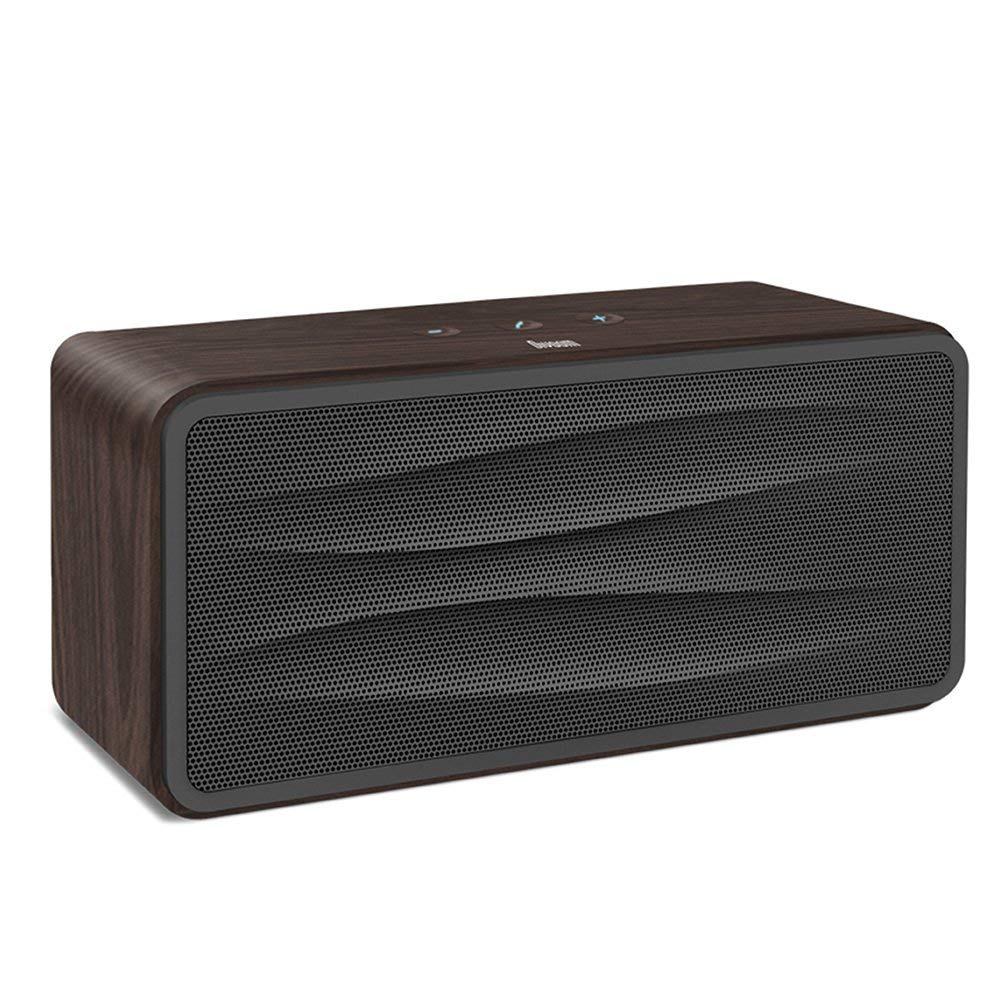
Նկար 1: Ճակատ view of the Divoom Onbeat 500 speaker. This image displays the speaker's main grille and overall design.
Փաթեթի բովանդակությունը
Խնդրում ենք ստուգել փաթեթի վրա հետևյալ կետերը.
- Divoom Onbeat 500 Speaker
- Micro USB լիցքավորման մալուխ
- Օժանդակ մալուխ
- Օգտագործողի ձեռնարկ (այս փաստաթուղթը)
- Երաշխիքային քարտ
Ապրանքի առանձնահատկությունները
The Divoom Onbeat 500 speaker offers a range of features for an enhanced audio experience:
- Հզոր ձայն. 2.1 channel design with a proprietary passive bass radiator for rich audio.
- NFC տեխնոլոգիա. Tap-to-pair functionality for quick and easy Bluetooth connection.
- Bluetooth միացում. Wirelessly play and control music from up to 33 feet (10 meters) away.
- Ներկառուցված բարձրախոս. Allows you to make and take calls directly from the speaker.
- Երկարատև մարտկոց. Integrated 5000mAh battery provides extended playback time.
- Օժանդակ մուտքագրում. Ոչ Bluetooth սարքերի հետ լարային միացման համար։
Կարգավորում
1. Բարձրախոսը լիցքավորելը
Before initial use, fully charge your Divoom Onbeat 500 speaker. Use the provided Micro USB charging cable to connect the speaker to a USB power source (e.g., computer USB port, USB wall adapter). The charging indicator light will illuminate during charging and turn off or change color when fully charged. A full charge typically provides 8-10 hours of playback.
2. Միացում/անջատում
- Միացնել. Press and hold the Power button for a few seconds until you hear an audible prompt or see the indicator light illuminate.
- Անջատելու համար. Կրկին սեղմեք և մի քանի վայրկյան պահեք միացման կոճակը, մինչև բարձրախոսը անջատվի։
3. Bluetooth զուգավորում
The Onbeat 500 offers two methods for wireless connection:
NFC (Near Field Communication) Pairing:
If your device supports NFC, you can pair quickly:
- Համոզվեք, որ NFC-ն միացված է ձեր սմարթֆոնի կամ պլանշետի վրա։
- With the Onbeat 500 powered on, gently tap your NFC-enabled device against the NFC area on the speaker.
- Confirm the pairing request on your device. The speaker will indicate a successful connection.
Standard Bluetooth Pairing:
For devices without NFC or for manual pairing:
- Power on the Divoom Onbeat 500 speaker. It will automatically enter Bluetooth pairing mode if no device is connected, or you may need to press a dedicated Bluetooth button (refer to speaker controls).
- On your audio device (smartphone, tablet, computer), go to the Bluetooth settings and enable Bluetooth.
- Որոնել available devices. You should see "Divoom Onbeat 500" in the list.
- Select "Divoom Onbeat 500" to connect. The speaker will confirm the connection with an audible prompt.
4. AUX միացում
To connect a device using the auxiliary cable:
- Connect one end of the provided auxiliary cable to the AUX-in port on the Divoom Onbeat 500.
- Connect the other end of the auxiliary cable to the headphone jack or audio output of your device.
- The speaker will automatically switch to AUX mode, or you may need to select it manually (refer to speaker controls).

Նկար 2: Կողք view of the Divoom Onbeat 500, illustrating the location of the charging port, AUX input, and control buttons.
Բարձրախոսի շահագործում
1. Երաժշտության նվագարկում
Once connected via Bluetooth or AUX, you can control music playback from your connected device. The speaker may also have integrated controls for volume adjustment, play/pause, and track skipping. Refer to the speaker's physical buttons for these functions.
2. Speakerphone Functionality
When connected to a smartphone via Bluetooth, the Divoom Onbeat 500 can be used as a speakerphone:
- Պատասխանելով զանգին. Press the Call button (often indicated by a phone icon) on the speaker.
- Զանգի ավարտ. Կրկին սեղմեք Զանգի կոճակը:
- Aանգը մերժելը. Սեղմեք և պահեք «Զանգ» կոճակը։

Նկար 3: Հետևի view of the Divoom Onbeat 500, highlighting the passive bass radiator for enhanced low-frequency sound.
Տեխնիկական սպասարկում
1. Մաքրում
Բարձրախոսի տեսքը և ֆունկցիոնալությունը պահպանելու համար՝
- Արտաքին մասը սրբեք փափուկ, չոր, թել չթողնող կտորով։
- Մի օգտագործեք հղկող մաքրող միջոցներ, սպիրտ, բենզոլ կամ այլ քիմիական լուծիչներ, քանի որ դրանք կարող են վնասել մակերեսը։
- Խուսափեք խոնավության ներթափանցումից որևէ բացվածքի մեջ։
2. Մարտկոցի խնամք
Ներկառուցված լիթիում-իոնային մարտկոցի կյանքը երկարացնելու համար՝
- Խուսափեք մարտկոցի հաճախակի լրիվ լիցքաթափումից։
- Երկար ժամանակ չօգտագործելու դեպքում բարձրախոսը պահեք զով, չոր տեղում։
- Charge the speaker at least once every three months if stored for a long time to prevent deep discharge.
Անսարքությունների վերացում
If you encounter issues with your Divoom Onbeat 500, please refer to the following common solutions:
| Խնդիր | Հնարավոր լուծում |
|---|---|
| Բարձրախոսը չի միանում | Ensure the battery is charged. Connect the speaker to a power source using the Micro USB cable and try again. |
| Բարձրախոսից ձայն չկա | Check the volume level on both the speaker and your connected device. Ensure the speaker is correctly paired via Bluetooth or connected via AUX. Try re-pairing the Bluetooth device. |
| Bluetooth-ի զուգավորումը ձախողվեց | Ensure the speaker is in pairing mode. Turn off and on Bluetooth on your device. Move your device closer to the speaker. Clear previous Bluetooth connections on your device and try again. |
| Ձայնի վատ որակ | Ensure the speaker and connected device are within range (for Bluetooth). Check for interference from other wireless devices. Try a different audio source or cable. |
Տեխնիկական պայմաններ
Detailed technical specifications for the Divoom Onbeat 500 speaker:
- Մոդելի անվանումը: Divoom Onbeat 500
- Բարձրախոսի տեսակը: Համակարգչային բարձրախոս
- Միացման տեխնոլոգիա. Bluetooth
- Անլար կապի տեխնոլոգիա. Bluetooth
- Վերահսկման մեթոդ. Հպեք
- Power Source: սնուցվում է մարտկոցով
- Մարտկոց. 1 լիթիում-իոնային մարտկոց (5000 մԱժ)
- Աուդիո Վատtage: 20 Վտ
- Բարձրախոսի առավելագույն ելքային հզորությունը. 100 Վտ
- Շրջապատող ձայնի ալիքի կոնֆիգուրացիա. 2.1
- Համատեղելի սարքեր. Android, Windows, iPhone (iOS)
- Միակցիչի տեսակը: USB (լիցքավորման համար)
- Ապրանքի չափսերը. 22.5 x 7.49 x 10.49 սմ (LxWxH)
- Նյութի Քաշը: 1.55 կգ
- Գույնը: Ածուխ
- Հատուկ առանձնահատկություններ. NFC, Built-in Speakerphone, Passive Bass Radiator
Երաշխիք և աջակցություն
Your Divoom Onbeat 500 speaker comes with a limited warranty. Please refer to the included Warranty Card for detailed terms and conditions, including warranty period and coverage.
For technical support, service inquiries, or further assistance, please visit the official Divoom website or contact their customer service department using the information provided on your Warranty Card or product packaging. Please have your model number (Onbeat 500) and purchase details ready when contacting support.