
1. Ներածություն
This manual provides essential information for the proper installation, operation, and maintenance of your TELEVES TVMOTION Terrestrial Tri-motion Receiver, Model 512501. This device is designed to process advanced video signals, ensuring high-quality reception of terrestrial television broadcasts. Please read this manual thoroughly before using the product to ensure optimal performance and safety.
2. Կարգավորում
2.1 Փաթեթազերծում
Զգուշորեն հեռացրեք բոլոր բաղադրիչները փաթեթավորումից։ Համոզվեք, որ ստորև թվարկված բոլոր իրերը առկա են։
- TELEVES TVMOTION Receiver (Model 512501)
- Հեռակառավարման վահանակ
- Power Adapter
- Օգտագործողի ձեռնարկ (այս փաստաթուղթը)
2.2 Միացումներ
Follow these steps to connect your receiver to your television and antenna:
- Անթենային միացում. Connect your terrestrial antenna cable to the 'ANT IN' port on the back of the receiver.
- HDMI միացում. Connect an HDMI cable from the 'HDMI OUT' port on the receiver to an available HDMI input on your television. This receiver has a total of 1 HDMI port.
- Էլեկտրաէներգիայի միացում. Connect the power adapter to the 'DC IN' port on the receiver, then plug the adapter into a wall outlet.
- USB միացում (ըստ ցանկության): For multimedia playback or software updates, connect a USB device to the USB port.
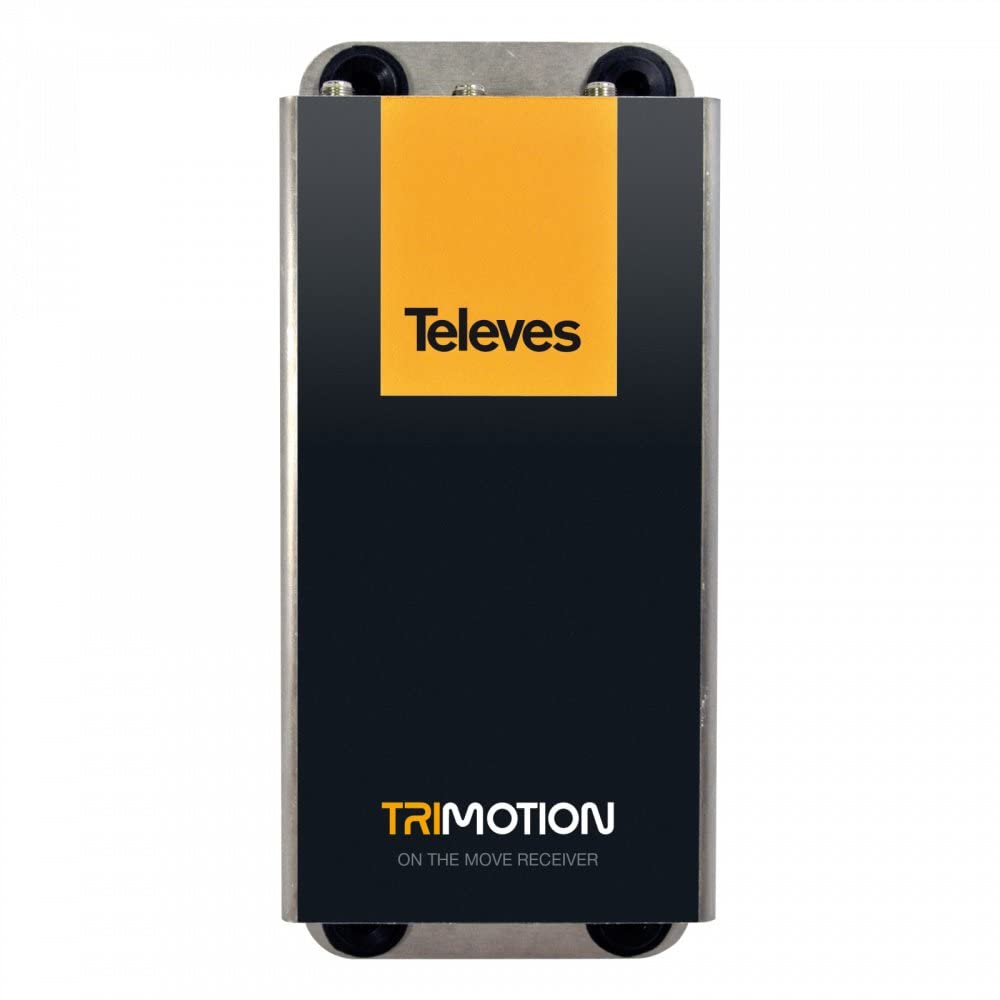
This image shows the front panel of the TELEVES TVMOTION Terrestrial Tri-motion Receiver, highlighting its compact design and user interface elements.
3. Գործառնական հրահանգներ
3.1 Առաջին անգամ օգտագործել
After connecting all cables and powering on the receiver, your television should display the initial setup wizard. Follow the on-screen prompts to select your language, country, and perform an automatic channel scan. This process will detect and store all available terrestrial channels.
3.2 Հիմնական գործողություն
The receiver is primarily controlled using the provided remote control. Ensure the remote control has batteries installed and is pointed towards the front panel of the receiver.
- Power կոճակը. Turns the receiver on or off (standby mode).
- Ալիքի վերև/ներքև՝ Navigates through television channels.
- Ձայնի բարձրացում/Նվազում՝ Կարգավորում է ձայնի ձայնը:
- Մենյու կոճակ. Accesses the main menu for settings, channel management, and other features.
- OK/Enter կոճակ՝ Հաստատում է ընտրանքները ընտրացանկերում։
- Navigation Buttons (Arrows): Moves through menu options.
- EPG (Էլեկտրոնային ծրագրերի ուղեցույց): Ցուցադրում է ծրագրի տեղեկատվությունը։
- Աուդիո կարգավորումներ. This receiver supports 5.1 surround sound channel configuration. Adjust audio settings as needed through the menu.
4. Պահպանում
To ensure the longevity and optimal performance of your TELEVES TVMOTION receiver, follow these maintenance guidelines:
- Մաքրում: Use a soft, dry cloth to clean the exterior of the receiver. Do not use liquid cleaners, aerosols, or abrasive materials, as these can damage the finish or internal components.
- Օդափոխում: Ensure the receiver has adequate ventilation. Do not block any ventilation openings. Avoid placing the unit in enclosed spaces or on soft surfaces that may obstruct airflow.
- Անջատել: Եթե ընդունիչը երկար ժամանակ չի օգտագործվելու, անջատեք այն էլեկտրական վարդակից։
- Բնապահպանական պայմաններ. Խուսափեք ընդունիչի ենթարկումից ծայրահեղ ջերմաստիճանների, խոնավության կամ արևի ուղիղ ճառագայթների ազդեցությանը։
5: Անսարքություն
If you encounter issues with your receiver, consult the table below for common problems and their solutions. If the problem persists, contact customer support.
| Խնդիր | Հնարավոր պատճառ | Լուծում |
|---|---|---|
| Ոչ մի նկար կամ ձայն | Loose cable connections; Incorrect input selected on TV; Receiver not powered on. | Check all cable connections (HDMI, antenna, power). Ensure the TV is on the correct HDMI input. Power on the receiver. |
| Նկարի վատ որակ | Weak antenna signal; Antenna not properly aligned. | Check antenna connection. Adjust antenna position for better signal reception. Perform a channel rescan. |
| Հեռակառավարումը չի աշխատում | Dead batteries; Obstruction between remote and receiver; Remote not pointed correctly. | Replace remote control batteries. Remove any obstructions. Point the remote directly at the receiver's front panel. |
| Սկանավորման ընթացքում ալիքներ չեն հայտնաբերվել | Antenna not connected; No terrestrial signal in the area; Incorrect country selected. | Verify antenna connection. Check for terrestrial broadcast availability in your location. Re-run setup and ensure correct country selection. |
6. Տեխնիկական պայմաններ
Below are the technical specifications for the TELEVES TVMOTION Terrestrial Tri-motion Receiver, Model 512501:
| Առանձնահատկություն | Արժեք |
|---|---|
| Արտադրող | Հեռուստացույցներ |
| Արտադրողի ապրանքի ID | 512501 |
| Ապրանքի մոդելի համարը | 512501 |
| Արտադրանքի քանակը | 1 |
| Հատուկ առանձնահատկություններ | Advanced video signal processing |
| ASIN | B01MRU7CSM |
| Առաջին հասանելի ամսաթիվը | 5 դեկտեմբերի, 2016 թ |
| Բրենդ | ՀԵՌՈՒՍՏԱՏԵՍՈՒԹՅԱՆ |
| Միացման տեխնոլոգիա | USB |
| Համատեղելի սարքեր | Հեռուստատեսություն |
| Ընդհանուր HDMI պորտեր | 1 |
| Շրջապատող ձայնի ալիքի կազմաձևում | 5.1 |
| Ելքային հզորություն | 5 Վտ |
| Ալիքների քանակը | 6 |
| Վերահսկման մեթոդ | Հեռակառավարման վահանակ |
7. Երաշխիք և աջակցություն
For information regarding the product warranty, please refer to the warranty card included in the product packaging or visit the official TELEVES website. In case of technical issues or for further assistance, please contact TELEVES customer support. Keep your purchase receipt as proof of purchase for warranty claims.