
Ներածություն
This manual provides detailed instructions for the installation, operation, and maintenance of your NEC SL2100 IP7WW-12TXH-B1 12-Button Display Speaker Telephone. Please read this manual thoroughly before using the telephone to ensure proper functionality and to prevent damage.
Անվտանգության տեղեկատվություն
Այս արտադրանքն օգտագործելիս միշտ հետևեք անվտանգության հիմնական միջոցառումներին` հրդեհի, էլեկտրական ցնցումների և մարդկանց վնասվածքների ռիսկը նվազեցնելու համար:
- Մի օգտագործեք այս ապրանքը ջրի մոտ, օրինակampլ, լոգարանի մոտ, լվացքի ամանի, խոհանոցի լվացարանի կամ լվացքի լոգարանի մոտ, խոնավ նկուղում կամ լողավազանի մոտ:
- Avoid using the telephone during an electrical storm. There may be a remote risk of electric shock from lightning.
- Մի օգտագործեք հեռախոսը արտահոսքի մոտակայքում գազի արտահոսքի մասին հայտնելու համար:
- Use only the power source specified in this manual or marked on the product. This telephone is powered by the phone system.
- Մաքրումից առաջ անջատեք այս ապրանքը պատի վարդակից: Մի օգտագործեք հեղուկ մաքրող կամ աերոզոլային մաքրող միջոցներ: Օգտագործեք գովազդըamp շոր մաքրման համար.
Փաթեթի բովանդակությունը
Ստուգեք, որ բոլոր իրերը առկա են փաթեթում.
- NEC SL2100 IP7WW-12TXH-B1 12-Button Display Speaker Telephone (Black)
- Հեռախոս
- Ականջակալ լարը
- Base Stand (for desk or wall mounting)
- Ethernet Cable (if applicable for IP connection)
Ապրանքը ավարտվել էview
The NEC SL2100 IP7WW-12TXH-B1 is a corded 12-button display speaker telephone designed for use with NEC SL2100 systems. It features a clear display for call information and menu navigation, a built-in speakerphone for hands-free communication, and 12 programmable function keys.
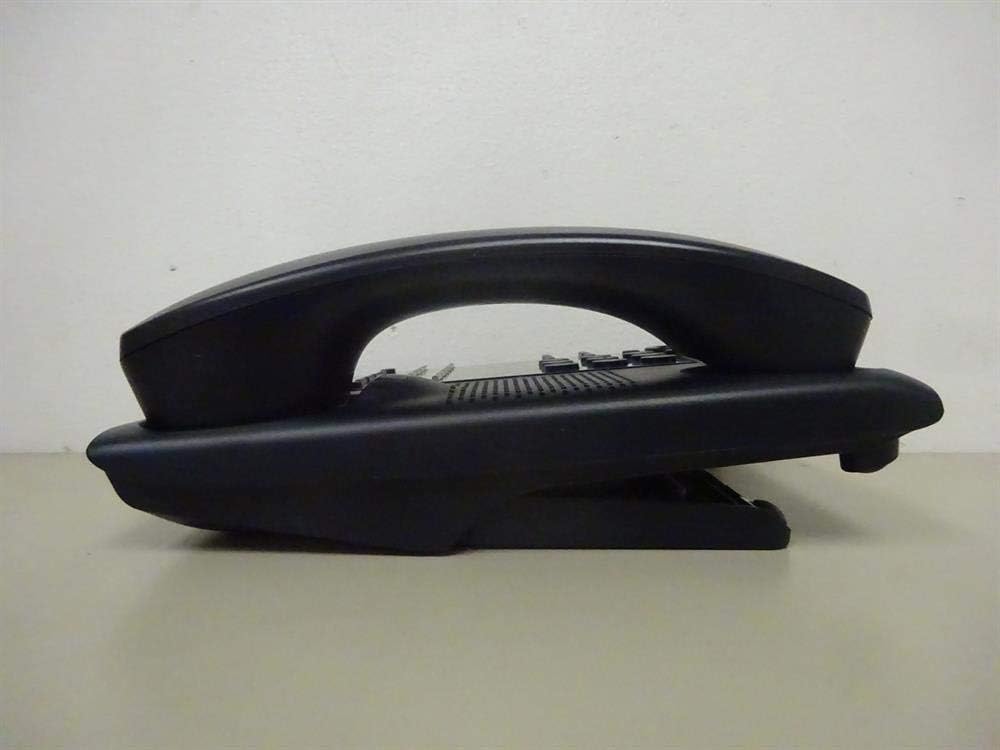
Նկար 1: Կողք view of the NEC SL2100 IP7WW-12TXH-B1 telephone, showing the ergonomic design of the handset and base unit.

Նկար 2: Հետևի view of the telephone, illustrating the various connection ports for the handset and network, as well as the integrated wall-mounting slots.
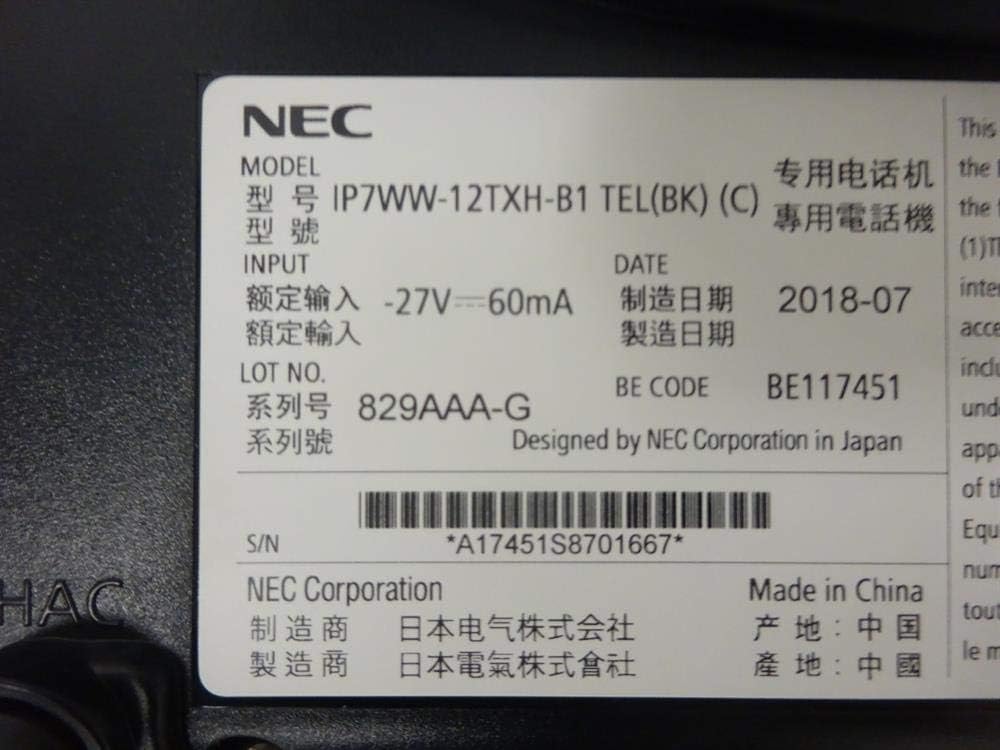
Նկար 3: Close-up of the product label, displaying model number IP7WW-12TXH-B1, input specifications, and manufacturer details.
Կարգավորում
1. Assembling the Telephone
- Կցեք բազային ստենդը. Align the base stand with the slots on the bottom of the telephone. Slide it into place until it clicks securely. The stand can be adjusted for different viewing angles or reversed for wall mounting.
- Միացրեք հեռախոսը. Plug one end of the coiled handset cord into the handset and the other end into the designated port on the side of the telephone base.
2. Միացում Համակարգին
This telephone is designed to connect to an NEC SL2100 system. Ensure your SL2100 system is properly installed and configured.
- Connect the Network Cable: Plug one end of an Ethernet cable into the LAN port on the back of the telephone. Plug the other end into an available port on your NEC SL2100 system or a network switch connected to the system.
- Միացում՝ The telephone receives power directly from the NEC SL2100 system (Power over Ethernet - PoE) or via a separate power adapter (not included, if PoE is not available). Once connected, the telephone should power on automatically.
- Սկզբնական կոնֆիգուրացիա. The telephone will typically register with the SL2100 system automatically. If prompted, follow the on-screen instructions or consult your system administrator for specific extension number assignment or network settings.
Գործառնական հրահանգներ
Զանգեր կատարելը
- Բարձրացրեք լսափողը։ Բարձրացրեք հեռախոսը և լսեք զանգի ձայնը:
- Հավաքեք համարը: Dial the desired telephone number using the keypad.
- Բարձրախոս. Սեղմեք ԽՈՍՆԱԿ button to activate the speakerphone, then dial the number.
Զանգերի ընդունում
- Բարձրացրեք լսափողը։ When the telephone rings, lift the handset to answer.
- Բարձրախոս. Սեղմեք ԽՈՍՆԱԿ button to answer the call hands-free.
Օգտագործելով էկրանը
The display shows call information, menu options, and system status. Use the navigation buttons (usually arrow keys) to scroll through menus and the ՄՏՆԵԼ or ԸՆՏՐԵԼ կոճակը՝ ընտրությունը հաստատելու համար:
Programmable Function Keys (12 Buttons)
The 12 buttons on the telephone can be programmed for various functions such as speed dial, line access, feature activation, or direct station selection. Consult your system administrator for the specific programming of these keys.
Կոնֆերանսի զանգեր
The telephone supports 3-way conference calls. To initiate a conference call:
- Establish a call with the first party.
- Սեղմեք ԿՈՆՖ (Conference) button or the designated programmable key. The first party will be put on hold.
- Dial the second party's number.
- Once connected to the second party, press the ԿՈՆՖ button again to join all three parties.
Զանգահարողի ID
When an incoming call is received, the caller's information (name and number, if available) will be displayed on the screen.
Բազմատողային գործողություն
This telephone supports multi-line operation, allowing you to manage multiple calls simultaneously. Use the designated line keys or programmable keys to switch between active lines or place calls on hold.
Տեխնիկական սպասարկում
Մաքրում
To clean the telephone, unplug it from the network connection. Use a soft, slightly damp cloth. Do not use harsh chemicals, abrasive cleaners, or excessive moisture. Avoid spraying cleaners directly onto the telephone.
Պահպանում
If storing the telephone for an extended period, ensure it is clean and dry. Store it in a cool, dry place away from direct sunlight and extreme temperatures.
Անսարքությունների վերացում
- Զանգի ազդանշան չկա.
- Check all cable connections, especially the network cable to the SL2100 system.
- Ensure the SL2100 system is powered on and functioning correctly.
- If using a separate power adapter (not PoE), ensure it is properly connected and receiving power.
- Ցուցադրումը չի աշխատում.
- Verify the telephone is receiving power.
- Try disconnecting and reconnecting the network cable.
- Հնարավոր չէ զանգեր կատարել/ստանալ.
- Ստուգեք զանգի ձայնը:
- Ensure the telephone is properly registered with the SL2100 system.
- Contact your system administrator to verify line assignments and system status.
- Վատ ձայնային որակ.
- Check handset and network cable connections.
- Համոզվեք, որ այլ էլեկտրոնային սարքերից որևէ միջամտություն չկա։
- Test with another telephone if possible to isolate the issue.
Տեխնիկական պայմաններ
| Առանձնահատկություն | Հստակեցում |
|---|---|
| Բրենդ | NEC |
| Մոդելի համարը | IP7WW-12TXH-B1 (Mfr Part Number: BE117451) |
| Գույն | Սեւ |
| Հեռախոսի տեսակը | Լարված |
| Նյութ | Պլաստիկ |
| Էլեկտրաէներգիայի աղբյուր | Phone System (PoE compatible) |
| Dialer տեսակը | Մեկ ստեղնաշար |
| Նյութի չափերը (L x W x H) | 15 x 12 x 6 դյույմ |
| Պատասխանող համակարգի տեսակը | Digital (System Dependent) |
| Համատեղելի սարքեր | NEC SL2100 Systems, NEC SL2100 IP7WW-082U-B1 8 Port Digital Station Card |
| Կոնֆերանս զանգի հնարավորություն | 3-ուղի |
| Բազմատողային գործողություն | Այո՛ |
| Զանգահարողի ID | Այո՛ |
Երաշխիք և աջակցություն
For warranty information, please refer to the documentation provided with your NEC SL2100 system or contact your NEC authorized dealer. For technical support, please contact your system administrator or NEC customer service.
NEC կորպորացիա
For further assistance, please visit the official NEC website or contact your local support representative.