
1. Ներածություն
The PNI IP930W is a 1080P 2MP wireless P2P PTZ IP surveillance camera designed for indoor use. It offers comprehensive monitoring capabilities with its pan-tilt-zoom functionality, two-way audio, motion detection, and advanced night vision. This manual provides detailed instructions for setting up, operating, and maintaining your camera to ensure optimal performance and security.
2. Փաթեթի բովանդակությունը
Before proceeding with the installation, please verify that all items listed below are present in your package.
- PNI IP930W Camera
- Էլեկտրաէներգիայի ադապտեր (5V/1A)
- Մոնտաժային փակագիծ
- Օգտագործողի ձեռնարկ
- Մոնտաժային պտուտակներ
- Power Cable

Image: Contents of the PNI IP930W package, including the camera, power adapter, USB cable, mounting bracket, and user manual.
3. Ապրանքը ավարտված էview
Familiarize yourself with the camera's components and interfaces.
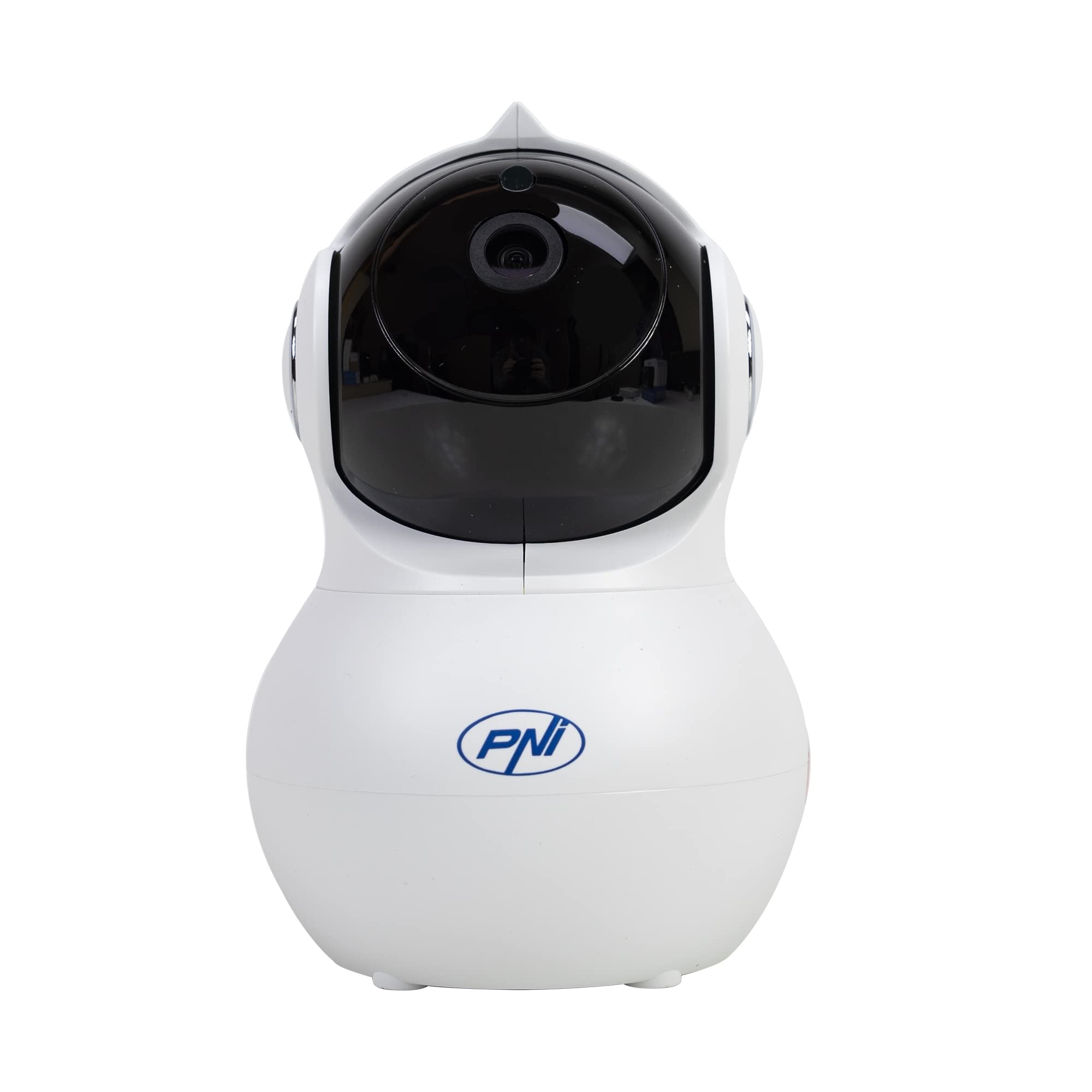
Պատկեր՝ առջևի view of the PNI IP930W surveillance camera, showing its dome shape and lens.

Պատկեր՝ մանրամասն view of the PNI IP930W camera with labels pointing to the Reset Button, TF Card Slot, DC Interface (power), and LAN Interface (Ethernet port.

Պատկեր՝ Ներքև view of the PNI IP930W camera, showing the mounting points, product label with model number, QR code, and power specifications.
4. Կարգավորման հրահանգներ
4.1. Միացնելով տեսախցիկը
- Connect the provided power cable to the DC Interface on the camera.
- Միացրեք հոսանքի ադապտեր ստանդարտ էլեկտրական վարդակից:
- The camera will power on and initiate its self-test sequence.
4.2. Ցանցային միացում
The PNI IP930W supports both wireless (Wi-Fi) and wired (Ethernet) connections.
Wireless Connection (Recommended)
- Download the "Yi IOT" application from your mobile device's app store (iOS or Android).
- Գրանցեք հաշիվ և մուտք գործեք:
- Follow the in-app instructions to add your camera. This typically involves scanning a QR code on the camera or connecting to a temporary Wi-Fi hotspot created by the camera.
- Ընտրեք ձեր տան Wi-Fi ցանցը և մուտքագրեք գաղտնաբառը:
- Wait for the camera to connect to your Wi-Fi network.
Լարային միացում
- Connect an Ethernet cable from your router to the LAN Interface on the camera.
- Follow the in-app instructions in the "Yi IOT" application to add your camera. The app should detect the camera automatically on the local network.
4.3. MicroSD քարտի տեղադրում (ըստ ցանկության)
The camera supports a MicroSD card up to 64GB for local video storage.
- Locate the TF Card Slot on the camera (refer to Product Overview պատկեր):
- Gently insert the MicroSD card into the slot until it clicks into place.
- Format the MicroSD card via the "Yi IOT" app settings for proper functionality.
4.4. Տեսախցիկի տեղադրում
The camera can be placed on a flat surface or mounted to a ceiling or wall using the provided bracket and screws.

Image: The PNI IP930W camera mounted upside down on a ceiling using its bracket, demonstrating flexible installation options.
- Choose a suitable indoor location for optimal viewինգ.
- Attach the mounting bracket to the desired surface using the mounting screws.
- Ապահով կերպով ամրացրեք տեսախցիկը ամրացման փակագծին։
- Adjust the camera's orientation as needed.
5. Գործառնական հրահանգներ
5.1. Կենդանի View և PTZ կառավարում
- Open the "Yi IOT" app and select your camera.
- The live video feed will appear.
- Use the on-screen controls to pan (horizontal 355°) and tilt (vertical 155°) the camera lens to adjust the viewանգլ.
5.2. Երկկողմանի աուդիո
- Ուղիղ եթերի ժամանակ view, tap the microphone icon in the app to speak through the camera's built-in speaker.
- Տեսախցիկի ներկառուցված միկրոֆոնը կձայնագրի շրջակա միջավայրի ձայնը։
5.3. Շարժման հայտնաբերում և ահազանգեր
- Enable motion detection in the "Yi IOT" app settings.
- Անհրաժեշտության դեպքում կարգավորեք զգայունության մակարդակը։
- When motion is detected, the camera can send alarm notifications to your mobile phone and record a short video clip (e.g., 6 seconds).
5.4. Գիշերային տեսիլք
- The camera automatically switches to night vision mode in low-light conditions using its 8 infrared LEDs.
- Night vision provides clear black and white video up to 10 meters.
5.5. Տեսանկարահանում և պահպանում
- Recordings can be stored locally on the MicroSD card or in the cloud (subscription required).
- Մուտք գործեք գրանցված տեղեկություններըtage through the "Yi IOT" app's playback feature.
6. Պահպանում
- Մաքրում: Օգտագործեք փափուկ, չոր կտոր՝ տեսախցիկի օբյեկտիվը և կորպուսը մաքրելու համար: Խուսափեք հղկող մաքրող միջոցներից կամ լուծիչներից:
- Fրագրակազմի թարմացումներ. Regularly check the "Yi IOT" app for available firmware updates to ensure optimal performance and security.
- MicroSD քարտ. Periodically check the MicroSD card for errors and ensure it has sufficient storage space. Back up important recordings as needed.
7: Անսարքություն
| Խնդիր | Հնարավոր պատճառ | Լուծում |
|---|---|---|
| Տեսախցիկը չի միանում | Հոսանքի ադապտերը միացված չէ կամ անսարք է. վարդակի խնդիր։ | Ensure power cable is securely connected. Try a different power outlet. Verify power adapter functionality. |
| Հնարավոր չէ միանալ Wi-Fi-ին | Incorrect Wi-Fi password; camera too far from router; Wi-Fi signal interference. | Double-check Wi-Fi password. Move camera closer to the router. Reduce interference from other devices. Ensure router is 2.4GHz compatible. |
| Հավելվածում տեսանյութերի հոսք չկա | Network connection issue; app malfunction. | Check network connection. Restart camera and app. Re-add camera to the app if necessary. |
| Շարժման հայտնաբերումը չի աշխատում | Motion detection disabled; sensitivity too low; incorrect detection zone. | Enable motion detection in app settings. Increase sensitivity. Adjust detection zones. |
| MicroSD քարտը չի ձայնագրում | Card not inserted correctly; card not formatted; card full or faulty. | Reinsert MicroSD card. Format card via app. Replace card if faulty. |
8. Տեխնիկական պայմաններ
| Առանձնահատկություն | Մանրամասն |
|---|---|
| Մոդելի համարը | IP930W |
| Պատկերի ցուցիչ | 1/2.7" |
| Սենսորային լուծում | 2 մեգապիքսել |
| Տեսանյութի բանաձեւ | 1080P (1920x1080) |
| Ոսպնյակի տեսակը | f:3.6 mm |
| Նվազագույն լուսավորություն | 0.01 լյուքս |
| Viewանգլ | 80° (Fixed Lens), 360° (PTZ Coverage) |
| IR-Cut զտիչ | Այո՛ |
| Տեսանյութի սեղմում | հ.264 |
| Շրջանակներ մեկ վայրկյանում | 20-25 կադր/վրկ |
| Աուդիո մուտքագրում | Ներկառուցված խոսափող |
| Աուդիո ելք | Ներկառուցված բարձրախոս |
| Ethernet | 10/100 Mbit/s RJ-45 |
| Անլար կապ | Wi-Fi (802.11 բ/գ/ն) |
| Անլար անվտանգություն | WEP, WPA, WPA2 կոդավորումը |
| Pan/Tilt Range | Հորիզոնական՝ 355°, ուղղահայաց՝ 155° |
| Չափերը (L x W x H) | 20.25 x 12.15 x 11.7 սմ |
| Զուտ քաշը | 225 գ |
| MicroSD քարտի բնիկ | Max 64 GB (card not included) |
| Շարժման հայտնաբերում | Այո՛ |
| Տեսանկարահանում | Local (MicroSD), Cloud (paid) |
| Մանկական մոնիտորի գործառույթ | Այո՛ |
| Ինֆրակարմիր հեռավորությունը | Մինչև 10 մ |
| Տագնապային ծանուցում | To mobile phone |
| P2P Support | Այո՛ |
| Նվիրված հավելված | Yi IOT |
| Էներգամատակարարում Voltage | 5V/1A |
| Էլեկտրաէներգիայի սպառում | 5W |
| Գործող ջերմաստիճանը | -26°C ~ +80°C |
| Գործառնական խոնավություն | 20% -85% (ոչ խտացնող) |
| Օգտագործման միջավայր | Փակ |
| IP վարկանիշ | IP66 |
9. Երաշխիք և աջակցություն
For warranty information, please refer to the documentation provided with your purchase or contact your retailer.
For technical support, please visit the official PNI website or contact their customer service. The dedicated "Yi IOT" application also provides support resources and FAQs.

Image: An image indicating PNI technical support, showing tools and a multimeter, suggesting repair and service capabilities.