
1. Ներածություն
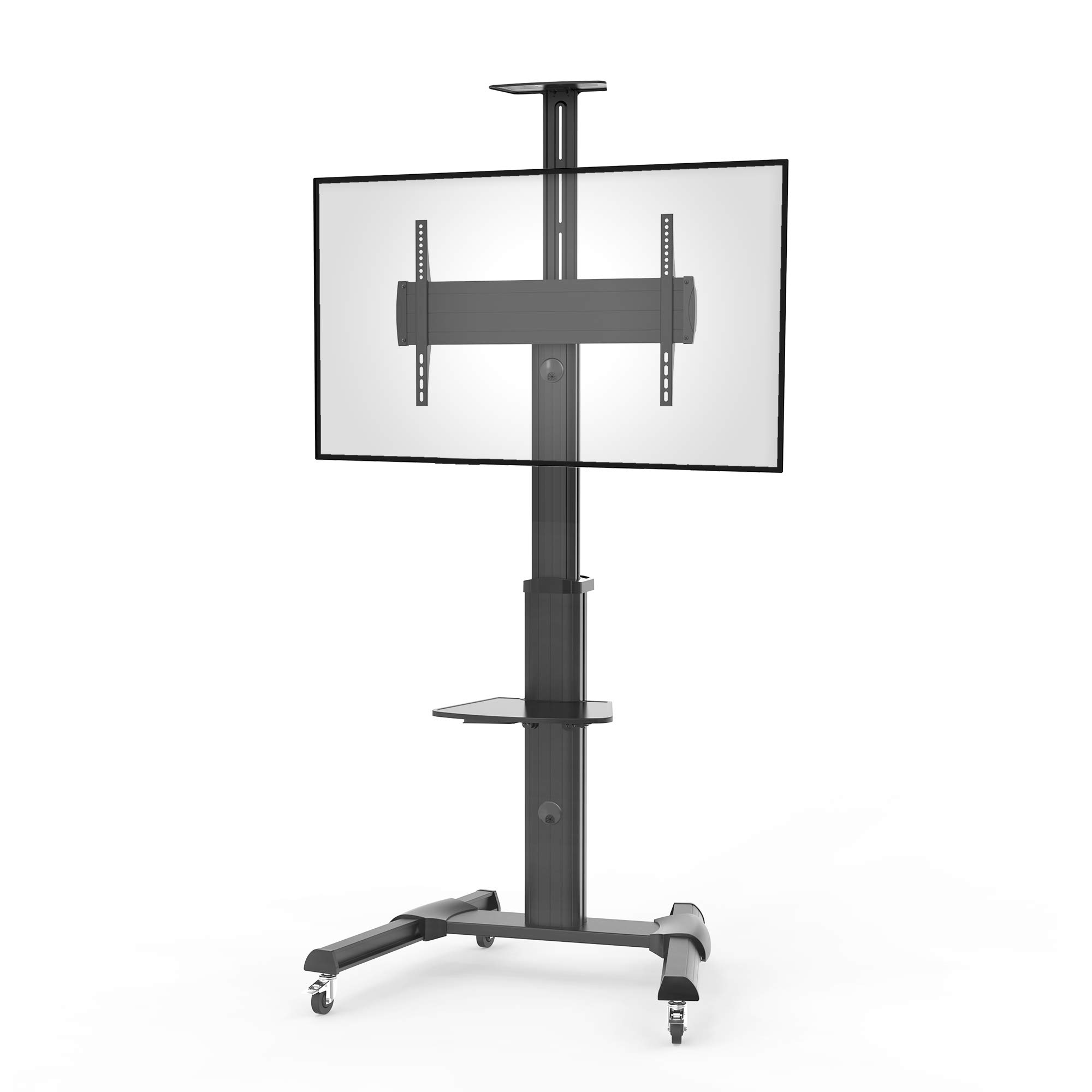
Thank you for choosing the conecto CC50013 Professional TV Stand. This mobile TV stand is designed for flat screens ranging from 37 to 70 inches, supporting VESA patterns up to 600x400. It features height adjustment, tilt, and swivel capabilities, along with integrated cable management and lockable casters for secure and flexible placement. This manual provides essential information for safe installation, operation, and maintenance of your TV stand.
2. Անվտանգության տեղեկատվություն
- Հավաքվելուց և օգտագործելուց առաջ ուշադիր կարդացեք բոլոր հրահանգները:
- Հավաքելուց առաջ համոզվեք, որ բոլոր բաղադրիչները առկա են և անվնաս են։ Մի օգտագործեք, եթե որևէ մաս բացակայում է կամ թերի է։
- This TV stand is designed for screens weighing up to 50 kg (110 lbs). Do not exceed this weight limit.
- Ensure the VESA mounting pattern of your TV is compatible (200x200 to 600x400).
- Assembly should be performed by at least two people to prevent injury or damage.
- Բոլոր պտուտակները ամուր ամրացրեք, բայց չափից շատ մի ամրացրեք։
- Always engage the wheel locks when the stand is in a stationary position to prevent accidental movement.
- Հավաքման ընթացքում հեռու պահեք երեխաներին և ընտանի կենդանիներին:
3. Փաթեթի բովանդակությունը
Խնդրում ենք ստուգել, որ ձեր փաթեթում ներառված են հետևյալ բոլոր բաղադրիչները.
- 1x conecto LM-FS02GB Professional TV Stand
- 1x Storage shelf for peripheral devices
- 1x Storage shelf for camera
- Assembly hardware kit (screws, washers, spacers, tools)
- Հրահանգների ձեռնարկ
4. Ապրանքի հատկությունները
The conecto CC50013 TV Stand offers a range of features for optimal viewing and convenience:
- Maximum Flexibility: Features tilt (+5° to -10°) and swivel (360° on casters) functions for ideal viewing անկյունները.
- Ինտեգրված մալուխային կառավարում. Keeps cables tidy and organized within the stand's column.
- Easy Lateral Shifting: Allows for horizontal adjustment of the TV to accommodate various screen sizes.
- Tool-Free Height Adjustment: Effortlessly adjust the TV height for an optimal viewփորձը.
- Height-Adjustable Shelves: Includes a peripheral shelf and a camera shelf, both adjustable to suit your needs.
- Կողպվող անիվներ՝ Provides a solid and secure base, allowing for easy mobility and stable positioning.
Նկար 1: Ավարտվել էview of conecto TV Stand features. This diagram highlights key functionalities such as maximum flexibility with tilt and adjustment, integrated cable management, easy lateral shifting for various TV sizes, tool-free height adjustment, height-adjustable shelves for peripherals and cameras, and lockable casters for stability and mobility.
5. Տեխնիկական պայմաններ
| Առանձնահատկություն | Հստակեցում |
|---|---|
| Մոդելի համարը | LM-FS02GB |
| Բրենդ | conecto |
| Նյութ | Ալյումինե |
| Գույն | Սեւ |
| Համատեղելի էկրանի չափսեր | 37 - 70 դյույմ (94 - 178 սմ) |
| Առավելագույն ծանրաբեռնվածություն | 50 կգ (110 ֆունտ) |
| VESA Համատեղելիություն | 200x200 to 600x400 mm |
| Թեքության անկյուն | +5°-ից -10° |
| Ռոտացիա | 0° to +90° (screen orientation) |
| Պտտվող | 360° (via casters) |
| Մոնտաժման տեսակը | Floor Mount (Mobile) |
| Ձուլիչներ | 4-inch shock-absorbing, lockable |
| Արտադրողի երաշխիք | 2 տարի |

Նկար 2: Detailed dimensions of the conecto LM-FS02GB TV Stand. This technical drawing provides precise measurements for the stand's overall height (min. 1200mm - max. 2069mm), base dimensions (828mm x 700mm), VESA mounting range (min. 200mm - max. 600mm horizontally, min. 200mm - max. 408mm vertically), and shelf dimensions.
6. Կարգավորում և հավաքում
Follow these steps to assemble your conecto Professional TV Stand. It is recommended to have at least two people for assembly.
- Ապափաթեթավորեք բաղադրիչները. Carefully remove all parts from the packaging and lay them out on a clean, soft surface to prevent scratches. Verify all parts are present against the package contents list.
- Հավաքեք բազան. Attach the support legs to the central base column. Ensure the casters are securely fastened to the legs.
- Attach the Main Column: Secure the main vertical column to the assembled base.
- Install TV Mounting Bracket: Attach the VESA mounting bracket to the main column at the desired height.
- Mount TV Rails to Television: Secure the vertical TV rails to the back of your television using the appropriate screws, washers, and spacers for your TV's VESA pattern. Ensure the rails are centered and level.
- Hang Television: With assistance, carefully lift your television and hook the mounted rails onto the TV mounting bracket on the stand. Secure the TV to the bracket using the provided locking mechanisms.
- Դարակների տեղադրում. Attach the peripheral and camera shelves to the main column at your preferred heights. Tighten them securely.
- Մալուխի կառավարում. Route all necessary cables through the integrated cable management system within the stand's column for a neat and organized setup.

Նկար 3: Հետևի view of the TV stand, illustrating the VESA mounting plate where the television rails attach, and the access points for integrated cable management.

Նկար 4: Top-down perspective of the TV stand, highlighting the two adjustable shelves for peripheral devices and cameras, and the robust structure of the main column and base.
7. Գործառնական հրահանգներ
Once assembled, your conecto TV stand offers various adjustments for optimal use:
- Բարձրության կարգավորում. Loosen the height adjustment knobs on the main column, carefully raise or lower the TV and bracket to the desired height, then securely tighten the knobs.
- Tilting the Screen: Loosen the tilt adjustment screws on the TV mounting bracket. Adjust the screen to the desired tilt angle (+5° to -10°), then retighten the screws firmly.
- Rotating the Screen: The TV mounting bracket allows for rotation of the screen from 0° to +90° (landscape to portrait). Loosen the rotation mechanism, adjust the screen, and then secure it.
- Հենարանի տեղափոխում. Unlock the casters on the base. Carefully push the stand to its new location. Once positioned, engage the caster locks to secure the stand.
- Կարգավորող դարակներ. Loosen the locking mechanism on each shelf, slide the shelf to the desired height, and then tighten the mechanism to secure it.

Նկար 5: The conecto TV stand in operation with a television mounted. This image shows the stand's stable base, the mounted screen, and the peripheral shelf in use, illustrating its practical application.
8. Պահպանում
Regular maintenance ensures the longevity and safe operation of your TV stand:
- Մաքրում: Սրբեք հենարանը փափուկ, չոր կտորով: Համառ հետքերի դեպքում օգտագործեք թեթևակի չոր կտոր:amp սրբեք կտորը մեղմ լվացող միջոցով, ապա լավ չորացրեք: Խուսափեք հղկող մաքրող միջոցներից կամ լուծիչներից:
- Ստուգում: Պարբերաբար ստուգեք բոլոր պտուտակներն ու բոլտերը՝ համոզվելու համար, որ դրանք ամուր են։ Անհրաժեշտության դեպքում կրկին ամրացրեք։
- Անվադողերի խնամք. Պահեք անիվները փոշուց և աղբից զերծ՝ սահուն շարժումն ապահովելու համար։
- Քաշի սահմանափակում. Always adhere to the maximum weight capacity of 50 kg.
9: Անսարքություն
Եթե ձեր հեռուստացույցի տակդիրի հետ կապված որևէ խնդիր եք ունենում, դիմեք հետևյալ տարածված խնդիրներին և լուծումներին.
- Կանգառը անկայուն է.
- Համոզվեք, որ բոլոր հավաքման պտուտակները ամուր ամրացված են։
- Verify the casters are locked when the stand is stationary.
- Check that the TV weight does not exceed the maximum load capacity.
- TV does not fit the mounting bracket:
- Confirm your TV's VESA pattern is within the supported range (200x200 to 600x400 mm).
- Համոզվեք, որ օգտագործում եք ձեր հեռուստացույցի մոդելի համար ճիշտ պտուտակները, լվացքի մեքենաները և միջադիրները։
- Cables are not tidy:
- Re-route cables through the integrated cable management channels in the main column.
- Բարձրության/թեքության կարգավորման դժվարություն.
- Ensure adjustment knobs/screws are sufficiently loosened before attempting to adjust.
- Do not force adjustments; if resistance is met, recheck the locking mechanisms.
10. Երաշխիք և աջակցություն
The conecto CC50013 Professional TV Stand comes with a 2 տարվա արտադրողի երաշխիք գնման օրվանից։ Այս երաշխիքը ներառում է նյութերի և աշխատանքի թերությունները նորմալ օգտագործման դեպքում։
For warranty claims, technical support, or any questions regarding your product, please contact your retailer or the manufacturer directly. Please have your purchase receipt and model number (LM-FS02GB) available when contacting support.