
1. Ներածություն
This manual provides essential information for the safe and efficient use of your TCL 32B400 32-inch HD LCD TV. Please read it thoroughly before operating the television and retain it for future reference.
The TCL 32B400 features a direct-lit LED backlight for uniform high brightness and image quality. Its VA panel technology delivers superior contrast, allowing for natural expression of subtle light and dark details. Equipped with a dual tuner, this TV supports terrestrial digital, BS digital, and 110-degree CS digital broadcasts, enabling simultaneous recording of one program while watching another. It supports various recording functions including instant, scheduled, daily/weekly repeat, and event recording. Connectivity options include two HDMI Ver1.4a input terminals (Port 1 supports ARC) and one USB2.0 input/output terminal, allowing connection to Blu-ray/DVD players/recorders and external speakers via ARC.

Նկար 1. Առջև view of the TCL 32B400 TV.
2. Կարգավորում
2.1 Բացում տուփից և բաղադրիչների ստուգում
Զգուշորեն հեռացրեք բոլոր բաղադրիչները փաթեթավորումից։ Համոզվեք, որ ստորև թվարկված բոլոր իրերը առկա են։
- Հեռակառավարման x1
- AAA մարտկոցներ x2
- miniB-CAS card x1
- Հոսանքի լար x1
- Tip-over prevention parts set x1
- Կանգնեք x2
- Screws (ST4, 20mm) x4 (for 32-inch model)
- Հրահանգների ձեռնարկ
- Արագ ուղեցույց
- Երաշխիքային քարտ

Նկար 2. Ներառված պարագաներ։
2.2 Ստենդի տեղադրում
- Վնասվելուց խուսափելու համար հեռուստացույցի էկրանը դեպի ներքև դրեք փափուկ, հարթ մակերեսի վրա։
- Align the stands with the corresponding slots on the bottom of the TV.
- Secure each stand using the provided screws (ST4, 20mm).
2.3 Միացնող մալուխներ
Connect the necessary cables to the appropriate ports on the TV. Refer to the connection diagram below.
- Էլեկտրական լարը: Միացրեք սնուցման լարը հեռուստացույցի սնուցման մուտքին, ապա՝ պատի վարդակիցին։
- Անտենա: Connect your terrestrial digital antenna cable to the 'Antenna Input' port. For BS/CS broadcasts, connect the satellite antenna cable to the 'BS/CS 110°' port.
- HDMI սարքեր՝ Connect external devices like Blu-ray players or game consoles to the HDMI input ports. HDMI Port 1 supports Audio Return Channel (ARC).
- USB սարքեր. Connect external USB storage devices for recording to the USB port.
- miniB-CAS Card: Insert the miniB-CAS card into its dedicated slot.

Figure 3: Connection terminals overview.
2.4 Նախնական կարգավորում
After connecting all cables and powering on the TV, follow the on-screen instructions to complete the initial setup, including channel tuning and network configuration (if applicable).
3. Գործառնական հրահանգներ
3.1 Հիմնական գործողություն
- Միացում/անջատում. Սեղմեք հեռակառավարման կամ հեռուստացույցի միացման կոճակը։
- Ալիքի ընտրություն. Use the 'CH +/-' buttons or number buttons on the remote control.
- Ձայնի ճշգրտում. Use the 'VOL +/-' buttons on the remote control.
- Մուտքագրման աղբյուր. Press the 'Input' button on the remote to select between HDMI, TV, and other connected sources.
3.2 Ձայնագրման ծրագրեր
Your TCL 32B400 TV supports recording to an external USB Hard Disk Drive (HDD) thanks to its dual tuner. This allows you to record one program while watching another.
- Connect a compatible external USB HDD to the TV's USB port.
- Format the HDD if prompted by the TV.
- To record, select the desired program and use the recording options in the TV menu (e.g., instant recording, scheduled recording via EPG).

Figure 4: Dual tuner allows watching one program while recording another.
3.3 Պատկերի և ձայնի կարգավորումներ
Access the TV's menu to adjust picture (brightness, contrast, color, sharpness) and sound (bass, treble, balance, sound mode) settings to your preference.
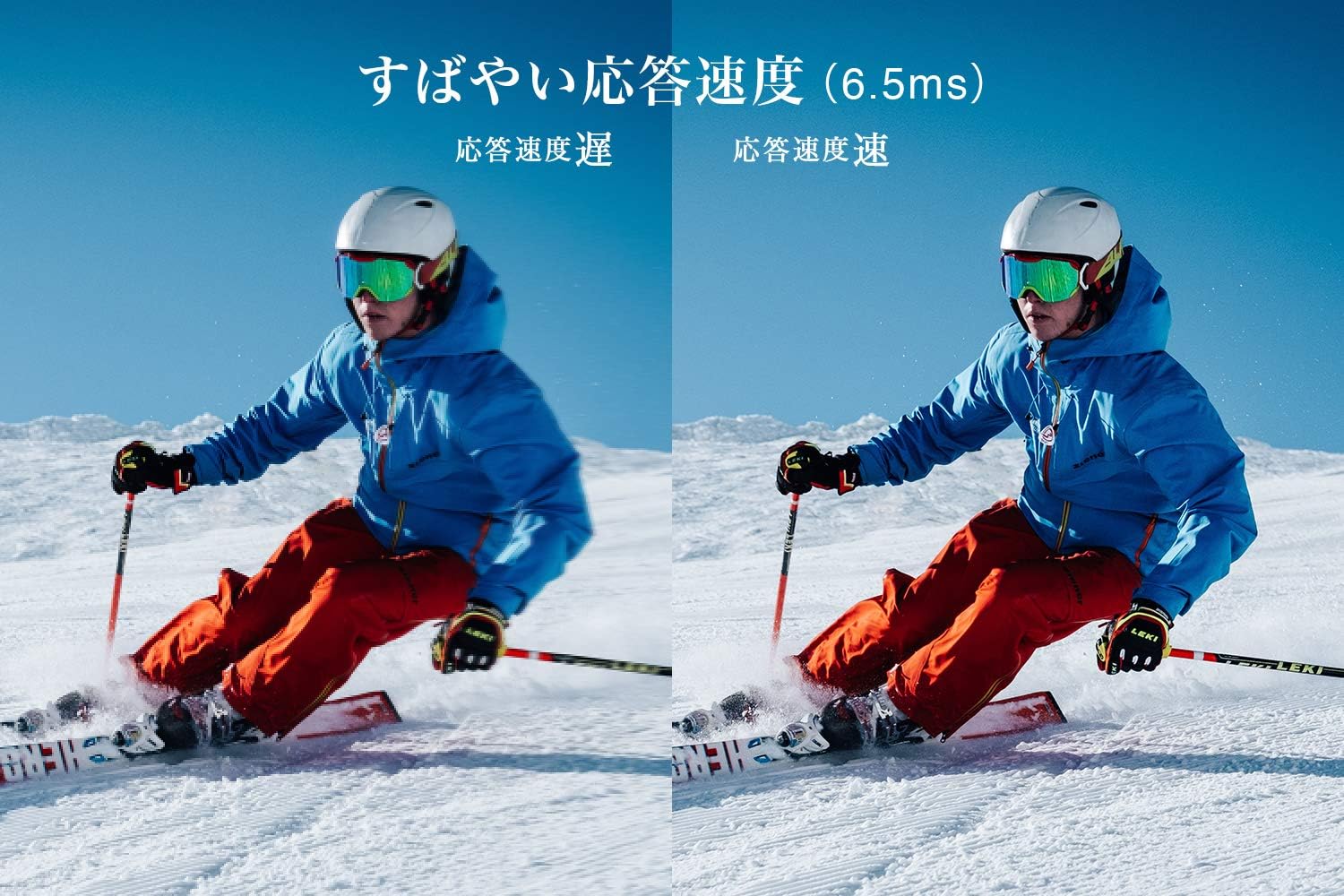
Figure 5: The TV features a fast response speed of 6.5ms for clear motion.
4. Պահպանում
4.1 Էկրանի մաքրում
Զգուշորեն սրբեք էկրանը փափուկ, չոր, թել չթողնող կտորով։ Համառ հետքերի դեպքում թեթևակի սրբեքampen the cloth with water or a specialized screen cleaner (ensure it's suitable for LCD screens) and wipe carefully. Avoid applying excessive pressure.
4.2 Հեռուստացույցի կորպուսի մաքրում
Wipe the TV body with a soft, dry cloth. Do not use abrasive cleaners, waxes, or solvents as they can damage the finish.
4.3 Ընդհանուր խնամք
- Խուսափեք հեռուստացույցը ուղիղ արևի լույսի կամ ծայրահեղ ջերմաստիճանների ազդեցության տակ ենթարկելուց։
- Ապահովեք հեռուստացույցի շուրջ բավարար օդափոխություն՝ գերտաքացումը կանխելու համար։
- Անջատեք հեռուստացույցը վարդակից կայծակի ժամանակ կամ երբ այն երկար ժամանակ չի օգտագործվելու։
5: Անսարքություն
If you encounter issues with your TV, refer to the following common troubleshooting steps. If the problem persists, contact customer support.
5.1 Էլեկտրաէներգիա չկա
- Ստուգեք, թե արդյոք սնուցման լարը ամուր միացված է և՛ հեռուստացույցին, և՛ պատի վարդակիցին։
- Ստուգեք, որ պատի վարդակը գործում է՝ միացնելով մեկ այլ սարք։
- Սեղմեք հեռուստացույցի միացման կոճակը, այլ ոչ թե միայն հեռակառավարման վահանակի։
5.2 No Picture/No Signal
- Համոզվեք, որ ընտրված է ճիշտ մուտքի աղբյուրը (օրինակ՝ HDMI 1, հեռուստացույց):
- Ստուգեք բոլոր մալուխային միացումները (HDMI, ալեհավաք)՝ թուլության կամ վնասվածքի առկայության համար:
- Արտաքին սարք օգտագործելիս համոզվեք, որ այն միացված է և ճիշտ է աշխատում։
- Perform a channel scan if you are watching broadcast TV.
5.3 Ձայն չկա
- Ստուգեք ձայնի մակարդակը և համոզվեք, որ հեռուստացույցը անջատված չէ։
- Եթե օգտագործում եք արտաքին բարձրախոսներ, համոզվեք, որ դրանք ճիշտ են միացված և սնուցվում։
- Ստուգեք ձայնի կարգավորումները հեռուստացույցի ընտրացանկում։
5.4 Հեռակառավարիչը չի աշխատում
- Փոխարինեք մարտկոցները նորերով:
- Համոզվեք, որ հեռակառավարման վահանակի և հեռուստացույցի ինֆրակարմիր սենսորի միջև խոչընդոտներ չկան։
6. Տեխնիկական պայմաններ
| Առանձնահատկություն | Հստակեցում |
|---|---|
| Ցուցադրման չափը | 32 դյույմ |
| Ցուցադրման տեխնոլոգիա | LCD |
| Բանաձեւ | HD (1366 x 768) |
| Թարմացման արագություն | 60 Հց |
| Ասպեկտների հարաբերակցություն | 16։9 |
| Կոնտրաստ հարաբերակցություն | 3000։1 |
| Viewանգլ | 178/178 degrees (JEITA standard, CR>=10) |
| Հետին լույսի տեսակը | Ուղղակի լուսավորված LED |
| Արձագանքման արագություն | 6.5 ms |
| Չափերը (հենակետով) | W731 x H491 x D186 մմ |
| Չափերը (առանց կանգառի) | W731 x H436 x D76 մմ |
| Քաշը (կանգնած) | 4.4 կգ |
| Քաշ (առանց կանգառի) | 4.3 կգ |
| Պատի ամրակ (VESA) | 100x100 մմ |
| Տարեկան էներգիայի սպառում | 45 կՎտժ/տարի |
| HDMI պորտեր | 2 (HDMI Ver1.4a, Port 1 supports ARC) |
| USB պորտեր | 1 (USB2.0) |
| լարող տեսակը | Terrestrial Digital, BS Digital, 110-degree CS Digital (Dual Tuner) |
| Մոդելային տարի | 2019 |

Figure 6: TV dimensions and recommended viewհեռավորությունը

Figure 7: VA panel technology provides superior contrast and depth.
7. Երաշխիք և աջակցություն
7.1 Արտադրողի երաշխիք
This product comes with a 1-year manufacturer's warranty from the date of purchase. Please retain your proof of purchase for warranty claims.
7.2 Հաճախորդների աջակցություն
For any inquiries, technical assistance, or repair requests, please contact TCL customer support. Our dedicated Japanese staff are available to assist you.
- Հեռախոս: 0120-955-517
- Աշխատանքային ժամեր. 9:00 - 18:00 (Weekdays and Holidays, excluding year-end and New Year holidays)
- Webկայքը: https://www.tcl.com/jp/ja/services.html
Nationwide repair service is available.
Figure 8: TCL Customer Support details.