
Ներածություն
Շնորհակալություն գնման համարasing the Helix True Wireless Earbuds. This manual provides essential information for setting up, operating, and maintaining your earbuds. Please read it carefully before use and retain it for future reference.

Image: Helix True Wireless Earbuds, black and white, resting inside their open black charging case. One earbud is also shown outside the case, indicating its design.
Ինչ կա տուփի մեջ
- Անլար ականջակալներ (ձախ և աջ)
- Լիցքավորման պատյան
- USB լիցքավորման մալուխ
- Օգտագործողի ձեռնարկ
Կարգավորում
1. Սկզբնական լիցքավորում
Before first use, fully charge the earbuds and the charging case. Connect the USB charging cable to the charging case and a power source. The LED indicators on the case will show charging status.

Image: An open charging case with two earbuds inside. Three blue LED lights are visible on the case, indicating power status. Text overlays highlight "Superior HD Audio", "Hands-Free Calling", and "Power LED Indicators".
2. Power On/Off and Auto-Pairing
The earbuds feature auto on/off and pairing. Simply remove the earbuds from the charging case to power them on. They will automatically enter pairing mode or reconnect to the last paired device. Place them back into the case to power off and begin charging.
3. Bluetooth զուգավորում
- Ensure the earbuds are charged and removed from the charging case.
- Ձեր սարքի վրա (սմարթֆոն, պլանշետ և այլն) անցեք Bluetooth կարգավորումներ։
- Որոնել new devices and select "Helix TW" from the list.
- Once connected, your device will indicate successful pairing.
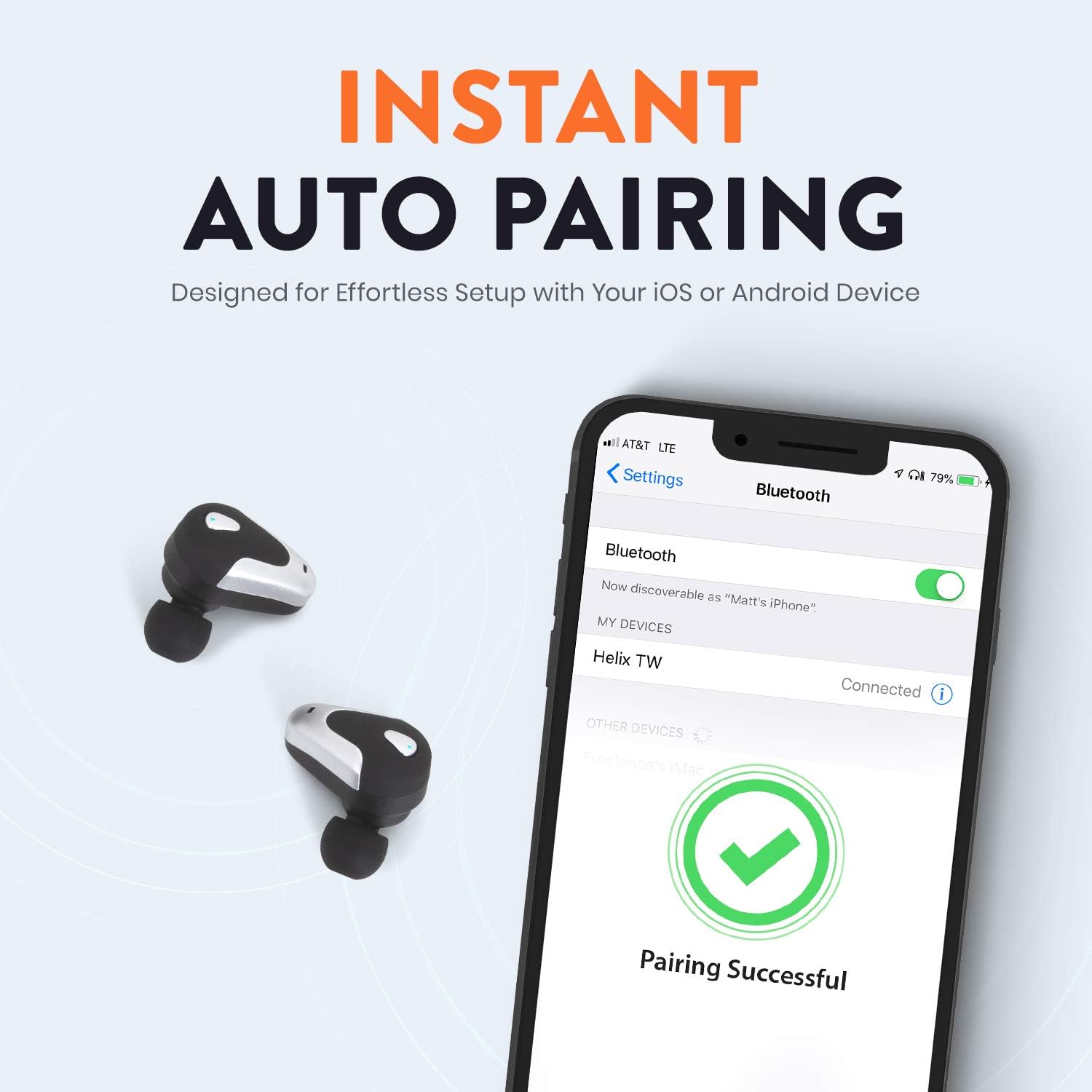
Image: A smartphone screen displaying Bluetooth settings, showing "Helix TW" as a connected device and a "Pairing Successful" message with a green checkmark. Two Helix earbuds are shown next to the phone.
4. SecureLock Fit
The Helix True Wireless Earbuds are designed with an ergonomic SecureLock Fit for comfort and stability during various activities. Gently insert the earbuds into your ears and twist slightly to secure them.

Image: A diagram illustrating the ergonomic SecureLock Fit of the earbuds, showing how they twist into the ear for a secure hold. In the background, people are exercising, suggesting the earbuds' suitability for active use.
Գործառնական հրահանգներ
Աուդիո նվագարկումը
- Նվագարկել/Դադար. Tap the control area on either earbud once.
- Հաջորդ հետքերը. Double-tap the control area on the right earbud.
- Նախորդ ուղի ՝ Double-tap the control area on the left earbud.
Զանգեր առանց ձեռքի
- Պատասխանել/Ավարտել զանգը. Tap the control area on either earbud once.
- Մերժել զանգը. Press and hold the control area on either earbud for 2 seconds.
Ձայնային օգնականի կառավարում
Triple-tap the control area on either earbud to activate your device's voice assistant (e.g., Siri, Google Assistant).
Մարտկոցի կյանք
The earbuds provide up to 4 hours of run time on a single charge. The charging case extends total listening time to approximately 16 hours.

Image: A graphic illustrating the battery life of the Helix earbuds. It shows "4 HOURS" for a single charge of the earbuds and "16 HOURS" when combined with the charging case.
HD աուդիո
Experience HD audio with unrivaled bass, midtones, and treble frequencies for a rich listening experience.

Image: A graphic titled "NEXT-LEVEL HD AUDIO" with sound wave patterns in blue, representing high-definition audio quality. Two Helix earbuds are depicted in the foreground.
Տեխնիկական սպասարկում
- Մաքրում: Use a soft, dry cloth to clean the earbuds and charging case. Do not use abrasive cleaners or immerse in water.
- Պահպանում: Երբ ականջակալները չեք օգտագործում, պահեք դրանք լիցքավորման պատյանի մեջ՝ դրանք պաշտպանելու և լիցքավորված պահելու համար։
- Ջրի դիմադրություն: The earbuds are water resistant, but not waterproof. Avoid prolonged exposure to water or submersion.
Անսարքությունների վերացում
| Խնդիր | Լուծում |
|---|---|
| Ականջակալները չեն միանում սարքին։ |
|
| Մեկ ականջակալից ձայն չկա: |
|
| Ականջակալները չեն լիցքավորվում։ |
|
| Վատ ձայնային որակ: |
|
Տեխնիկական պայմաններ
| Առանձնահատկություն | Մանրամասն |
|---|---|
| Մոդելի անվանումը | Խխունջ |
| Մոդելի համարը | ETHTWB |
| Միացման տեխնոլոգիա | Bluetooth |
| Bluetooth տարբերակ | 5.0 |
| Bluetooth միջակայք | 10 մետր |
| Մարտկոցի աշխատանքի տևողությունը (ականջակալներ) | Մինչև 4 ժամ |
| Մարտկոցի ընդհանուր աշխատանքային ժամանակը (պատյանով) | Մինչև 16 ժամ |
| Աուդիո վարորդի տեսակը | Հավասարակշռված Արմատուրա Վարորդ |
| Հաճախականության միջակայք | 20 Հց-ից 20,000 Հց |
| Կառավարման տեսակը | Media Control, Voice Assistant |
| Միկրոֆոն | Included for Hands-Free Calling |
| Ջրի դիմադրության մակարդակը | Ջրակայուն |
| Ականջակալի ձևը | Ականջի մեջ |
| Նյութ | Պլաստիկ |
| Գույն | Սեւ |
| Նյութի քաշը | 3.2 ունցիա |
| Արտադրող | Խխունջ |
| UPC | 816983019126 |
Երաշխիքային տեղեկատվություն
Specific warranty details are typically provided with your product packaging or available on the manufacturer's official website. Please refer to the documentation included with your purchase for comprehensive warranty terms and conditions.
Աջակցություն
For further assistance, technical support, or customer service inquiries, please visit the official Helix website or contact their customer support channels as listed in your product documentation.
Կարող եք նաև այցելել Helix Store on Amazon ապրանքի մասին լրացուցիչ տեղեկությունների համար: