
Introduction to Apple Watch Series 6
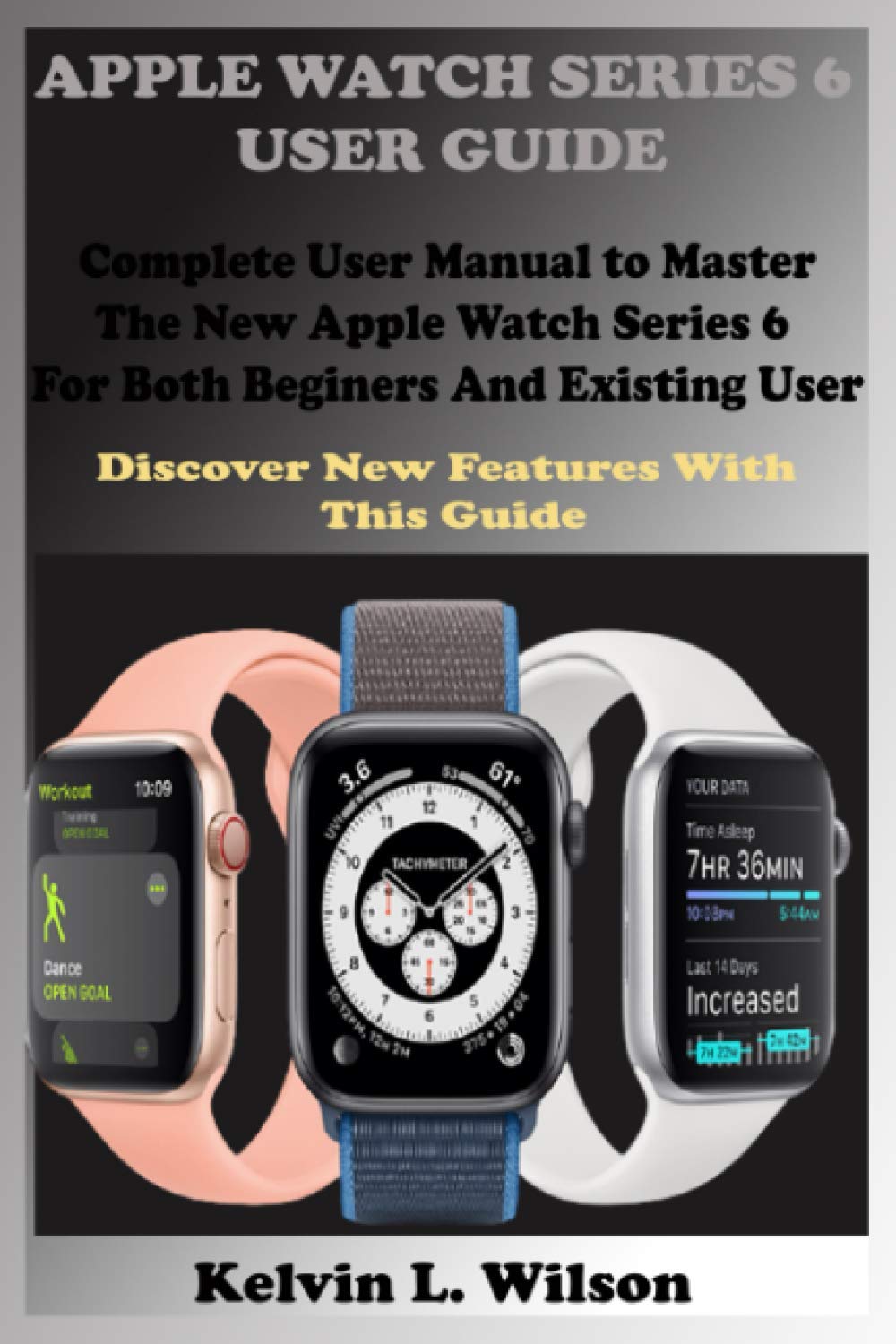
The Apple Watch Series 6 offers advanced health and fitness features, along with seamless integration with your iPhone. This guide will help you understand and utilize all the functionalities of your device, running on watchOS 7.
Key features include blood oxygen measurement, ECG monitoring, heart rate tracking, and fall detection. Whether you are a new user or upgrading from a previous model, this manual covers essential setup, operation, and troubleshooting information.
Առանձնահատկություններն ավարտված ենview
The Apple Watch Series 6 is equipped with a range of innovative features designed to enhance your daily life and health monitoring:
- Արյան թթվածնի չափում. Հետևեք ձեր արյան մեջ թթվածնի մակարդակին անմիջապես ձեր դաստակից։
- ԷՍԳ հավելված՝ Take an electrocardiogram to check for signs of atrial fibrillation.
- Սրտի զարկերի մոնիտորինգ. Track your heart rate throughout the day and receive notifications for high or low heart rates.
- Sleep App: Monitor your sleep patterns and set sleep goals.
- Աշնանային հայտնաբերում. Automatically calls emergency services if a hard fall is detected and you are unresponsive.
- Fitness and Activity Tracking: Track workouts, daily activity, and achieve fitness goals.
- Siri ինտեգրում. Օգտագործեք ձայնային հրամաններ տարբեր առաջադրանքների համար։
- Apple Pay: Make secure payments directly from your watch.
- Հաղորդակցություն: Make calls, send messages, and manage mail from your wrist.
Կարգավորում և նախնական կարգավորում
This section guides you through the initial setup of your Apple Watch Series 6.
1. iPhone-ի հետ զուգակցում
- Ensure your iPhone is updated to the latest iOS version and Bluetooth is enabled.
- Միացրեք ձեր Apple Watch-ը՝ սեղմելով և պահելով կողային կոճակը, մինչև Apple-ի լոգոն հայտնվի:
- Bring your iPhone near your Apple Watch. A pairing screen will appear on your iPhone. Tap "Continue".
- Position your iPhone so the Apple Watch appears in the viewգտնող
- Follow the on-screen instructions to set up as a new watch or restore from a backup.
2. Adjusting Display and Sound Settings
- Էկրանի պայծառություն. Go to Settings > Display & Brightness to adjust.
- Տեքստի չափը: In Display & Brightness, select Text Size to increase or decrease.
- Sounds and Haptics: Manage ringtone volume, alert tones, and haptic feedback in Settings > Sounds & Haptics.
- Mute Ringtones and Alerts: Swipe up from the watch face to access Control Center and tap the bell icon to mute.
3. Organizing Apps
You can arrange apps on your Apple Watch home screen. Press the Digital Crown to go to the app layout, then touch and hold an app icon until all icons jiggle. Drag apps to rearrange them. Press the Digital Crown again to finish.
4. Setting Up Siri
To enable Siri, go to Settings > Siri on your Apple Watch. You can choose to activate Siri by raising your wrist and speaking, pressing and holding the Digital Crown, or by saying "Hey Siri".
Operating Your Apple Watch Series 6
Learn how to navigate and use the various applications and functions of your Apple Watch.
1. Navigating the Watch Screen
- Թվային Crown: Rotate to scroll, zoom, or adjust values. Press once to go to the watch face or app layout. Double-press to switch between recent apps.
- Կողքի կոճակ. Press once to open the Dock (recent apps). Press and hold to access emergency services or power options. Double-press for Apple Pay.
- Force Touch (older models) / Haptic Touch (Series 6): Press firmly on the display to reveal additional options in some apps.
- Swipes: Swipe up for Control Center, down for Notifications, left/right on watch face to change faces.
2. Health and Fitness Applications
- Apple Health App: Access comprehensive health data on your iPhone, synced from your watch.
- ԷՍԳ հավելված՝ Open the ECG app and follow on-screen instructions to take an electrocardiogram.
- Sleep App: Set your sleep schedule and track your sleep patterns.
- Fitness and Activity: Use the Activity rings to track movement, exercise, and standing. Start workouts from the Workout app.
- Activity Sharing: Configure and use Activity Sharing to compete with friends.
3. Հաղորդակցություն
- Հեռախոսազանգեր. Make calls from the Phone app. Answer incoming calls by tapping the green button. You can send a message instead of answering or transfer a call to your iPhone.
- Հաղորդագրություններ. Read, send, and reply to messages. Use dictation, Scribble, or customize default responses.
- Փոստ: Manage mail, delete, mark as read or unread.
- Ձայնային հաղորդագրություններ՝ Listen to voice messages directly on your watch.
4. Productivity and Utilities
- Calendar App: View your schedule and upcoming events.
- Համաշխարհային ժամացույց. Add and remove cities, check time in different zones.
- Alarms, Stopwatch, Timers: Set alarms, use the stopwatch, or set a timer. You can also use your Apple Watch as a bedside table clock with an alarm.
- Maps and Directions: Get turn-by-turn navigation on your wrist.
- Music App: Control music playback from your iPhone or stream directly if cellular is enabled.
- Photo App: View photos synced from your iPhone.
5. Apple Pay
To use Apple Pay, double-press the side button and hold your watch near the contactless reader. You can check your transaction history and manage cards in the Wallet app on your iPhone.
6. Այլ գործառույթներ
- Չանհանգստացնել. Turn on Do Not Disturb from Control Center to silence notifications.
- Թռիչքի ռեժիմ: Activate Flight Mode from Control Center to disable wireless communications.
- Find My iPhone: Swipe up for Control Center and tap the iPhone icon to ping your iPhone.
- Switch Wrists/Digital Crown Orientation: Adjust these settings in the Apple Watch app on your iPhone under My Watch > General > Watch Orientation.
Maintenance and Battery Management
Proper maintenance ensures the longevity and optimal performance of your Apple Watch Series 6.
1. Apple Watch-ի լիցքավորում
Place your Apple Watch on its magnetic charging cable. Ensure the charger is connected to a power source. The watch will display a charging indicator.
2. Checking Battery Status and Saving Power
- Ստուգեք հզորությունը. Swipe up from the watch face to open Control Center and view մարտկոցի տոկոսըtage.
- Ցածր էներգիայի ռեժիմ. When the battery is low, you can enable Power Reserve mode from Control Center to conserve power, which will only display the time.
- Մարտկոցի առողջություն. Check battery health in the Settings app on your watch under Battery.
3. Հավելվածների կառավարում
- Տեղադրեք հավելվածներ. Install apps from the App Store on your Apple Watch or via the Apple Watch app on your iPhone.
- Ավտոմատ թարմացումներ. Enable automatic app updates in the Apple Watch app on your iPhone under My Watch > App Store.
- Ստուգեք պահեստը. View storage used by apps in the Apple Watch app on your iPhone under My Watch > General > Usage.
- Hide Apps: You can hide apps from the app layout by removing them from your watch (they remain on your iPhone).
- Unpair and Delete: To unpair your Apple Watch, open the Apple Watch app on your iPhone, tap My Watch, then tap All Watches, then the info button next to your watch, and select "Unpair Apple Watch".
Ընդհանուր խնդիրների վերացում
If you encounter issues with your Apple Watch Series 6, try the following steps:
- Վերագործարկեք՝ Often, a simple restart can resolve minor software glitches. Press and hold the side button until the power off slider appears, then drag it. To turn back on, press and hold the side button again.
- Հարկադիր վերագործարկում. If the watch is unresponsive, press and hold both the side button and the Digital Crown for at least 10 seconds until you see the Apple logo.
- Ստուգեք կապը. Ensure your Apple Watch is properly paired with your iPhone and Bluetooth/Wi-Fi are enabled.
- Ծրագրաշարի թարմացում. Make sure both your Apple Watch and iPhone are running the latest software versions.
- Վերականգնել կարգավորումները. If problems persist, you may need to reset settings or unpair and re-pair your watch. This can be done via the Apple Watch app on your iPhone.
Տեխնիկական պայմաններ
Here are some key specifications for the Apple Watch Series 6 (as per the manual's publication context):
| Առանձնահատկություն | Մանրամասն |
|---|---|
| ASIN (for this manual) | B08KB9L3ST |
| Publisher (for this manual) | Անկախ հրատարակված |
| Publication Date (for this manual) | 26 սեպտեմբերի, 2020 թ |
| Լեզու | Անգլերեն |
| ISBN-13 (for this manual) | 979-8690799090 |
| Item Weight (for this manual) | 8 ունցիա |
| Dimensions (for this manual) | 6 x 0.37 x 9 դյույմ |
Note: The specifications listed above pertain to the physical book manual. For detailed technical specifications of the Apple Watch Series 6, please refer to Apple's official webկայք։
Երաշխիք և աջակցություն
For information regarding the warranty of your Apple Watch Series 6, please refer to the official Apple warranty documentation provided with your device or visit the official Apple Support website. Apple provides comprehensive support resources, including troubleshooting guides, repair services, and contact options for technical assistance.
This manual is a guide to the features and operation of the Apple Watch Series 6. For product-specific warranty claims or technical support, please contact Apple directly.