
Ներածություն
Thank you for choosing the Cellularline CORE True Wireless Bluetooth Earphones. These earphones are designed to provide a seamless audio experience with advanced features such as a charging case with an LED display, touch controls, and automatic pairing. This manual will guide you through the setup, operation, and maintenance of your new earphones.
Ինչ կա տուփի մեջ
- Cellularline CORE True Wireless Bluetooth Earphones (Left and Right)
- Լիցքավորման պատյան LED էկրանով
- USB-C լիցքավորման մալուխ
- Օգտագործողի ձեռնարկ
Ապրանքը ավարտվել էview
The Cellularline CORE earphones feature a compact design and a charging case with an integrated LED display to show the remaining battery percentage. They offer up to 16 hours of total play time with the charging case.

Image: Cellularline CORE True Wireless Bluetooth Earphones and Charging Case. The earphones are white and sit in an open white charging case.

Image: A close-up of the Cellularline CORE charging case with an LED display showing '100', indicating full battery. The earphones are inside the case.
The LED display on the charging case provides real-time battery status, ensuring you are always aware of the remaining charge.
Կարգավորում
1. Ականջակալների և պատյանի լիցքավորում
- Place both earphones into the charging case. Ensure they are correctly seated in their respective slots.
- Connect the provided USB-C cable to the charging port on the case and plug the other end into a USB power adapter (not included) or a computer's USB port.
- Լիցքավորման պատյանի LED էկրանը կցուցադրի մարտկոցի ընթացիկ լիցքի տոկոսըtage during charging. A full charge typically takes approximately 4 hours for the case and earphones.
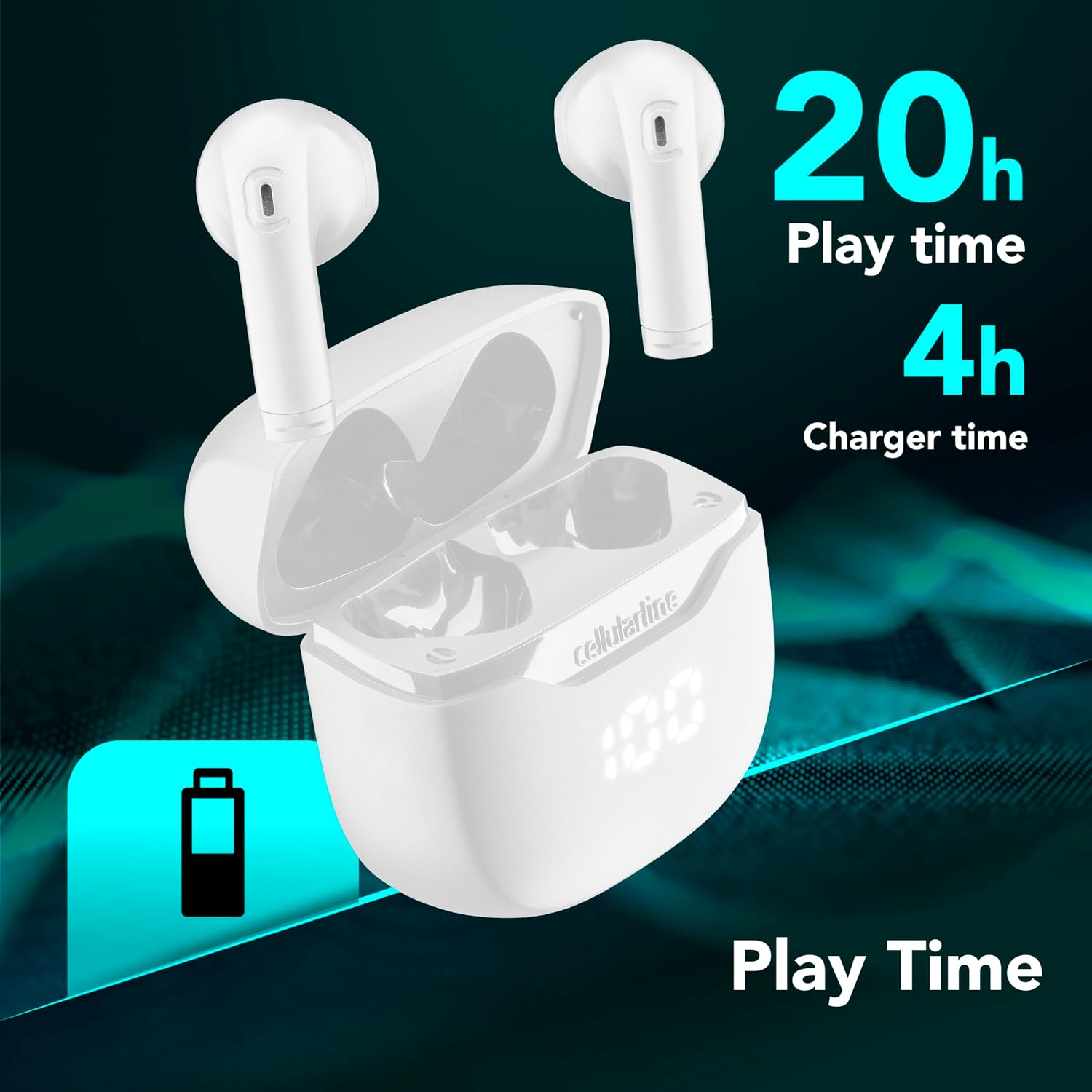
Image: The Cellularline CORE earphones and charging case, highlighting 20 hours of total play time and 4 hours of charging time for the case.
2. Initial Pairing (Autopairing)
- Համոզվեք, որ ականջակալները լիցքավորված են:
- Բացեք լիցքավորման պատյանը։ Ականջակալները ավտոմատ կերպով կմիանան և կմտնեն զուգավորման ռեժիմ։
- Ձեր սմարթֆոնի կամ Bluetooth-ով աշխատող սարքի վրա անցեք Bluetooth կարգավորումներ։
- Որոնել available devices and select "Cellularline CORE" from the list.
- Միացնելուց հետո դուք կլսեք լսելի հաստատում, և ականջակալները պատրաստ են օգտագործման։

Image: Cellularline CORE earphones and charging case next to a smartphone displaying a music application, with a Bluetooth icon indicating successful pairing.
The Autopairing function ensures that once paired, the earphones will automatically connect to your last paired device when removed from the case.
Գործառնական հրահանգներ
Հպեք Controls
The Cellularline CORE earphones feature intuitive touch controls on each earbud for managing calls, music, and voice assistant functions.
| Գործառույթ | Գործողություն |
|---|---|
| Նվագարկել/Դադարեցնել երաժշտությունը | Մեկ հպում ականջակալներից մեկին |
| Հաջորդ Հետքը | Կրկնակի հպեք աջ ականջակալին |
| Նախորդ Հետևել | Կրկնակի հպեք ձախ ականջակալին |
| Պատասխանել/Ավարտել զանգը | Մեկ հպում ականջակալներից մեկին |
| Մերժել զանգը | Սեղմեք և պահեք ականջակալներից որևէ մեկը 2 վայրկյան |
| Ակտիվացրեք Ձայնային օգնականը | Եռակի հպեք ականջակալներից որևէ մեկի վրա |
| Ձայնի բարձրացում | Press and hold the right earbud |
| Ձայնի իջեցում | Press and hold the left earbud |
Double Master Function
The Double Master function allows you to use either the left or right earbud independently for calls. Simply remove one earbud from the case, and it will automatically connect. You can answer calls by tapping the active earbud.
Տեխնիկական սպասարկում
Մաքրում
- Ականջակալները և լիցքավորման պատյանը պարբերաբար մաքրեք փափուկ, չոր, թել չթողնող կտորով։
- Մի օգտագործեք հղկող մաքրող միջոցներ, լուծիչներ կամ աէրոզոլային սփրեյներ։
- Ensure charging contacts on both the earphones and the case are clean and free of debris to maintain proper charging.
Պահպանում
- Երբ ականջակալները չեք օգտագործում, պահեք դրանք լիցքավորման պատյանի մեջ՝ դրանք պաշտպանելու և լիցքավորված պահելու համար։
- Սարքը պահեք զով, չոր տեղում, ծայրահեղ ջերմաստիճաններից և արևի ուղիղ ճառագայթներից հեռու։

Image: A hand placing the compact Cellularline CORE charging case into the pocket of a pair of jeans, demonstrating its portable size.
Անսարքությունների վերացում
| Խնդիր | Հնարավոր լուծում |
|---|---|
| Ականջակալները չեն միանում։ | Ensure the earphones and charging case are fully charged. Place earphones in the case and close it, then open it again. |
| Earphones do not pair with device. | Make sure Bluetooth is enabled on your device. Forget the device in your Bluetooth settings and try pairing again. Ensure earphones are in pairing mode (LED indicator blinking). |
| Only one earphone is working. | Place both earphones back into the charging case, close the lid, wait a few seconds, then open it again. This should re-sync them. If the issue persists, try resetting the earphones (refer to manufacturer's webկայքում՝ վերագործարկման հատուկ հրահանգների համար, եթե դրանք ձեռնարկում չեն): |
| Ցածր ծավալ կամ վատ ձայնի որակ։ | Adjust the volume on both your device and the earphones. Ensure the earphones are clean and properly seated in your ears. Check for any obstructions in the earbud speakers. |
| Charging case LED display is not working. | Ensure the charging cable is securely connected and the power source is active. If the issue persists, contact customer support. |
Տեխնիկական պայմաններ
- Մոդելի անվանումը: BTCORETWSW
- Ապրանքանիշը: բջջային
- Գույնը: Սպիտակ
- Ականջի տեղադրում. Ականջի մեջ
- Ձևի գործոն. Ականջի մեջ
- Միացման տեխնոլոգիա. Անլար
- Անլար տեխնոլոգիա. Bluetooth
- Bluetooth տարբերակ. 5.0
- Դիմադրություն: 16 Օմ
- Աղմուկի վերահսկում. Ձայնային մեկուսացում
- Հաճախականության արձագանք. 20 Հց - 20,000 Հց
- Զգայունություն: 100 դԲ
- Կառավարման տեսակը: Հպեք
- Վարորդի տեսակը: Դինամիկ վարորդ
- Նյութը՝ Պլաստիկ
- Մարտկոցի միջին ժամկետը. 16 ժամ (լիցքավորման պատյանով)
- Ջրի դիմադրության մակարդակը. Waterproof (Note: Refer to product packaging for specific IP rating if available)
- Առանձնահատկություններ: True Wireless Technology, Automatic Pairing, Touch Controls, LED Display
- Համատեղելի սարքեր. Bluetooth-ով միացված սարքեր
- Ծագման երկիր. Չինաստան
Երաշխիքային տեղեկատվություն
The Cellularline CORE True Wireless Bluetooth Earphones come with a 2 տարվա արտադրողի երաշխիք գնման օրվանից։ Այս երաշխիքը ներառում է նյութերի և աշխատանքի թերությունները նորմալ օգտագործման դեպքում։ Այն չի ներառում չարաշահման, վթարների, չարտոնված փոփոխությունների կամ նորմալ մաշվածության հետևանքով առաջացած վնասը։
Please retain your proof of purchase for warranty claims. For detailed warranty terms and conditions, please visit the official Cellularline webկայք կամ կապվեք հաճախորդների աջակցության հետ:
Աջակցություն
For further assistance, technical support, or warranty inquiries, please contact Cellularline customer service through their official webկայքը:
Webկայքը: www.cellularline.com
You may also find FAQs and additional support resources on their webկայք։