
1. Ներածություն
This manual provides comprehensive instructions for the setup, operation, and maintenance of your VTech CS2001 DECT 2 Handset Cordless Telephone system. Please read this manual thoroughly before using your new telephone to ensure proper functionality and to familiarize yourself with all features.

Image: The VTech CS2001 DECT 2 Handset Cordless Telephone system, showing one handset on its main base unit and a second handset on its auxiliary charging cradle. Both handsets feature a digital display and a standard telephone keypad.
2. Կարգավորում
Follow these steps to set up your VTech CS2001 DECT Cordless Telephone system.
2.1 Փաթեթի բովանդակությունը
Համոզվեք, որ բոլոր բաղադրիչները առկա են.
- 1 Բազային միավոր
- 2 AC adaptors
- 2 battery packs (NiMH)
- 2 անլար հեռախոս
- 2 chargers (for auxiliary handset)
- Արագ մեկնարկի ուղեցույց
- Հեռախոսային լար
2.2 Մարտկոցի տեղադրում և լիցքավորում
- Բացեք մարտկոցի խցիկի կափարիչը յուրաքանչյուր հեռախոսի հետևի մասում։
- Connect the battery pack connector securely into the socket inside the compartment.
- Տեղադրեք մարտկոցի փաթեթը խցիկում։
- Փակեք մարտկոցի խցիկի կափարիչը:
- Place each handset onto its respective base unit or charger. Ensure the "Charge" indicator on the base/charger illuminates.
- Allow the handsets to charge for at least 16 hours before initial use to ensure optimal battery performance.
2.3 Հիմնական սարքի միացում
- Հեռախոսագծի լարի մի ծայրը միացրեք բազային սարքի TEL LINE միակցիչին։
- Հեռախոսագծի լարի մյուս ծայրը միացրեք ձեր հեռախոսի պատի միակցիչին։
- Connect the AC adaptor to the POWER jack on the base unit.
- Միացրեք AC ադապտերը ստանդարտ էլեկտրական վարդակիցին։
- For the auxiliary charger, connect its AC adaptor to the charger and then to an electrical outlet.
Նշում. Use only the supplied power adaptors and battery packs. Incorrect adaptors may damage the unit.
3. Գործառնական հրահանգներ
3.1 Զանգեր կատարելը և ստանալը
- Զանգելու համար. Մամուլ ԶՐՈՒՅՑ, then dial the number. Alternatively, dial the number first and then press ԶՐՈՒՅՑ.
- Զանգին պատասխանելու համար. Երբ հեռախոսը զանգում է, սեղմեք ԶՐՈՒՅՑ.
- Զանգն ավարտելու համար՝ Մամուլ ՎԵՐՋ կամ հեռախոսը դրեք բազայի/լիցքավորիչի վրա:
3.2 Բարձրախոսի ֆունկցիա
The handsfree speakerphone allows you to converse without holding the handset.

Image: A VTech CS2001 handset is shown on a kitchen counter, with a person in the background engaged in an activity, illustrating the convenience of the handsfree speakerphone feature.
- Ակտիվացնելու համար. Aանգի ընթացքում սեղմեք կոճակը Բարձրախոս button (usually marked with a speaker icon).
- Ապաակտիվացնել ՝ Սեղմեք Բարձրախոս button again or lift the handset to switch back to normal mode.
3.3 Ինտերկոմ և զանգի փոխանցում
The two handsets can communicate with each other and transfer calls.
- Intercom: Սեղմեք INT button on one handset to call the other.
- Զանգի փոխանցում. Արտաքին զանգի ժամանակ սեղմեք INT, select the other handset, and once connected, press ՏՐԱՆՍՖԵՐ.
4. Հիմնական հատկանիշները
4.1 DECT Technology and Long Range
The VTech CS2001 utilizes DECT (Digital Enhanced Cordless Telecommunications) technology, ensuring clear sound quality and secure communication. It offers a reliable long operating range of up to 300 meters outdoors.

Image: A woman is shown talking on a VTech cordless phone in a spacious, modern home environment, with graphic elements illustrating the phone's reliable long-range capability.
4.2 Nuisance Call Blocker
This feature helps manage unwanted calls. You can block specific numbers or calls from unknown numbers. The system can store up to 30 blacklisted numbers. An option to block all calls during a programmable period is also available.
Նշում. This feature requires a Caller Display service subscription from your network provider, which may be chargeable.

Image: A man is depicted relaxing on a sofa, reading a book, with a VTech CS2001 handset on a table beside him. A graphic overlay signifies the call blocker feature, promoting peace of mind from unwanted calls.
4.3 Phonebook Directory
Store up to 30 names and numbers in the phonebook directory. Entries added to one handset are automatically shared with the other.

Image: A VTech CS2001 handset is shown on its charging base, accompanied by a graphic representation of a phonebook list, highlighting the 30 name and number storage capacity.
4.4 Զանգահարողի նույնականացում և զանգի սպասում
The system records up to 20 names and numbers for Caller ID. It also supports Call Waiting functionality.
Նշում. These features require a Caller Display service subscription from your network provider, which may be chargeable.
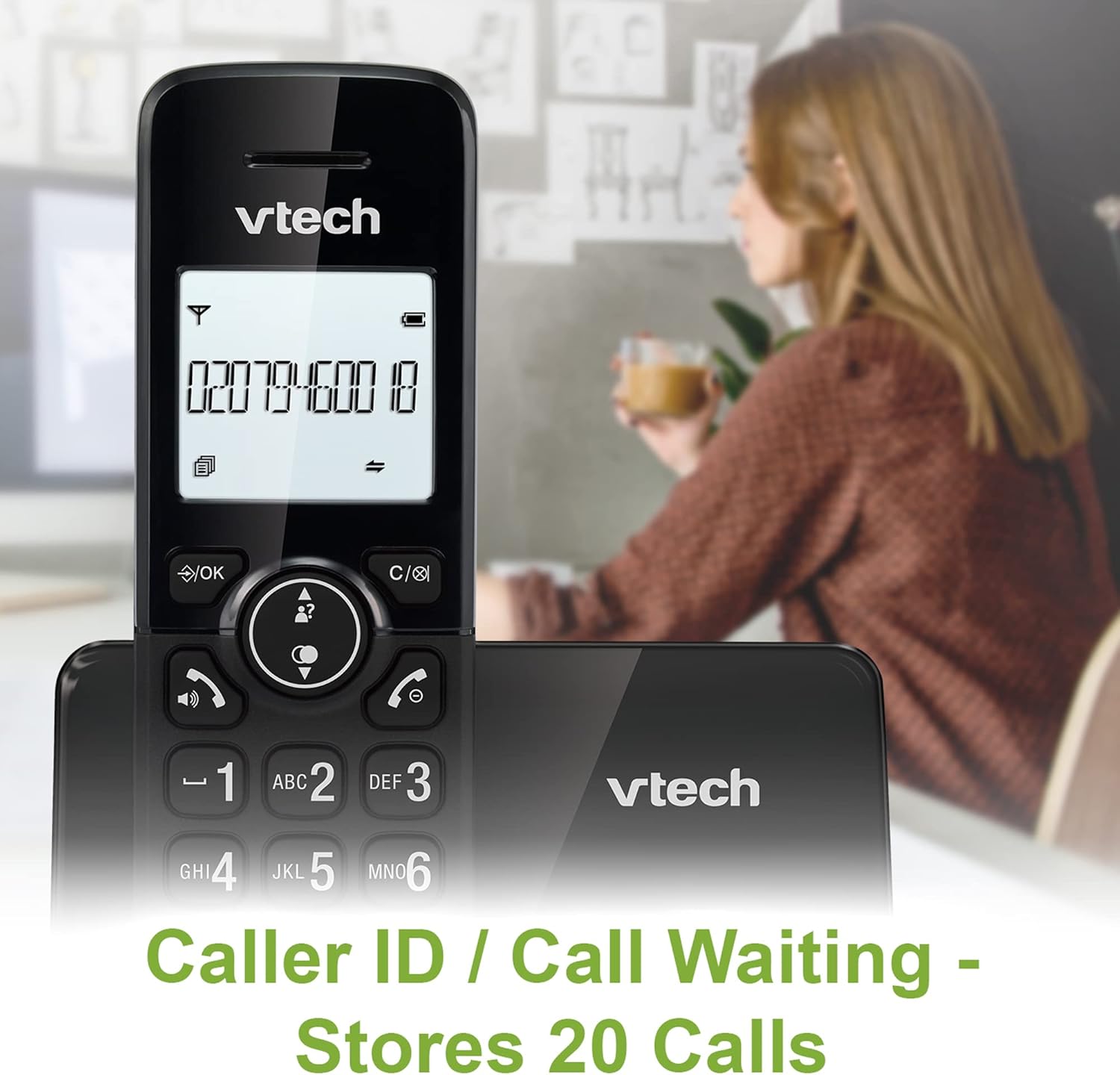
Image: A VTech CS2001 handset is positioned on its base, with its screen clearly displaying a phone number, illustrating the Caller ID feature. A person is visible in the blurred background.
4.5 1.8" Backlit Display
Each handset features a 1.8-inch backlit display, enhancing visibility and readability, especially in low-light conditions.

Պատկեր՝ խոշոր պլան view of the VTech CS2001 handset's 1.8-inch backlit display, clearly showing the text "HANDSET 1", demonstrating its enhanced visibility.
4.6 Adjustable Ring Volume and Melody
Customize your phone experience by adjusting the ring volume and selecting from various melodies.

Image: A VTech CS2001 handset rests on a wooden table, with a graphic overlay highlighting the adjustable ring volume and melody features, allowing for personalized sound settings.
4.7 ԷԿՕ ռեժիմ
The handset automatically adjusts the radio frequency strength based on its distance from the base station, optimizing power consumption.
4.8 Alarm and Mute Function
The phone includes an alarm function and a mute feature for privacy during calls.

Image: A split image visually represents the alarm and mute functions. One side shows a woman exercising with an alarm clock icon, while the other shows a couple relaxing with a music note icon, symbolizing the phone's versatile features.
5. Պահպանում
- Մաքրում: Մաքրեք հեռախոսները և բազան փափուկ, չոր շորովamp cloth. Do not use cleaning sprays or abrasive cleaners.
- Մարտկոցի խնամք. Replace batteries when their performance significantly degrades. Use only NiMH battery packs specified for this model.
- Շրջակա միջավայր: Keep the telephone away from heat sources, direct sunlight, and moisture.
6: Անսարքություն
If you experience issues with your VTech CS2001, refer to the following common problems and solutions:
| Խնդիր | Լուծում |
|---|---|
| Զանգի ձայն չկա |
|
| Հեռախոսը չի լիցքավորվում |
|
| Վատ ձայնի որակ / Ստատիկ |
|
| Հնարավոր չէ զանգեր կատարել/ստանալ |
|
7. Տեխնիկական պայմաններ
| Առանձնահատկություն | Մանրամասն |
|---|---|
| Բրենդ | ՎՏեխ |
| Մոդել | CS2001 |
| Հեռախոսի տեսակը | Անլար (DECT) |
| Հեռախոսների քանակը | 2 |
| Ցուցադրել | 1.8" Backlit |
| Հեռախոսագիրքի հզորություն | 30 անուն և համար |
| Զանգահարողի նույնականացման գրառումներ | 20 անուն և համար |
| Call Blocker Capacity | Մինչև 30 համար |
| Վերջին համարի նորից | 10 ռեկորդ |
| Էլեկտրաէներգիայի աղբյուր | Battery Powered (AC adaptors for base/chargers) |
| Մարտկոցի տեսակը | NiMH (2 AAA batteries per handset, included) |
| Ռադիո նվագախմբերը աջակցվում են | 1.9 ԳՀց (DECT) |
| Բացօթյա միջակայք | Մինչև 300 մ |
| Նյութի քաշը | 680 գ |
| Գույն | Սեւ |
8. Երաշխիք և աջակցություն
For warranty information and technical support, please refer to the documentation included with your product or visit the official VTech webկայք։ Պահպանեք ձեր գնման կտրոնը որպես գնման ապացույց։