
Ներածություն
This manual provides essential instructions for setting up, operating, and maintaining your Epson EcoTank L121 A4 Ink Tank Printer. Please read this guide thoroughly before using the printer to ensure correct operation and to maximize its lifespan.

Պատկեր՝ առջևի view of the Epson EcoTank L121 A4 Ink Tank Printer. This image shows the compact design and the front paper output tray.
1. Կարգավորում
1.1 Փաթեթազերծում
Carefully remove the printer from its packaging. Ensure all protective tapes and materials are removed from the exterior and interior of the printer. Keep the packaging materials for future transport if needed.
1.2 Թանաքի բաքերի լցում
The EcoTank L121 uses refillable ink tanks. Use only genuine Epson 664 series ink bottles (6641 Black, 6642 Cyan, 6643 Magenta, 6644 Yellow) for optimal performance and to prevent damage.
- Բացեք տպիչի կողքի վրա գտնվող թանաքի բաքի կափարիչը։
- Open the cap for the corresponding color ink tank you wish to fill.
- Carefully uncap the ink bottle and insert it into the filling port. The ink will automatically start to fill the tank. Do not squeeze the bottle.
- Երբ բաքը լցվի, հանեք թանաքի շիշը և ամուր փակեք թանաքի բաքի կափարիչը։
- Repeat for all other colors.
- Փակեք թանաքի բաքի կափարիչը։
After filling, press and hold the Տեխնիկական սպասարկում button (often depicted as a droplet or triangle with a lightning bolt) for 3 seconds to initiate ink charging. This process takes approximately 20 minutes. Do not turn off the printer during ink charging.
1.3 Միացում համակարգչին
The Epson EcoTank L121 connects via USB 2.0.
- Ensure the printer is powered on and ink charging is complete.
- USB մալուխի մեկ ծայրը միացրեք տպիչի USB միացքին։
- Միացրեք USB մալուխի մյուս ծայրը ձեր համակարգչի հասանելի USB պորտին:
1.4 Ծրագրաշարի տեղադրում
Insert the provided software CD into your computer's CD-ROM drive. If the installer does not start automatically, browse the CD and run the setup file. Follow the on-screen instructions to install the printer drivers and utility software. If you do not have a CD drive, download the latest drivers from the official Epson support webկայք։
2. Տպիչի շահագործումը
2.1 Թուղթ բեռնելը
The printer supports A4 paper size.
- Open the paper support and pull it up.
- Սահեցրեք եզրային ուղեցույցները ձեր թղթի լայնությանը համապատասխան:
- Load paper print-side up into the rear paper feeder. Ensure the stack is even and does not exceed the maximum load line.
- Կարգավորեք եզրային ուղեցույցները թղթի կողմերին համապատասխան։
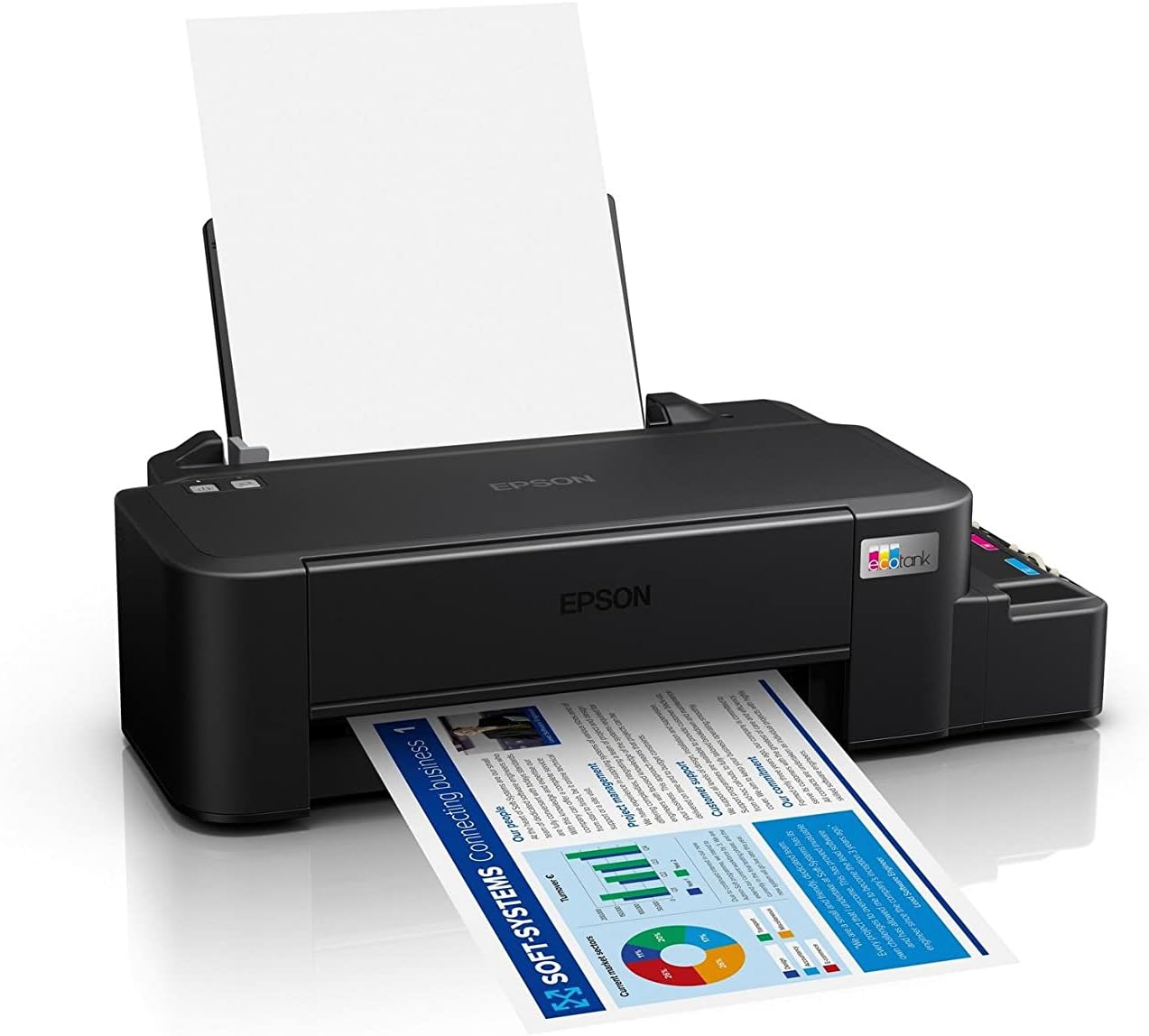
Image: The Epson EcoTank L121 printer actively printing a document. This illustrates paper being fed from the rear tray and exiting the front output tray.
2.2 Հիմնական տպագրություն
To print a document or image from your computer:
- Բացեք այն փաստաթուղթը կամ պատկերը, որը ցանկանում եք տպել։
- Ընտրել Տպել ծրագրի ընտրացանկից (օրինակ՝ File > Տպել):
- Choose your Epson EcoTank L121 printer from the list of available printers.
- Adjust print settings such as paper size, print quality, and number of copies as needed.
- Սեղմեք Տպել.
3. Պահպանում
3.1 Թանաքի մակարդակի ստուգում
Visually inspect the ink tanks on the side of the printer. The transparent tanks allow you to monitor ink levels. Refill ink when levels approach the lower line to prevent air from entering the system, which can affect print quality.

Պատկեր՝ անկյունային view of the Epson EcoTank L121 printer, highlighting the external ink tanks. This view clearly shows the four color ink reservoirs.
3.2 Տպիչի գլխիկի մաքրում
If print quality declines (e.g., missing lines, incorrect colors), perform a print head cleaning. This can be done through the printer utility software on your computer:
- Open the Epson printer utility on your computer.
- Նավարկեք դեպի Տեխնիկական սպասարկում or Կոմունալ ներդիր.
- Ընտրել Գլխի մաքրում և հետևեք էկրանի հրահանգներին:
Alternatively, you can perform a head cleaning by holding down the Տեխնիկական սպասարկում button on the printer for 3 seconds until the power light starts flashing. Release the button and wait for the cleaning cycle to complete.
3.3 Ծայրակալի ստուգում
After a head cleaning, or if you suspect print quality issues, perform a nozzle check to verify if all nozzles are firing correctly. This can also be done via the printer utility software or by holding the Տեխնիկական սպասարկում button for a shorter duration (e.g., 1 second) to print a nozzle check pattern.
4: Անսարքություն
Այս բաժինը անդրադառնում է ձեր Epson EcoTank L121 տպիչի հետ կապված տարածված խնդիրներին։
- Տպիչը չի արձագանքում.
- Ensure the printer is powered on and connected securely via USB.
- Check if the printer drivers are correctly installed on your computer.
- Վերագործարկեք և՛ տպիչը, և՛ համակարգիչը։
- Տպման վատ որակ.
- Կատարեք ծայրակալի ստուգում՝ խցանված ծայրակալները հայտնաբերելու համար։
- Run a print head cleaning cycle if nozzles are clogged.
- Ստուգեք թանաքի մակարդակը և անհրաժեշտության դեպքում լրացրեք։
- Համոզվեք, որ օգտագործում եք Epson-ի իսկական թանաք։
- Թղթի խցանումներ.
- Անջատեք տպիչը և զգուշորեն հեռացրեք խցանված թուղթը մուտքի սկուտեղից, ելքի սկուտեղից կամ տպիչի ներսից:
- Համոզվեք, որ թուղթը ճիշտ է լցված և ծալքավորված կամ կնճռոտված չէurlխմբ.
- Մի ծանրաբեռնեք թղթի սկուտեղը։
- Ink Light Flashing:
- This usually indicates low ink. Check the ink tanks and refill any low colors.
- After refilling, press the Տեխնիկական սպասարկում button to reset the ink level indicator.
Ավելի մանրամասն խնդիրների լուծման համար դիմեք Epson-ի աջակցության ծառայությանը։ webկայքից կամ ամբողջական էլեկտրոնային ձեռնարկից։
5. Տեխնիկական պայմաններ
| Առանձնահատկություն | Մանրամասն |
|---|---|
| Բրենդ | Epson |
| Մոդելի անվանումը | EcoTank L121 |
| Տպագրության տեխնոլոգիա | Inkjet |
| Միացման տեխնոլոգիա | USB 2.0 |
| Տպիչի ելք | Գույն |
| Առավելագույն տպագրության լուծաչափ (գունավոր) | 720 x 720 dpi |
| Առավելագույն տպագրության արագություն (սև) | 9 էջ/րոպե (ISO) |
| Տպման առավելագույն արագություն (գունավոր) | 4.8 էջ/րոպե (ISO) |
| Հատուկ առանձնահատկություններ | Refillable Ink Tank |
| Նյութի քաշը | 2.4 կգ |
| Նյութի չափերը (D x W x H) | 21.5D x 46.1W x 13H սանտիմետր |
| Առավելագույն մեդիայի չափը | A4 |
| Համատեղելի թանաք | Epson 664 series (6641/6642/6643/6644) |
| Դուպլեքս տպագրություն | Ձեռնարկ |
6. Երաշխիքային տեղեկատվություն
The Epson EcoTank L121 printer comes with a warranty of 2-years or 20,000 pages, whichever comes first. Please retain your proof of purchase for warranty claims. For full terms and conditions, refer to the official Epson warranty documentation included with your product or visit the Epson support webկայք։
7. Աջակցություն
For further assistance, driver downloads, FAQs, and additional support resources, please visit the official Epson support webկայքը:
Աջակցության ծառայությանը դիմելիս խնդրում ենք ձեռքի տակ ունենալ ձեր տպիչի մոդելը (L121) և սերիական համարը։