
1. Ներածություն
This manual provides essential information for the safe installation, operation, and maintenance of your CREATE WIND CLEAR Ceiling Fan. Please read these instructions thoroughly before installation and retain them for future reference.
The CREATE WIND CLEAR Ceiling Fan is a quiet ceiling fan featuring a 40W DC brushless motor and a winter-summer reversal function. Its compact and versatile design includes retractable blades. It is suitable for small to medium-sized rooms and bedrooms, offering a built-in LED light with three adjustable color temperatures. The fan body is constructed from steel, and the blades are made of ABS. It provides 6 speed settings and a programmable timer up to 8 hours, all controllable via the included remote control and WiFi connectivity.
2. Անվտանգության հրահանգներ
- Always disconnect power at the main circuit breaker before installation, maintenance, or cleaning.
- Տեղադրումը պետք է իրականացվի որակավորված էլեկտրիկի կողմից՝ համաձայն բոլոր տեղական և ազգային էլեկտրական կանոնակարգերի։
- Ensure the mounting structure can support the weight of the fan (refer to specifications for weight).
- Մի՛ մտցրեք առարկաներ օդափոխիչի շեղբերի ուղու մեջ։
- Համոզվեք, որ բոլոր միացումներն ապահով են և պատշաճ կերպով մեկուսացված:
- Այս սարքը նախատեսված չէ ֆիզիկական, զգայական կամ մտավոր կարողություններով կամ փորձի և գիտելիքների պակաս ունեցող անձանց (ներառյալ երեխաներ) օգտագործելու համար, բացառությամբ այն դեպքերի, երբ նրանց հսկողություն կամ հրահանգ չի տրվել սարքի օգտագործման վերաբերյալ իրենց անվտանգության համար պատասխանատու անձի կողմից:
3. Ներառված բաղադրիչներ
Տեղադրումը սկսելուց առաջ ստուգեք, որ բոլոր բաղադրիչները առկա են.
- CREATE WIND CLEAR Ceiling Fan Unit
- Հեռակառավարման վահանակ
- Հեռակառավարման մարտկոց
- Մոնտաժային պարագաներ (պտուտակներ, փակագծեր և այլն - որոշակի տարրեր կարող են տարբեր լինել)
- Հրահանգների ձեռնարկ
For a visual reference of the product and its components, please see the image below:

4. Կարգավորում և տեղադրում
Professional installation is highly recommended for this ceiling fan. Ensure the power supply is disconnected before starting any installation work.
4.1 Ֆիզիկական տեղադրում
- Մոնտաժային բրա. Securely attach the mounting bracket to a ceiling joist or a suitable electrical junction box rated for fan support.
- Հաղորդալարեր. Connect the fan's electrical wires to the household wiring according to the wiring diagram provided in the full installation guide (not included in this summary). Ensure proper grounding.
- Երկրպագուների ժողով. Carefully lift and attach the fan motor assembly to the mounting bracket.
- Սայրի տեղադրում. The fan features retractable blades that deploy automatically when the fan operates. No manual blade installation is typically required after the main unit is mounted.
- Լույսի հավաքածուի տեղադրում. Attach the LED light kit to the fan housing as per the detailed instructions.
Refer to the following images for visual guidance on the fan's appearance and dimensions:


4.2 WiFi-ի կարգավորում
The fan supports WiFi connectivity for control via a smartphone application. Refer to the specific instructions provided with the fan for pairing the device with your home WiFi network and the CREATE smart home app.
5. Գործառնական հրահանգներ
Your CREATE WIND CLEAR Ceiling Fan can be operated using the included remote control or via the dedicated smartphone application.
5.1 Հեռակառավարման գործառույթներ
- Միացում/անջատում. Սեղմեք սնուցման կոճակը՝ օդափոխիչը և լույսը միացնելու կամ անջատելու համար։
- Օդափոխիչի արագություն. Adjust between 6 fan speeds using the designated speed buttons.
- Լույսի վերահսկում. Turn the LED light on/off and cycle through three adjustable color temperatures (warm, neutral, cold).
- Ժամաչափ: Կարգավորեք օդափոխիչը ավտոմատ անջատվելու համար 1, 2, 4 կամ 8 ժամ հետո։
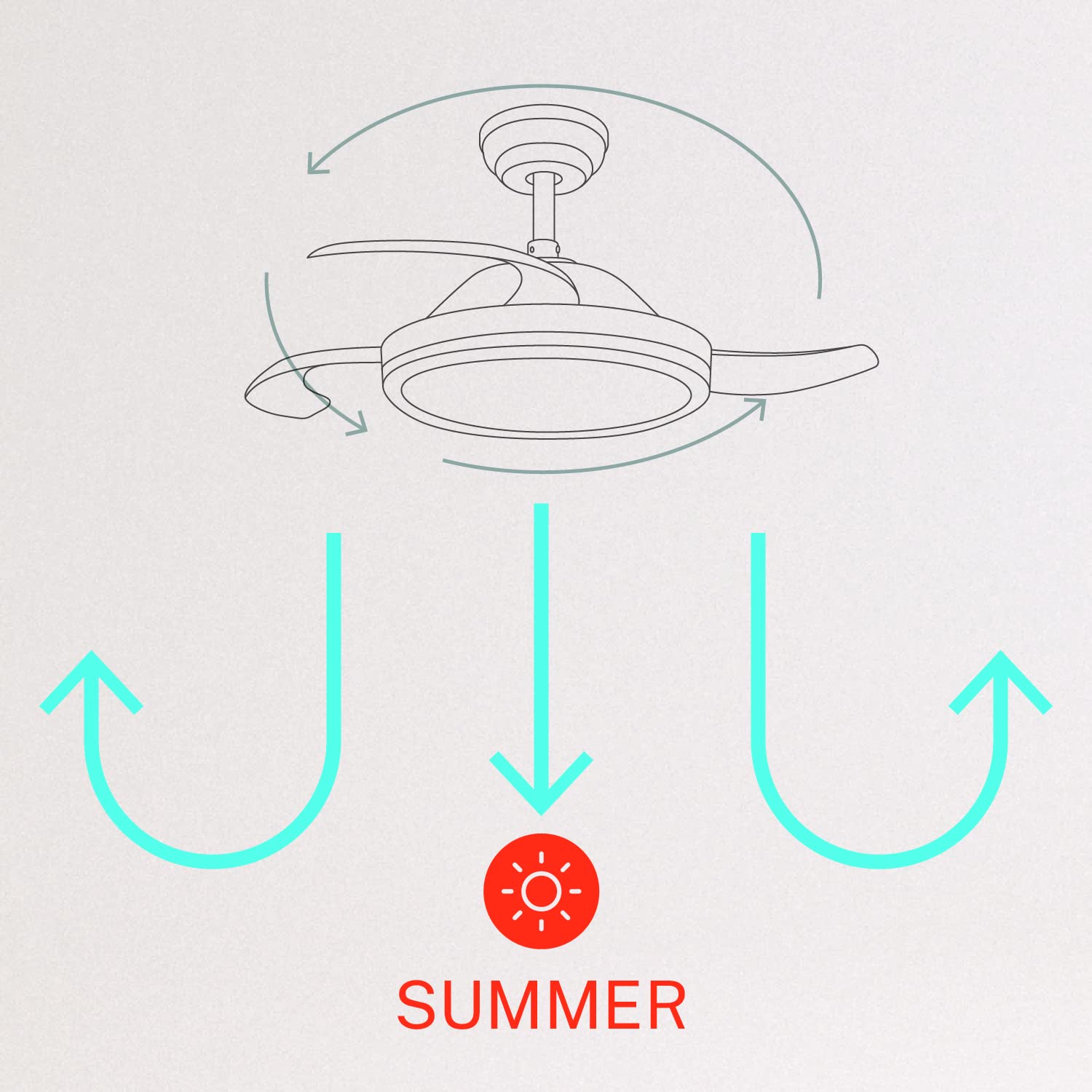
- Ձմեռ/ամառ ռեժիմ՝ Switch between forward (summer) and reverse (winter) rotation modes.

5.2 Ձմեռային և ամառային ռեժիմներ
The fan features a reversible motor to optimize air circulation for different seasons:
- Ամառային ռեժիմ (ժամացույցի սլաքի հակառակ ուղղությամբ պտույտ): The fan blades rotate counter-clockwise, pushing air downwards to create a cooling breeze.
- Ձմեռային ռեժիմ (ժամացույցի սլաքի ուղղությամբ պտույտ): The fan blades rotate clockwise, drawing air upwards to circulate warm air trapped near the ceiling, helping to distribute heat more evenly.

6. Պահպանում
Կանոնավոր սպասարկումը ապահովում է ձեր առաստաղի օդափոխիչի օպտիմալ աշխատանքը և երկարակեցությունը։
- Մաքրում: Պարբերաբար մաքրեք օդափոխիչի շեղբերը և շարժիչի պատյանը փափուկ,amp կտորով։ Մի օգտագործեք հղկող մաքրող միջոցներ կամ լուծիչներ։ Մաքրելուց առաջ համոզվեք, որ օդափոխիչն անջատված է և հոսանքն անջատված է։
- Ամրացնող պտուտակներ. Check all mounting screws and blade attachment screws annually to ensure they are properly tightened.
- Լույսի աղբյուր. The LED light source is integrated. If it requires service, contact qualified personnel.
7: Անսարքություն
Եթե ձեր օդափոխիչի հետ կապված խնդիրներ ունեք, դիմեք հետևյալ տարածված խնդիրներին և լուծումներին.
| Խնդիր | Հնարավոր պատճառ | Լուծում |
|---|---|---|
| Օդափոխիչը չի սկսվում | No power supply; Loose wiring; Remote control battery depleted | Ստուգեք անջատիչը։ Ստուգեք բոլոր լարերի միացումները։ Փոխարինեք հեռակառավարման վահանակի մարտկոցը։ |
| Օդափոխիչը տատանվում է | Loose mounting screws; Unbalanced blades | Ensure mounting bracket and fan assembly screws are tight; Check for any obstructions to blade movement. |
| Լույսը չի աշխատում | Loose wiring; LED module fault | Check light kit wiring connections; Contact customer support if LED module is faulty. |
| Հեռակառավարումը չի աշխատում | Depleted battery; Remote not paired | Replace remote control battery; Refer to pairing instructions in the full manual. |
| WiFi control issues | Poor WiFi signal; Incorrect app setup | Ensure strong WiFi signal; Reconfigure WiFi connection in the app. |
8. Տեխնիկական պայմաններ
| Առանձնահատկություն | Մանրամասն |
|---|---|
| Բրենդ | ՍՏԵՂԾԵԼ |
| Մոդելի համարը | 120760_254772 |
| Գույն | Սպիտակ |
| Էլեկտրական օդափոխիչի դիզայն | Առաստաղի վառարան |
| Էլեկտրաէներգիայի աղբյուր | Լարով էլեկտրական |
| Ոճ | With WiFi |
| Ապրանքի չափերը | 107D x 107W x 39H սանտիմետրեր |
| Սենյակի տեսակը | Ննջասենյակ |
| Հատուկ առանձնահատկություն | Ժամաչափ |
| Առաջարկվող կիրառումներ | Օդափոխվող |
| Վատtage | 40 Վտ |
| Ներառված բաղադրիչներ | Remote, Battery |
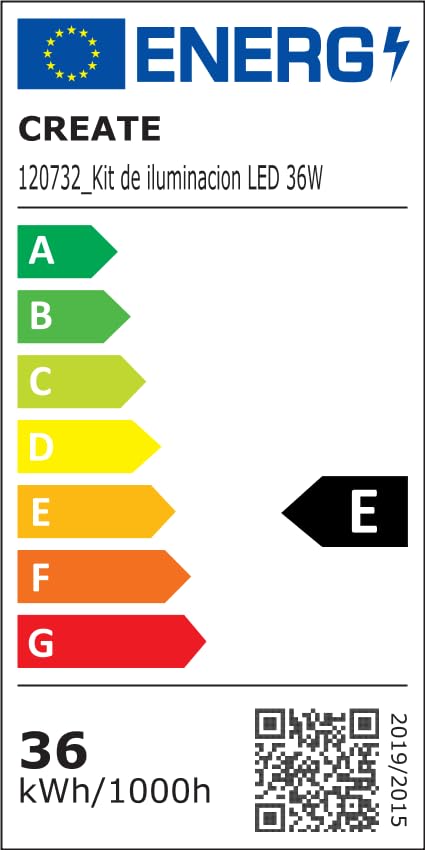
For detailed product data and energy efficiency information, please refer to the following documents:

9. Երաշխիք և աջակցություն
For warranty information, technical support, or service inquiries, please contact CREATE customer service or refer to the official CREATE webկայք։ Պահպանեք ձեր գնման կտրոնը որպես գնման ապացույց։