
Axis Communications 02316-002
AXIS Q6225-LE PTZ ֆոտոխցիկի օգտագործման ձեռնարկ
Մոդել ՝ 02316-002
1. Ներածություն
This user manual provides comprehensive instructions for the installation, operation, and maintenance of the Axis Communications AXIS Q6225-LE PTZ Camera. Please read this manual thoroughly before using the product to ensure proper functionality and safety. This camera is designed for robust outdoor surveillance in challenging conditions.
2. Անվտանգության տեղեկատվություն
Observe the following safety precautions to prevent damage to the product or injury to personnel:
- Տեղադրում: Installation must be performed by qualified personnel in accordance with all local and national electrical and building codes.
- Էլեկտրաէներգիայի մատակարարում. Use only the specified power supply (60 watts) for this device. Ensure the power source is stable and meets the camera's requirements.
- Շրջակա միջավայր: The camera is designed for outdoor use. However, avoid exposing it to extreme conditions beyond its specified operating range.
- Մաքրում: Մաքրելուց առաջ անջատեք հոսանքը։ Օգտագործեք փափուկ, չոր կտոր։ Մի օգտագործեք հեղուկ կամ աէրոզոլային մաքրող միջոցներ։
- Փոփոխություններ: Do not attempt to modify or disassemble the camera. This may void the warranty and pose safety risks.
3. Փաթեթի բովանդակությունը
Ստուգեք, որ բոլոր իրերը առկա են փաթեթում.
- AXIS Q6225-LE PTZ տեսախցիկ
- Տեղադրման ուղեցույց
- Մոնտաժային բրա և սարքաշար
- Network Cable Connector
- Documentation and Software CD (if applicable)
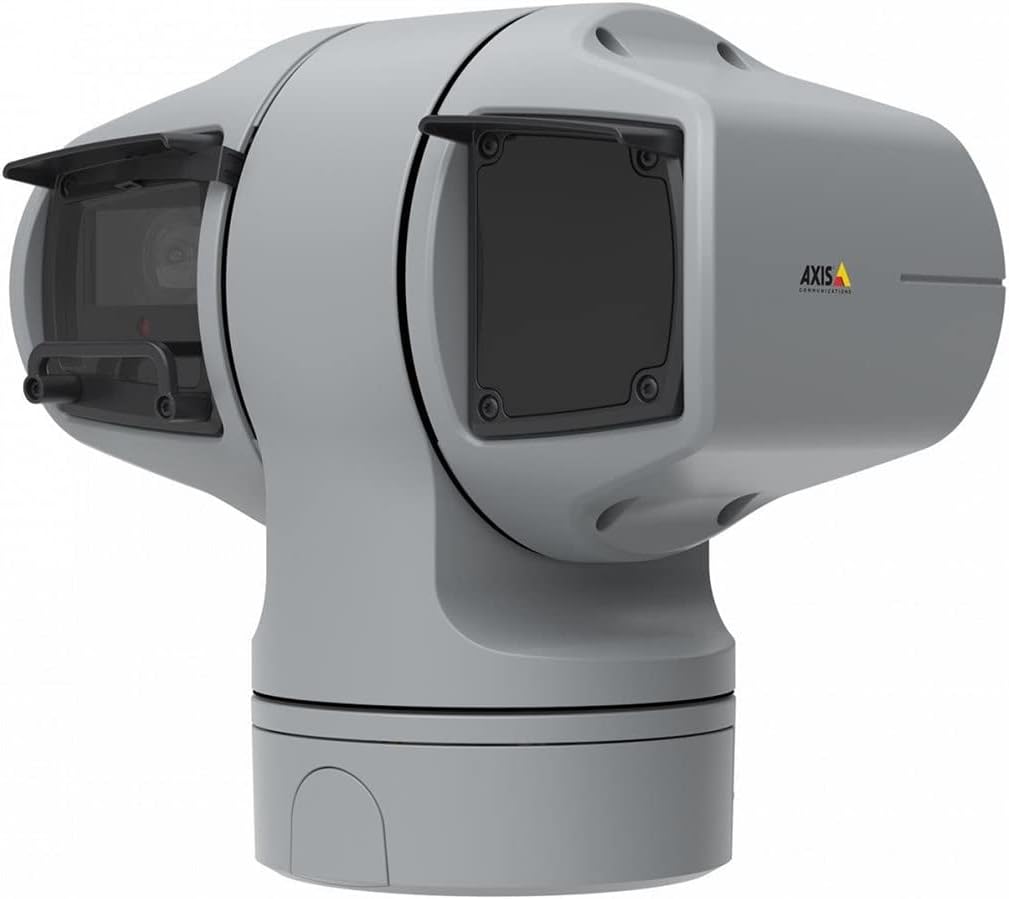
Նկար 1: AXIS Q6225-LE PTZ Camera. This image displays the grey-colored PTZ camera unit, highlighting its robust housing and integrated lens system, designed for outdoor surveillance.
4. Կարգավորում և տեղադրում
4.1 Տեսախցիկի տեղադրում
The AXIS Q6225-LE is designed for wall mount installation. Ensure the mounting surface is strong enough to support the camera's weight and withstand environmental conditions.
- Ընտրեք համապատասխան տեղադրման վայր, որը կապահովի ցանկալի դաշտը view և գտնվում է էլեկտրաէներգիայի և ցանցային միացումների հասանելիության սահմաններում։
- Օգտագործեք տրամադրված ամրացման ձևանմուշը՝ պատի վրա անցքերը նշելու համար։
- Drill pilot holes and secure the mounting bracket using appropriate screws and anchors.
- Ամրացրեք տեսախցիկը ամրացման փակագծին՝ համոզվելով, որ այն ամուր ամրացված է իր տեղում։
4.2 Հոսանքի և ցանցային միացում
Connect the camera to power and network as follows:
- Հզորությունը: Connect the power cable to a 60-watt power source. Ensure the connection is secure and weatherproof.
- Ցանց: Connect an Ethernet cable from your network switch or router to the camera's network port. The camera supports Wi-Fi for wireless communication. Refer to the network configuration section for wireless setup.
4.3 Սկզբնական կոնֆիգուրացիա
After physical installation and connection, access the camera's web interface for initial configuration:
- Բացեք ա web browser on a computer connected to the same network as the camera.
- Enter the camera's IP address in the browser's address bar. If the IP address is unknown, use the AXIS IP Utility tool to discover it.
- Follow the on-screen prompts to set up a new password for the administrator account.
- Configure basic network settings, date/time, and video stream settings.
5. Տեսախցիկի շահագործում
5.1 Շրջանաձև, թեքված և մեծացված (PTZ) կառավարում
The AXIS Q6225-LE camera features full PTZ capabilities, allowing remote adjustment of its viewing angle and zoom level. Control is typically performed via the camera's web interface or compatible video management software (VMS).
- Տապ: Rotate the camera horizontally to cover a wider area.
- Թեքություն. Adjust the camera vertically to view objects at different heights.
- Օպտիկական խոշորացում. Use the optical zoom feature to magnify distant objects without loss of image quality.
5.2 Շարժման հայտնաբերում և ահազանգեր
The camera supports motion-only alerts. Configure motion detection zones and sensitivity settings in the web interface to trigger recordings or notifications when movement is detected.
5.3 Infrared (IR) Illumination
Equipped with infrared light sources, the camera provides clear video surveillance in low-light or complete darkness. IR illumination activates automatically or can be manually controlled.
6. Պահպանում
6.1 Մաքրում
Regular cleaning of the camera lens and housing is recommended to ensure optimal performance, especially in dusty or harsh environments.
- Gently wipe the lens with a soft, lint-free cloth. For stubborn dirt, use a lens cleaning solution specifically designed for optical surfaces.
- Մաքրեք տեսախցիկի պատյանը գովազդովamp կտորից։ Խուսափեք հղկող մաքրող միջոցներից կամ լուծիչներից։
6.2 Որոնվածի թարմացումներ
Պարբերաբար ստուգեք Axis Communications-ը website for firmware updates. Keeping the camera's firmware up-to-date ensures access to the latest features, security enhancements, and bug fixes.
7: Անսարքություն
Այս բաժինը անդրադառնում է ձեր AXIS Q6225-LE տեսախցիկի հետ կապված տարածված խնդիրներին։
| Խնդիր | Հնարավոր պատճառ | Լուծում |
|---|---|---|
| Տեսանյութերի հոսք չկա | Power disconnected, network issue, incorrect IP address. | Check power connection. Verify network cable or Wi-Fi connection. Confirm camera's IP address. |
| Պատկերի վատ որակը | Dirty lens, improper focus, low light conditions. | Clean the lens. Adjust focus via web interface. Ensure adequate lighting or verify IR functionality. |
| PTZ կառավարման համակարգը չի արձագանքում | Network latency, software glitch, motor issue. | Check network connection. Restart the camera. If problem persists, contact support. |
8. Տեխնիկական պայմաններ
| Առանձնահատկություն | Մանրամասն |
|---|---|
| Մոդելի համարը | 02316-002 |
| Բրենդ | Axis Communications |
| Մոնտաժման տեսակը | Պատի լեռ |
| Գույն | Սպիտակ |
| Նյութ | Մետաղ |
| Վատtage | 60 վտ |
| Միացման տեխնոլոգիա | Անլար, Wi-Fi |
| Ներքին/Դրսի օգտագործումը | Բացօթյա |
| Վերահսկման մեթոդ | Հեռավոր |
| Ֆոտո սենսորային տեխնոլոգիա | CMOS |
| Տեսանյութի նկարահանման ձևաչափ | MPEG-4 |
| Լույսի աղբյուրի տեսակը | Ինֆրակարմիր |
| Rtգուշացման տեսակը | Միայն շարժում |
| Մեծացնելու տեսակը | Օպտիկական խոշորացում |
| Նյութի քաշը | 0.01 կիլոգրամ (0.352 ունցիա) |
| Ներառված բաղադրիչներ | Տեսախցիկ/Աքսեսուարներ |
9. Երաշխիք և աջակցություն
For warranty information and technical support, please refer to the official Axis Communications webկայքում կամ կապվեք ձեր լիազորված դիլերի հետ: Պահպանեք ձեր գնման կտրոնը որպես գնման ապացույց:
Առցանց ռեսուրսներ. www.axis.com