
1. Ներածություն
Thank you for choosing the Geevon TX16-3 Remote Outdoor Sensor. This sensor is designed to transmit temperature and humidity data wirelessly to a compatible Geevon weather station (models 208665, 86113, etc.). Please read this manual carefully before setup and operation to ensure proper functionality and longevity of your device.
2. Անվտանգության տեղեկատվություն
- Do not expose the sensor to extreme temperatures outside its operating range.
- Avoid direct exposure to water or heavy rain. While designed for outdoor use, excessive moisture can damage internal components.
- Do not attempt to disassemble or repair the unit. This will void the warranty.
- Պահեք մարտկոցները երեխաների հասանելիությունից դուրս: Օգտագործված մարտկոցները պատասխանատու կերպով դեն նետեք՝ համաձայն տեղական կանոնակարգերի:
- Ensure proper battery polarity when installing.
3. Փաթեթի բովանդակությունը
- 1 x Geevon TX16-3 Remote Outdoor Sensor
- 1 x Օգտագործողի ձեռնարկ (այս փաստաթուղթը)
4. Ապրանքը ավարտված էview
The Geevon TX16-3 is a compact, battery-powered remote sensor featuring an LCD display for local temperature and humidity readings. It transmits data wirelessly to a compatible main weather station unit.
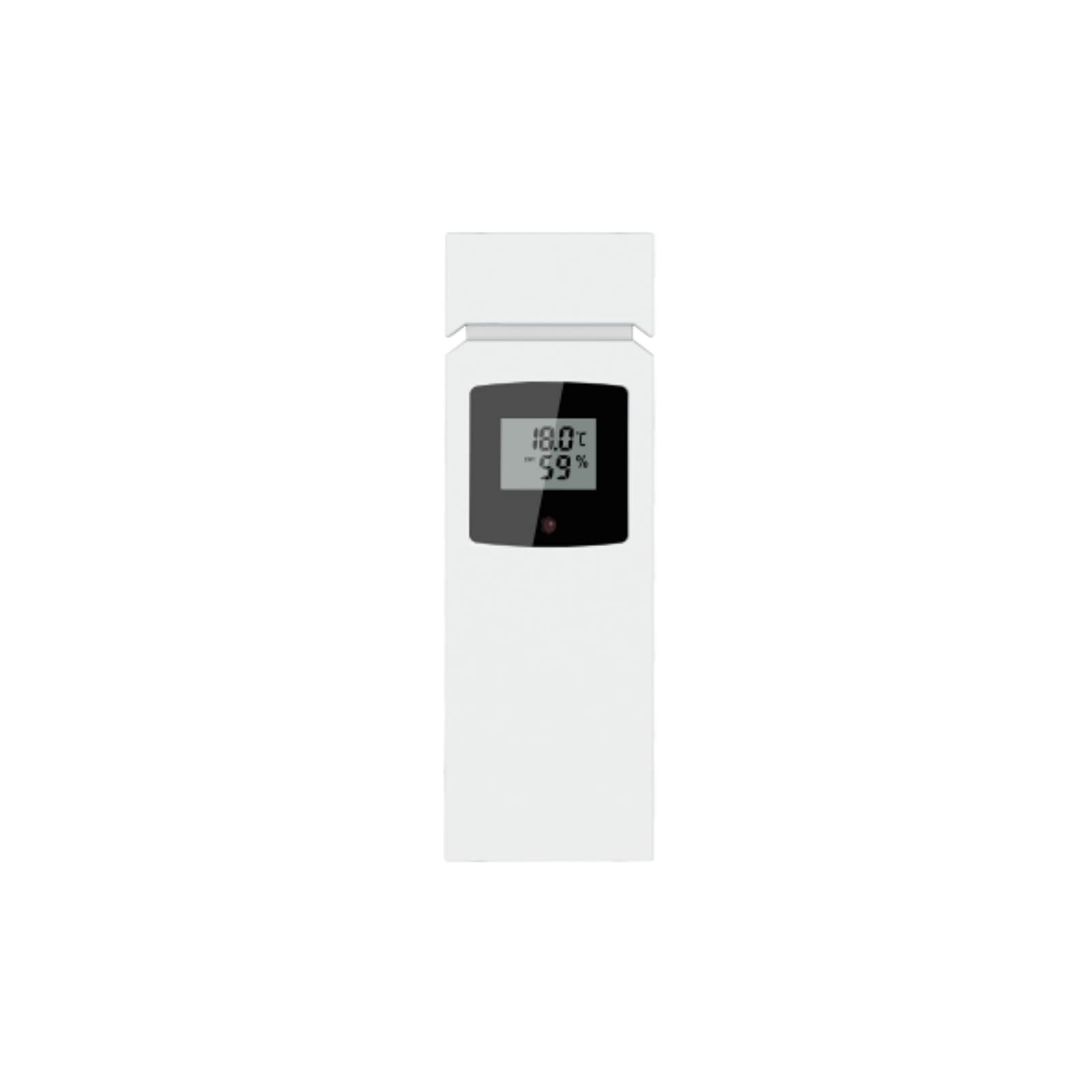
Այս նկարը ցույց է տալիս առջևի մասը view of the Geevon TX16-3 remote outdoor sensor. It is a rectangular, white device with a small LCD screen at the top, displaying temperature and humidity readings. Below the screen, there is a brand logo. The sensor features a clean, modern design suitable for outdoor placement.
Հիմնական հատկանիշները:
- LCD display for current temperature and humidity.
- 433 MHz wireless transmission.
- Up to 200 ft (60 m) transmission range in open air.
- Տվյալները թարմացվում են յուրաքանչյուր 30 վայրկյանը մեկ։
5. Կարգավորում
5.1 Մարտկոցի տեղադրում
- Գտեք մարտկոցի խցիկի կափարիչը սենսորի հետևի մասում։
- Սահեցրեք կափարիչը։
- Insert two (2) AAA batteries (not included) according to the polarity markings (+ and -) inside the compartment.
- Replace the battery compartment cover, ensuring it is securely closed to protect against moisture.
5.2 Սենսորի տեղադրում
For optimal performance and accurate readings, consider the following when mounting the sensor:
- Գտնվելու վայրը: Choose a shaded area, away from direct sunlight, as direct sun exposure can cause inaccurate temperature readings.
- Բարձրությունը: Տեղադրեք սենսորը գետնից մոտավորապես 5-6 ոտնաչափ (1.5-1.8 մետր) բարձրության վրա։
- Պաշտպանություն: While designed for outdoor use, placing it under an overhang or in a sheltered spot can extend its lifespan.
- Խոչընդոտներ: Ensure there are minimal obstructions (e.g., thick walls, large metal objects) between the sensor and the main weather station unit to maximize wireless range.
- Use a screw or nail (not included) through the designated mounting hole on the back of the sensor to secure it to a wall or post.
5.3 Հիմնական սարքի հետ զուգակցում
After battery installation, the sensor will automatically begin transmitting data. To pair it with your Geevon weather station (e.g., models 208665, 86113):
- Ensure your main weather station unit is powered on and within range of the sensor.
- Refer to your main weather station's instruction manual for specific pairing instructions. Typically, there is a 'SEARCH' or 'CHANNEL' button to initiate a search for outdoor sensors.
- The sensor's data (temperature and humidity) should appear on the main unit's display within a few minutes.
6. Գործում
6.1 LCD էկրան
The sensor's integrated LCD display shows the current outdoor temperature and humidity readings directly. This allows for quick local checks without needing to consult the main weather station.
6.2 Տվյալների փոխանցում
The TX16-3 sensor transmits data every 30 seconds using a 433 MHz wireless signal. The effective transmission range is up to 200 feet (60 meters) in an open area. Environmental factors such as walls, electronic interference, and large metal objects can reduce this range.
7. Պահպանում
7.1 Մարտկոցի փոխարինում
When the battery icon appears on the sensor's LCD display or the main weather station unit, it indicates that the batteries are low and need replacement. Follow the battery installation steps in Section 5.1 to replace the two AAA batteries.
7.2 Մաքրում
Սենսորի արտաքին մասը մաքրեք փափուկ,amp cloth. Do not use abrasive cleaners, solvents, or immerse the unit in water. Ensure the LCD screen remains clean for clear visibility.
8: Անսարքություն
- No display on sensor:
Check battery installation. Ensure batteries are inserted with correct polarity and are not depleted. Replace batteries if necessary. - No outdoor data on main weather station:
- Ensure the sensor is within the 200 ft (60 m) transmission range of the main unit.
- Check for obstructions between the sensor and the main unit.
- Re-initiate the sensor search function on your main weather station (refer to its manual).
- Փոխարինեք արտաքին սենսորի մարտկոցները։
- Համոզվեք, որ մոտակայքում ուժեղ էլեկտրամագնիսական միջամտություն չկա։
- Inaccurate temperature/humidity readings:
- Ensure the sensor is mounted in a shaded area, away from direct sunlight or heat sources.
- Verify that the sensor is not exposed to excessive moisture.
- Compare readings with another reliable thermometer/hygrometer. If discrepancies persist, contact customer support.
9. Տեխնիկական պայմաններ
| Մոդելի համարը | TX16-3 |
| Էլեկտրաէներգիայի աղբյուր | 2 x AAA մարտկոցներ (ներառված չէ) |
| Փոխանցման հաճախականություն | 433 ՄՀց |
| Փոխանցման տուփ | Մինչև 200 ոտնաչափ (60 մ) բաց երկնքի տակ |
| Տվյալների թարմացման ընդմիջում | Յուրաքանչյուր 30 վայրկյան |
| Ցուցադրման տեսակը | LCD |
| Նյութ | ABS, Metal, Plastic |
| Չափերը (L x W x H) | 4.72 x 1.18 x 0.79 դյույմ (12 x 3 x 2 սմ) |
| Քաշը | 2.11 ունցիա (0.06 կգ) |
10. Երաշխիք և աջակցություն
Geevon products are designed for reliability and performance. For warranty information, please refer to the documentation included with your main weather station unit or visit the official Geevon website. If you encounter any issues not covered in this manual, or require further assistance, please contact Geevon customer support through their official channels.