
Makeid L1
Makeid L1 Label Maker Machine User Manual
Model: L1 | Brand: Makeid
Ներածություն
This manual provides detailed instructions for the setup, operation, maintenance, and troubleshooting of your Makeid L1 Portable Wireless Sticker Label Maker Machine. Please read this manual thoroughly before using the device to ensure proper function and longevity.
Ինչ կա տուփի մեջ
Ստուգեք, որ բոլոր բաղադրիչները առկա են փաթեթում.
- Makeid L1 Label Maker Machine
- 4-meter roll of label tape
- USB լիցքավորման մալուխ
- Օգտագործողի ձեռնարկ (այս փաստաթուղթը)
Ապրանքը ավարտվել էview
Familiarize yourself with the key components of your Makeid L1 Label Maker.

Պատկեր՝ Ավարտվել էview of the Makeid L1 Label Maker, highlighting the power button, the lid for tape replacement, and the integrated cutter for crisp labels.
- Power կոճակը. Located on the side, used to turn the device on/off.
- Կափարիչ: Opens to access the tape compartment for loading and replacing label rolls.
- Ներկառուցված կտրիչ. Ensures clean and precise cuts of printed labels.
- Պիտակի արտածման անցք՝ Որտեղ են հայտնվում տպագիր պիտակները։
- Լիցքավորման նավահանգիստ. USB port for recharging the device.
Կարգավորում
1. Սարքի լիցքավորում
Before first use, ensure the label maker is fully charged. Connect the provided USB charging cable to the device's charging port and a compatible USB power source (e.g., computer USB port, USB wall adapter). The indicator light will show charging status (refer to device specific light indicators for full/charging status).
2. Պիտակների ժապավենի բեռնում
The Makeid L1 supports various label tape widths (9mm, 12mm, 16mm) and types (continuous, die-cut, transparent, white, colored, pattern). Ensure the tape is correctly oriented.
- Open the lid of the label maker.
- Insert the label roll into the compartment, ensuring the tape feeds out from the bottom and through the output slot.
- Ապահով փակեք կափարիչը:
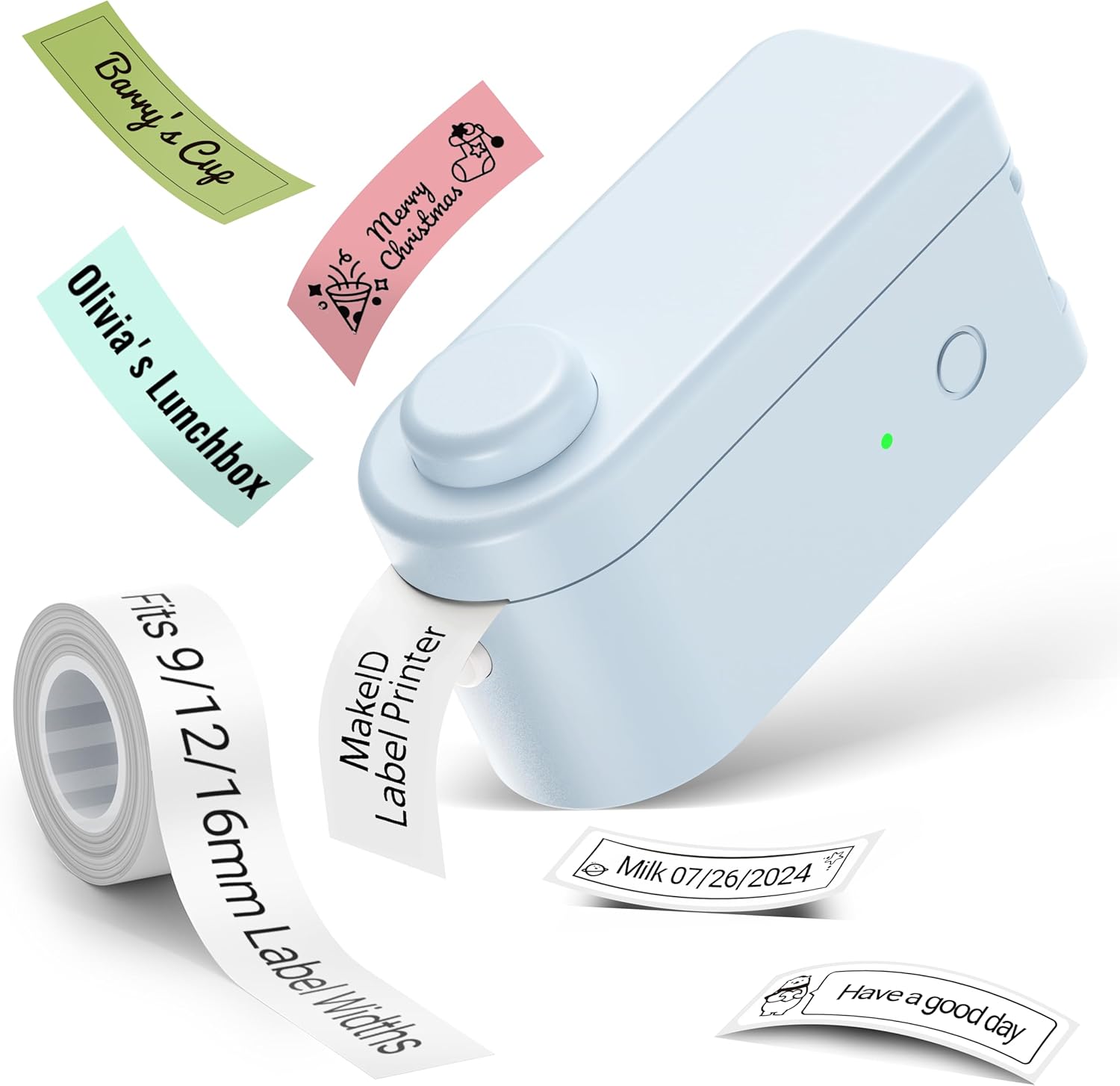
Պատկեր՝ The Makeid L1 Label Maker demonstrating the label tape roll and examples of printed labels, including continuous and die-cut types.
3. Հավելվածի ներբեռնումը և տեղադրումը
The Makeid L1 operates via a dedicated mobile application. Որոնել "MakeID-Life" on your device's app store.

Պատկեր՝ Screenshots showing the "Get it on Google Play" and "Download on the App Store" buttons, indicating where to find the MakeID-Life application.
4. Bluetooth զուգավորում
The label maker connects to your smartphone via Bluetooth.
- Համոզվեք, որ Bluetooth-ը միացված է ձեր սմարթֆոնի վրա:
- Turn on the Makeid L1 Label Maker by pressing the power button. The indicator light will flash, indicating it's ready for pairing.
- Open the "MakeID-Life" app. The app will automatically search for nearby devices.
- Select "L1" from the list of available devices to connect. Once connected, the indicator light on the label maker will become solid.

Պատկեր՝ A visual guide demonstrating the three steps for Bluetooth connection: turning on Bluetooth, selecting the L1 model within the app, and confirming the device connection.
Գործառնական հրահանգներ
1. Designing Your Label
The "MakeID-Life" app offers extensive customization options:
- Տեքստի մուտքագրում. Type your desired text.
- Տառատեսակներ: Choose from 88 different font styles.
- Սրբապատկերներ և խորհրդանիշներ. Access over 600 icons and various symbols.
- Կաղապարներ: Utilize over 400 pre-designed templates for various purposes (e.g., kitchen, office, school).
- Borders & Frames: Add decorative borders.
- Այլ գործառույթներ. Create barcodes, QR codes, tables, dates, and patterns.
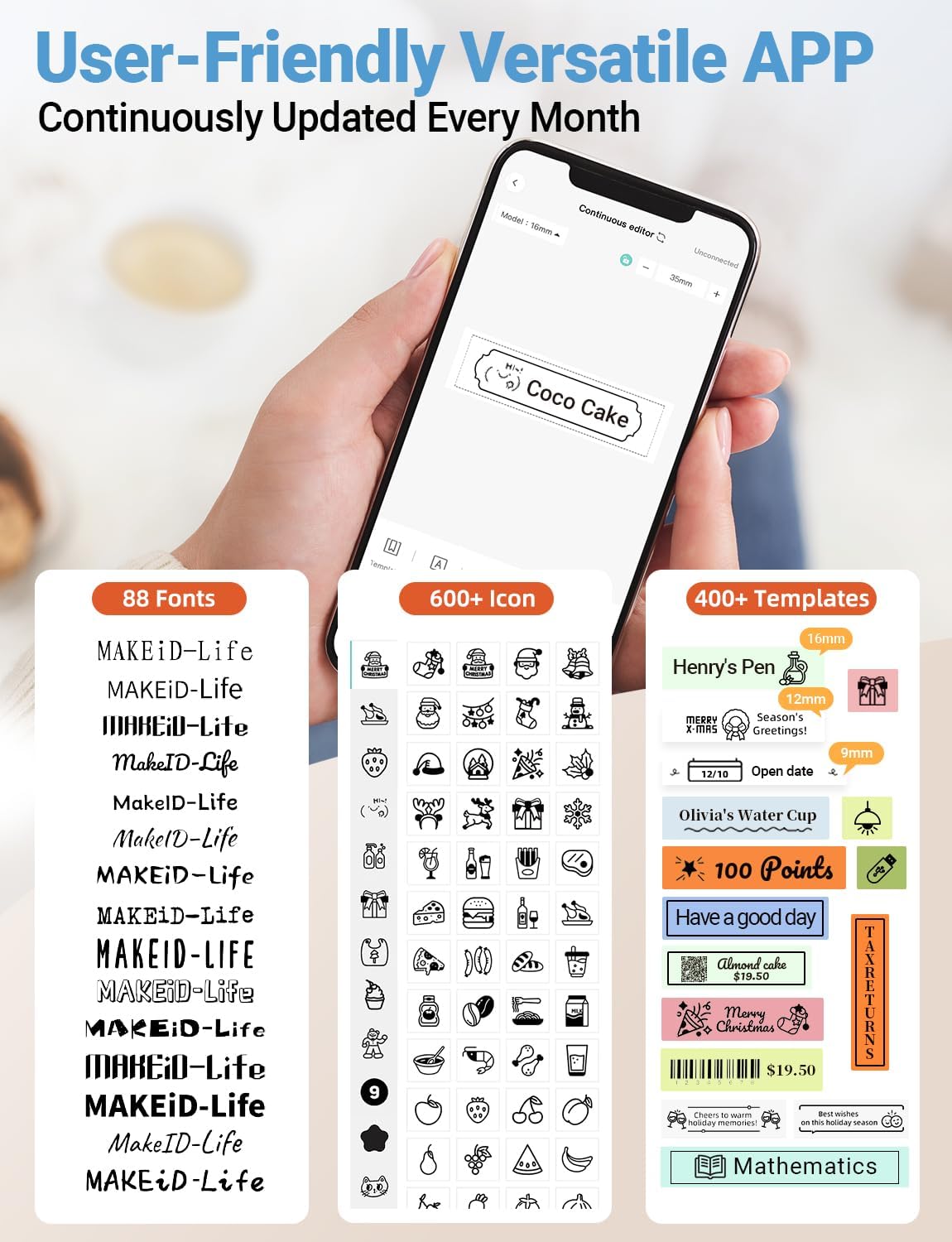
Պատկեր՝ Մանրամասն view of the MakeID-Life app interface, showcasing the wide selection of 88 fonts, over 600 icons, and more than 400 templates available for label customization.
2. Պիտակների տպագրություն
Once your design is complete in the app:
- Review your label design on the app screen.
- Tap the "Print" button within the app.
- The label will be thermally printed and emerge from the output slot.
3. Cutting Labels
The Makeid L1 features a built-in cutter for clean edges.
- After printing, gently pull the label forward slightly.
- Press the cutting button (refer to the Product Overview image for location) to cleanly cut the label.

Պատկեր՝ Illustration of the Makeid L1's built-in cutter, demonstrating how it provides professional and safe cutting of labels, eliminating messy torn edges.
4. Types of Label Printing
The L1 supports two primary types of label printing:
- Continuous Labels: Ideal for custom lengths, allowing you to print text of any length and cut it precisely.
- Die-Cut Labels: Pre-sized labels with specific shapes, perfect for consistent labeling of items like jars or files.

Պատկեր՝ Visual representation of continuous labels, which can be cut to any length, and die-cut labels, which are pre-shaped for specific applications.
Տեխնիկական սպասարկում
Տպիչ գլխիկի մաքրում
To ensure optimal print quality, periodically clean the thermal print head.
- Turn off the label maker and disconnect it from the power source.
- Open the lid and remove the label tape.
- Gently wipe the print head with a soft, lint-free cloth dampիզոպրոպիլային սպիրտով։ Մի օգտագործեք ջուր կամ հղկող մաքրող միջոցներ։
- Allow the print head to dry completely before reinserting the tape and closing the lid.
Պահպանում
Store the label maker in a cool, dry place away from direct sunlight and extreme temperatures. Remove the label tape if storing for extended periods.
Անսարքությունների վերացում
Հաճախակի խնդիրների և դրանց լուծումների համար դիմեք ստորև բերված աղյուսակին։
| Խնդիր | Հնարավոր պատճառ | Լուծում |
|---|---|---|
| Սարքը չի միանում: | Ցածր մարտկոց: | Լիցքավորեք սարքը տրամադրված USB մալուխի միջոցով: |
| Հնարավոր չէ միանալ Bluetooth-ի միջոցով։ | Bluetooth is off on phone; device not in pairing mode; app issue. | Ensure Bluetooth is enabled on your phone. Turn the label maker off and on again to re-enter pairing mode. Restart the "MakeID-Life" app. |
| Poor print quality / Faded prints. | Print head dirty; incorrect label tape; low battery. | Clean the print head. Ensure you are using Makeid compatible thermal label tape. Charge the device. |
| Label tape not feeding. | Tape incorrectly loaded; tape jammed. | Open the lid and re-insert the label tape correctly, ensuring it's not jammed. |
| Labels are not cutting cleanly. | Cutter blade dull or obstructed. | Ensure no debris is obstructing the cutter. If issues persist, contact customer support. |
Տեխնիկական պայմաններ
Detailed technical specifications for the Makeid L1 Label Maker Machine:
| Առանձնահատկություն | Մանրամասն |
|---|---|
| Բրենդ | Makeid |
| Մոդելի անվանումը | L1 |
| Միացման տեխնոլոգիա | Bluetooth |
| Տպագրության տեխնոլոգիա | Ջերմային |
| Տպիչի ելք | Մոնոխրոմ |
| Բանաձեւ | 203 x 203 DPI (also 300 x 300 DPI for other variants) |
| Առավելագույն մեդիայի չափը | 0.63 դյույմ (16 մմ) |
| Համատեղելի սարքեր | Smartphones (Android & iOS) |
| Վերահսկման մեթոդ | Հավելված |
| Ապարատային միջերես | USB |
| Էլեկտրաէներգիայի աղբյուր | 1 Lithium Ion մարտկոց (ներառված է) |
| Ապրանքի չափերը | 3.93"Խ x 1.6"Լ x 1.96"Բ (10 x 4.06 x 4.98 սմ) |
| Նյութի քաշը | 4.4 ունցիա (126 գրամ) |
| Հատուկ առանձնահատկություններ | Continuous & Pre-cut Label Tapes, Waterproof, Oil-proof, Friction Resistant, Light Resistant, No Fading, Rich Font Icon Pattern, Portable, Inkless, Wireless, Rechargeable, Creative Print Functions (Barcode, Text, Picture, QR 2D Code, Table, Date, Border, Icon, Shape, Pattern, Template) |
Երաշխիք և աջակցություն
The Makeid L1 Label Maker comes with a Ցմահ երաշխիք. For technical support, warranty claims, or further assistance, please contact Makeid customer service through the official Makeid webկայքում կամ ձեր ապրանքի փաթեթավորման մեջ նշված կոնտակտային տվյալներում։
Լրացուցիչ ռեսուրսների և հաճախակի տրվող հարցերի համար այցելեք Makeid Store on Amazon.
Անվտանգության տեղեկատվություն
- Մի ապամոնտաժեք և մի փորձեք ինքներդ վերանորոգել սարքը:
- Սարքը հեռու պահեք ջրից և բարձր խոնավությունից:
- Use only original or certified compatible label tapes and charging cables.
- Պահել երեխաներից հեռու:
- Խուսափեք սարքը ծայրահեղ ջերմաստիճանի կամ արևի ուղիղ ճառագայթների ազդեցության տակ դնելուց: