
Ներածություն
Welcome to your VTech VT680 Cordless Phone. This manual provides essential information for setting up, operating, and maintaining your new phone. The VTech VT680 is a DECT 6.0 cordless phone designed for reliable fixed-line communication.
Key features include Caller ID, a log of the last 10 received calls, a reminder alarm, and a 20-contact phonebook.

Image: VTech VT680 Cordless Phone handset and base unit positioned on a desk in a home office environment, alongside office supplies.
Փաթեթի բովանդակությունը
Խնդրում ենք ստուգել, որ ձեր փաթեթը պարունակում է հետևյալ իրերը.
- VTech VT680 Cordless Handset
- Լիցքավորման բազա
- Power Adapter
- Հեռախոսի լար
- 2 AAA վերալիցքավորվող մարտկոցներ
- Օգտագործողի ձեռնարկ (այս փաստաթուղթը)
Կարգավորում
1. Մարտկոցի տեղադրում
Քայլ 1: Տեղադրեք մարտկոցի խցիկը հեռախոսի հետևի մասում:
Քայլ 2: Insert the two AAA rechargeable batteries, observing the correct polarity (+ and -) as indicated inside the compartment.
Քայլ 3: Ապահով փակեք մարտկոցի խցիկի կափարիչը:

Պատկեր՝ Հետևի մաս view of the VTech VT680 cordless phone handset, showing the battery compartment area.
2. Հիմնական սարքի միացում
Քայլ 1: Connect one end of the telephone line cord to the TEL LINE jack on the back of the charging base.
Քայլ 2: Հեռախոսագծի լարի մյուս ծայրը միացրեք ձեր հեռախոսի պատի միակցիչին։
Քայլ 3: Connect the small end of the power adapter to the POWER jack on the back of the charging base.
Քայլ 4: Միացրեք սնուցման ադապտերի մեծ ծայրը ստանդարտ էլեկտրական վարդակիցին։

Պատկեր՝ Կողմնակի մասնագետfile of the VTech VT680 cordless phone handset docked in its charging base, illustrating its compact design.
3. Սկզբնական լիցքավորում
Place the handset on the charging base. The handset display will show a charging indicator. Allow the handset to charge for at least 12 hours before initial use to ensure optimal battery performance and longevity.

Պատկեր՝ առջևի view of the VTech VT680 cordless phone handset docked in its charging base, displaying the screen and keypad.
Գործառնական հրահանգներ
Զանգի կատարում
- Վերցրեք հեռախոսը կամ սեղմեք այն ՀԵՌԱԽՈՍ կոճակը։
- Ստեղնաշարի միջոցով հավաքեք ցանկալի հեռախոսահամարը:
- Սեղմեք ՀԵՌԱԽՈՍ կրկին կոճակը՝ զանգն ավարտելու համար:
Զանգին պատասխանելը
Երբ հեռախոսը զանգում է, վերցրեք լսափողը կամ սեղմեք ՀԵՌԱԽՈՍ կոճակը։
Using Caller ID
When a call comes in, the caller's name and number will appear on the handset display (requires subscription to Caller ID service from your telephone provider).
Վերագտնելview the call log, press the CԱՆԳԱԳՐՈՒԹՅՈՒՆ կոճակը։ Օգտագործեք UP և ՆԵՐՔԻՆ arrow buttons to scroll through the last 10 received calls.
Հեռախոսագիրք
The phonebook can store up to 20 contacts.
Կապի ավելացում
- Սեղմեք ՄԵՆՈՒ կոճակը։
- Navigate to "Phonebook" and select "Add New Entry".
- Enter the contact's name and phone number using the keypad.
- Մամուլ ՊԱՀՊԱՆԵԼ մուտքը պահելու համար:
Making a Call from Phonebook
- Սեղմեք ՀԵՌԱԽՈՍԱԳԻՐ կոճակը։
- Օգտագործեք UP և ՆԵՐՔԻՆ arrow buttons to find the desired contact.
- Սեղմեք ՀԵՌԱԽՈՍ button to dial the contact.
Setting a Reminder Alarm
- Սեղմեք ՄԵՆՈՒ կոճակը։
- Navigate to "Alarm" or "Reminders" in the menu.
- Set the desired time and activate the alarm function.
- Մամուլ ՊԱՀՊԱՆԵԼ հաստատել.
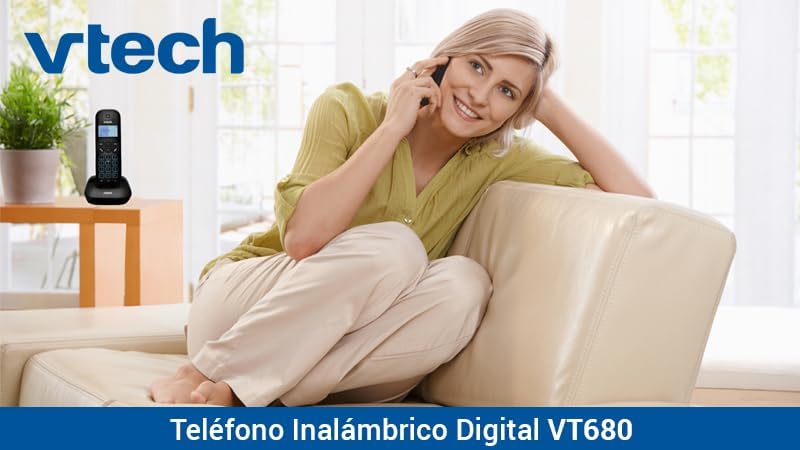
Image: A woman comfortably seated on a couch, engaged in a phone conversation using the VTech VT680 cordless phone.
Տեխնիկական սպասարկում
Մաքրում
Մաքրեք հեռախոսը և բազան փափուկ, թեթևակի կեղտոտ կտորովamp cloth. Do not use harsh cleaning agents, abrasive materials, or excessive liquid, as these can damage the device.
Մարտկոցի խնամք
Use only the specified AAA rechargeable batteries. Replace batteries when they no longer hold a charge effectively or if you notice a significant decrease in talk time.
Անսարքությունների վերացում
If you encounter any issues with your VTech VT680 Cordless Phone, please refer to the table below for common problems and their solutions.
| Խնդիր | Լուծում |
|---|---|
| Զանգի ձայն չկա | Ensure the telephone line cord is securely connected to both the base unit and the telephone wall jack. Verify the power adapter is properly connected to the base unit and a working electrical outlet. |
| Հեռախոսը չի լիցքավորվում | Ensure the handset is correctly seated in the charging cradle. Verify the power adapter is plugged in. Clean the charging contacts on both the handset and base unit with a dry cloth. |
| Զանգի վատ որակ կամ անկայունություն | Move closer to the base unit. Check for interference from other electronic devices (e.g., Wi-Fi routers, microwaves). Try relocating the base unit. |
| Caller ID not working | Ensure you are subscribed to Caller ID service from your telephone service provider. Contact your provider to confirm the service is active. |
Տեխնիկական պայմաններ
Տեխնիկական բնութագրեր
- Ապրանքանիշը: ՎՏեխ
- Մոդել: VT680
- Հեռախոսի տեսակը՝ Cordless, DECT 6.0 Technology
- Գույնը: Սեւ
- Նյութը՝ Պլաստիկ
- Power Source: Battery operated (2 AAA rechargeable batteries included)
- Dimensions (Handset on Base): Մոտավորապես 16.8 x 7.8 x 15.8 սմ
- Քաշը: Մոտ 680 գ
- Առանձնահատկություններ: Caller ID, 10-call log, Reminder Alarm, 20-contact Phonebook
- Գծի գործողություն. Single-line operation
Երաշխիք և աջակցություն
For detailed warranty information, technical support, or to register your product, please visit the official VTech website or contact VTech customer service. Specific warranty terms and support options may vary by region.