
KEY SMART KS500-BLK
KeySmart MFI-Certified SmartCard Wallet Tracker Card User Manual
Brand: KEY SMART | Model: KS500-BLK
Ներածություն
The KeySmart MFI-Certified SmartCard is an ultra-slim, rechargeable tracking card designed to help you locate your valuable items using the Apple Find My app. Its compact design allows it to fit seamlessly into wallets, luggage tags, and other small spaces, providing peace of mind by keeping track of your belongings.
This manual provides essential information on setting up, operating, and maintaining your SmartCard, along with detailed specifications and troubleshooting tips.
Կարգավորում
- Charge Your SmartCard: Before initial use, fully charge your KeySmart SmartCard using a Qi-enabled wireless charger. The card is designed to last up to 5 months on a single charge. (Wireless charger sold separately).
- Add to Apple Find My App:
- Open the Apple Find My app on your compatible iOS device.
- Navigate to the "Items" tab.
- Tap the "+" icon and select "Add Other Item."
- Follow the on-screen instructions to pair your KeySmart SmartCard. You may need to press the button on the SmartCard firmly until it clicks to initiate pairing.
- Տեղադրում: Insert the SmartCard into your wallet, luggage, or any item you wish to track. Its ultra-slim design (less than 2mm thick) ensures it fits easily. The integrated key chain hole allows for attachment to keychains or lanyards for versatile use.
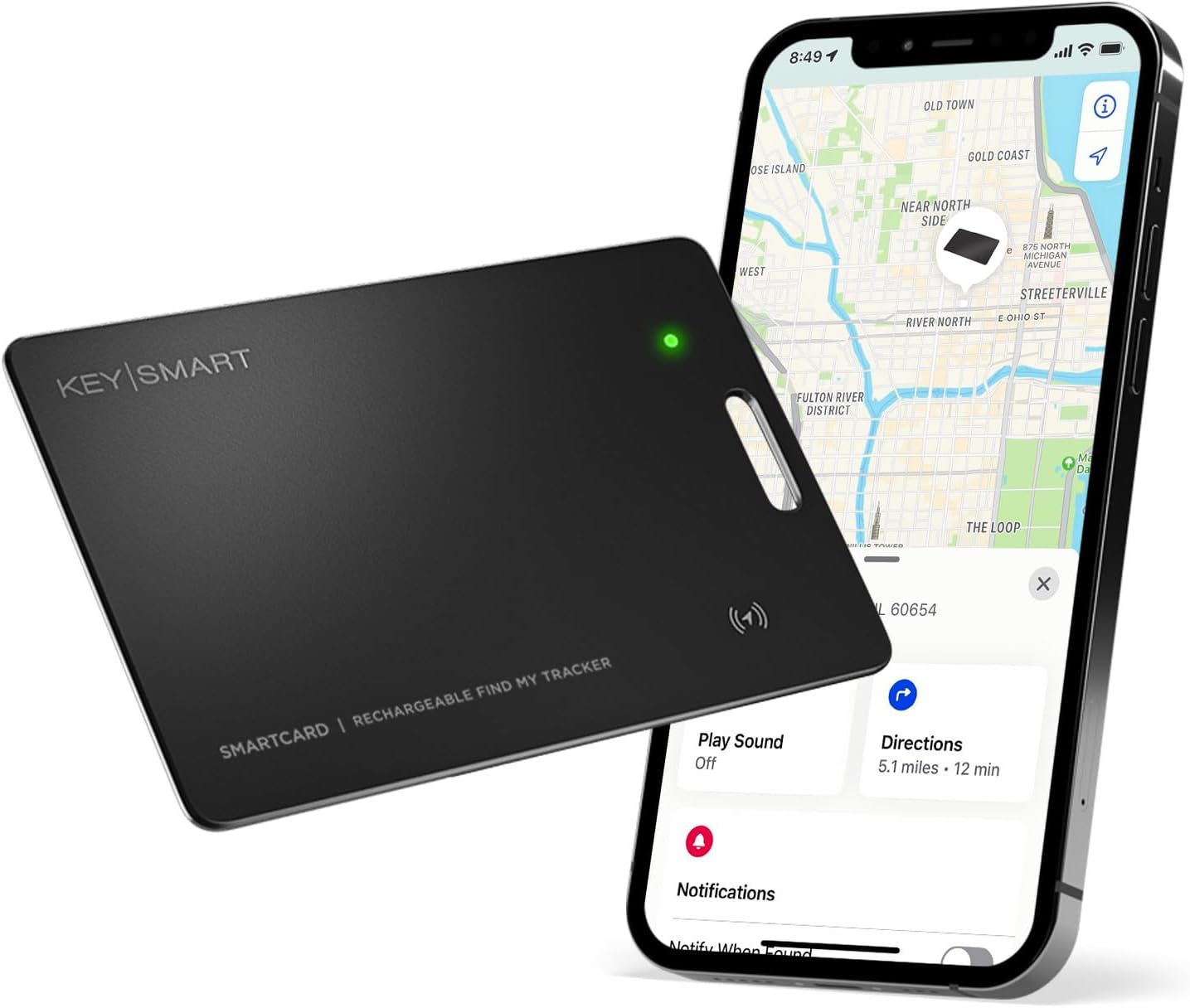
Image: The KeySmart SmartCard seamlessly integrates with the Apple Find My app, allowing you to view its location on a map.
Գործառնական հրահանգներ
- Locate Nearby Items:
If your SmartCard is within Bluetooth range, open the Apple Find My app, select your SmartCard, and tap "Play Sound" to make it ring, helping you pinpoint its exact location.
- Locate Far Away Items:
If your SmartCard is out of Bluetooth range, the Apple Find My network, comprised of hundreds of millions of Apple devices worldwide, can help you locate it. The app will display the last known location on a map.

Image: Use the Find My app to locate your SmartCard on a map and make it ring when nearby.
- "Notify When Left Behind" Feature:
Enable this feature in the Find My app to receive proactive notifications on your iPhone, CarPlay, or AirPods if you accidentally leave your SmartCard behind. This helps prevent loss before it happens.

Image: Receive notifications if you leave your SmartCard behind, helping you retrieve it quickly.
- Կորած ռեժիմ.
If your SmartCard is lost, activate Lost Mode in the Find My app. You can leave a message and contact number, so if someone finds your SmartCard, they can contact you directly. The Find My network will also update you on its location if detected by another Apple device.
Առանձնահատկություններն ավարտված ենview
- Ուլտրա-բարակ դիզայն. The KeySmart SmartCard is engineered to be the thinnest wallet tracking card available, measuring less than 2mm thick. This allows it to fit comfortably in any wallet or cardholder without adding bulk.
- Apple Find My Compatibility: Fully integrated with the Apple Find My network, the SmartCard leverages the vast network of Apple devices to help you locate your items globally. Note: This device is not compatible with Android devices.
- Վերալիցքավորվող մարտկոց. Unlike many disposable trackers, the SmartCard features a rechargeable battery that lasts up to 5 months on a single charge. It supports wireless charging, eliminating the need for proprietary cables.
- Waterproof Durability: With an IPX8 rating, the SmartCard is highly water-resistant, capable of withstanding spills, splashes, and even submersion in up to 1 meter of water for 1 hour.
- Գաղտնիության պաշտպանություն. Apple's advanced encryption system ensures your privacy, preventing others from tracking your SmartCard.
- Բազմակողմանի օգտագործում. The SmartCard can be used to track a variety of items, including wallets, luggage, laptops, bags, and more. It features a key chain hole for easy attachment.

Image: The SmartCard is conveniently recharged wirelessly, offering long-lasting battery life.
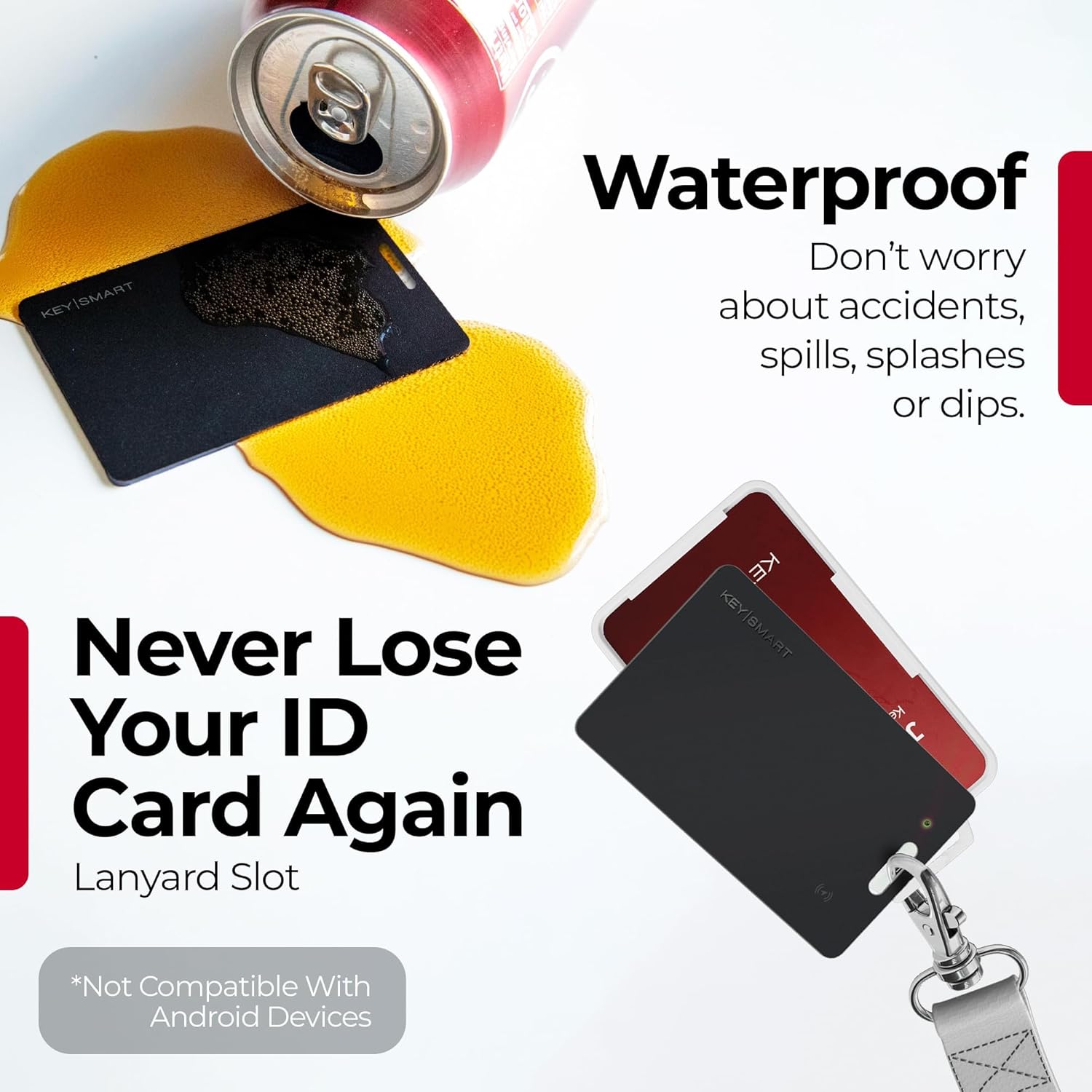
Image: The IPX8 waterproof rating ensures the SmartCard can withstand accidental exposure to water.

Image: The SmartCard's versatility allows it to track a wide range of personal belongings.
Տեխնիկական սպասարկում
- Վերալիցքավորում: Recharge your SmartCard approximately every 5 months, or when the battery indicator in the Find My app shows low charge. Use any Qi-compatible wireless charging pad.
- Մաքրում: Wipe the SmartCard with a soft, dry cloth to remove dust or smudges. Avoid using harsh chemicals or abrasive materials.
- Պահպանում: Store the SmartCard in a cool, dry place when not in use for extended periods.
Անսարքությունների վերացում
| Խնդիր | Հնարավոր պատճառ / լուծում |
|---|---|
| SmartCard not appearing in Find My app. |
|
| Cannot hear sound from SmartCard. |
|
| SmartCard not charging wirelessly. |
|
| «Մնացած» ծանուցումները չեն աշխատում։ |
|
Տեխնիկական պայմաններ
- Ապրանքի չափսերը. 3.37 x 2.13 x 0.06 դյույմ
- Նյութի Քաշը: 0.4 ունցիա
- Մոդելի համարը: KS500-BLK
- Մարտկոցներ: 1 Lithium Ion մարտկոց (ներառված է)
- Միացման տեխնոլոգիա. Bluetooth
- Supported Application: Apple Find My
- Հատուկ առանձնահատկություններ. Real Time Tracking, Location History, Lost Mode, Ultra-Slim, Waterproof (IPX8), Rechargeable
- Գույնը: Սեւ
- Արտադրող: Curv Group LLC
- Առաջին հասանելիության ամսաթիվը՝ 1 օգոստոսի, 2023 թ
Երաշխիք և աջակցություն
For detailed warranty information, product registration, and further technical support, please visit the official KEY SMART webկայքում կամ կապվեք նրանց հաճախորդների սպասարկման բաժնի հետ: Պահպանեք ձեր գնման կտրոնը երաշխիքային պահանջների համար:
Առցանց ռեսուրսներ. Visit the KEY SMART Store on Amazon
Ask a question about this manual
Ask about setup, troubleshooting, compatibility, parts, safety, or missing instructions. Manuals+ will review the question and use this page’s manual context to help answer it.