
1. Ներածություն
Thank you for choosing the Baseus 35W USB C GaN5 Power Strip. This device is a versatile 7-in-1 charging station designed to power multiple electronic devices simultaneously. It features 3 AC outlets, 2 USB-C ports, and 2 USB-A ports, offering a total power output of 35W for fast charging and a 4000W power strip capacity. Equipped with advanced GaN5 technology and smart digital protection, it ensures efficient and safe charging for your laptops, tablets, smartphones, and other electronic gadgets.
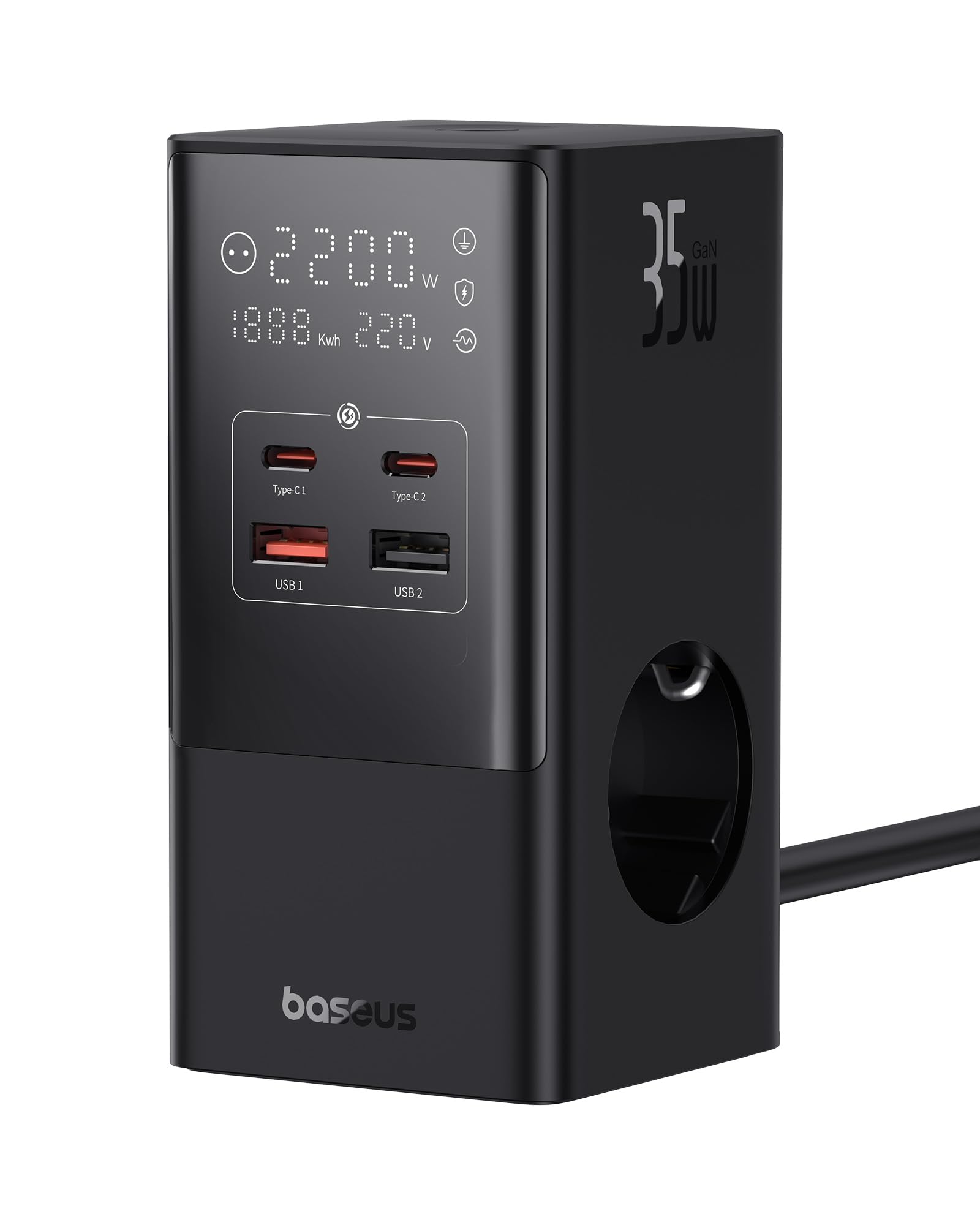
Image 1.1: The Baseus 7-in-1 Charging Station in use, illustrating its multiple ports and compact design.
2. Անվտանգության հրահանգներ
Խնդրում ենք այս ապրանքը օգտագործելուց առաջ կարդալ և հասկանալ բոլոր անվտանգության հրահանգները: Այս հրահանգներին չհետևելը կարող է հանգեցնել էլեկտրական ցնցման, հրդեհի կամ լուրջ վնասվածքի:
- Do not exceed the maximum load of 4000W for the AC outlets.
- This device is equipped with 1200J surge protection and lightning protection. However, avoid using it during thunderstorms.
- Do not disassemble, modify, or repair the device yourself. Contact qualified service personnel for assistance.
- Սարքը պահեք ջրից, խոնավությունից և բարձր ջերմաստիճաններից հեռու։
- Համոզվեք, որ էլեկտրական խրոցը լիովին տեղադրված է պատի վարդակից։
- Մի օգտագործեք սարքը, եթե մալուխը կամ վարդակից վնասված է:
- Պահել երեխաներից հեռու:
- The device features a 0.1-second automatic short-circuit shutdown to protect connected devices from overcurrent, overvoltage, եւ undervoltage.

Image 2.1: Illustration of the 1200J Surge & Lightning Protection feature, highlighting enhanced safety.
3. Փաթեթի բովանդակությունը
Ստուգեք, որ բոլոր իրերը առկա են փաթեթում.
- 1 x Baseus 35W USB C GaN5 Power Strip
- 1 x Օգտագործողի ձեռնարկ
- 1 x Երաշխիքային քարտ
- 1 x Nano Adhesive Pad
4. Ապրանքի հատկությունները
The Baseus 35W USB C GaN5 Power Strip offers a comprehensive charging solution with multiple advanced features:
- 7-ը-1 լիցքավորման կայան. Equipped with 3 AC power outlets, 2 USB-C ports, and 2 USB-A ports to charge up to 7 devices simultaneously.
- 35W PD Արագ լիցքավորում. Utilizes GaN5 technology for efficient and rapid charging of compatible devices, such as MacBooks, iPads, and iPhones.
- 4000W Power Strip: Provides robust power delivery for various appliances and electronics.
- Խելացի թվային էկրան. A unique digital screen monitors real-time charging information, including power, current, and charging status.
- Անվտանգության համապարփակ պաշտպանություն. Features 1200J surge protection, lightning protection, and 9 additional safety measures to safeguard your devices from current fluctuations and potential hazards.
- 0.1s Automatic Short-Circuit Shutdown: Industry-leading rapid shutdown mechanism to protect devices from damage due to short circuits or overloads.
- Automatic Power Split (BPS 2.0): Intelligently distributes power across connected USB ports for optimized charging efficiency.
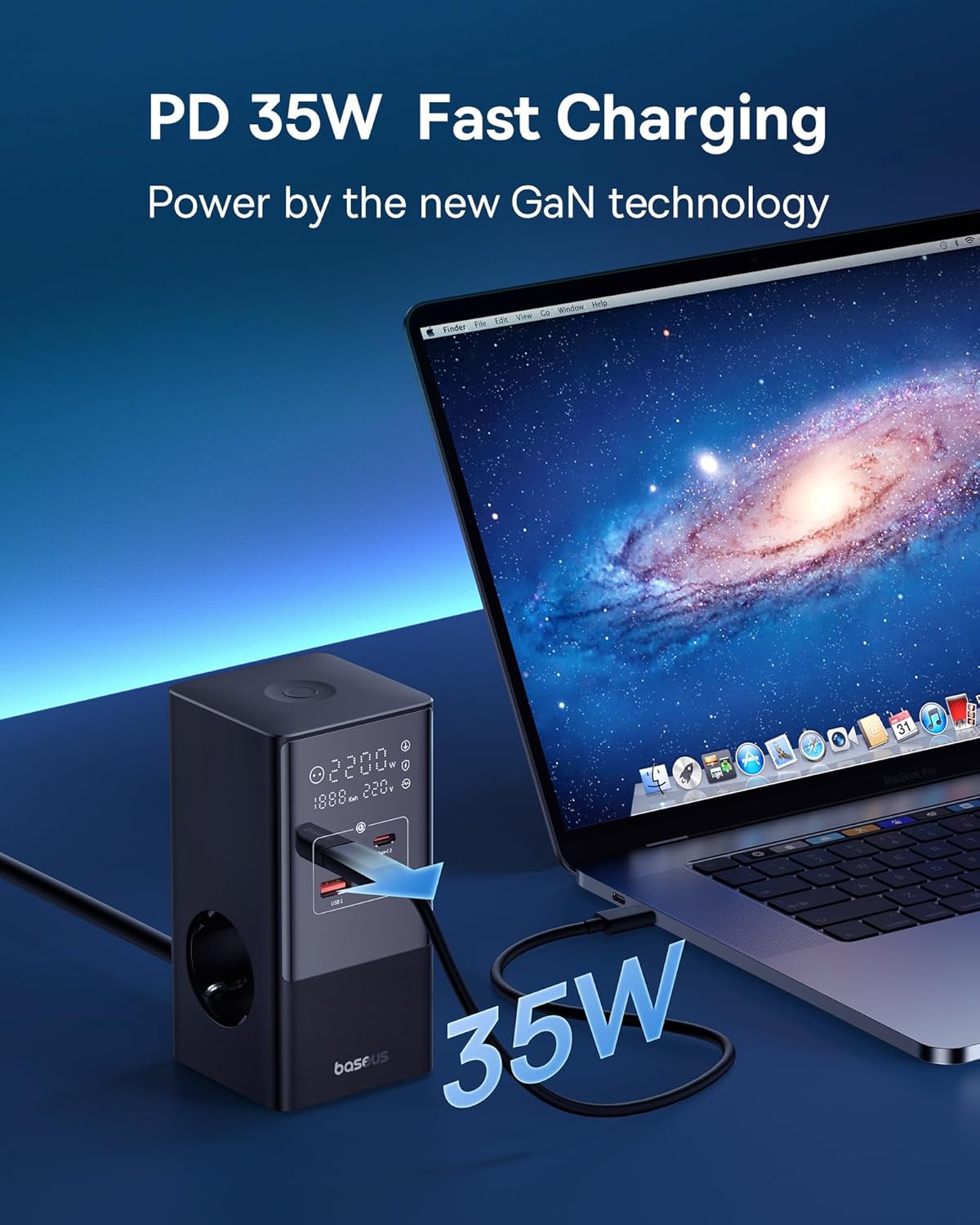
Image 4.1: The power strip providing 35W PD fast charging to a MacBook Pro.

Image 4.2: Visual representation of the Automatic Split Power feature, ensuring optimal power distribution.

Image 4.3: Digital Smart Protection actively eliminating potential hazards compared to standard power strips.
5. Կարգավորում
- Ապափաթեթավորեք Սարքը. Carefully remove the power strip and all accessories from the packaging.
- Ընտրեք տեղ՝ Place the power strip on a stable, flat surface, away from direct sunlight, heat sources, and moisture. Ensure adequate ventilation.
- Միացեք հոսանքի. Plug the power strip's main cable into a grounded wall outlet.
- Optional: Secure with Nano Adhesive Pad: If desired, use the provided nano adhesive pad to secure the power strip to a surface. Ensure the surface is clean and dry before application.
- Միացնել սարքերը. Plug your electronic devices into the available AC outlets, USB-C ports, or USB-A ports.
6. Գործառնական հրահանգներ
6.1 AC վարդակների օգտագործումը
- Insert the power plugs of your devices into the 3 AC outlets.
- Ensure that the total power consumption of all connected AC devices does not exceed 4000W.
6.2 USB լիցքավորման միացքների օգտագործումը
- Connect your USB-C compatible devices to the 2 USB-C ports for fast charging.
- Connect your USB-A compatible devices to the 2 USB-A ports.
- The power strip will automatically detect the connected device and deliver optimal charging current.
6.3 Թվային էկրանի հասկացողությունը
The integrated digital display provides real-time feedback on the power strip's status:
- Working Status Display: Shows the current power output (W) and voltage (V).
- Digital Protection Indication: Indicates active protection features.
- Grounded Indication: Confirms proper grounding for safety.

Image 6.1: The smart digital display providing real-time charging status and safety indicators.
7. Պահպանում
- Մաքրում: Մաքրելուց առաջ անջատեք լարը պատի վարդակից: Մակերեսը սրբելու համար օգտագործեք փափուկ, չոր կտոր: Մի օգտագործեք հեղուկ մաքրող միջոցներ կամ աէրոզոլներ:
- Պահպանում: Երբ երկար ժամանակ չի օգտագործվում, անջատեք սարքը և պահեք այն զով, չոր տեղում:
- Ստուգում: Պարբերաբար ստուգեք սնուցման լարը և խրոցը՝ վնասման որևէ նշանի համար: Վնաս հայտնաբերելու դեպքում դադարեցրեք օգտագործումը և կապվեք հաճախորդների սպասարկման հետ:
8: Անսարքություն
Եթե խնդիրներ եք ունենում ձեր Baseus Power Strip-ի հետ, դիմեք հետևյալ տարածված խնդիրներին և լուծումներին.
| Խնդիր | Հնարավոր պատճառ | Լուծում |
|---|---|---|
| Միացված սարքերը հոսանքազրկված են։ | Power strip not plugged in; wall outlet not working; device's power switch off; internal safety mechanism triggered. | Ensure the power strip is securely plugged into a live wall outlet. Check if the wall outlet works with another device. Verify connected devices are switched on. Unplug all devices, wait a few minutes, and plug them back in. |
| Slow charging via USB ports. | Cable issue; device not supporting fast charging; multiple devices drawing high power simultaneously. | Use a high-quality, fast-charging compatible USB cable. Ensure your device supports PD fast charging. If many devices are connected, the power may be distributed, reducing individual port speed. Try charging fewer devices. |
| Թվային էկրանը անջատված է կամ թարթում է։ | Loose connection; internal fault. | Ensure the power strip is firmly plugged into the wall outlet. If the issue persists, discontinue use and contact customer support. |
| Power strip feels hot. | Գերբեռնվածություն, վատ օդափոխություն։ | Reduce the number of connected devices, especially high-power ones. Ensure the power strip has adequate airflow and is not covered. If it remains excessively hot, unplug immediately. |
9. Տեխնիկական պայմաններ
| Բրենդ | Բասեուսը |
| Մոդել | CCGAN35-S3ACE |
| Գույն | Սեւ |
| AC վարդակներ | 3 |
| USB պորտեր | 2 x USB-C, 2 x USB-A (Total 4 USB ports) |
| Max AC Power Output | 4000 Վտ |
| Max USB Power Output | 35 Վտ (ընդհանուր) |
| Հատtage | 230 Վ |
| Max ընթացիկ | 17.39 Ampէս |
| Լիցքաթափման պաշտպանության վարկանիշ | 1200 Ջուլ |
| Նյութ | Պլաստիկ |
| Չափերը (L x W) | 6.6 x 6.6 սանտիմետր |
| Քաշը | 519 գրամ |
| Համատեղելի սարքեր | MacBook Pro/Air, XPS, ThinkPad, MateBook, iPhone 15/14/13/12 series, iPad Pro/Air/Mini, Galaxy S/Tab series, Pixel, Redmi, Xiaomi, and other USB-C/USB-A powered devices. |
10. Երաշխիք և հաճախորդների աջակցություն
This product comes with a warranty. Please refer to the included Warranty Card for specific terms and conditions regarding coverage and duration. For technical support, troubleshooting assistance, or warranty claims, please contact Baseus customer service through their official webկայքը կամ այն մանրածախ վաճառողը, որտեղից գնվել է ապրանքը։
For further information, you may visit the official Baseus store: Baseus-ի պաշտոնական խանութ