
1. Ներածություն
This manual provides instructions for the VTech CS2051 DECT 2 Handset Cordless Home Telephone with Answering Machine. It covers setup, operation, maintenance, and troubleshooting to ensure optimal performance of your device. Please read these instructions carefully before using your telephone.
2. Փաթեթի բովանդակությունը
Ստուգեք, որ ձեր փաթեթը պարունակում է հետևյալ կետերը.
- 1 x Հիմնական միավոր
- 2 x անլար հեռախոսներ
- 2 x հեռախոսի լիցքավորիչներ
- 2 x AC Adaptors (for base unit and chargers)
- 2 x Battery Packs (AAA batteries required, included)
- 1 x հեռախոսագծի լար
- 1 x Արագ մեկնարկի ուղեցույց

Image: The VTech CS2051 system, showing the main base unit with one handset, and a separate charger with the second handset.
3. Կարգավորում
3.1 Մարտկոցի տեղադրում
- Բացեք մարտկոցի խցիկի կափարիչը յուրաքանչյուր հեռախոսի հետևի մասում։
- Insert the supplied AAA battery pack, ensuring correct polarity.
- Փակեք մարտկոցի խցիկի կափարիչը:
- Place each handset on its respective charger or the base unit to charge for at least 16 hours before first use.
3.2 Հիմնական սարքի միացում
- Connect one end of the telephone line cord to the LINE port on the base unit.
- Հեռախոսագծի լարի մյուս ծայրը միացրեք ձեր հեռախոսի պատի վարդակիցին։
- Connect the AC adaptor to the POWER port on the base unit.
- Plug the AC adaptor into a mains power outlet.
- For the additional charger, connect its AC adaptor to the charger and then to a mains power outlet.
3.3 Բջջային հեռախոսի գրանցում
Your handsets are typically pre-registered to the base unit. If a handset displays 'Unregistered' or 'Register Handset', follow these steps:
- Բազային սարքի վրա սեղմեք և պահեք ԷՋ button for approximately 5 seconds until the registration indicator light flashes.
- On the handset, navigate to the 'Registration' menu (refer to the Quick Start Guide for specific menu navigation).
- Select 'Register Handset' and enter the system PIN (default is usually 0000).
- The handset will display 'Registering...' and then 'Handset Registered' upon successful completion.
4. Գործառնական հրահանգներ
4.1 Զանգեր կատարելը և ստանալը
- Զանգահարելու համար. Սեղմեք ԶՐՈՒՅՑ button, then dial the number. Alternatively, dial the number first and then press ԶՐՈՒՅՑ.
- Զանգ ստանալու համար. Երբ հեռախոսը զանգում է, սեղմեք կոճակը ԶՐՈՒՅՑ կոճակը։
- Զանգն ավարտելու համար. Սեղմեք ՎԵՐՋ կոճակը կամ հեռախոսը դրեք բազային սարքի/լիցքավորիչի վրա:
4.2 Digital Answering Machine
The base unit includes a digital answering machine to record messages when you are unavailable.
- Հաղորդագրությունների նվագարկում. Սեղմեք PLAY/STOP button on the base unit. The display will show the number of new messages.
- Հաղորդագրությունների ջնջում. Հաղորդագրությունը նվագարկելու ընթացքում սեղմեք ՋՆՋԵԼ կոճակը բազային սարքի վրա։
- Կարգավորում. Access the answering machine settings via the handset menu to record your outgoing message or adjust settings.

Image: The base unit of the VTech CS2051, highlighting the digital answering system with a message count display.
4.3 Nuisance Call Blocker
This feature allows you to block unwanted incoming calls.
- Blocking a Number: During or after a call, access the call blocker menu on the handset. You can add numbers to a block list.
- Blocking Unknown Numbers: The system can be configured to block calls from numbers not stored in your phonebook or from withheld numbers.

Image: A VTech CS2051 handset, illustrating the call blocker feature for managing unwanted calls.
4.4 Զանգահարողի նույնականացում և զանգի սպասում
These features require subscription from your telephone service provider.
- Զանգահարողի ID. The handset display shows the caller's number (and name if stored in your phonebook) before you answer. The phone stores up to 20 incoming call records.
- Զանգի սպասում: If you are on a call and another call comes in, you will hear a tone. You can switch between calls.

Image: A close-up of the VTech CS2051 handset display showing an incoming call number, demonstrating the Caller ID feature.
4.5 Բարձրախոս
The speakerphone function allows for hands-free conversations.
- Ակտիվացնելու համար. Aանգի ընթացքում սեղմեք կոճակը ԽՈՍՆԱԿ կոճակը։
- Ապաակտիվացնելու համար. Սեղմեք ԽՈՍՆԱԿ button again or lift the handset to your ear.
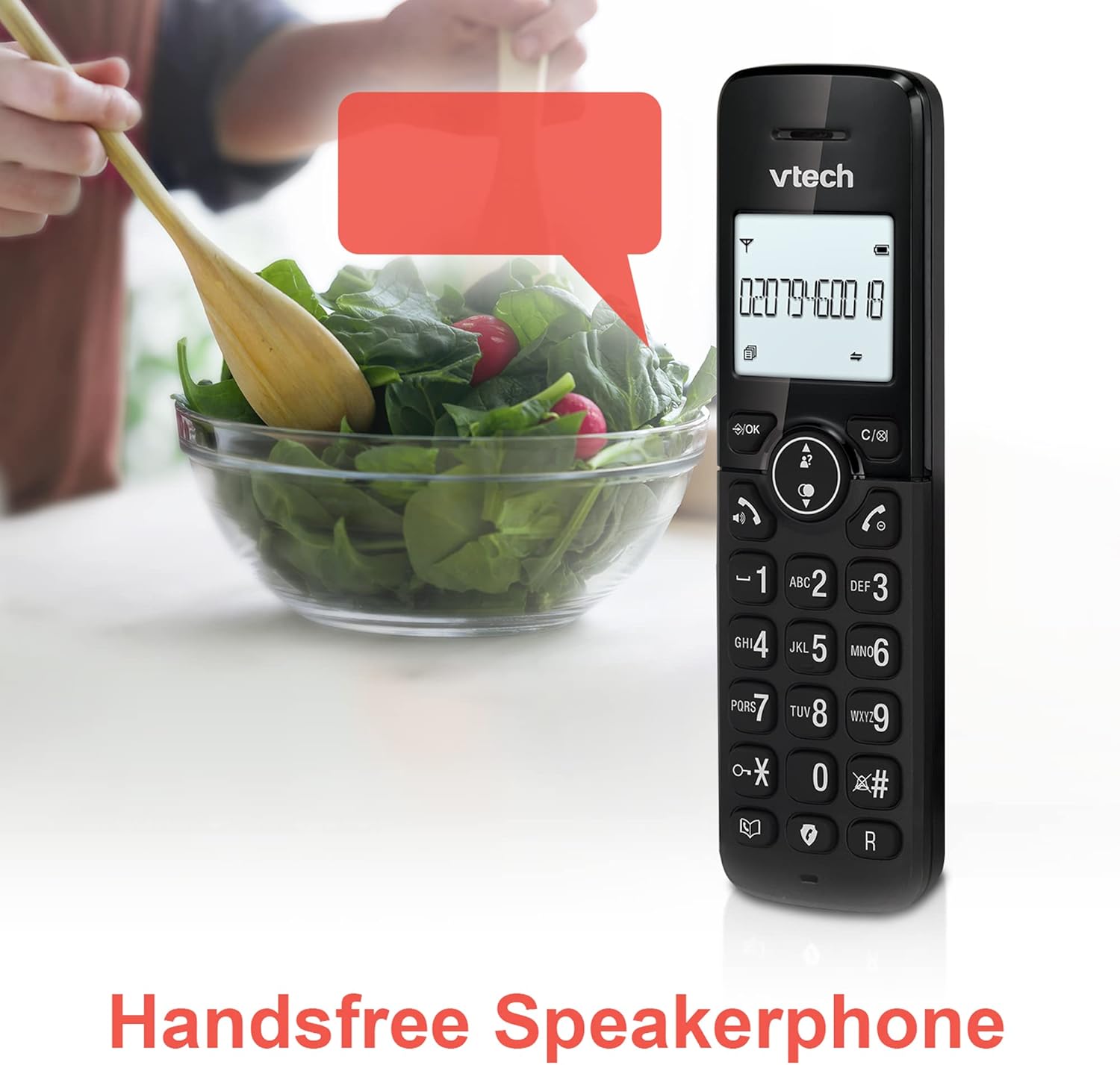
Image: A VTech CS2051 handset positioned for hands-free use, illustrating the speakerphone capability.
4.6 Ինտերկոմ
You can use the handsets to communicate with each other internally.
- To Initiate: Սեղմեք INT button on one handset and select the desired handset to call.
4.7 Adjustable Ring Volume and Melody
Customize the ringtone and volume to your preference.
- Access the 'Ringtone Settings' or 'Volume Settings' menu on the handset to choose from available melodies and adjust the ring volume.

Image: A VTech CS2051 handset, highlighting the controls for adjusting ring volume and melody settings.
4.8 Alarm and Mute Function
- Զարթուցիչ. Set an alarm through the handset menu.
- Անջատել՝ Aանգի ընթացքում սեղմեք կոճակը ՀԱՄՐ button to temporarily silence your microphone. Press again to unmute.

Image: Illustrates the alarm function (represented by a clock icon) and the mute function (represented by a musical note icon) available on the VTech CS2051.
5. Պահպանում
- Մաքրում: Wipe the telephone and handsets with a soft, damp կտոր. Մի օգտագործեք հղկող մաքրող միջոցներ կամ լուծիչներ:
- Մարտկոցի խնամք. Ensure handsets are placed on the charger when not in use to maintain battery life. Replace batteries when performance significantly degrades.
- Գտնվելու վայրը: Place the base unit in a central location, away from other electrical appliances that may cause interference.
6: Անսարքություն
- Զանգի ազդանշան չկա. Ensure the telephone line cord is securely connected to both the base unit and the wall socket. Check if the AC adaptor is properly plugged in.
- Բջջային հեռախոսը չի լիցքավորվում. Verify the handset is correctly seated in the charger/base unit. Clean the charging contacts on both the handset and charger with a dry cloth.
- Զանգի վատ որակ/խոչընդոտ։ Move the base unit away from other electronic devices (e.g., Wi-Fi routers, microwaves). Ensure the handset is within range of the base unit.
- Handset Displays 'Unregistered': Follow the handset registration steps in Section 3.3.
- Answering Machine Not Recording: Check the answering machine settings via the handset menu to ensure it is enabled and has sufficient recording time.
7. Տեխնիկական պայմաններ
| Առանձնահատկություն | Հստակեցում |
|---|---|
| Մոդել | CS2051 |
| Հեռախոսի տեսակը | DECT Cordless |
| Հեռախոսների քանակը | 2 |
| Պատասխանող համակարգի տեսակը | Digital (up to 15 minutes record time) |
| Զանգահարողի նույնականացում | Այո (պահանջվում է բաժանորդագրություն) |
| Nuisance Call Blocker | Այո՛ |
| Ցուցադրել | 1.8-inch Backlit Display |
| Մարտկոցներ | Պահանջվում է 4 AAA մարտկոց (ներառված է) |
| Նյութ | Ակրիլոնիտրիլ բութադիեն ստիրեն (ABS) |
| Էլեկտրաէներգիայի աղբյուր | սնուցվում է մարտկոցով |
| Բազմատողային գործողություն | Այո՛ |
8. Երաշխիք և աջակցություն
This VTech CS2051 product is supplied as an Amazon Renewed item. For specific warranty details and support, please refer to the Amazon Renewed program terms and conditions or contact Amazon Renewed customer service directly. VTech provides manufacturing support for its products. For technical assistance or further information, please visit the official VTech support website or consult the full user manual if available from the manufacturer.