
NIIMBOT D11
NIIMBOT D11 Label Maker User Manual
Model: D11 | Brand: NIIMBOT
1. Ներածություն
This manual provides detailed instructions for the setup, operation, and maintenance of your NIIMBOT D11 Portable Bluetooth Thermal Label Printer. Please read this manual thoroughly before using the device to ensure proper function and longevity.

Image: The NIIMBOT D11 Label Maker, a compact and portable thermal printer.
2. Փաթեթի բովանդակությունը
Ստուգեք, որ բոլոր իրերը առկա են փաթեթում.
- 1 × NIIMBOT D11 Label Maker
- 1 × USB մալուխ
- 1 × Roll of 0.6×1.6 inch (160 pcs) label tape (pre-installed inside the machine)
- 1 × Օգտագործողի ձեռնարկ
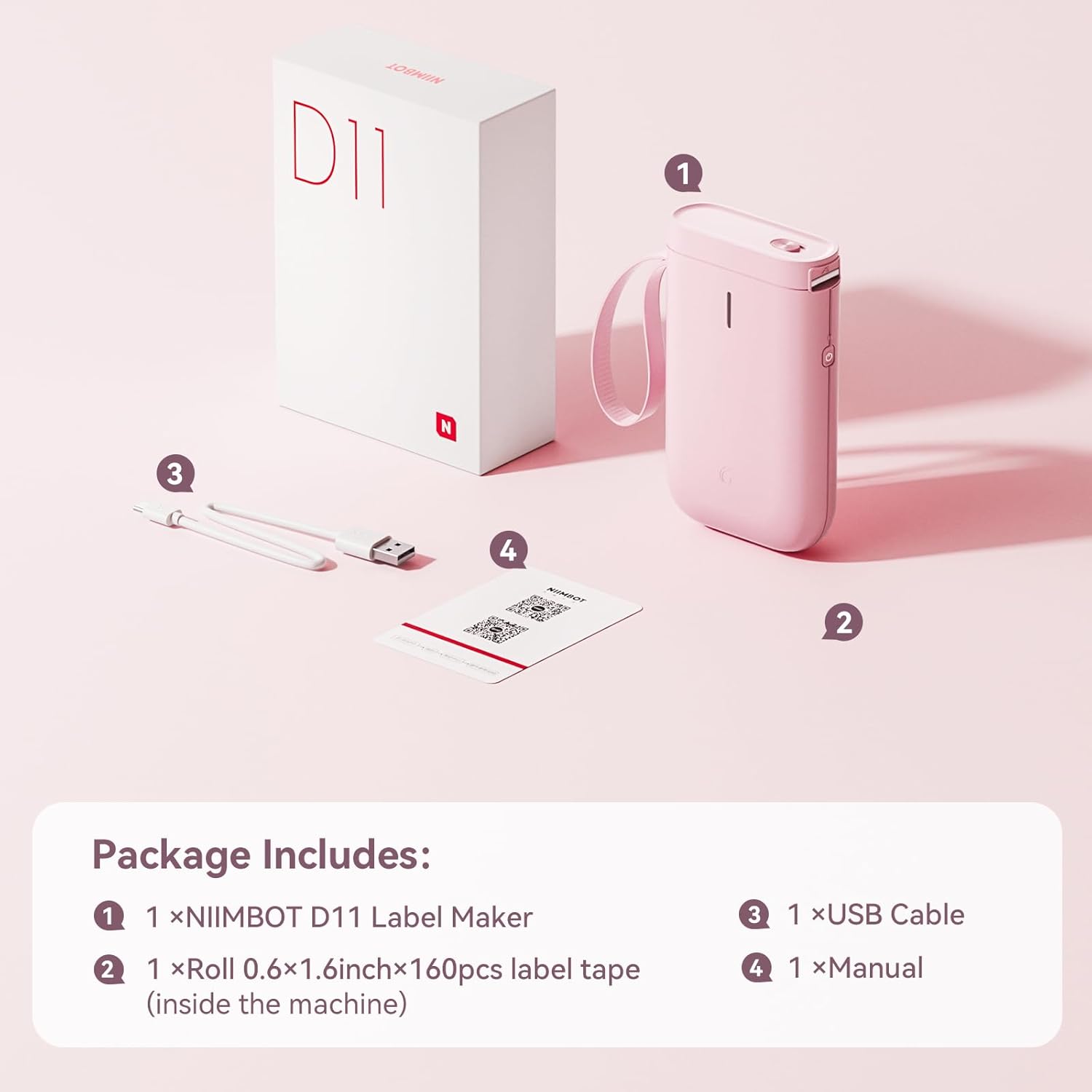
Image: Visual representation of the NIIMBOT D11 Label Maker package contents, including the device, USB cable, label roll, and manual.
3. Կարգավորում
3.1 Սարքի լիցքավորում
Before first use, fully charge the NIIMBOT D11 Label Maker using the provided USB cable. Connect the USB cable to the charging port on the device and a compatible USB power source. The LED indicator will show charging status. A full charge may take several hours.
3.2 Պիտակի թղթի բեռնում
- Locate the paper cover switch on the top of the device.
- Slide the switch to open the paper cover.
- Ensure the label roll is inserted correctly. The tip of the label tape should face towards the power button.
- Ապահով փակեք թղթի ծածկը:
- Press and hold the power button for 0.5 seconds to allow the machine to automatically align the label paper.
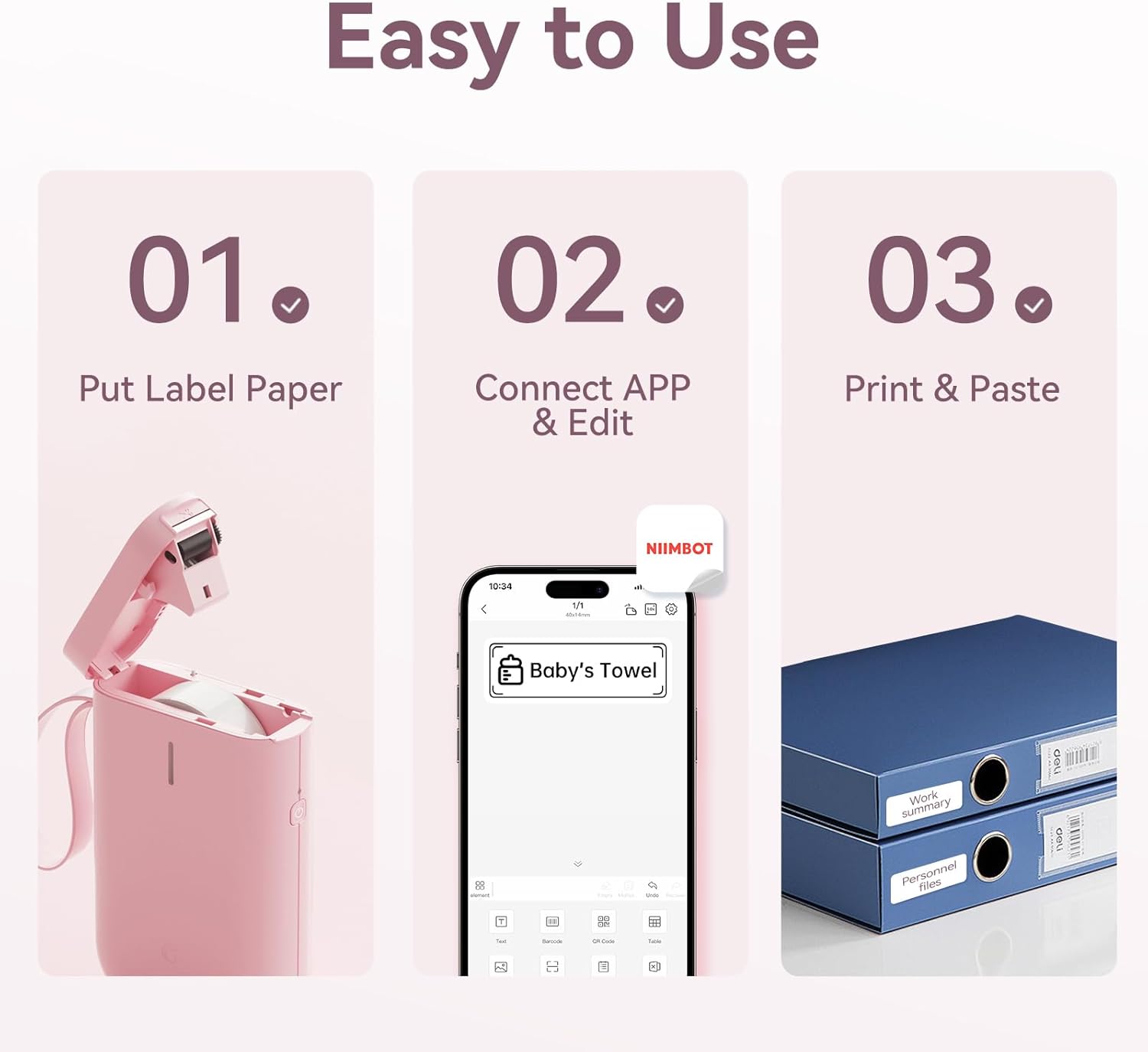
Image: Visual guide showing the three steps to load label paper, connect to the app, and print/paste labels.
Video: Detailed operation guide for the D11 Label Maker, including paper loading and basic functions.
3.3 Հավելվածի ներբեռնում և տեղադրում
The NIIMBOT D11 operates via the NIIMBOT mobile application. Download the app from your device's app store:
- For iOS devices: Search "NIIMBOT" in the Apple App Store.
- For Android devices: Search "NIIMBOT" in the Google Play Store.
Տեղադրեք ծրագիրը ձեր սմարթֆոնի վրա։
3.4 Pairing with Your Mobile Device
- Turn on the NIIMBOT D11 Label Maker by pressing the power button for 3 seconds. The blue light will flash.
- Միացրեք Bluetooth-ը ձեր բջջային սարքում:
- Open the NIIMBOT application.
- In the app, search for nearby devices and select "D11" from the list to connect.
- Once connected, the app will automatically identify the label paper template.
4. Գործառնական հրահանգներ
4.1 Պիտակների ստեղծում
The NIIMBOT app offers various features for label creation:
- Տեքստ՝ Enter custom text, adjust font, size, and style.
- Սրբապատկերներ: Choose from a library of icons to enhance your labels.
- Շտրիխ կոդեր/QR կոդեր՝ Generate and print barcodes or QR codes for product identification or information.
- Կաղապարներ: Utilize pre-designed templates for common labeling needs (e.g., home organization, price tags).
- Պատկերներ: Insert simple images onto your labels.
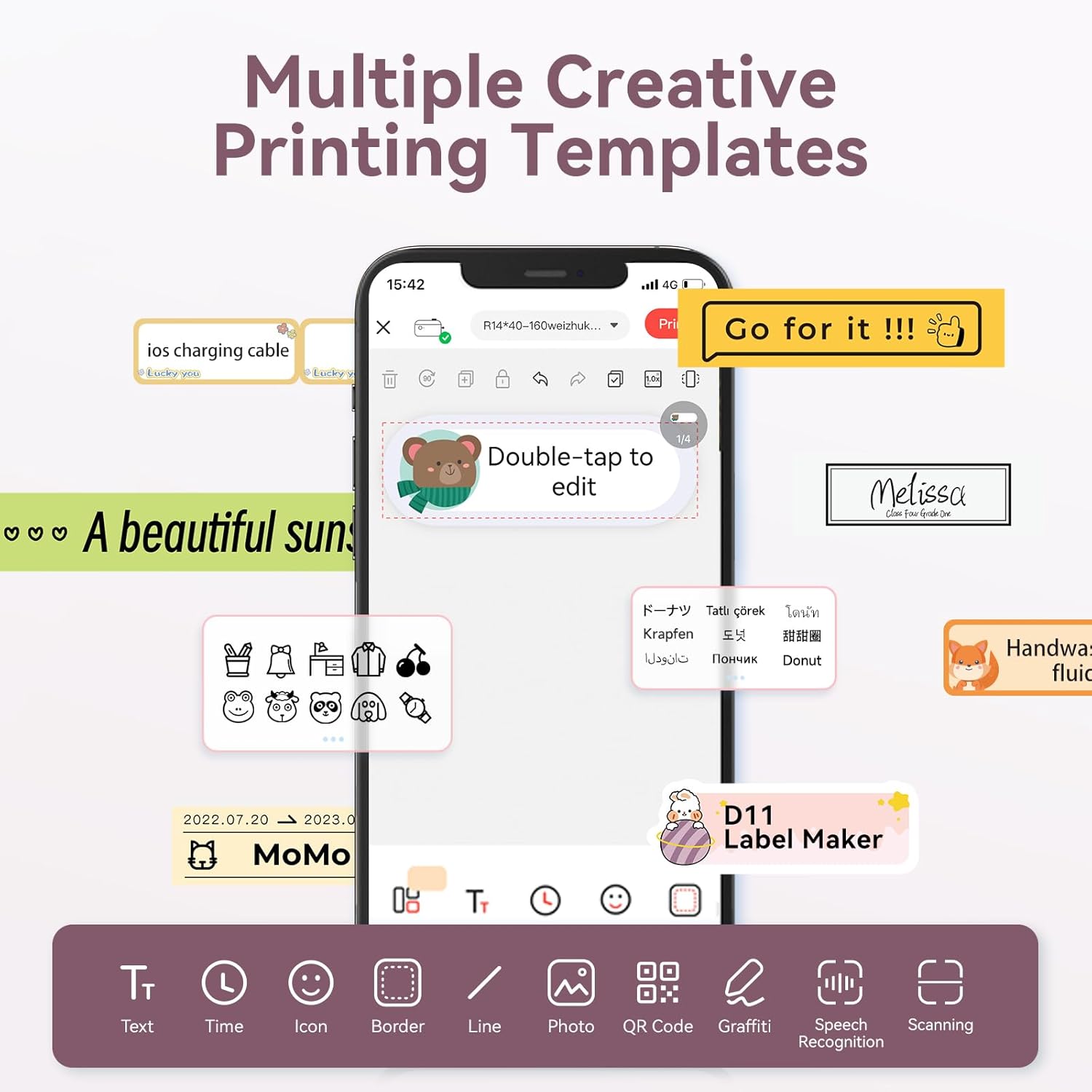
Image: The NIIMBOT app interface displaying various creative templates and editing options for labels.
4.2 Պիտակների տպագրություն
After designing your label in the app:
- Review պիտակը նախապեսview հավելվածում։
- Adjust the number of copies and print density as needed.
- Click the "Print" button in the app. The label maker will print the labels.
- Gently tear off the printed labels from the machine.
Video: A demonstration of the D11 Label Maker in various scene applications, showcasing its ease of use and versatility.
Տեսանյութ՝ Օվերview of the D Series Label Maker with tape, highlighting its features and applications.
5. Դիմումներ
The NIIMBOT D11 Label Maker is versatile and suitable for various labeling needs:
- Տան կազմակերպում. Labeling containers, storage bins, pantry items, and personal belongings.
- Գրասենյակ և դպրոց. Կազմակերպում files, documents, stationery, and school supplies.
- Փոքր բիզնես. Գին ստեղծելը tags, product labels, and inventory identification.
- Specialty Labels: Cable identification, jewelry tags, and food date marking.

Image: Collage showing labels used for home organization (medicine box), office files, business products (sweater with barcode), and school items (notebook).

Պատկեր. Օրինակamples of labels demonstrating features like waterproof properties, food date marking, data cable organization, and personal item identification.
6. Պահպանում
6.1 Մաքրում
To maintain optimal printing quality, regularly clean the print head. Use a soft, lint-free cloth lightly dampened with isopropyl alcohol. Gently wipe the print head. Ensure the device is powered off before cleaning.
6.2 Պահպանում
Store the label maker in a cool, dry place away from direct sunlight and extreme temperatures. Remove any label rolls if storing for extended periods.
7: Անսարքություն
| Խնդիր | Հնարավոր պատճառ | Լուծում |
|---|---|---|
| Սարքը միացված չէ | Ցածր մարտկոց | Լիցքավորեք սարքը ամբողջությամբ։ |
| Հնարավոր չէ միանալ Bluetooth-ի միջոցով | Bluetooth is off on phone; device not discoverable | Ensure phone's Bluetooth is on. Restart both device and phone. Re-pair in the app. |
| Տպման վատ որակ | Dirty print head; incorrect label roll insertion; low print density setting | Clean the print head. Re-insert label roll correctly. Increase print density in app. |
| Պիտակները ճիշտ չեն մատակարարվում | Label roll jammed or incorrectly inserted | Open cover, check for jams, re-insert label roll, and perform auto-alignment. |
8. Տեխնիկական պայմաններ
- Մոդելի անվանումը: D11
- Տպագրության տեխնոլոգիա. Ջերմային
- Միացում: Bluetooth
- Առավելագույն տպագրության արագություն (մոնոխրոմ): 20 ppm
- Սև և սպիտակ տպման առավելագույն լուծաչափը. 203 dpi
- Մարտկոց. 1 լիթիում-իոնային մարտկոց (1200 մԱժ)
- Ապրանքի չափսերը. 4.2 x 2.9 x 1.2 դյույմ
- Նյութի Քաշը: 12.6 ունցիա
- Համատեղելի սարքեր. Smartphones (iPhone, iOS & Android)
- Վերահսկման մեթոդ. Հավելված
- Հատուկ առանձնահատկություններ. Portable, Easy to Use, Clear Printing, Rechargeable
- Մեդիա առավելագույն չափը. A3-ից փոքր
- Sheet Size Options: 0.47''X1.57'', 0.55''x1.18'', 0.55''X1.57'', 0.47''X1.18'', 0.59''X1.18'' Inches
9. Երաշխիք և աջակցություն
For warranty information and customer support, please refer to the official NIIMBOT website or contact their customer service directly. The user manual included in your package may also contain specific warranty details and contact information.
Լրացուցիչ ռեսուրսների և ապրանքի մասին տեղեկությունների համար այցելեք NIIMBOT Store on Amazon.
Ask a question about this manual
Ask about setup, troubleshooting, compatibility, parts, safety, or missing instructions. Manuals+ will review the question and use this page’s manual context to help answer it.