
1. Ներածություն
This manual provides detailed instructions for the installation, operation, maintenance, and troubleshooting of the Fydun ZL-7901A Incubator Controller. This device is designed for precise and automatic control of temperature and humidity in various incubation environments, ensuring optimal conditions for successful hatching.
2. Ապրանքը ավարտված էview
The Fydun ZL-7901A is a high-precision digital incubator controller capable of managing both temperature and humidity. It features a clear display and intuitive controls for easy programming and monitoring.
Հիմնական հատկանիշները:
- Ճշգրիտ վերահսկում. High-accuracy temperature and humidity regulation for stable incubator environments.
- Strong Anti-interference: Designed for reliable operation in various conditions.
- High Stability and Accuracy: Ensures consistent performance for critical incubation processes.
- Լայն կիրառություն. Suitable for a variety of eggs including chicken, duck, goose, pigeon, quail, parrot, and peacock.
- Ավտոմատ շահագործում. Fully automatic control reduces manual intervention.
Բաղադրիչներ:

Նկար 2.1: Ճակատ view of the Fydun ZL-7901A Incubator Controller, showing the display and control buttons.

Նկար 2.2: The ZL-7901A controller packaged with its temperature and humidity sensors and connecting cables.

Նկար 2.3: The ZL-7901A controller shown in an incubator environment, demonstrating its application for egg incubation.
3. Անվտանգության տեղեկատվություն
- Տեղադրելուց և շահագործելուց առաջ ուշադիր կարդացեք բոլոր հրահանգները:
- Ապահովեք էլեկտրամատակարարման ծավալըtage matches the controller's requirements (100V-240V).
- All wiring should be performed by a qualified professional to prevent electrical hazards.
- Մի՛ ենթարկեք կառավարիչը ջրի կամ չափազանց խոնավության ազդեցությանը։
- Սարքը հեռու պահեք դյուրավառ նյութերից:
- Անջատեք էլեկտրամատակարարումը որևէ սպասարկում կամ լարերի փոփոխություն կատարելուց առաջ։
- Այս սարքը խաղալիք չէ: Պահել երեխաներից հեռու:
4. Կարգավորում և տեղադրում
4.1 Կարգավորիչի տեղադրում
The ZL-7901A controller is designed for panel mounting. Ensure a secure and stable location within your incubator setup.

Նկար 4.1: Կողք view illustrating the mounting bracket for panel installation.
4.2 Հաղորդալարերի միացումներ
Carefully connect the power supply, sensors, and output devices (heater, humidifier, fan, egg turner) to the appropriate terminals on the back of the controller. Refer to the wiring diagram provided with your product for specific connections. Ensure all connections are tight and secure.

Նկար 4.2: Հետևի view of the controller, showing the terminal blocks for electrical connections.
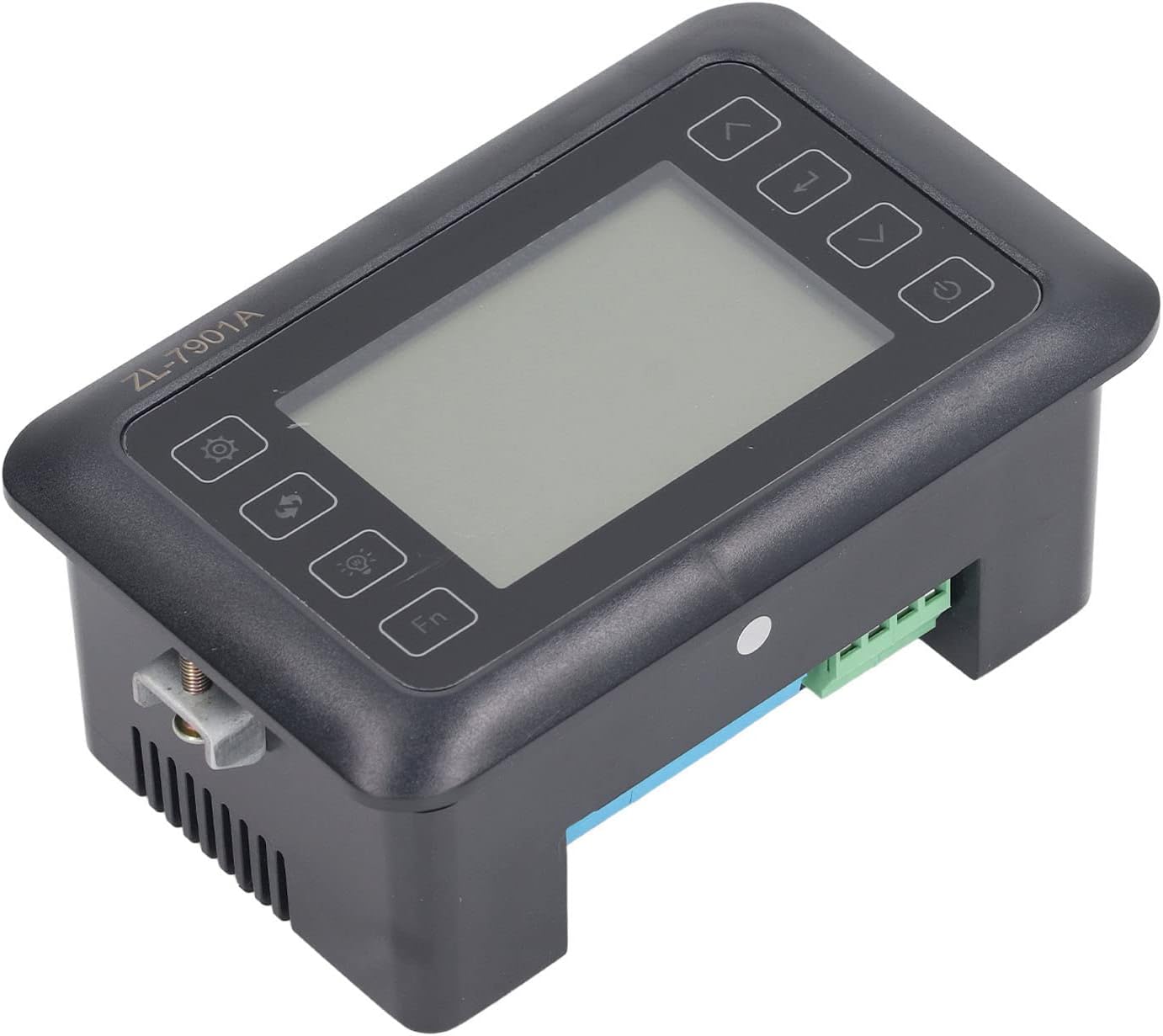
Նկար 4.3: Անկյունային view highlighting the various connection points on the controller's side.
After all connections are made, double-check them for correctness before applying power.
5. Գործառնական հրահանգներ
5.1 Միացում/անջատում
Սեղմեք Power կոճակը to turn the controller on or off. The display will illuminate upon power-on. The power button is located on the right side of the controller's front panel.
5.2 Ցուցադրել ավարտվածview
The main display shows the current temperature and humidity readings. Additional indicators may show the status of heating, humidifying, and turning functions.
5.3 Պարամետրերի կարգավորում
- Սեղմեք Կարգավորումների կոճակ (gear icon) to enter the parameter setting mode. This button is on the left side of the controller's front panel.
- Օգտագործեք Up (վերև նետ) և Ներքև (down arrow) buttons to navigate through different parameters (e.g., target temperature, target humidity, egg turning interval). These buttons are on the right side of the controller's front panel.
- Սեղմեք Մուտքագրեք կոճակը (return arrow icon) to select a parameter for editing. This button is on the right side of the controller's front panel.
- Օգտագործեք Up և Ներքև կոճակներ արժեքը կարգավորելու համար:
- Սեղմեք Մուտքագրեք կոճակը կրկին նոր արժեքը հաստատելու համար:
- Repeat for all desired parameters.
- Exit the setting mode by pressing the Կարգավորումների կոճակ again or waiting for a timeout.
Նշում. Consult the full product manual (if provided separately) for a complete list of parameters and their functions.
5.4 Ֆունկցիոնալ կոճակներ
- Լույսի կոճակ (light bulb icon): Controls the internal light of the incubator (if connected). This button is on the left side of the controller's front panel.
- Fn կոճակ: Activates special functions or enters advanced settings. Refer to the detailed manual for specific Fn button operations. This button is on the left side of the controller's front panel.
6. Պահպանում
6.1 Մաքրում
- Ensure the controller is powered off and disconnected from the power source before cleaning.
- Սրբեք կառավարիչի արտաքին մասը փափուկ, չոր կտորով։
- Do not use abrasive cleaners, solvents, or immerse the unit in water.
- Keep the sensor probes clean and free from debris to ensure accurate readings.
6.2 Սենսորների խնամք
Handle the temperature and humidity sensors with care. Avoid bending or damaging the cables. If readings appear inaccurate, gently clean the sensor tips. Do not attempt to disassemble the sensors.
7: Անսարքություն
| Խնդիր | Հնարավոր պատճառ | Լուծում |
|---|---|---|
| Կարգավորիչը չի միանում: | Էլեկտրամատակարարում չկա, թույլ միացում, անսարք սնուցման մալուխ։ | Check power outlet; ensure all connections are secure; test power cable. |
| Ջերմաստիճանի/խոնավության սխալ ցուցմունքներ։ | Sensor dirty or damaged; sensor not properly placed; calibration needed. | Clean sensor; reposition sensor away from direct airflow/heat; refer to advanced settings for calibration (if available). |
| Heater/Humidifier not activating. | Output device not connected; setpoint not reached; faulty output device. | Verify wiring connections; check setpoint values; test heater/humidifier independently. |
| Ցուցադրումը ցույց է տալիս սխալի կոդը: | Sensor fault; internal error. | Note the error code and consult the full product manual or contact support. |
8. Տեխնիկական պայմաններ
| Առանձնահատկություն | Մանրամասն |
|---|---|
| Մոդել | ԶԼ-7901Ա |
| Բրենդ | Fydun |
| Ներածման ծավալըtage | 100V-240V AC |
| Կառավարման տեսակը | Fully Automatic Digital Temperature and Humidity Control |
| Ճշգրտություն | High precision for both temperature and humidity |
| Դիմում | Incubators for various poultry and bird eggs |
| Մոնտաժում | Panel Mount |
9. Երաշխիք և աջակցություն
Fydun is committed to providing quality products and excellent customer service. If you encounter any issues or have questions regarding your ZL-7901A Incubator Controller, please contact our customer service team.
For support, please refer to the contact information provided with your purchase or visit the official Fydun store on Amazon: Fydun Amazon Store.
Our professional customer service team is ready to assist you promptly.