
1. Ներածություն
The LEAUDIO XDUOO XD05 Plus 2 is a high-performance portable Digital-to-Analog Converter (DAC) and headphone amplifier designed to deliver exceptional audio quality. It features advanced decoding capabilities, powerful output, and versatile connectivity options for various audio sources and headphones.
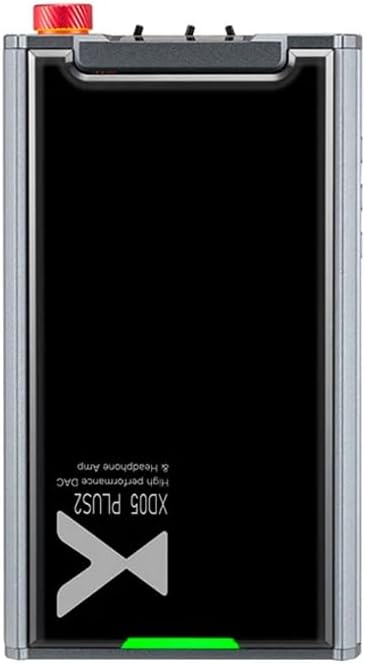
Նկար 1. Վերև view of the XDUOO XD05 Plus 2, highlighting its compact design and model branding.
2. Փաթեթի բովանդակությունը
Խնդրում ենք ստուգել փաթեթի վրա հետևյալ կետերը.
- XDUOO XD05 Plus 2 Portable DAC Headphone Ampավելի կենսական
- USB մալուխ
- Օգտագործողի ձեռնարկ (այս փաստաթուղթը)
3. Սարքի դասավորություն
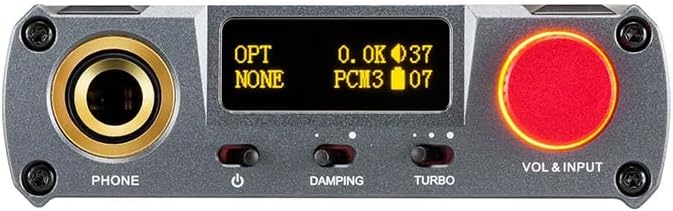
Figure 2: Front panel controls including the headphone output, OLED display, Damping switch, Turbo switch, and Volume/Input knob.

Figure 3: Rear panel connections featuring AUX In/Out, USB In, UAC 1.0/2.0 switch, Charge port, and Digital In (Optical/Coaxial).
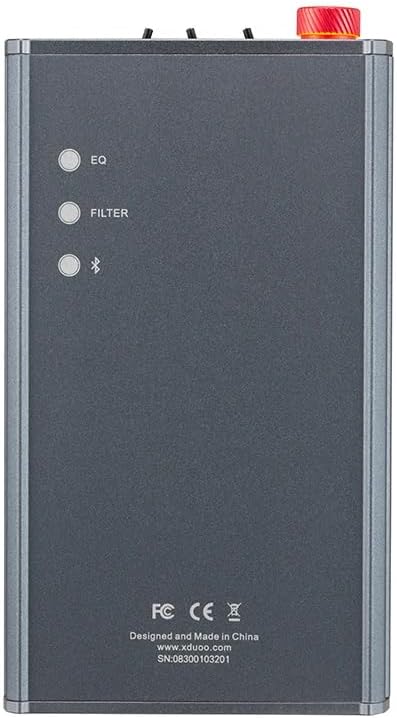
Figure 4: Side panel buttons for EQ, Filter, and Bluetooth functions.
4. Կարգավորում և միացումներ
4.1 Սարքի լիցքավորում
Connect the provided USB cable to the 'CHARGE' port on the rear panel (Figure 3) and plug the other end into a USB power adapter (not included) or a computer's USB port. The charging time is approximately 3 hours for fast charging and 5 hours for slow charging.
4.2 Միացում աուդիո աղբյուրներին
The XD05 Plus 2 offers multiple input options:
- USB մուտք. Connect to computers (Windows/Linux/Mac OSX), smartphones (iOS/Android), or other USB audio sources using the 'USB IN' port (Figure 3). Ensure the UAC switch is set to the appropriate mode (UAC 1.0 or UAC 2.0) for your device.
- Digital Input (Optical/Coaxial): Connect to desktop CDs, Hi-Fi players, or digital turntables via the 'DIGITAL IN' port (Figure 3).
- Bluetooth մուտքագրում: For wireless audio streaming, refer to Section 5.4 for Bluetooth pairing instructions.
- AUX In/Out: Use the 'AUX IN/OUT' port (Figure 3) for analog input or output connections.
4.3 Ականջակալների միացում
Plug your headphones into the 'PHONE' output jack on the front panel (Figure 2).
5. Գործառնական հրահանգներ
5.1 Միացում/անջատում և մուտքի ընտրություն
Press and hold the power button (located near the 'PHONE' jack, Figure 2) to turn the device on or off. Rotate the 'VOL & INPUT' knob (Figure 2) to adjust the volume. Press the 'VOL & INPUT' knob to cycle through available input sources (USB, Optical, Coaxial, Bluetooth, AUX).
5.2 Ձայնի վերահսկում
The device features a 99-level digital volume adjustment, ensuring balanced left and right channels at any volume setting. Rotate the 'VOL & INPUT' knob to precisely set your desired listening level.
5.3 Sound Adjustments (EQ, Filter, Damping, Turbo)
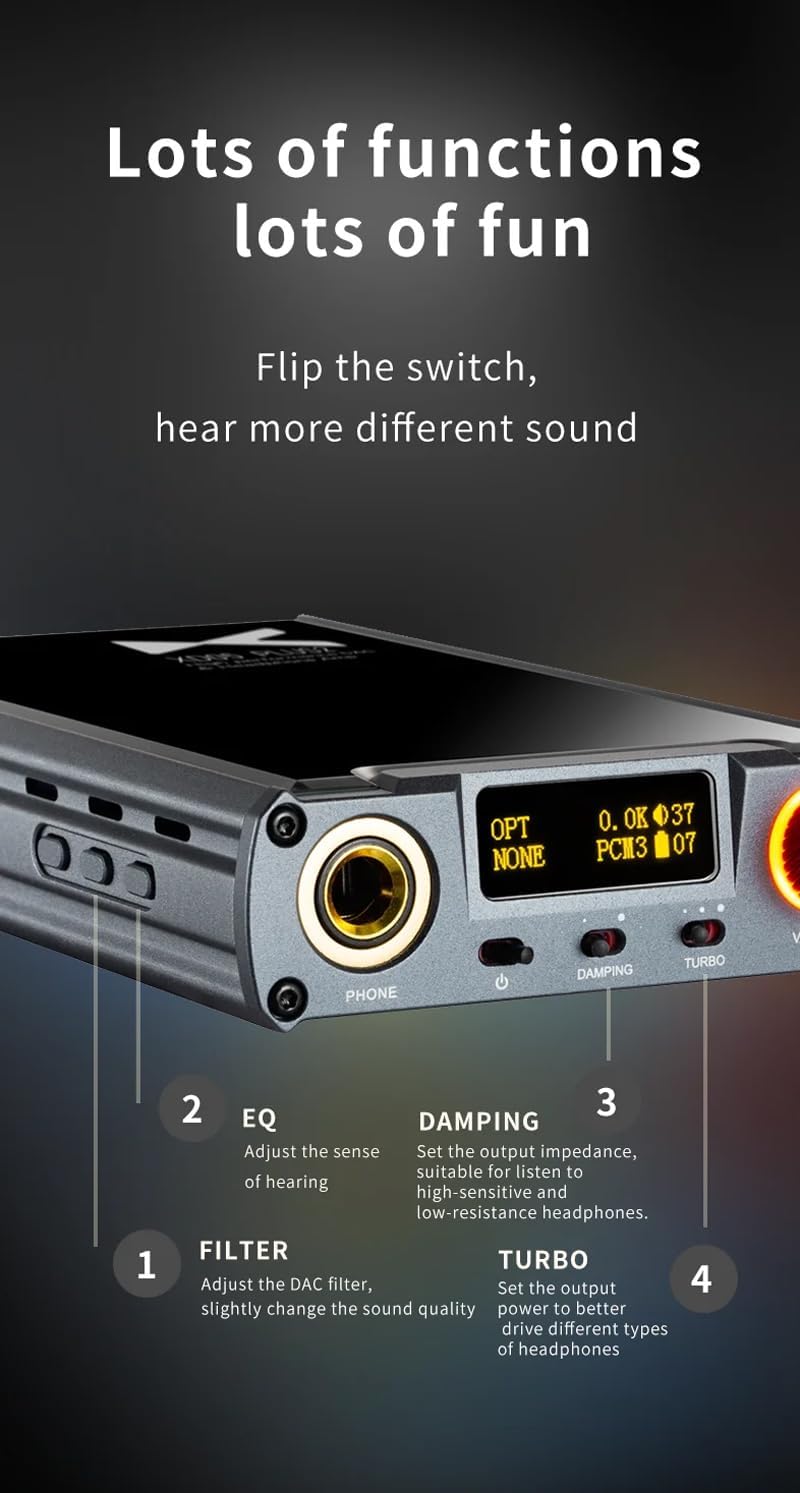
Նկար 5. Մանրամասն view of sound adjustment controls and their functions.
- EQ (Հավասարիչ): Press the 'EQ' button (Figure 4) to adjust the sense of hearing and tailor the sound to your preference.
- Զտել: Press the 'FILTER' button (Figure 4) to slightly change the sound quality by adjusting the DAC filter settings.
- Damping: Use the 'DAMPING' switch (Figure 2) to set the output impedance, suitable for high-sensitivity and low-resistance headphones.
- Տուրբո: Use the 'TURBO' switch (Figure 2) to set the output power, allowing the device to better drive different types of headphones.
5.4 Bluetooth զուգավորում
To pair your device via Bluetooth 5.1:
- Ensure the XD05 Plus 2 is powered on and Bluetooth input is selected.
- Press the 'Bluetooth' button (Figure 4) to enter pairing mode. The Bluetooth indicator on the OLED screen will flash.
- On your source device (e.g., smartphone, tablet), search for available Bluetooth devices and select "XDUOO XD05 Plus 2".
- Once connected, the Bluetooth indicator will stop flashing.
Supported Bluetooth formats include AAC, SBC, aptX, aptX LL, aptX HD, and LDAC.
5.5 Փոխարինելով Amplifier Chip
Այն amplifier chip is user-replaceable, allowing for customization of your audio experience. Refer to the manufacturer's guidelines or a qualified technician for instructions on safely replacing the op-amp չիպսեր.
6. Տեխնիկական պայմաններ
| Առանձնահատկություն | Հստակեցում |
|---|---|
| Մարտկոց | 3.8V/5000mAh |
| Էկրան | 0.91 դյույմ OLED |
| Համատեղելի ՕՀ | Windows/Linux/Mac OSX/iOS/Android |
| Frequency Response (USB/SPDIF) | 20Հց~20կՀց (±0.5դԲ) |
| Հաճախականության արձագանք (AMP) | 10Հց~80կՀց (±0.5դԲ) |
| USB Sampլինգի հաճախականություն (PCM) | 16-32BIT/44.1-384KHZ |
| USB SampԼինգի հաճախականություն (DSD) | DOP/NATIVE DSD64-256 |
| USB Sampling Rate (MQA) | OFS rendering layer decoding |
| OPT/COA Sampլինգի հաճախականություն (PCM) | 16-24BIT/44.1-192KHZ |
| OPT/COA SampԼինգի հաճախականություն (DSD) | DSD64 (DOP) |
| Bluetooth Formats | AAC/SBC/aptX/aptX LL/aptX HD/LDAC |
| Շահույթ | +0dB/3dB/6dB |
| Ականջակալների ելքային հզորություն | 1200 մՎտ (32Ω բեռ) |
| Headphone THD+N | 0.0015%@1kHz |
| Headphone S/N | 121 դԲ |
| Headphone Crosstalk | >76 դԲ |
| AUX OUT Output Level | 2.0 Վր |
| AUX OUT THD+N | 0.0009%@1kHz |
| AUX OUT S/N | 122 դԲ |
| AUX OUT Crosstalk | ≥109dB |
| Battery Life (USB IN) | ≥9H |
| Battery Life (SPDIF IN) | ≥15H |
| Battery Life (BT IN) | ≥18H |
| Charging Time (Fast) | ≤3 ժամ |
| Charging Time (Slow) | ≤5 ժամ |
| Չափը | 13.0 x 7.5 x 2.2 սմ |
| Քաշը | 0.29 կգ |
7. Պահպանում
To ensure the longevity and optimal performance of your XDUOO XD05 Plus 2, follow these maintenance guidelines:
- Սարքը մաքուր պահեք՝ այն սրբելով փափուկ, չոր կտորով։ Խուսափեք կոշտ քիմիական նյութերի կամ հղկող նյութերի օգտագործումից։
- Պաշտպանեք սարքը ծայրահեղ ջերմաստիճաններից, արևի ուղիղ ճառագայթներից և խոնավությունից։
- Խուսափեք սարքը վայր գցելուց կամ ուժեղ հարվածներից:
- Երկար ժամանակ չօգտագործելու դեպքում սարքը պահեք զով, չոր տեղում։
8: Անսարքություն
If you encounter issues with your XDUOO XD05 Plus 2, please refer to the following common troubleshooting steps:
- Ձայն չկա.
- Ստուգեք, արդյոք սարքը միացված է:
- Ensure headphones are properly connected.
- Ստուգեք, որ ընտրված է ճիշտ մուտքային աղբյուրը։
- Կարգավորեք ձայնի մակարդակը:
- Check the audio source device for proper playback and volume settings.
- Ձայնի վատ որակ.
- Համոզվեք, որ բոլոր մալուխները ապահով միացված են:
- Try a different audio cable or source.
- Check EQ and Filter settings; reset them to default if necessary.
- Ensure the UAC switch is set correctly for your USB connection.
- Bluetooth կապի հետ կապված խնդիրներ.
- Համոզվեք, որ սարքը Bluetooth զուգավորման ռեժիմում է։
- Աղբյուրի սարքը մոտեցրեք ampավելի կենդանի
- Clear previous Bluetooth pairings on both devices and try pairing again.
- Սարքը չի լիցքավորվում.
- Verify the USB cable is connected to the 'CHARGE' port.
- Փորձեք մեկ այլ USB մալուխ կամ հոսանքի ադապտեր:
- Համոզվեք, որ էլեկտրամատակարարումը գործում է։
9. Պաշտոնական արտադրանքի տեսանյութ
Տեսանյութ 1. Օվերview of the LEAUDIO XDUOO XD05 Plus 2 DAC Amp, ցուցադրելasing its features and design. This video provides a visual guide to the product's capabilities and physical aspects.
10. Երաշխիք և աջակցություն
For warranty information and technical support, please refer to the documentation included with your product or contact LEAUDIO customer service directly. You may also visit the official LEAUDIO webկայք՝ ամենաթարմ աջակցության ռեսուրսների համար։