
MECOOL KM9 PRO
MECOOL KM9 Pro Classic Android TV Box User Manual
Model: KM9 PRO
1. Ներածություն
Welcome to the user manual for your MECOOL KM9 Pro Classic Android TV Box. This guide provides essential information on setting up, operating, maintaining, and troubleshooting your device. Please read this manual thoroughly before using the product to ensure optimal performance and safety.
2. Փաթեթի բովանդակությունը
Ստուգեք, որ ստորև թվարկված բոլոր իրերը ներառված են ձեր փաթեթում: Եթե որևէ իր բացակայում է կամ վնասված է, խնդրում ենք կապվել ձեր վաճառողի հետ:
- 1 x MECOOL KM9 Pro Classic ATV TV Box
- 1 x Power Adapter (EU version, 110V-240V universal)
- 1 x Voice Remote Control (2 AAA batteries not included)
- 1 x HDMI մալուխ
- 1 x Օգտագործողի ձեռնարկ

Image: Contents of the MECOOL KM9 Pro Classic package, showing the TV box, voice remote, power adapter, HDMI cable, and user manual.
3. Ապրանքը ավարտված էview
3.1 Սարքի նավահանգիստներ
Familiarize yourself with the various ports on your KM9 Pro Classic TV Box for proper connection.

Image: Rear and side view of the MECOOL KM9 Pro Classic TV Box, highlighting its ports including TF Card slot, USB 3.0, USB 2.0, DC 5V power input, HDTV (HDMI), LAN (RJ45), and AV output.
- TF քարտի բնիկ: MicroSD քարտ տեղադրելու համար՝ պահեստը ընդլայնելու համար։
- USB 3.0 միացք. Համատեղելի USB սարքերով բարձր արագությամբ տվյալների փոխանցման համար։
- USB 2.0 միացք. USB ծայրամասային սարքերի, ինչպիսիք են ստեղնաշարերը, մկները կամ ֆլեշ կրիչները, միացման համար։
- DC 5V Port: Սարքի համար մուտքային հզորություն։
- HDTV (HDMI) Port: Connects to your television for video and audio output.
- LAN (RJ45) միացք՝ Կաբելային Ethernet ցանցային միացման համար։
- AV միացք։ For connecting to older televisions using an AV cable.
3.2 Հիմնական հատկանիշները
- Օպերացիոն համակարգ: Certified Android 10.0 TV OS.
- Պրոցեսոր: Amlogic S905X2 64-bit Quad-core ARM Cortex-A53 CPU and Mali-G31 MP2 GPU for high performance.
- Հիշողություն: 2 ԳԲ օպերատիվ հիշողություն և 16 ԳԲ ROM՝ անխափան աշխատանքի համար ampպահեստավորում.
- Միացում: Built-in Dual-band 2.4G/5G WiFi (802.11ac) and Bluetooth 4.0+HS.
- Տեսանյութի ելք. Supports 4K Ultra HD (4K*2K@30fps, 4K*2K@60fps) with HDR 10, HDR+/HLG, and HDCP 2.2.
- Ձայնային կառավարում. Integrated Google Assistant and voice-activated Bluetooth remote control.
- Ներկառուցված Chromecast. Հեշտությամբ հեռարձակեք բովանդակությունը ձեր բջջային սարքերից ձեր հեռուստացույցին։
- OTA թարմացումներ. Supports Over-The-Air software updates for continuous improvement.

Պատկեր՝ Դիագրամasing the high-performance Amlogic S905X2 Quad-core CPU and Mali-G31 MP2 GPU, which power the device for smooth operation and gaming.

Image: A television screen demonstrating the visual difference between Standard Dynamic Range (SDR) and 4K HDR (High Dynamic Range) content, highlighting enhanced color and contrast.

Image: A graph illustrating the speed advantage of USB 3.0 over USB 2.0, showing USB 3.0 offers up to 10 times faster transfer rates. Below the graph are illustrations of a USB flash drive and an external HDD, indicating their compatibility.
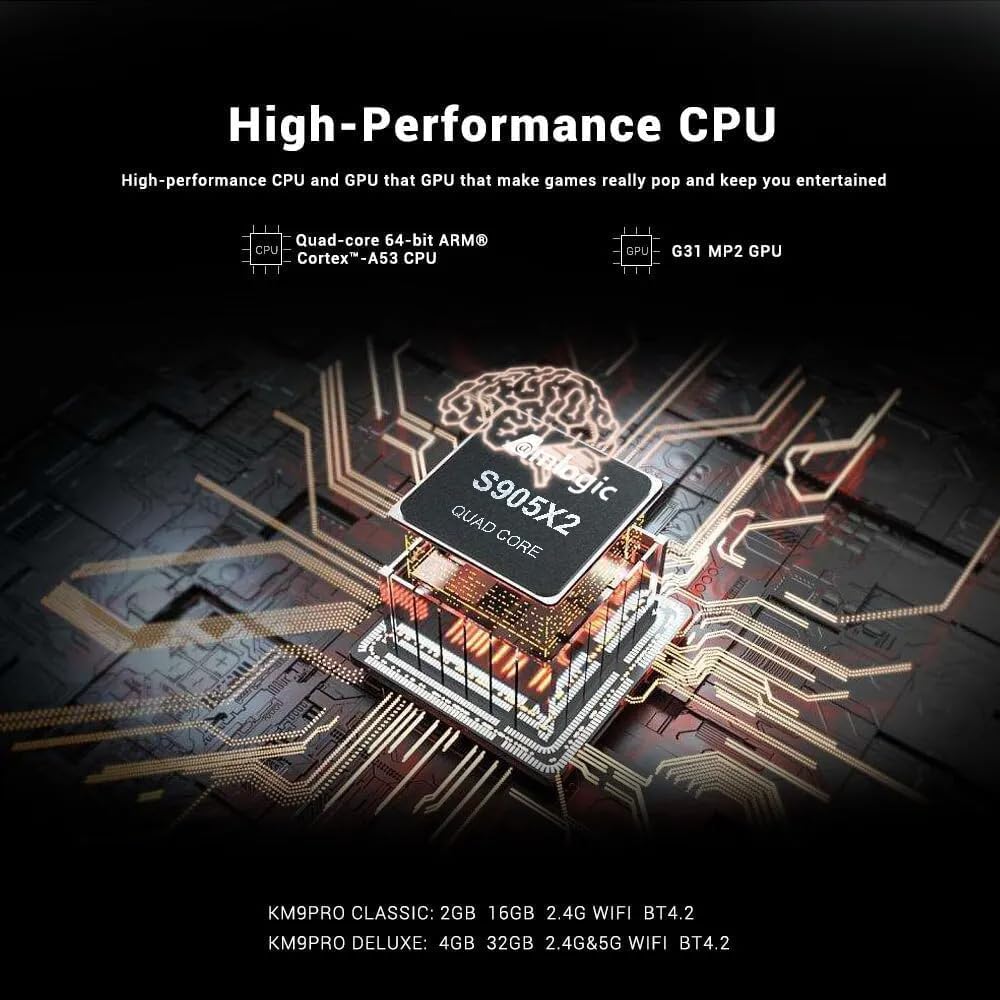
Image: A visual representation of Chromecast functionality, where a smartphone is wirelessly casting content to a television screen through the MECOOL TV box, displaying the Google Play Store interface.
4. Կարգավորման ուղեցույց
Follow these steps to set up your MECOOL KM9 Pro Classic Android TV Box.
- Միացեք հեռուստացույցին՝ Connect one end of the HDMI cable to the HDTV port on the TV Box and the other end to an HDMI input port on your television. Note the HDMI input number (e.g., HDMI 1, HDMI 2).
- Միացրեք հոսանքը. Plug the power adapter into the DC 5V port on the TV Box, then plug the adapter into a wall outlet. The device should power on automatically or show a power indicator light.
- Ընտրեք մուտքագրում. Turn on your television and use its remote control to select the corresponding HDMI input source you connected in step 1.
- Հեռակառավարման կարգավորում. Insert 2 AAA batteries (not included) into the voice remote control. Follow the on-screen instructions to pair the Bluetooth remote with your TV Box. This usually involves holding down specific buttons on the remote near the device.
- Networkանցային կապ Once the initial setup screen appears, follow the prompts to connect to your network. You can choose between Wi-Fi (select your network and enter the password) or Ethernet (connect an Ethernet cable from your router to the LAN port on the TV Box).
- Google հաշվի մուտքագրում՝ Sign in with your Google account to access the Google Play Store, Google Assistant, and other Google services.
- Ամբողջական կարգավորում. Follow any remaining on-screen instructions to complete the initial setup process.
5. Գործառնական հրահանգներ
5.1 Հիմնական նավարկություն
Use the directional pad (up, down, left, right) and the 'OK' button on your remote control to navigate through the Android TV interface. The 'Back' button returns to the previous screen, and the 'Home' button takes you to the main home screen.
5.2 Ձայնային հեռակառավարման համակարգի օգտագործումը
The MECOOL KM9 Pro Classic features a voice-activated Bluetooth remote. Press the dedicated Google Assistant button on your remote and speak clearly into the microphone to:
- Որոնել movies, TV shows, or apps.
- Control smart home devices (e.g., "Turn off the lights").
- Ask questions or get information.
- Բացել հավելվածները։
5.3 Հավելվածների տեղադրում
Access the Google Play Store from the home screen to browse and install a wide variety of apps, games, and streaming services compatible with Android TV.
5.4 Chromecast Functionality
With Chromecast built-in, you can cast content (videos, photos, music) from compatible apps on your smartphone, tablet, or computer directly to your TV via the TV Box. Ensure your mobile device and the TV Box are connected to the same Wi-Fi network.
5.5 External Storage
Connect USB flash drives or external hard drives to the USB 2.0 or USB 3.0 ports, or insert a TF card into the TF card slot, to access media files or expand storage for apps and games.
6. Պահպանում
- Մաքրում: Սարքը մաքրելու համար օգտագործեք փափուկ, չոր կտոր։ Մի օգտագործեք հեղուկ մաքրող միջոցներ կամ հղկող նյութեր։
- Օդափոխում: Համոզվեք, որ հեռուստացույցի տուփը տեղադրված է լավ օդափոխվող տարածքում՝ գերտաքացումից խուսափելու համար: Մի՛ ծածկեք օդափոխության անցքերը:
- Ծրագրային թարմացումներ. The device supports OTA (Over-The-Air) updates. Regularly check for and install available system updates to ensure optimal performance, security, and access to new features. You can usually find this option in the device settings under "About" or "System Update."
- Power Cycle: Եթե սարքը չի արձագանքում, անջատեք սնուցման ադապտերը, սպասեք 10 վայրկյան, ապա վերամիացրեք այն՝ սնուցման ցիկլ կատարելու համար։
7: Անսարքություն
If you encounter issues with your MECOOL KM9 Pro Classic, refer to the following common problems and solutions:
| Խնդիր | Հնարավոր պատճառ | Լուծում |
|---|---|---|
| Ոչ մի ուժ | Հոսանքի ադապտերը միացված չէ կամ անսարք է։ | Համոզվեք, որ սնուցման ադապտերը ապահով կերպով միացված է սարքին և աշխատող վարդակիցին: Փորձեք այլ վարդակից: |
| Հեռուստացույցում ազդանշան չկա | Incorrect HDMI input selected or loose HDMI cable. | Verify your TV is on the correct HDMI input. Check that the HDMI cable is securely connected to both the TV Box and the TV. Try a different HDMI cable or port. |
| Հեռակառավարումը չի աշխատում | Batteries are dead or remote is not paired. | Replace batteries. Re-pair the Bluetooth remote control by following the on-screen instructions during initial setup or in the device settings. |
| Wi-Fi կապի հետ կապված խնդիրներ | Սխալ գաղտնաբառ, թույլ ազդանշան կամ ռաութերի խնդիր։ | Double-check your Wi-Fi password. Move the TV Box closer to your router or try connecting via Ethernet. Restart your router. |
| Հավելվածները դանդաղ են կամ խափանվում են | Չափազանց շատ աշխատող հավելվածներ, քիչ հիշողություն կամ հնացած ծրագրակազմ։ | Close background apps. Clear cache for problematic apps (Settings > Apps). Check for and install system updates. Free up storage space. |
8. Տեխնիկական պայմաններ
Detailed technical specifications for the MECOOL KM9 Pro Classic Android TV Box:
| Առանձնահատկություն | Մանրամասն |
|---|---|
| Բրենդ | ՄԵԿՈՒԼ |
| Մոդելի անվանումը | KM9 Pro |
| Մոդելի համարը | KM9 PRO |
| Օպերացիոն համակարգ | Android 10.0 (Certified Android TV OS) |
| CPU | Amlogic S905X2 64-bit Quad-core ARM Cortex-A53 up to 2.0 GHz |
| GPU | Mali-G31 MP2 (Penta-core up to 750MHz + DVFS) |
| RAM | 2 ԳԲ DDR3 |
| ROM | 16 ԳԲ eMMC |
| Wi-Fi | Built-in 2.4G/5G Wi-Fi, supports IEEE 802.11 a/b/g/n/ac 2T2R |
| Bluetooth | Bluetooth 4.0 + HS |
| LAN | 10/100M Ethernet |
| Տեսանյութի ելք | 4K*2K@30fps, 4K*2K@60fps, HDR 10, HDR+/HLG, HDCP 2.2 |
| Նավահանգիստներ | 1x USB 3.0, 1x USB 2.0, 1x TF Card Slot, 1x HDMI, 1x DC 5V, 1x LAN (RJ45), 1x AV |
| Էլեկտրամատակարարում | DC 5V/2A |
| Աջակցվող ինտերնետ ծառայություններ | YouTube, Amazon Prime Video, Disney+, HBO Max, Sling, Peacock, Stars, ESPN, Tubi, Google Play Store, etc. |
| Համատեղելի սարքեր | Հեռուստատեսություն |
| Հատուկ առանձնահատկություններ | Chromecast Built-in, Voice Control, OTA Update Support |
9. Երաշխիք և աջակցություն
9.1 Երաշխիքային տեղեկատվություն
The MECOOL KM9 Pro Classic Android TV Box comes with a մեկ տարվա երաշխիք գնման օրվանից։ Այս երաշխիքը ծածկում է արտադրական թերությունները նորմալ օգտագործման դեպքում։ Այն չի ծածկում սխալ օգտագործման, վթարների, չարտոնված փոփոխությունների կամ բնական աղետների հետևանքով առաջացած վնասը։
9.2 Հաճախորդների աջակցություն
For technical assistance, troubleshooting beyond this manual, or warranty claims, please contact your original retailer or the MECOOL customer support team. Please have your purchase receipt and product model number (KM9 PRO) ready when contacting support.
Ask a question about this manual
Ask about setup, troubleshooting, compatibility, parts, safety, or missing instructions. Manuals+ will review the question and use this page’s manual context to help answer it.