
1. Ներածություն
This manual provides essential information for the safe and efficient operation of your Itari A886 Bluetooth Tattoo Stencil Printer. Please read it thoroughly before using the device.
1.1 Փաթեթի բովանդակությունը
- Itari A886 Tattoo Stencil Printer (1)
- USB-C մալուխ (1)
- USB-C դեպի USB-A ադապտեր (1)
- Օգտագործողի ուղեցույց (1)
- Tattoo Transfer Paper (10 sheets)
- Soft Carrying Pouch (1)
1.2 Ապրանքի մասեր
Familiarize yourself with the components of your printer:

Պատկերի նկարագրություն. A diagram illustrating the various parts of the Itari A886 printer, including the power button, indicator light, top cover, paper output slot, print head, paper entry slot, and transducers.
2. Կարգավորում
2.1 Սարքի լիցքավորում
Before initial use, fully charge the printer. Use a 5V-2A USB-A charger and the original data cable for optimal battery protection. The indicator light will show solid green when fully charged.
2.2 Հավելվածի ներբեռնում
The Itari A886 printer operates via a mobile application. Որոնել 'Phomemo' on the App Store (iOS) or Google Play Store (Android), or scan the QR code provided in the Quick Start Guide to download the app.

Պատկերի նկարագրություն. A smartphone screen displaying options to download the 'Phomemo' app from the App Store or Google Play, along with a QR code for quick access.
2.3 Տպիչի միացում
2.3.1 Bluetooth Wireless Connection (Phone/Tablet)
- Long press the power button for 2 seconds to turn on the printer. The indicator light will illuminate.
- Համոզվեք, որ Bluetooth-ը միացված է ձեր բջջային սարքում:
- Open the 'Phomemo' app and select 'Auto Connect' or search for the A886 printer.
- Confirm the pairing request on your device. The printer will beep once connected.
Տեսանյութի նկարագրությունը՝ A demonstration showing how to connect the Itari A886 printer to a Windows laptop, including driver installation and printing a stencil.
Տեսանյութի նկարագրությունը՝ A demonstration showing how to connect the Itari A886 printer to a MacOS laptop, including driver installation and printing a stencil.
2.3.2 USB Connection (PC/Mac)
- Download the appropriate printer driver from the official website (a886.labelife.cc).
- Connect the printer to your computer using the provided USB-C cable and adapter.
- Համոզվեք, որ տպիչը միացված է:
- Follow the on-screen instructions to install the driver and print.

Պատկերի նկարագրություն. A visual guide demonstrating the steps to connect the Itari A886 printer to a computer via USB for printing.
2.4 Loading Tattoo Transfer Paper
- Prepare the tattoo transfer paper by tearing off the yellow backing paper and removing the protective layer, leaving the white tracing sheet and blue carbon sheet.
- Open the top cover of the printer by pressing the two side buttons.
- Center the prepared tattoo transfer paper into the paper entry slot, ensuring the white tracing paper faces up.
- Close the top cover until you hear a click, indicating it is securely closed.

Պատկերի նկարագրություն. A six-step visual guide demonstrating how to prepare and load tattoo transfer paper into the Itari A886 printer for printing.
3. Գործողություն
3.1 Basic Printing Process
- Select your desired tattoo design from the app or upload your own.
- Adjust the size and orientation of the design as needed within the app.
- Press the 'Print' button in the app. The printer will automatically feed the paper and print the stencil.
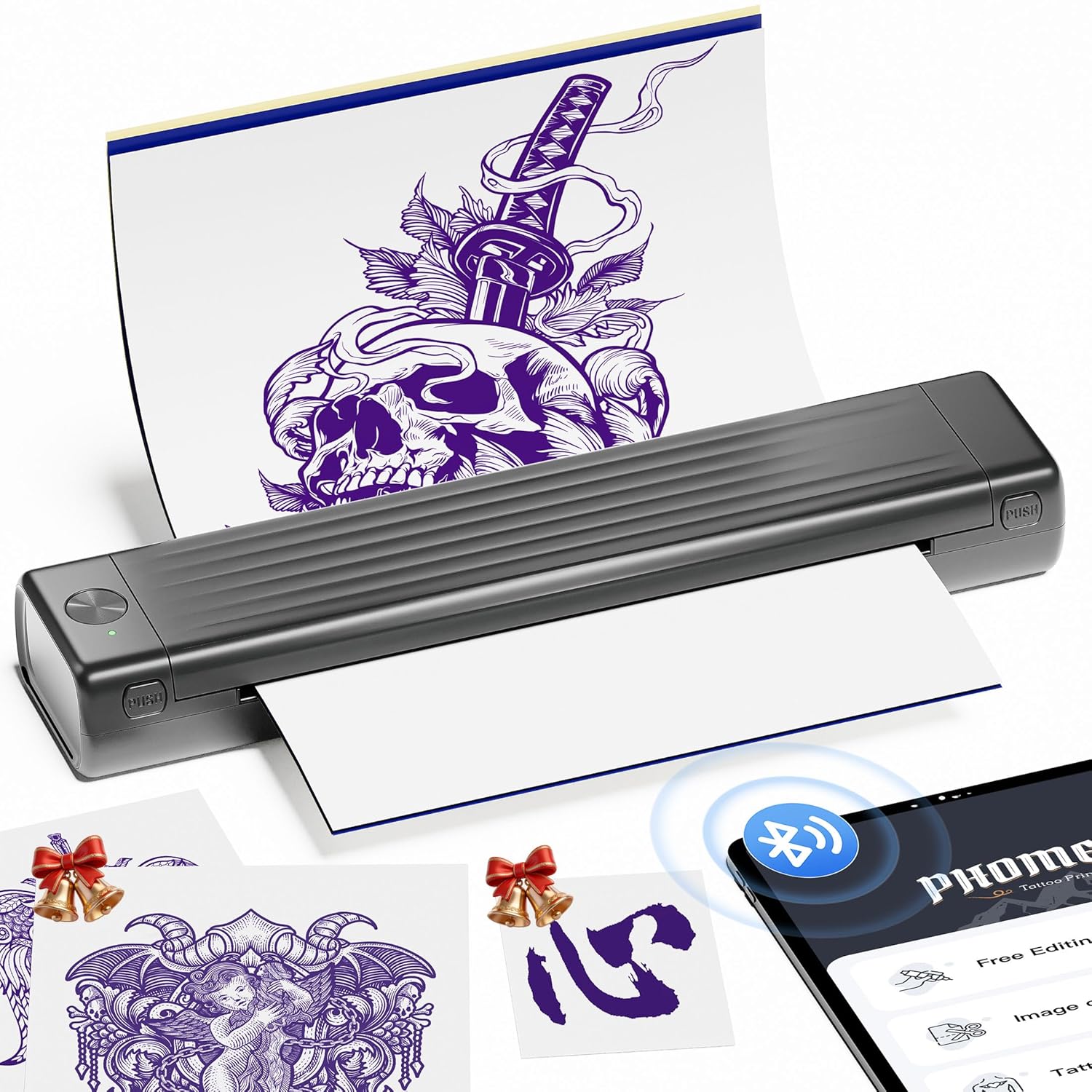
Պատկերի նկարագրություն. The Itari A886 printer actively printing a tattoo stencil, with a smartphone displaying the design and Bluetooth connectivity icon.
3.2 Anti-Wrinkle Mode
The A886 features a patented wrinkle-resistant technology. When activated in the app, this mode ensures the tattoo paper remains flat during printing, resulting in clearer prints. Note that this mode may leave anti-wrinkle lines on the sides of the transfer paper.
Տեսանյութի նկարագրությունը՝ A user demonstrates how to use the anti-wrinkle mode on the Itari A886 printer, showing the paper feeding smoothly and the resulting print quality.

Պատկերի նկարագրություն. The Itari A886 printer with a tattoo stencil being printed, highlighting the 'Anti-Wrinkle Mode' feature that keeps the paper flat for clear results.
3.3 Հավելվածի առանձնահատկությունները
The 'Phomemo' app offers various functionalities to enhance your tattoo stencil creation:
- Դաջվածքի խմբագրում. Adjust designs, add text, and customize.
- AI-Generated Tattoo Designs: Input requirements to generate custom tattoo designs. (Note: Some AI features may require a subscription after a free trial).
- Դաջվածքի նախապատրաստումview: Visualize how the tattoo will look on the skin.
- Image Cutting & Stitching: For larger designs, the app can cut and stitch images across multiple sheets.
- Tattoo Design Library: Access a wide variety of pre-loaded designs.

Պատկերի նկարագրություն. Four smartphone screens showcasing the 'Phomemo' app's features: Image Cutting, Tattoo Preview, Tattoo Editing, and AI Generate Tattoo, illustrating the creative possibilities.
Տեսանյութի նկարագրությունը՝ A short video demonstrating the ease of use and quick printing capabilities of the A886 Tattoo Stencil Printer for beginners.
Տեսանյութի նկարագրությունը՝ A promotional video highlighting the new features and improved design of the Itari 2025 Tattoo Stencil Printer.
Տեսանյութի նկարագրությունը՝ Տեսանյութի ցուցադրությունasing the A886 Temporary Tattoo Stencil Printer in action, demonstrating its ability to print various designs for temporary tattoos.
4. Պահպանում
4.1 Ընդհանուր խնամք
- Պահպանեք տպիչը մաքուր և զերծ փոշուց և բեկորներից:
- Store the printer in the provided soft carrying pouch when not in use.
- Խուսափեք տպիչը ծայրահեղ ջերմաստիճանների կամ ուղիղ արևի լույսի ազդեցության տակ ենթարկելուց։
4.2 Paper Handling Tips
- Only use tattoo transfer paper with the A886 printer. Thermal paper is not supported.
- For best results, use Itari brand tattoo paper and print simple line art designs.
- Ensure the paper is centered correctly in the entry slot to prevent jams and skewed prints.
- If the print head overheats, the app will prompt you to pause printing. Allow 5 minutes for the print head to cool before resuming.

Պատկերի նկարագրություն. A visual comparison showing optimal tattoo stencil prints from the Itari A886 for simple line patterns versus less effective results for complex color block patterns, and correct paper handling.
5: Անսարքություն
Refer to the indicator light status for common issues:
| Կարգավիճակ | Իմաստը | Խորհուրդ Գործողություն |
|---|---|---|
| Պինդ կանաչ լույս | Գործող/Լիովին լիցքավորված | Ոչ մեկը |
| Թարթող կանաչ լույս | Charging/While printer is on | Ոչ մեկը |
| Պինդ կարմիր լույս | Printer overheated / Top cover open | Close top cover or pause for 5-10 minutes |
| Թարթող կարմիր լույս | Ցածր մարտկոց | Լիցքավորեք 4 ժամ |
| Լույսը չի լուսավորվում 3 վայրկյան միացման կոճակը երկար սեղմելուց հետո | Մարտկոցը սպառված է | Լիցքավորեք 4 ժամ |
| Alternately Flashing Red and Green Light | Charging while printer is off | Ոչ մեկը |
6. Տեխնիկական պայմաններ
- Ապրանքի չափսերը. 2.64"D x 12.2"W x 1.57"H
- Նյութի Քաշը: 715 գրամ (1.58 ֆունտ)
- Մոդելի անվանումը: A886
- Ապրանքանիշը: Itari
- Միացման տեխնոլոգիա. Bluetooth
- Տպագրության տեխնոլոգիա. Ջերմային
- Հատուկ առանձնահատկություններ. AI Creation, Anti-Wrinkle Mode, Portable, Temporary Tattoo, Wireless
- Գույնը: Մոխրագույն
- Տպիչի ելք. Մոնոխրոմ
- Տպման առավելագույն արագություն մոնոխրոմ. 3 ppm
- Մարտկոցներ: Պահանջվում է 1 լիթիում պոլիմերային մարտկոց (ներառված է)
- Արտադրող: Itari
7. Երաշխիք և աջակցություն
7.1 Երաշխիքային տեղեկատվություն
The company assumes full responsibility for the revision and explanation of this manual, exercising utmost diligence to guarantee its accuracy. Nevertheless, please note that technical improvements to the product may not be incorporated immediately. Due to continuous product updates and upgrades, the actual product may vary slightly from the images. Please refer to the physical product for accurate representations.
7.2 Առցանց աջակցություն
For more information about your device, video tutorials, and answers to frequently asked questions, please visit: a886.labelife.cc


