
1. Ներածություն
Thank you for choosing the FOFUN T-Fun NC95 Hybrid Active Noise Cancelling Headphones. This manual provides essential information for the safe and efficient use of your headphones. Please read it thoroughly before use and retain it for future reference.

Image 1.1: T-Fun NC95 Hybrid Active Noise Cancelling Headphones.
2. Փաթեթի բովանդակությունը
Ստուգեք, որ բոլոր իրերը առկա են փաթեթում.
- NC95 ANC Headphones
- 3.5 մմ աուդիո մալուխ
- Type A-C Charging Cable
- PU Bag (Carrying Case)
- Արագ մեկնարկի ուղեցույց
- Digital Manual (Downloadable)

Image 2.1: Included accessories and headphones.
3. Ապրանքը ավարտված էview
3.1 Ականջակալների բաղադրիչներ

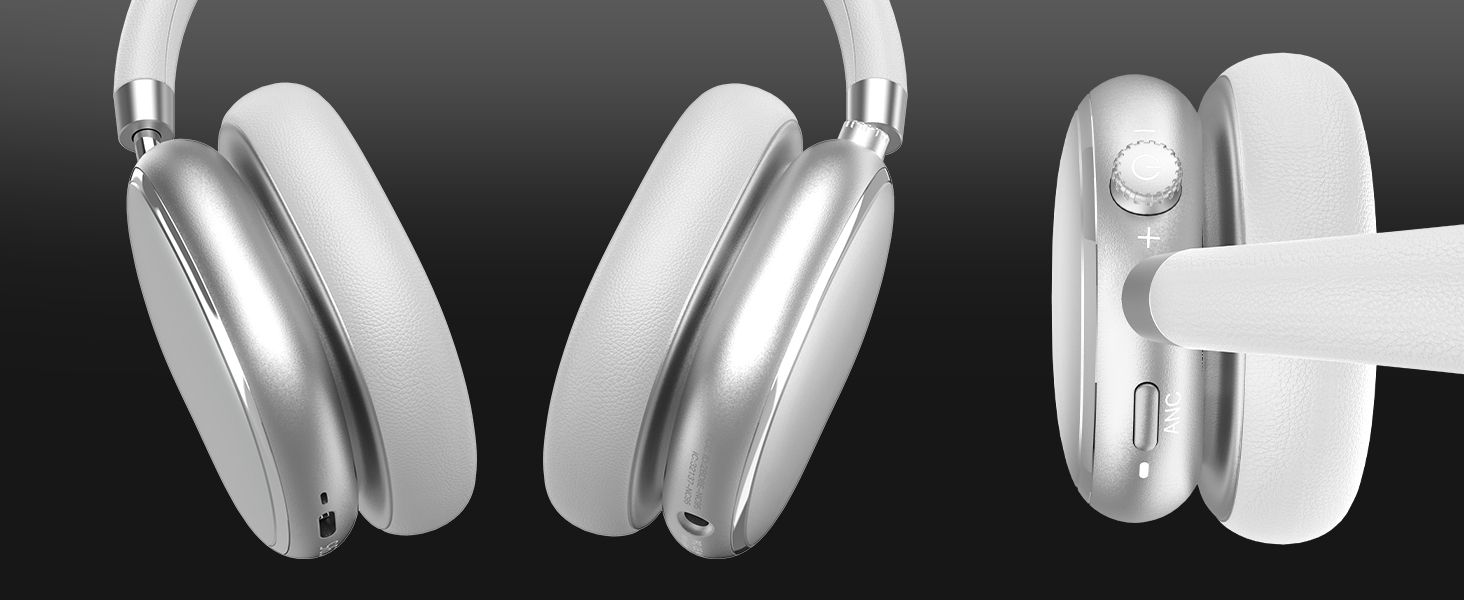
Պատկեր 3.1. Ավարտվել էview of headphone ports and buttons.
3.2 Fit and Adjustability
- Կարգավորելի գլխի ժապավեն. The headband can be extended or retracted to fit various head sizes, ensuring a personalized and comfortable fit.
- 90° Rotatable Earcups: The earcups rotate more than 90 degrees, allowing for a comfortable fit and easy storage when not in use.
- Փափուկ ականջի բարձիկներ՝ Made with quality protein memory foam for extended comfort.
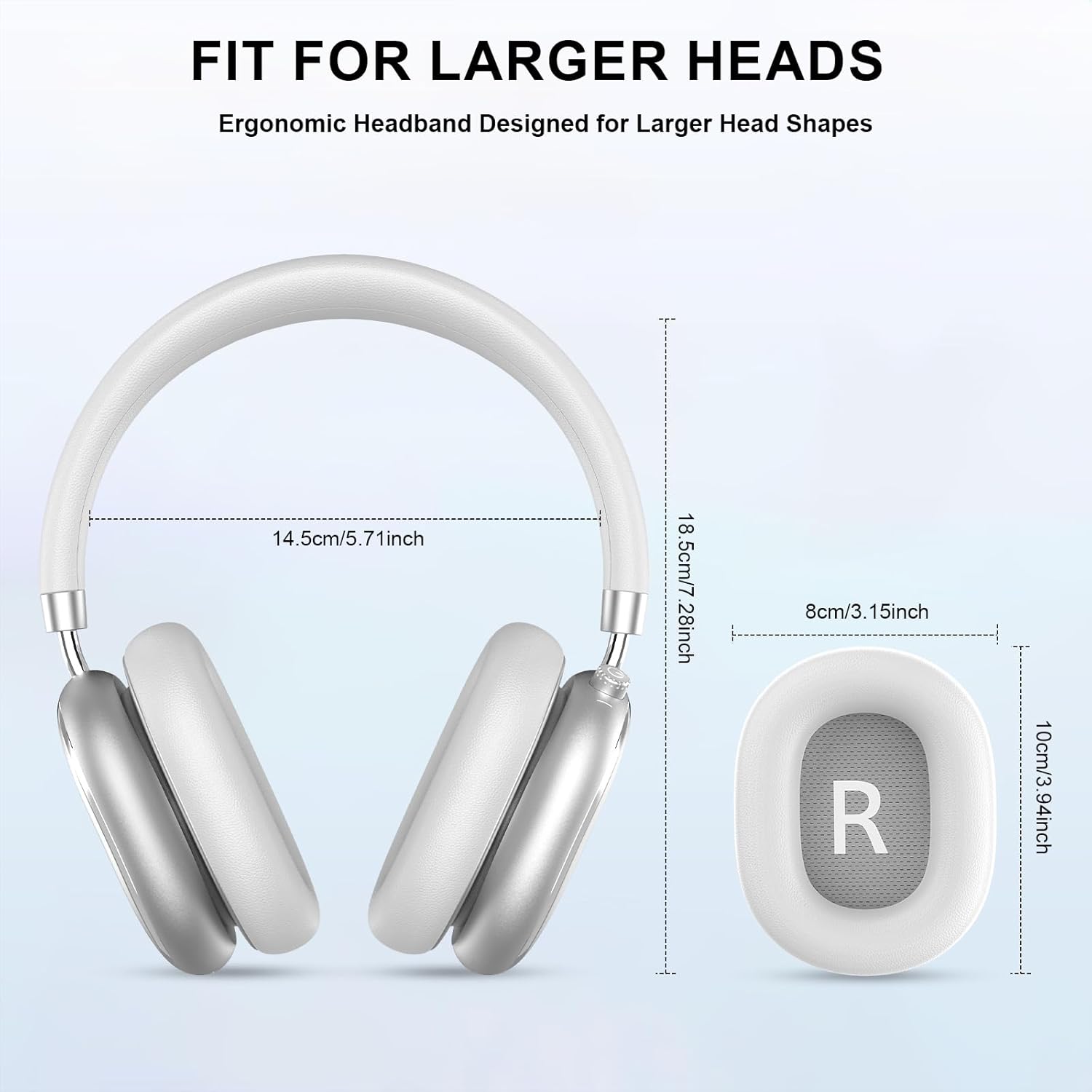
Image 3.2: Headphone dimensions for fit reference.
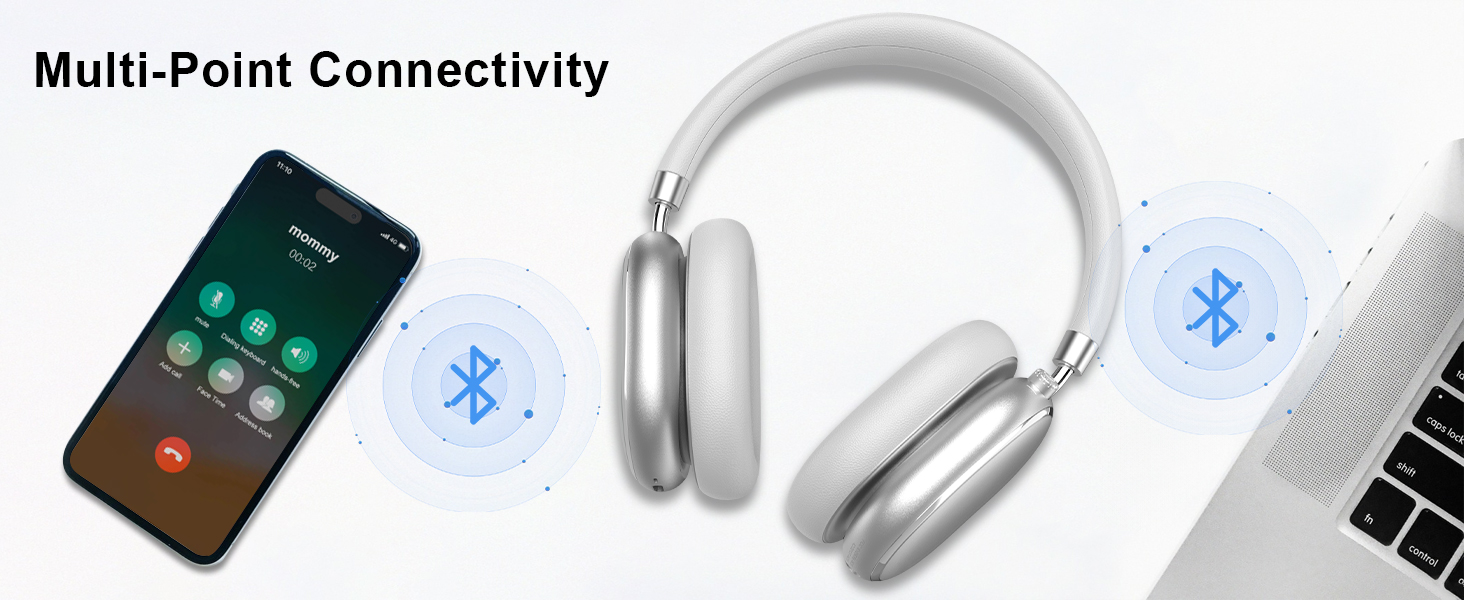
Image 3.3: Adjustable headband for personalized comfort.
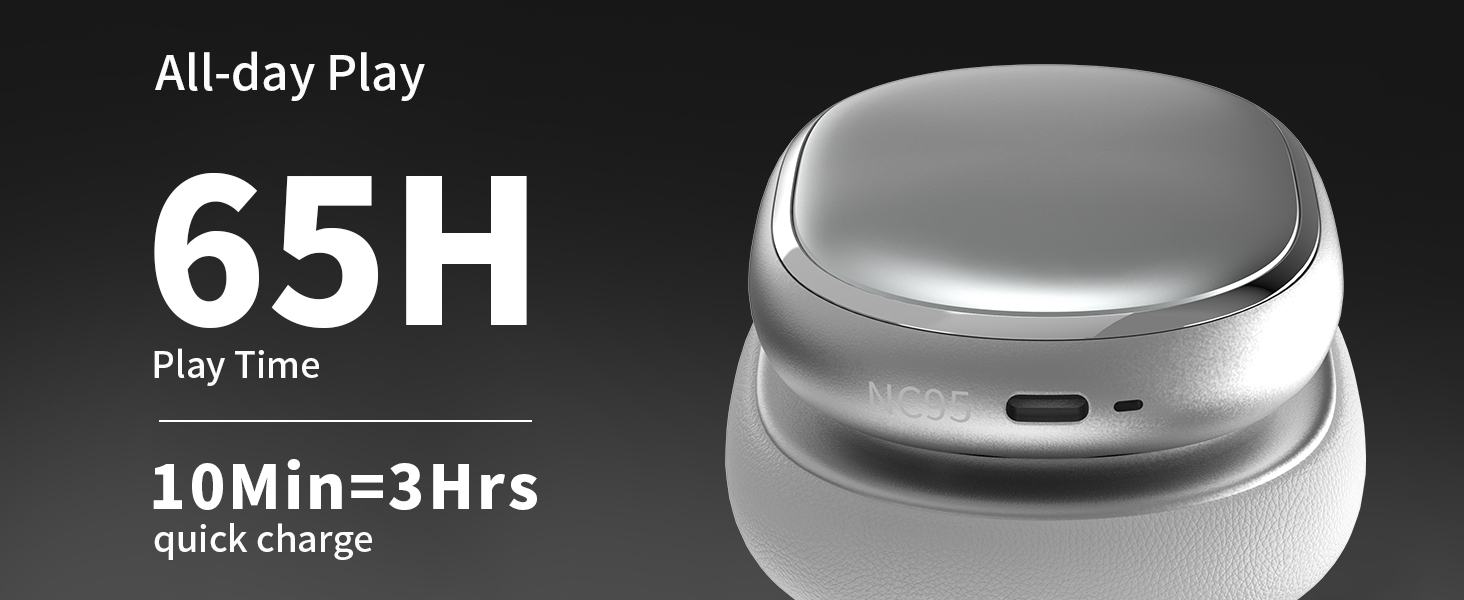
Image 3.4: Earcups rotate for comfort and storage.

Image 3.5: Ultra-soft protein leather ear cushions for comfort.
4. Կարգավորում
4.1 Նախնական պատրաստում
- Հեռացրեք պաշտպանիչ պիտակը. Before first use, gently remove the protective sticker from the sides of the headphones. You may warm the area with a hairdryer (low heat) for easier removal. Peel slowly and remove any sticky residue with warm water or rubbing alcohol.

Image 4.1: Steps for removing the protective sticker.
4.2 Ականջակալների լիցքավորում
Before initial use, fully charge the headphones. Use the provided Type A-C charging cable.
- Connect the USB-C end of the cable to the charging port on the headphones.
- Connect the USB-A end to a compatible USB power source (e.g., wall adapter, computer USB port).
- LED ցուցիչը կցուցադրի լիցքավորման կարգավիճակը: Լրիվ լիցքավորումը տևում է մոտավորապես 2.5 ժամ:
- 10 րոպեանոց արագ լիցքավորումը ապահովում է մոտ 3 ժամ անխափան նվագարկում։

Image 4.2: Battery life and charging information.
4.3 Bluetooth զուգավորում
- Համոզվեք, որ ականջակալները լիցքավորված են և անջատված։
- Press and hold the power button (located on the knob control) for 3-5 seconds until the LED indicator flashes, indicating pairing mode.
- Ձեր սարքի վրա (սմարթֆոն, պլանշետ, նոութբուք) միացրեք Bluetooth-ը և որոնեք հասանելի սարքերը։
- Select "T-Fun NC95" from the list of devices.
- Once connected, the LED indicator will change to a steady light or flash slowly.
Նկար 4.3. Բազմակետային Bluetooth կապ։
4.4 T-Fun App Installation
For enhanced control and customization, download the official "T-fun" app.
- Որոնել "T-fun" on the Apple App Store or Google Play Store.
- Ներբեռնեք և տեղադրեք հավելվածը:
- Open the app and follow the on-screen instructions to connect your NC95 headphones.

Image 4.4: T-Fun app customization features.

Image 4.5: App download and connection process.
5. Գործառնական հրահանգներ
5.1 Միացում/անջատում
- Միացում՝ Press and hold the power button (on the knob) for 3-5 seconds.
- Անջատել: Press and hold the power button (on the knob) for 3-5 seconds.
5.2 Knob Control Functions
The multi-functional knob control allows for intuitive operation:
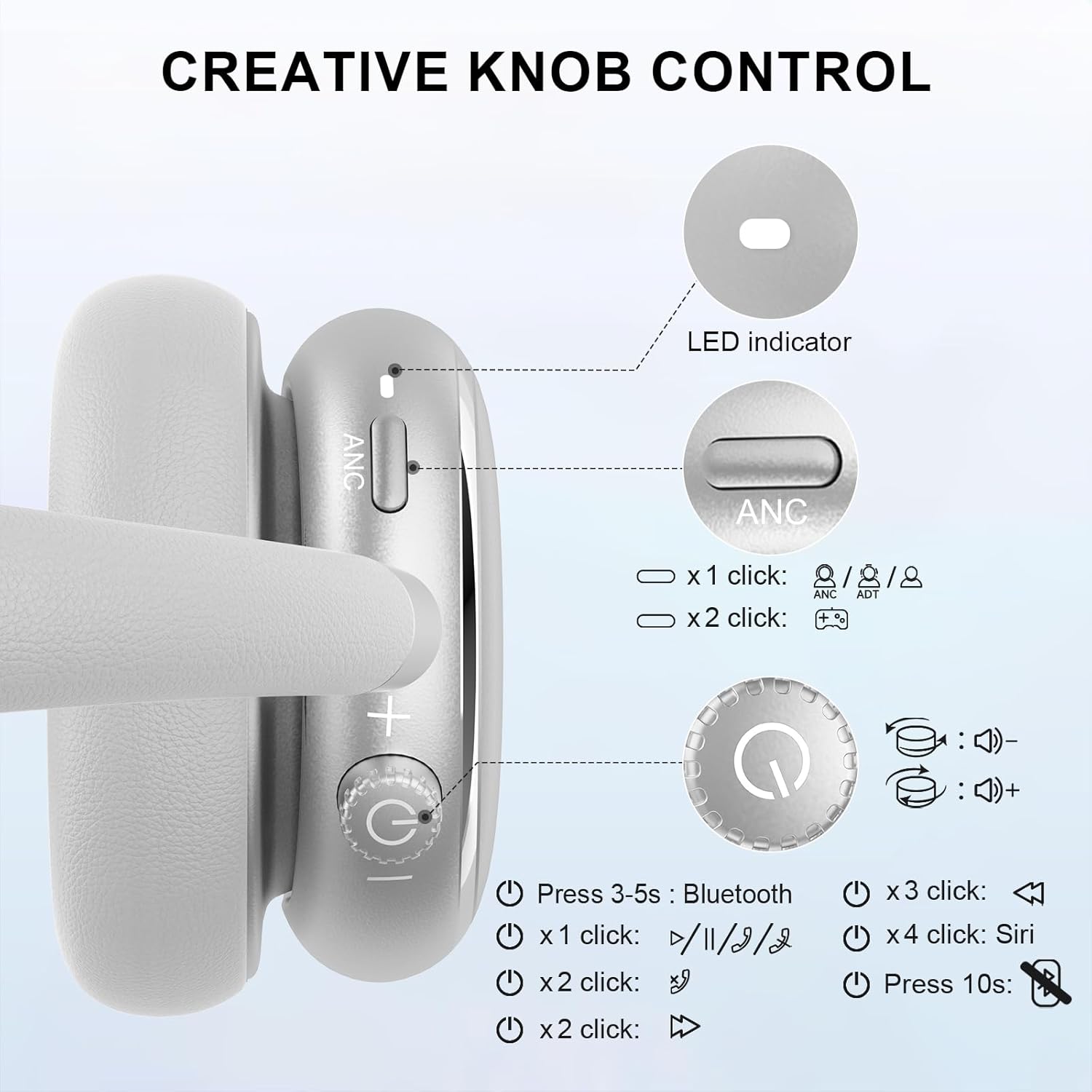
Image 5.1: Creative Knob Control functions.
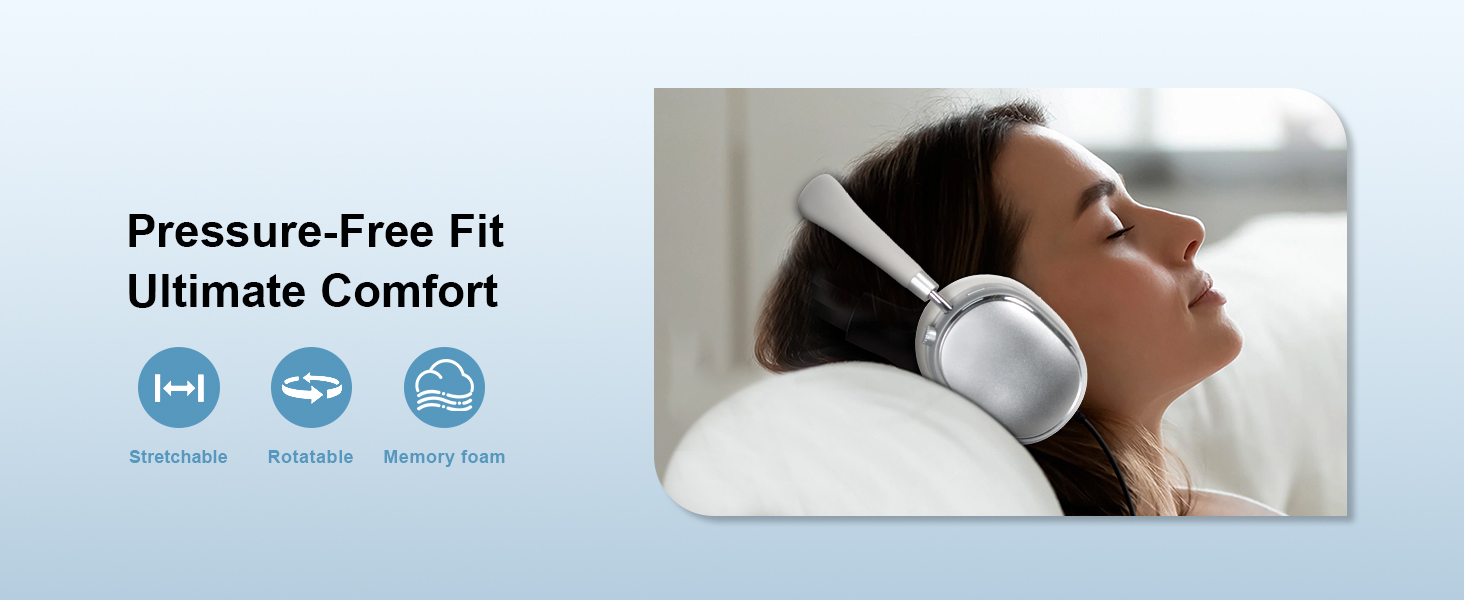
Image 5.2: Multi-functional Knob Control for volume adjustment.
- Ձայնի ճշգրտում. Rotate the knob clockwise to increase volume, counter-clockwise to decrease volume.
- Նվագարկել/Դադար. Մեկ անգամ սեղմեք կոճակը։
- Պատասխանել/Ավարտել զանգը. Մեկ անգամ սեղմեք կոճակը։
- Հաջորդ հետքերը. Երկու անգամ սեղմեք կոճակը։
- Նախորդ ուղի ՝ Press the knob three times.
- Ակտիվացրեք ձայնային օգնականը (Siri): Press the knob four times.
- Վերականգնել. Սեղմեք և պահեք կոճակը 10 վայրկյան:
Note: Knob functions are only available in wireless connection mode.
5.3 Ակտիվ աղմուկի չեղարկում (ANC) և թափանցիկության ռեժիմ
The NC95 headphones feature Hybrid Active Noise Cancellation and Transparency Mode, controlled by a dedicated button.
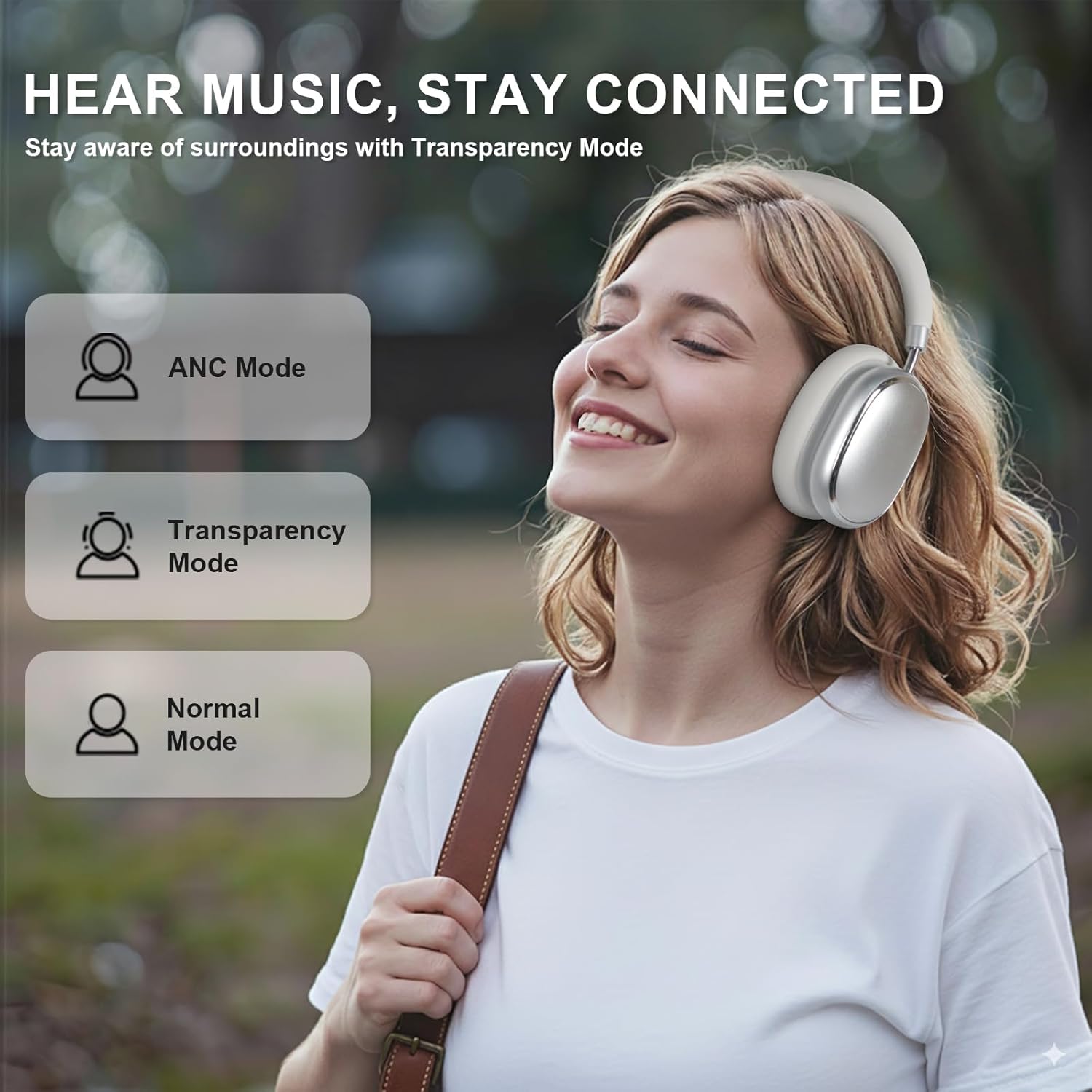
Image 5.3: ANC, Transparency, and Normal modes.

Image 5.4: Noise reduction effectiveness.
- ՀԱԿ ռեժիմ. Press the ANC button once to activate Hybrid Active Noise Cancellation, reducing ambient noise by up to 35dB.
- Թափանցիկության ռեժիմ. Press the ANC button again to switch to Transparency Mode, allowing you to hear your surroundings without removing the headphones.
- Նորմալ ռեժիմ. Press the ANC button a third time to return to Normal Mode, with ANC and Transparency off.
Note: ANC mode is only available in wireless connection mode.
5.4 Լարային միացում
For a wired audio experience or when battery is low, use the 3.5mm audio cable.
- 3.5 մմ աուդիո մալուխի մեկ ծայրը միացրեք ականջակալների աուդիո միակցիչին։
- Մյուս ծայրը միացրեք ձեր սարքի 3.5 մմ աուդիո ելքին։
- In wired mode, the knob control functions for volume, playback, and calls are not available.
Image 5.5: Wired connection with 3.5mm audio cable.
5.5 Զանգերի կառավարում
When connected via Bluetooth, you can manage calls using the knob control.
- Պատասխանել/Ավարտել զանգը. Մեկ անգամ սեղմեք կոճակը։
- Մերժել զանգը. Սեղմեք և պահեք կոճակը 2 վայրկյան:

Image 5.6: Clear hands-free calls with built-in microphones.
6. Պահպանում
6.1 Մաքրում
- Սրբեք ականջակալները փափուկ, չոր կտորով։
- Մի օգտագործեք կոպիտ քիմիական կամ հղկող նյութեր:
- Խուսափեք խոնավության ներթափանցումից որևէ բացվածքի մեջ։
6.2 Պահպանում
- Store the headphones in the provided PU bag when not in use to protect them from dust and scratches.
- Խուսափեք պահել ծայրահեղ ջերմաստիճաններում կամ բարձր խոնավության պայմաններում:
6.3 Detachable Ear Cushions
The ear cushions are detachable for easy cleaning and replacement, ensuring long-term use.

Image 6.1: Detachable ear cushions for easy care.
7: Անսարքություն
If you encounter issues with your NC95 headphones, refer to the following common solutions:
| Խնդիր | Հնարավոր պատճառ | Լուծում |
|---|---|---|
| Ականջակալները չեն միանում | Ցածր մարտկոց | Լիցքավորեք ականջակալները ամբողջությամբ։ |
| Հնարավոր չէ զուգակցել Bluetooth-ի միջոցով | Ականջակալները զուգավորման ռեժիմում չեն։ Սարքի Bluetooth-ը անջատված է։ Խանգարում է։ | Ensure headphones are in pairing mode (flashing LED). Turn device Bluetooth off and on. Move closer to the device. |
| Ոչ մի ձայն | Ձայնը չափազանց ցածր է։ Սխալ ձայնի աղբյուր։ Լարված լարային միացում։ | Increase volume on headphones and device. Check audio output settings on your device. Re-insert 3.5mm cable firmly. |
| ՀԱԿ-ը արդյունավետ չի գործում | ANC not activated; Environmental noise too high | Press the ANC button to cycle through modes. ANC is most effective against low-frequency noise. |
| Հավելվածների միացման խնդիրներ | Bluetooth not connected; App glitch | Ensure headphones are connected via Bluetooth. Restart the app or your phone. |
Եթե խնդիրը շարունակվում է, խնդրում ենք կապվել հաճախորդների աջակցության հետ։
8. Տեխնիկական պայմաններ
| Առանձնահատկություն | Մանրամասն |
|---|---|
| Մոդելի անվանումը | NC95 |
| Աղմուկի վերահսկում | Հիբրիդային աղմուկի չեղարկում |
| Հաճախականության արձագանք | 20 Հց - 20 ԿՀց |
| Զգայունություն | 105 դԲ |
| Դիմադրություն | 32 Օմ |
| Ականջակալներ Jack | 3.5 մմ Ջեք |
| Միացման տեխնոլոգիա | Wireless (Bluetooth), Wired |
| Անլար կապի տեխնոլոգիա | Bluetooth 5.3 |
| Bluetooth միջակայք | 15 մետր |
| Աուդիո լատենտություն | 50 միլվայրկյան |
| Աուդիո վարորդի չափը | 40 Միլիմետր |
| Կառավարման տեսակը | App Control, Push Button, Knob |
| Մարտկոցի կյանք | Up to 65 Hours (ANC playback) |
| Լիցքավորման ժամանակ | 2.5 Ժամ |
| Ջրի դիմադրության մակարդակը | Ջրակայուն չէ |
| Նյութի քաշը | 1.28 ֆունտ |
| Արտադրող | FOFUN |
9. Երաշխիք և աջակցություն
9.1 Երաշխիքային տեղեկատվություն
For detailed warranty information, please refer to the documentation included with your purchase or contact FOFUN customer service directly. Warranty terms may vary by region and retailer.
9.2 Հաճախորդների աջակցություն
If you require further assistance or have questions not covered in this manual, please contact FOFUN customer support through their official channels. You can also visit the T-Fun Store on Amazon լրացուցիչ ռեսուրսների համար: