
Ներածություն
This manual provides detailed instructions for the setup, operation, maintenance, and troubleshooting of your POFAN Wireless HDMI Transmitter and Receiver (Model G58). This device is designed to wirelessly transmit 4K video and audio signals from various HDMI output devices to displays such as HDTVs, projectors, and monitors, eliminating the need for physical HDMI cables.
The system supports 2.4GHz and 5GHz dual-band transmission, offering a stable connection for streaming video, audio, and files. It is a plug-and-play solution, requiring no driver installations or complex network configurations.
Փաթեթի բովանդակությունը
Խնդրում ենք ստուգել, որ բոլոր իրերը առկա են ձեր փաթեթում։
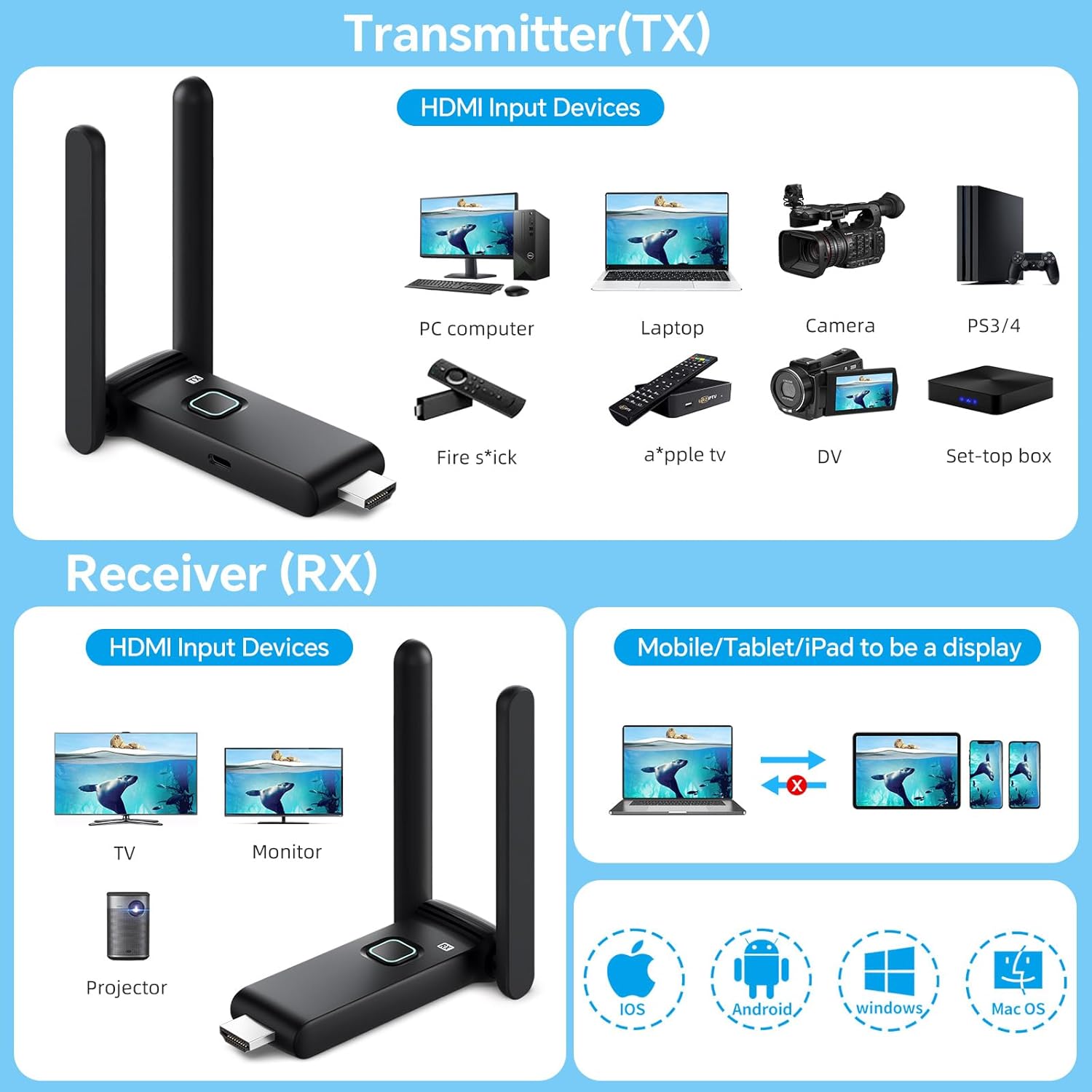
- 1 x HDMI հաղորդիչ (TX)
- 1 x HDMI ընդունիչ (RX)
- 1 x Օգտագործողի ձեռնարկ
- 1 x USB-C-ից HDMI ադապտեր
- 1 x HDMI մալուխ
- 2 x USB-C մալուխներ
- 1 x Mini/Micro HDMI Adapter

Կարգավորման հրահանգներ
The POFAN Wireless HDMI system is designed for plug-and-play operation, requiring no software installation.
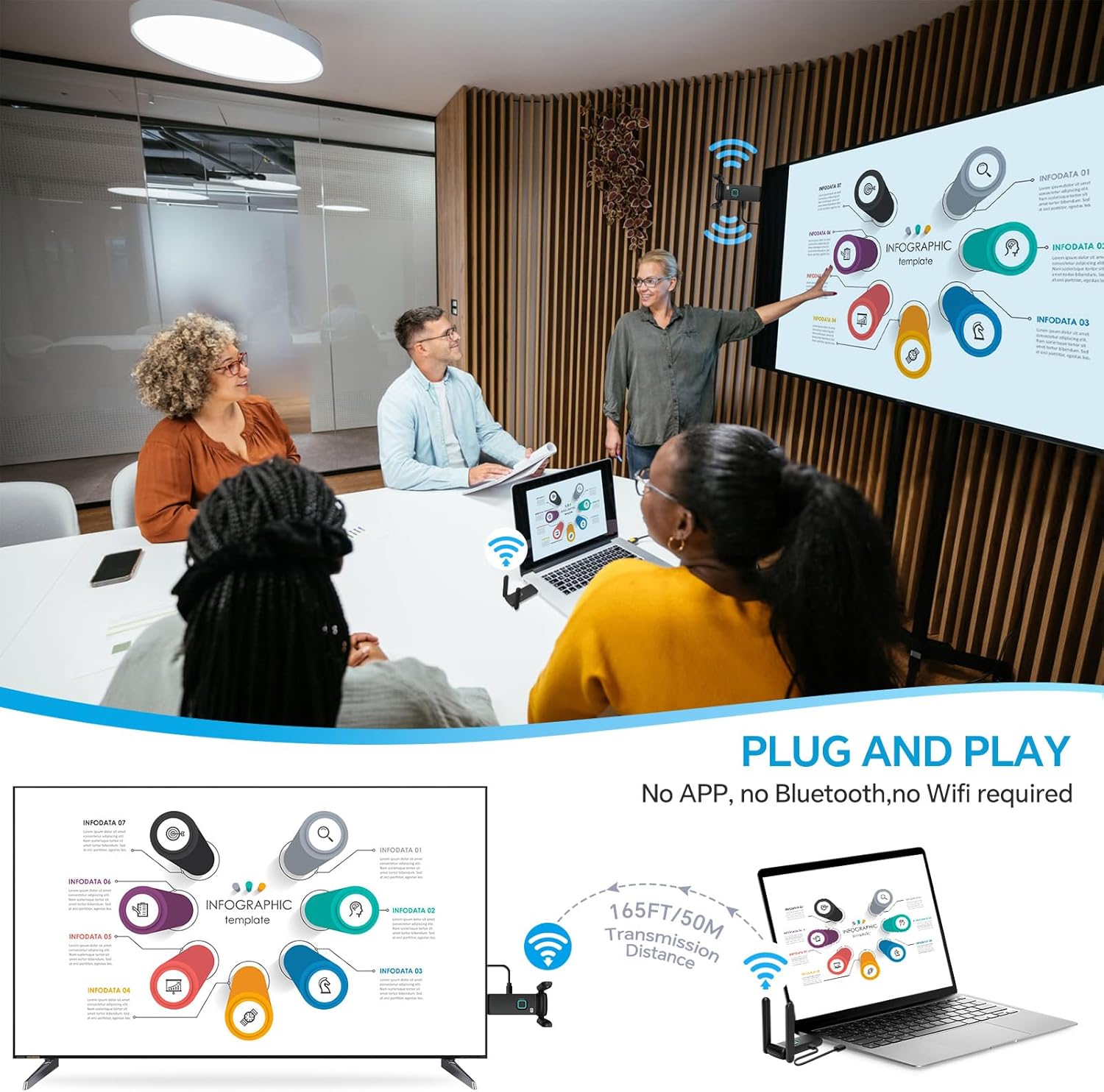
- Միացրեք հաղորդիչը (TX): Plug the Transmitter (TX) into the HDMI output port of your source device (e.g., laptop, PC, TV box, camera). Ensure the TX unit receives power, typically via a USB-C cable connected to a power source (5V/1A recommended) or a USB port on your source device.
- Միացրեք ընդունիչը (RX): Plug the Receiver (RX) into the HDMI input port of your display device (e.g., HDTV, projector, monitor). Ensure the RX unit receives power, typically via a USB-C cable connected to a power source (5V/1A recommended) or a USB port on your display device.
- Միացում՝ Power on both your source device and display device.
- Ավտոմատ միացում. The Transmitter and Receiver will automatically pair and establish a connection. The display should show the content from your source device.
Կարևոր նշում հզորության վերաբերյալ. Use a 5V/1A power supply for stable connection. Insufficient power from a device's USB port (e.g., laptop, TV) may cause interruptions or delays. It is recommended to use a dedicated charger for power.
Գործառնական հրահանգներ
Անլար փոխանցման միջակայք
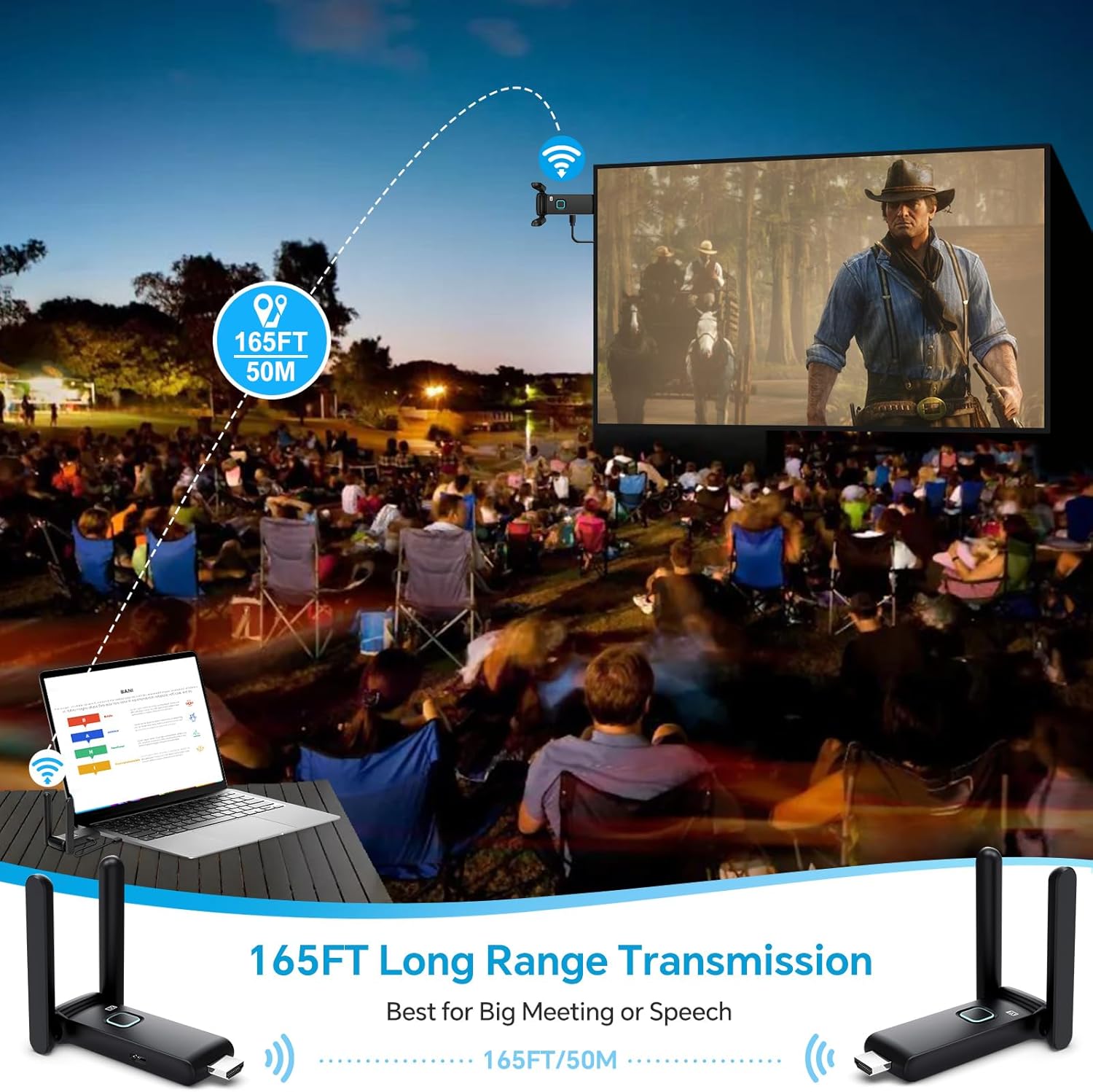
The system provides a robust and stable signal with a line-of-sight range of up to 165 feet (50 meters). When transmitting through walls or floors, the range may decrease to approximately 32 feet (10 meters).
Multi-Screen Synchronization
The wireless HDMI extender delivers seamless 4K video transmission across displays with ultra-low latency, enabling synchronized multi-screen playback. One Transmitter (TX) can be connected with up to 4 Receivers (RX) to display content on multiple screens simultaneously. The system supports up to 6 RX displays.


Using the TuTuPlay App for Mobile Device Integration
For enhanced functionality, you can use the TuTuPlay App to turn your smartphone or tablet into a second screen or for real-time monitoring.
- Connect TX to HDMI output device and power it.
- Install TuTuPlay App on your iPhone or other smartphone.
- Find "TUTULINK-xxx" in Wi-Fi settings and connect. The original password is "12345678".
- Open RScreen on iPhone/other smartphones for syncing.


Video Demonstration: Multiple Receivers
Video 1: Multiple Receivers - Up to 4 RX Can connect to 4 TVs. This video demonstrates the POFAN Wireless HDMI system's capability to connect a single transmitter to multiple receivers, allowing content to be displayed on up to four televisions simultaneously.
Տեխնիկական սպասարկում
- Մաքրում: Use a soft, dry cloth to clean the devices. Avoid liquid cleaners or solvents.
- Պահպանում: Սարքերը պահեք զով, չոր տեղում՝ ուղիղ արևի լույսից և ծայրահեղ ջերմաստիճաններից հեռու։
- Էլեկտրաէներգիայի մատակարարում. Always ensure a stable 5V/1A power supply for optimal performance. Avoid using underpowered USB ports from source or display devices, as this can lead to unstable connections or signal interruptions.
- Ջերմային ցրում. The devices feature a large-area window opening design for better heat dissipation. Ensure these areas are not obstructed during use.

Անսարքությունների վերացում
| Խնդիր | Հնարավոր պատճառ | Լուծում |
|---|---|---|
| Էկրանին ազդանշան չկա / Սև էկրան |
|
|
| Ընդհատվող ազդանշան / թարթող էկրան |
|
|
| Աուդիո, բայց տեսանյութ չկա / Տեսանյութ, բայց ձայն չկա |
|
|
| Lag or delay in transmission |
|
|
Տեխնիկական պայմաններ
| Առանձնահատկություն | Մանրամասն |
|---|---|
| Բրենդ | POFAN |
| Մոդելի համարը | G58 |
| Միացման տեխնոլոգիա | Wireless (Ethernet, HDMI) |
| Անլար հաճախականություն | 2.4G/5.8G երկակի ժապավեն |
| Փոխանցման հեռավորությունը | Up to 165FT/50M (line of sight); approx. 32FT/10M (through walls/floors) |
| Թարմացման արագություն | 60 Հց |
| Լատենտություն | Մոտ. 0.1-ական թթ |
| Աջակցվող առավելագույն ընդունիչների քանակը | Up to 6 RX units |
| Համատեղելի սարքեր | Laptop, Set-top box, Television, Screen, Video camera, Blu-ray players, DVDs, Digital SLRs, Cable/Satellite TV receivers, Tablets, Apple laptops, Sony/Canon cameras. |
| Միակցիչի տեսակը | HDMI |
| Էլեկտրամատակարարում | 5V/1A (recommended) |
| Ներկառուցված մեդիա | HDMI Receiver, HDMI Transmitter |
Երաշխիքային տեղեկատվություն
This POFAN product is covered by a 1 տարի արտադրողի երաշխիք from the date of purchase. This warranty covers defects in materials and workmanship under normal use. It does not cover damage caused by misuse, accident, unauthorized modification, or external causes such as power surges.
Խնդրում ենք պահպանել ձեր գնման ապացույցը երաշխիքային պահանջների համար:
Հաճախորդների աջակցություն
For technical assistance, troubleshooting, or warranty inquiries, please contact POFAN customer support through the following channels:
- Առցանց աջակցություն. Visit the official POFAN store on Amazon: POFAN Amazon Store
- Արտադրող: POFAN (Vendor: kebaixin)
When contacting support, please have your product model number (G58) and proof of purchase readily available.