
Ներածություն
Welcome to the user manual for your Skullcandy Ink'd Wired In-Ear Headphones. These headphones are designed to provide a high-quality audio experience with a comfortable, noise-isolating fit. Featuring a built-in microphone and in-line controls, they offer convenience for both music playback and hands-free communication. This manual will guide you through the setup, operation, and maintenance of your new headphones.
Փաթեթի բովանդակությունը
- Skullcandy Ink'd Wired In-Ear Headphones (Earphones)
- Small and Medium Ear Gels (pre-installed or included separately)
Կարգավորում
Follow these steps to set up your Skullcandy Ink'd Wired In-Ear Headphones for optimal use.
1. Choose the Right Ear Gels
The headphones come with different sizes of ear gels to ensure a comfortable and secure fit. A proper fit is crucial for noise isolation and sound quality.
- Gently remove the pre-installed ear gels.
- Try the different sizes (small, medium) to find the pair that creates a snug seal in your ear canal.
- The correct size will feel comfortable and significantly reduce ambient noise.
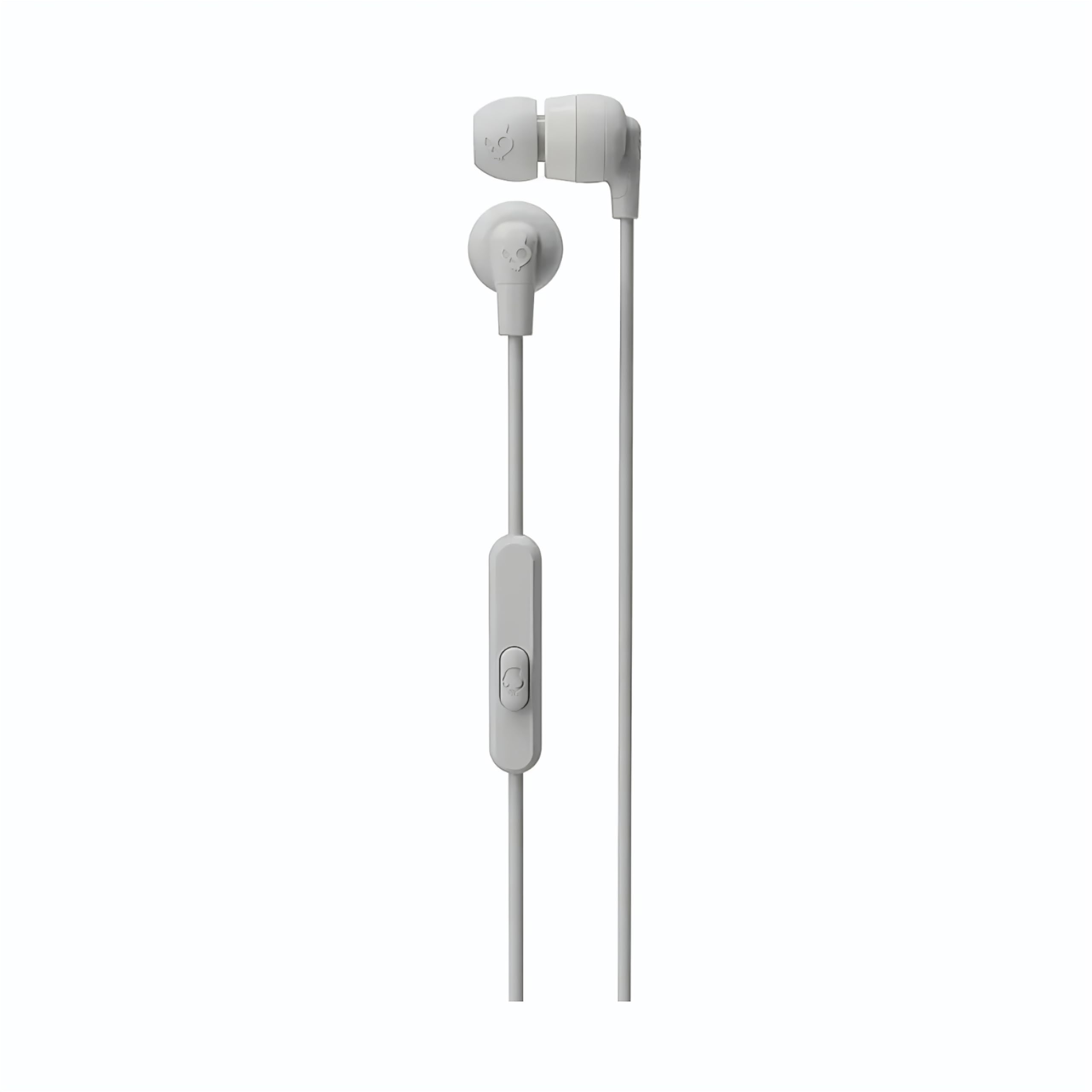
Image: The Skullcandy Ink'd Wired In-Ear Headphones, showcasing the white earbuds with the Skullcandy logo and the wired connection.
2. Միացեք ձեր սարքին
These headphones utilize a standard 3.5mm AUX connection.
- Գտեք 3.5 մմ աուդիո միակցիչը ձեր սմարթֆոնի, պլանշետի, նոութբուքի կամ այլ համատեղելի աուդիո սարքի վրա։
- Insert the 3.5mm plug from your Skullcandy Ink'd headphones firmly into the device's audio jack.
- Ensure the connection is secure for uninterrupted audio.
Գործառնական հրահանգներ
Your Skullcandy Ink'd headphones feature an in-line remote and microphone for convenient control of your audio and calls.
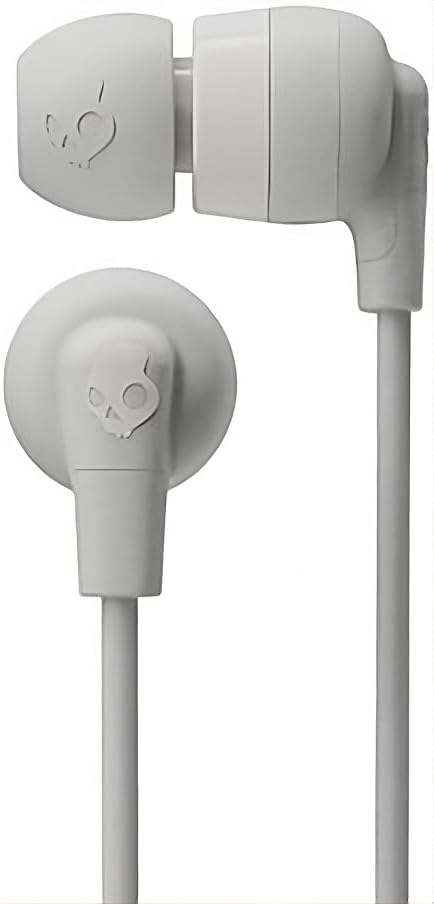
Image: The in-line remote and microphone on the Skullcandy Ink'd Wired In-Ear Headphones cable.
Երաժշտության վերահսկում
- Նվագարկել/Դադար. Մեկ անգամ սեղմեք կենտրոնական կոճակը:
- Հաջորդ հետքերը. Երկու անգամ արագ սեղմեք կենտրոնական կոճակը:
- Նախորդ ուղի ՝ Սեղմեք կենտրոնական կոճակը երեք անգամ արագ:
Զանգի վերահսկում
- Պատասխանել/Ավարտել զանգը. Մեկ անգամ սեղմեք կենտրոնական կոճակը:
- Մերժել զանգը. Press and hold the center button for approximately two seconds.
Note: Functionality may vary slightly depending on your device's operating system and specific application.
Տեխնիկական սպասարկում
Proper care will extend the life and performance of your headphones.
- Cleaning Ear Gels: Gently remove the ear gels and wash them with mild soap and water. Rinse thoroughly and allow them to dry completely before reattaching.
- Ականջակալների մաքրում. Use a soft, dry cloth to wipe the earbuds. Avoid using harsh chemicals or abrasive materials. Do not submerge the earbuds in water.
- Մալուխի խնամք. Avoid sharp bends or excessive pulling on the cable. Store the headphones neatly to prevent tangling.
- Պահպանում: Երբ ականջակալները չեք օգտագործում, պահեք դրանք մաքուր, չոր տեղում՝ ծայրահեղ ջերմաստիճաններից հեռու։
Անսարքությունների վերացում
Եթե ականջակալների հետ կապված խնդիրներ ունեք, փորձեք հետևյալ քայլերը.
- Ձայն չկա.
- Ensure the 3.5mm plug is fully inserted into your device's audio jack.
- Ստուգեք ձեր սարքի ձայնի կարգավորումները։
- Ականջակալները փորձարկեք մեկ այլ աուդիո սարքի հետ՝ սարքին հատուկ խնդիրը բացառելու համար։
- Poor Sound Quality / Noise:
- Ensure the ear gels are properly seated and creating a good seal in your ear.
- Clean the ear gels and earbud grilles to remove any debris.
- Փորձարկեք մեկ այլ աուդիո աղբյուրով։
- Խոսափողը չի աշխատում.
- Ensure the 3.5mm plug is fully inserted. Some devices require a TRRS (Tip-Ring-Ring-Sleeve) connector for microphone functionality, which these headphones provide.
- Ստուգեք ձեր սարքի միկրոֆոնի մուտքի կարգավորումները։
- Փորձարկեք միկրոֆոնը մեկ այլ սարքի կամ ծրագրի միջոցով։
Տեխնիկական պայմաններ
| Մոդելի համարը | N747 |
| Բրենդ | Skullcandy |
| Միացման տեխնոլոգիա | Լարային (3.5 մմ Jack) |
| Ականջի տեղադրում | Ականջի մեջ |
| Աղմուկի վերահսկում | Պասիվ աղմուկի չեղարկում |
| Built-In Features | Microphone, In-line Remote |
| Հաճախականության միջակայք | 20 Հց - 20,000 Հց |
| Նյութի քաշը | 0.04 կգ |
| Համատեղելի սարքեր | Նոութբուքեր, սեղանադիր համակարգիչներ, պլանշետներ, հեռախոսներ, խելացի բարձրախոսներ, հեռուստացույցներ, մեքենայի աուդիո համակարգեր, բջջային հեռախոսներ |
Երաշխիքային տեղեկատվություն
Your Skullcandy Ink'd Wired In-Ear Headphones are covered by a Manufacturer Warranty. For detailed information regarding warranty terms, conditions, and duration, please refer to the official Skullcandy webկայքում կամ ձեր ապրանքին կից երաշխիքային քարտում։
Հաճախորդների աջակցություն
If you require further assistance or have questions not covered in this manual, please contact Skullcandy customer support.
- Առցանց աջակցություն. Visit the official Skullcandy support webկայքը՝ հաճախակի տրվող հարցերի, խնդիրների լուծման ուղեցույցների և կապի տարբերակների համար։
- Կոնտակտային տվյալներ: Refer to the Skullcandy website for the most up-to-date contact details, including phone numbers and email support.