
Ներածություն
Thank you for choosing the Moshi Passport Finder Holder. This manual provides essential information for the proper setup, operation, and maintenance of your device. The Passport Finder Holder is designed to secure your travel documents while offering advanced tracking capabilities through Apple's Find My network, RFID protection, and convenient MagSafe wireless charging.

Image: The Moshi Passport Finder Holder open, displaying a passport, credit cards, and a pen, emphasizing its design for quality, safety, and convenience.
Կարգավորում
Charging the Passport Finder Holder
The Passport Finder Holder supports MagSafe wireless charging. To charge the device, place it on a compatible MagSafe charger. Ensure proper alignment for efficient charging.

Image: The Moshi Passport Finder Holder with a MagSafe magnetic charger attached, illustrating wireless charging capability.
LED լիցքավորման ցուցիչ
- Նարնջագույն լույս. Ցույց է տալիս, որ սարքը ներկայումս լիցքավորվում է։
- Կանաչ լույս. Indicates the device is fully charged.
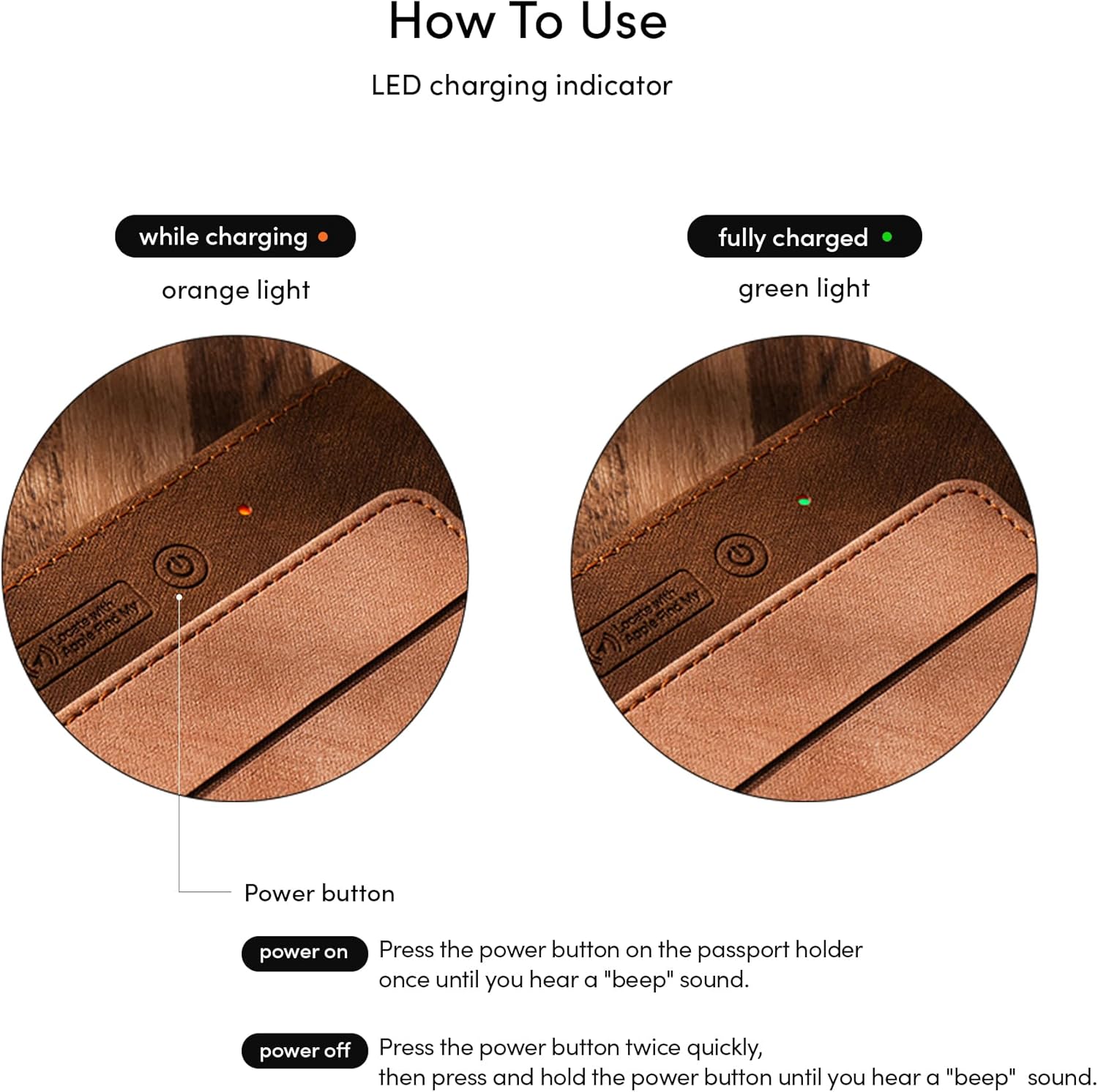
Պատկեր՝ մանրամասն view of the Passport Finder Holder's LED charging indicators, showing an orange light for 'while charging' and a green light for 'fully charged', alongside the power button.
Միացում/անջատում
- Միացում՝ Press the power button once until you hear a "beep" sound.
- Անջատել: Press the power button twice quickly, then press and hold the power button until you hear a "beep" sound.
Գործառնական հրահանգներ
Using Apple's Find My App
The Passport Finder Holder integrates with Apple's Find My network, allowing you to locate your belongings using the Find My app on your iOS or macOS device. Once paired, you can view its location on a map and play a sound to help find it when nearby.
- Ensure your Passport Finder Holder is powered on and charged.
- Open the Apple Find My app on your compatible device.
- Follow the in-app instructions to add a new item.
- Once added, you can track its location and activate the built-in beeper from the app.

Image: A smartphone screen showing the Apple Find My app locating a passport holder, positioned next to the Moshi Passport Finder Holder, demonstrating its tracking capability.
Document and Card Storage
The holder features multiple card slots with RFID protection to safeguard your personal data from unauthorized scanning. A dedicated slot is also provided for a pen, facilitating easy completion of forms and customs documents during travel.

Image: The Moshi Passport Finder Holder open, showcasing a passport, credit cards in RFID-protected slots, and a pen, highlighting its organizational features and RFID theft protection.
Տեխնիկական սպասարկում
Մաքրում և խնամք
The Passport Finder Holder is constructed from durable, scratch-resistant, and stain-resistant materials (PU, Resin plate, Cardboard). To maintain its appearance and longevity:
- Սրբեք արտաքինը փափուկով, դamp կտորից։ Խուսափեք կոշտ քիմիական նյութերից կամ հղկող մաքրող միջոցներից։
- Do not submerge the holder in water.
- Պահել զով, չոր տեղում, արևի ուղիղ ճառագայթներից հեռու, երբ այն չի օգտագործվում:
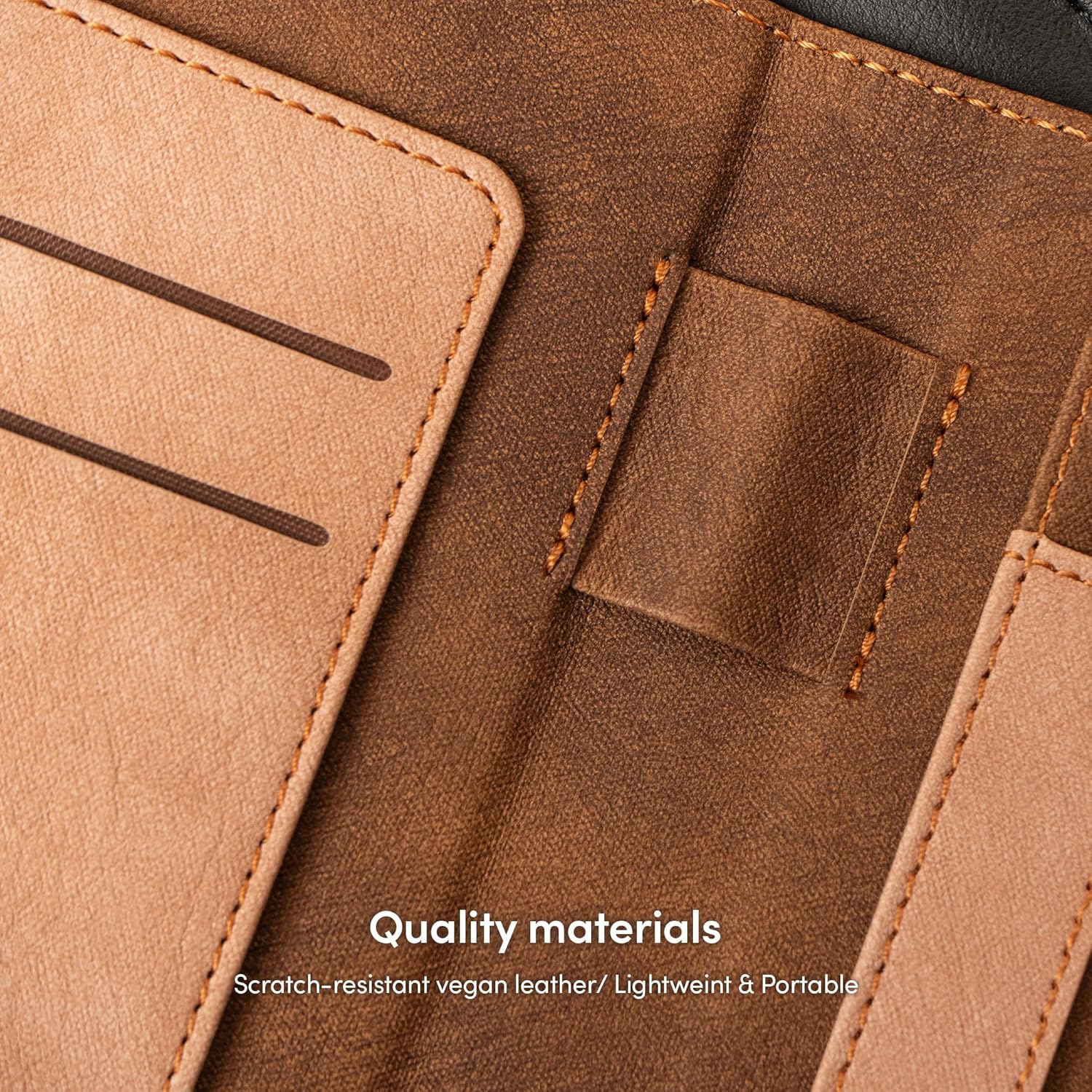
Պատկեր՝ խոշոր պլան view of the interior materials of the Moshi Passport Finder Holder, emphasizing its quality, scratch-resistant vegan leather, and lightweight design.
Լիցքավորման հաճախականություն
To ensure optimal performance and battery health, it is recommended to fully charge your Passport Finder Holder every four months, even if not in regular use.
Անսարքությունների վերացում
- Device not found in Find My app:
- Ensure the Passport Finder Holder is powered on.
- Verify the device is charged.
- Check that Bluetooth is enabled on your iOS/macOS device.
- Ensure you are within range of the device or that other Apple devices are nearby to relay its location.
- Լիցքավորման խնդիրներ.
- Confirm the MagSafe charger is properly connected to a power source.
- Ensure the Passport Finder Holder is correctly aligned on the MagSafe charger.
- Try a different MagSafe charger or power adapter to rule out faulty equipment.
- Beeper not working:
- Check if the device is powered on and has sufficient battery.
- Ensure the volume on your iOS/macOS device is not muted and is turned up.
- Confirm the 'Play Sound' function is activated within the Find My app.
Տեխնիկական պայմաններ
| Առանձնահատկություն | Մանրամասն |
|---|---|
| Բրենդ | Moshi |
| Մոդելի անվանումը | Անձնագիր որոնող սեփականատեր |
| Արտադրողի մասի համարը | 99MO244506 |
| Նյութ | PU, Resin plate, Cardboard |
| Գույն | Pale Orange, Midnight Blue (variant dependent) |
| Նյութի չափերը (D x W x H) | 0.79"Խ x 4.13"Լ x 5.5"Բ (2.0 x 10.5 x 14.0 սմ) |
| Wallet Compartment Type | Անձնագիր |
| Փակման տեսակը | Ոչ մեկը |
| Հատուկ առանձնահատկություններ | Apple Find My compatible, MagSafe Wireless Charging, RFID Protection, Pen Slot |
| Աջակցվող սարքեր | iOS 14.3 and later versions, macOS Big Sur 11.1 and later versions |
| Միավորների հաշվարկ | 105 գրամ |

Image: A table summarizing product information for the Passport Finder Holder, including material, color, dimensions, and supported devices.
Երաշխիքային տեղեկատվություն
For detailed warranty information regarding your Moshi Passport Finder Holder, please refer to the official Moshi website or contact Moshi customer support directly. Warranty terms and conditions may vary by region and product.
Հաճախորդների աջակցություն
If you require further assistance, have questions not covered in this manual, or need technical support, please visit the official Moshi website for their comprehensive support resources, FAQs, and contact information.
Official Moshi Webկայքը: www.moshi.com