
1. Ներածություն
This manual provides essential instructions for the safe operation, setup, maintenance, and troubleshooting of your ARRIS WPL C24-1 RC Rock Crawler. Please read this manual thoroughly before using the product to ensure proper function and longevity.

Image: The ARRIS WPL C24-1 RC Rock Crawler, showcasing its detailed design and robust tires.
2. Անվտանգության տեղեկատվություն
Always operate the RC vehicle in a safe and responsible manner. Failure to follow these safety guidelines may result in injury or damage to the product or property.
- Ձեռքերը, մազերը և ազատ հագուստը հեռու պահեք շարժվող մասերից:
- Do not operate near people, pets, or obstacles.
- Avoid operating in wet conditions or near water unless the product is specifically designed for it.
- Ensure batteries are charged correctly and handled with care.
- 15 տարեկանից փոքր օգտատերերի համար խորհուրդ է տրվում մեծահասակի հսկողություն։
3. Փաթեթի բովանդակությունը
Ստուգեք, որ ստորև թվարկված բոլոր ապրանքները ներառված են ձեր փաթեթում.
- ARRIS WPL C24-1 RC Rock Crawler (1 unit)
- Remote Control Transmitter (1 unit)
- Rechargeable Battery (1 unit, 7.4V 500mAh)
- Լիցքավորման մալուխ (1 հատ)
- Հրահանգների ձեռնարկ (այս փաստաթուղթը)
4. Կարգավորման ուղեցույց
4.1. Մեքենայի մարտկոցի լիցքավորում
The vehicle battery (7.4V 500mAh) requires charging before first use. A full charge takes approximately 2 hours and provides about 30 minutes of operation.
- Locate the battery compartment on the underside of the RC crawler.
- Connect the rechargeable battery to the provided charging cable.
- Plug the charging cable into a suitable USB power source (e.g., computer USB port, USB wall adapter).
- The indicator light on the charging cable will show the charging status (refer to charger instructions for specific light patterns).
- Once fully charged, disconnect the battery from the charger and install it into the vehicle's battery compartment.
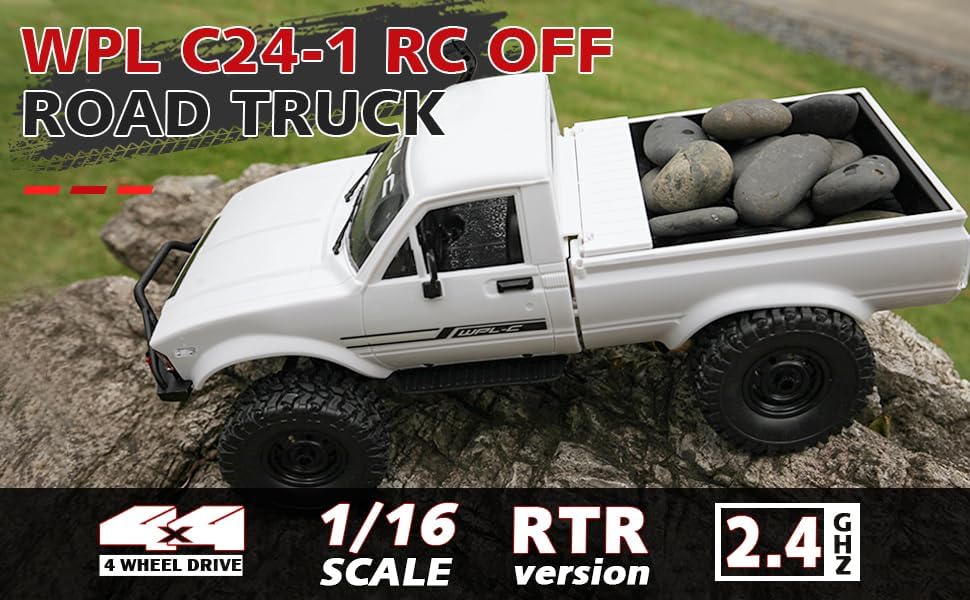
Image: Underside of the RC crawler, highlighting the battery and chassis components.
4.2. Հեռակառավարման մարտկոցների տեղադրում
The remote control requires 1 C battery (included). Ensure correct polarity when installing.
- Բացեք մարտկոցի կափարիչը հեռակառավարման վահանակի հետևի մասում:
- Insert the C battery according to the polarity markings (+/-).
- Ապահով փակեք մարտկոցի կափարիչը:
4.3. Հեռակառավարման վահանակի զուգավորում
The RC crawler and remote control are typically pre-paired. If re-pairing is necessary:
- Turn on the RC crawler using the switch located on the chassis.
- Միացրեք հեռակառավարման վահանակը:
- The indicator light on the remote control should stop flashing and remain solid, indicating a successful connection.
- If the connection fails, turn both devices off and repeat the process.
5. Գործառնական հրահանգներ
5.1. Հիմնական կառավարման տարրեր
- Շնչափողի ձգան. Քաշեք՝ առաջ շարժվելու համար, սեղմեք՝ արգելակելու/հետ շարժվելու համար։
- Ղեկ: Ձախ շրջվեք՝ ձախ շարժվելու համար, աջ շրջվեք՝ աջ շարժվելու համար։
- Կտրվածքի կարգավորումներ՝ Use the trim dials on the remote to fine-tune steering and throttle if the vehicle pulls to one side or moves without input.
5.2. Վարորդական խորհուրդներ
The ARRIS WPL C24-1 is designed for off-road crawling. Its 4WD system and independent suspension allow it to navigate various terrains.
- For optimal crawling, use slow and controlled throttle inputs.
- Experiment with steering angles to overcome obstacles.
- The vehicle features highlight LED lights for improved visibility in low-light conditions.

Image: The RC crawler navigating a challenging rocky path, demonstrating its off-road capabilities.

Image: The RC crawler traversing sandy terrain, showcasing its 4WD design.
6. Պահպանում
6.1. Մաքրում
After each use, especially in dusty or dirty conditions:
- Use a soft brush or compressed air to remove dirt and debris from the chassis, wheels, and suspension.
- Սրբեք մարմինը գովազդովamp կտոր. Մի օգտագործեք կոպիտ քիմիական նյութեր:
- Ensure no moisture enters electronic components.
6.2. Մարտկոցի խնամք և պահեստավորում
- Միշտ անջատեք մարտկոցը մեքենայից, երբ այն չեք օգտագործում։
- Պահեք մարտկոցները զով, չոր տեղում, արևի ուղիղ ճառագայթներից և ծայրահեղ ջերմաստիճաններից հեռու։
- Մի լիցքավորեք կամ չափից դուրս լիցքաթափեք մարտկոցները:
6.3. Component Inspection
Regularly inspect the following components for wear or damage:
- Wheels and tires for damage or excessive wear.
- Suspension components (shocks, springs, linkages).
- Steering mechanism for smooth operation.
- All screws and fasteners for tightness.
7: Անսարքություն
| Խնդիր | Հնարավոր պատճառ | Լուծում |
|---|---|---|
| Տրանսպորտային միջոցը չի արձագանքում։ | Low vehicle battery; Low remote control battery; Not paired. | Charge vehicle battery; Replace remote control battery; Re-pair remote control. |
| Տրանսպորտային միջոցը դանդաղ կամ անկայուն է շարժվում։ | Low vehicle battery; Obstruction in drivetrain; Motor issue. | Charge vehicle battery; Clear obstructions; Contact support if motor issue persists. |
| Ղեկը անկանոն է կամ չի արձագանքում։ | Steering trim incorrect; Damaged servo; Obstruction. | Adjust steering trim; Inspect servo for damage; Clear obstructions. |
| Կարճ գործողության միջակայք։ | Interference; Low remote control battery. | Move to an area with less interference; Replace remote control battery. |
8. Ապրանքի բնութագրերը
| Առանձնահատկություն | Մանրամասն |
|---|---|
| Մոդելի համարը | WPL C24-1 |
| Բրենդ | ԱՐՐԻՍ |
| Սանդղակ | 1։16 |
| Ապրանքի չափերը | 12.2 x 5.78 x 4.44 դյույմ |
| Նյութի քաշը | 2.4 ֆունտ |
| Նյութ | ABS + Մետաղ |
| Շարժիչ | 180 Brushed Motor |
| Մարտկոց (տրանսպորտային միջոց) | 7.4V 500mAh (ներառված է) |
| Լիցքավորման ժամանակ | Մոտ. 2 ժամ |
| Գործողության ժամանակ | Մոտ. 30 րոպե |
| Հեռակառավարման հաճախականություն | 2.4 ԳՀց |
| Վերահսկիչ հեռավորություն | Ավելի քան 35 մետր |
| Առավելագույն արագություն | 20 կմ/ժ |
| Առաջարկվող տարիք | 15 տարեկան և բարձր |
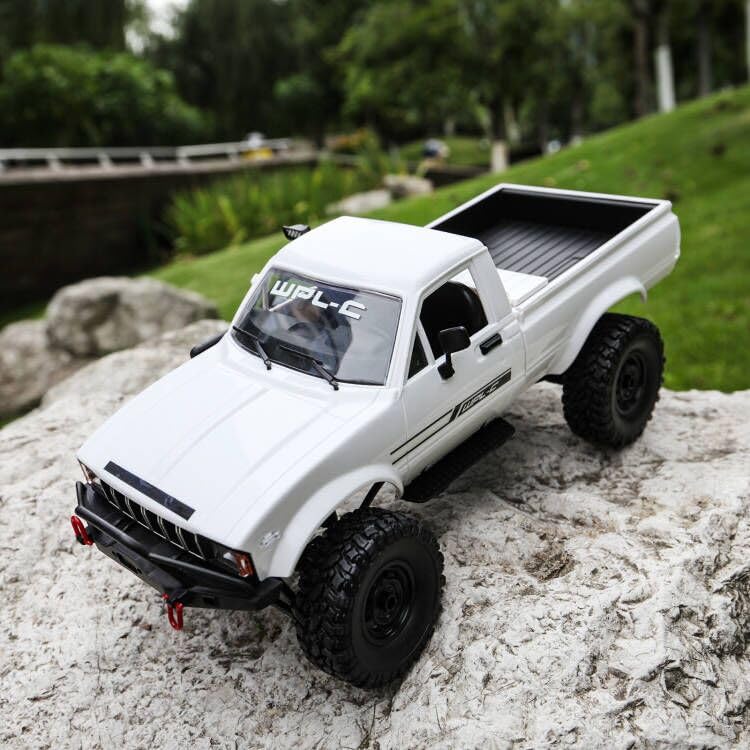
Պատկեր՝ Կողք view of the RC crawler with key dimensions indicated.

Պատկեր՝ մանրամասն view of the RC crawler's chassis, showing components like the motor, suspension, and drive shafts.
9. Երաշխիք և աջակցություն
ARRIS products are manufactured to high-quality standards. For warranty information or technical support, please refer to the official ARRIS webկայք կամ կապվեք հաճախորդների սպասարկման հետ ձեր գնման հարթակի միջոցով։
Պահպանեք ձեր գնման կտրոնը որպես գնման ապացույց՝ երաշխիքային պահանջների դեպքում։
Լրացուցիչ օգնության համար, խնդրում ենք այցելել ARRIS խանութը Amazon-ում.