
eKids 115
eKids Dora Karaoke Microphone with Boombox Instruction Manual
Model: 115 | Brand: eKids
1. Ներածություն
Welcome to the eKids Dora Karaoke Microphone with Boombox. This device is designed to provide an interactive and engaging musical experience. It features a wired microphone, built-in music, and Bluetooth connectivity for streaming audio from compatible devices. This manual provides essential information for setup, operation, maintenance, and troubleshooting to ensure optimal performance and enjoyment.
2. Ապրանքը ավարտված էview
The eKids Dora Karaoke Microphone with Boombox is a portable audio device shaped like Dora's backpack, designed for children aged 3 and up. It combines a speaker with a wired microphone, allowing users to sing along to pre-loaded songs or music streamed via Bluetooth.
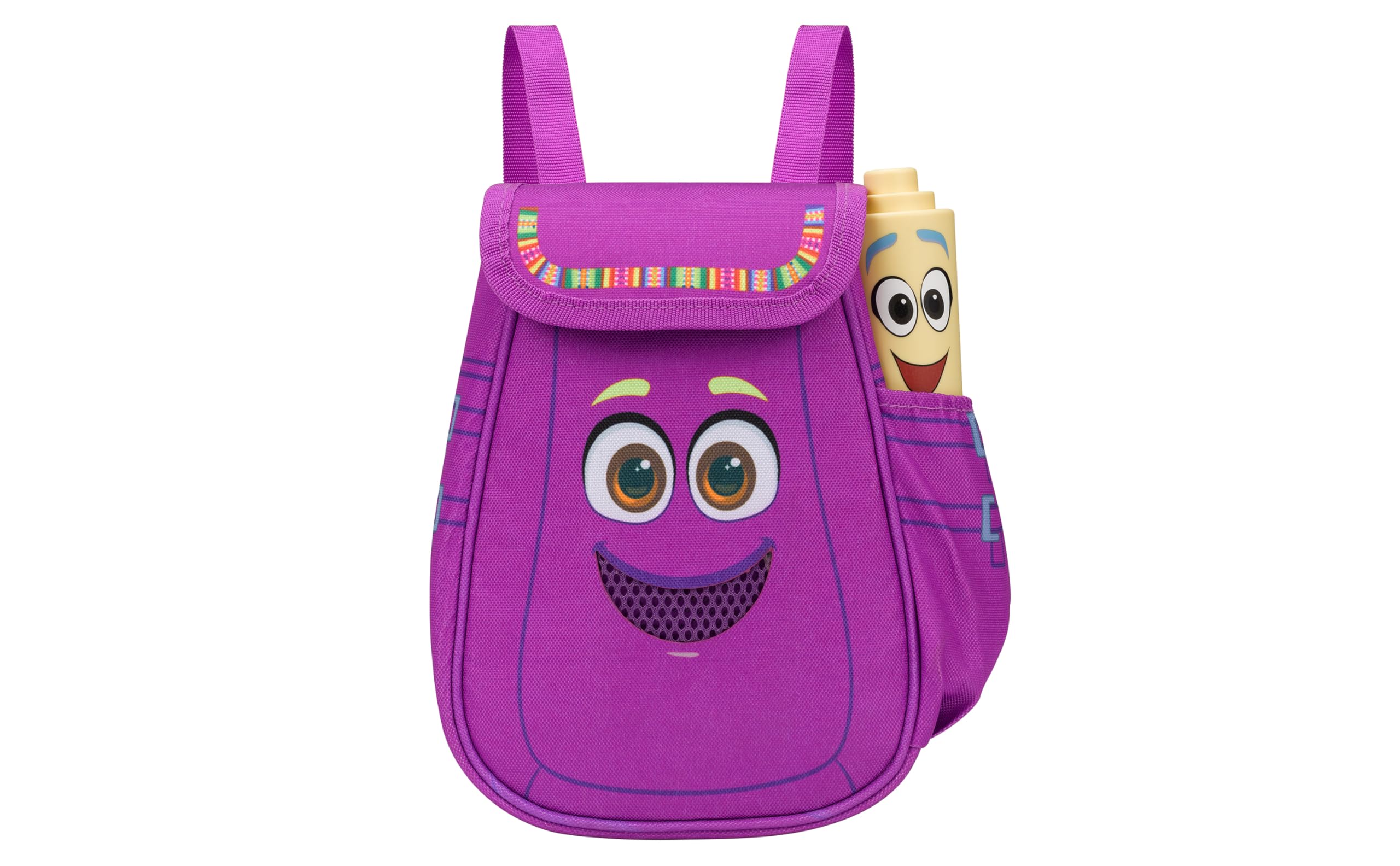
Figure 1: eKids Dora Karaoke Microphone with Boombox.
Հիմնական հատկանիշները:
- Bluetooth բարձրախոս. Connects to any music device via Bluetooth to stream popular karaoke playlists and more. Lightweight and portable, this karaoke boombox is designed for kids aged 3 and up.
- Կարաոկե խոսափող. Includes a wired microphone to amplify your voice for singing.
- Dora Backpack Design: Features cute and colorful graphics inspired by the popular Nickelodeon series.
- Ներկառուցված երաժշտություն. Contains extended clips of the songs ‘Rainforest Ritmo’, ‘Cake’, and ‘Empanada’.
- Դյուրատարություն: Lightweight design with a built-in handle for easy transport.
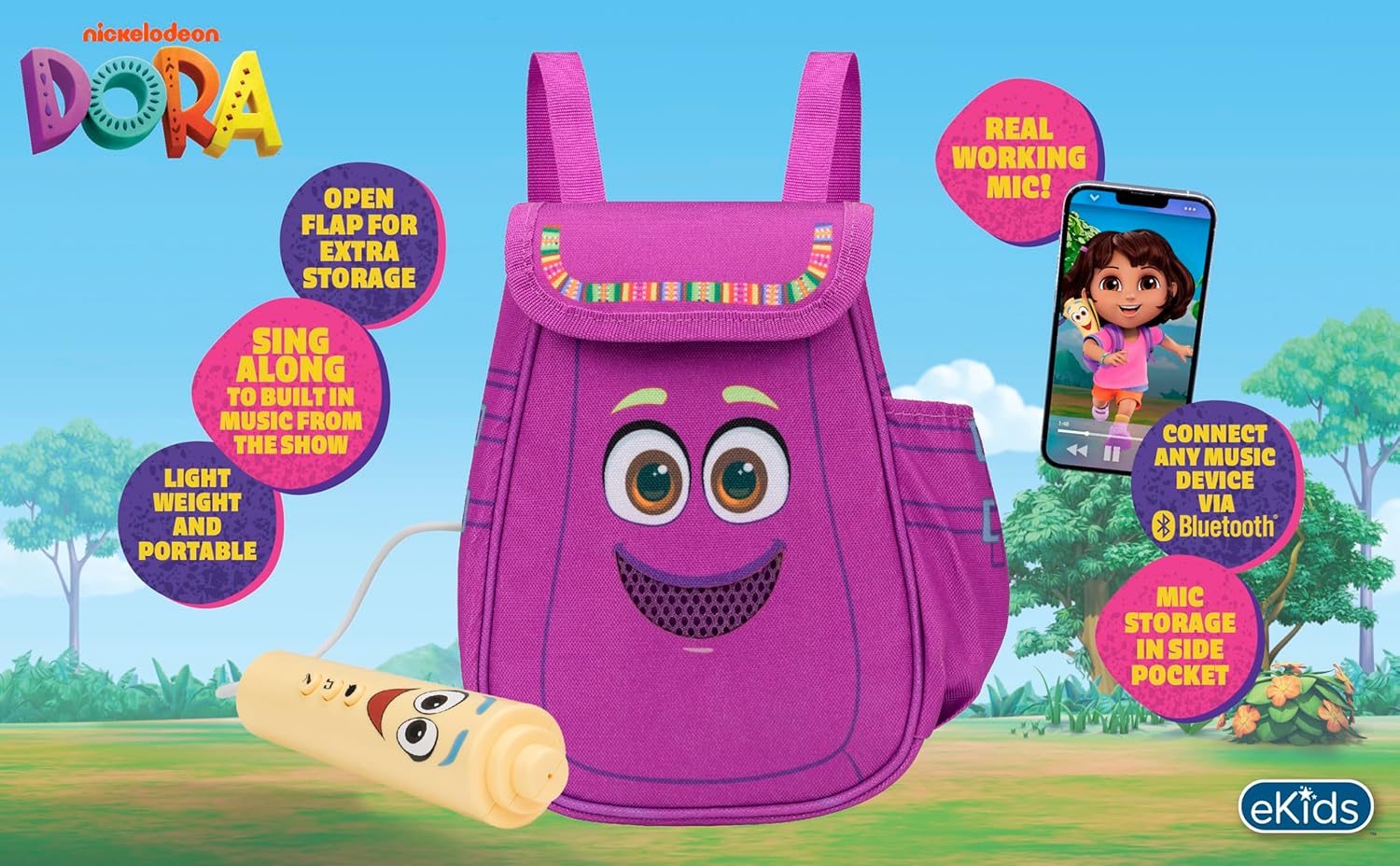
Նկար 2. Տեսողական վերևview of the product's key features.
3. Փաթեթի բովանդակությունը
Տուփը բացելիս համոզվեք, որ բոլոր իրերը տեղում են.
- Dora Karaoke Microphone with Boombox (main unit)
- Լարային խոսափող
- Հրահանգների ձեռնարկ (այս փաստաթուղթը)
- 3 x 'AA' Batteries (included)

Figure 3: Product as packaged, showing the boombox and microphone.
4. Կարգավորում
4.1 Մարտկոցի տեղադրում
- Locate the battery compartment on the back or bottom of the boombox unit.
- Using a Phillips head screwdriver (not included), open the battery compartment cover.
- Insert 3 'AA' batteries, ensuring correct polarity (+/-).
- Փոխեք մարտկոցի խցիկի կափարիչը և ամրացրեք այն պտուտակով:
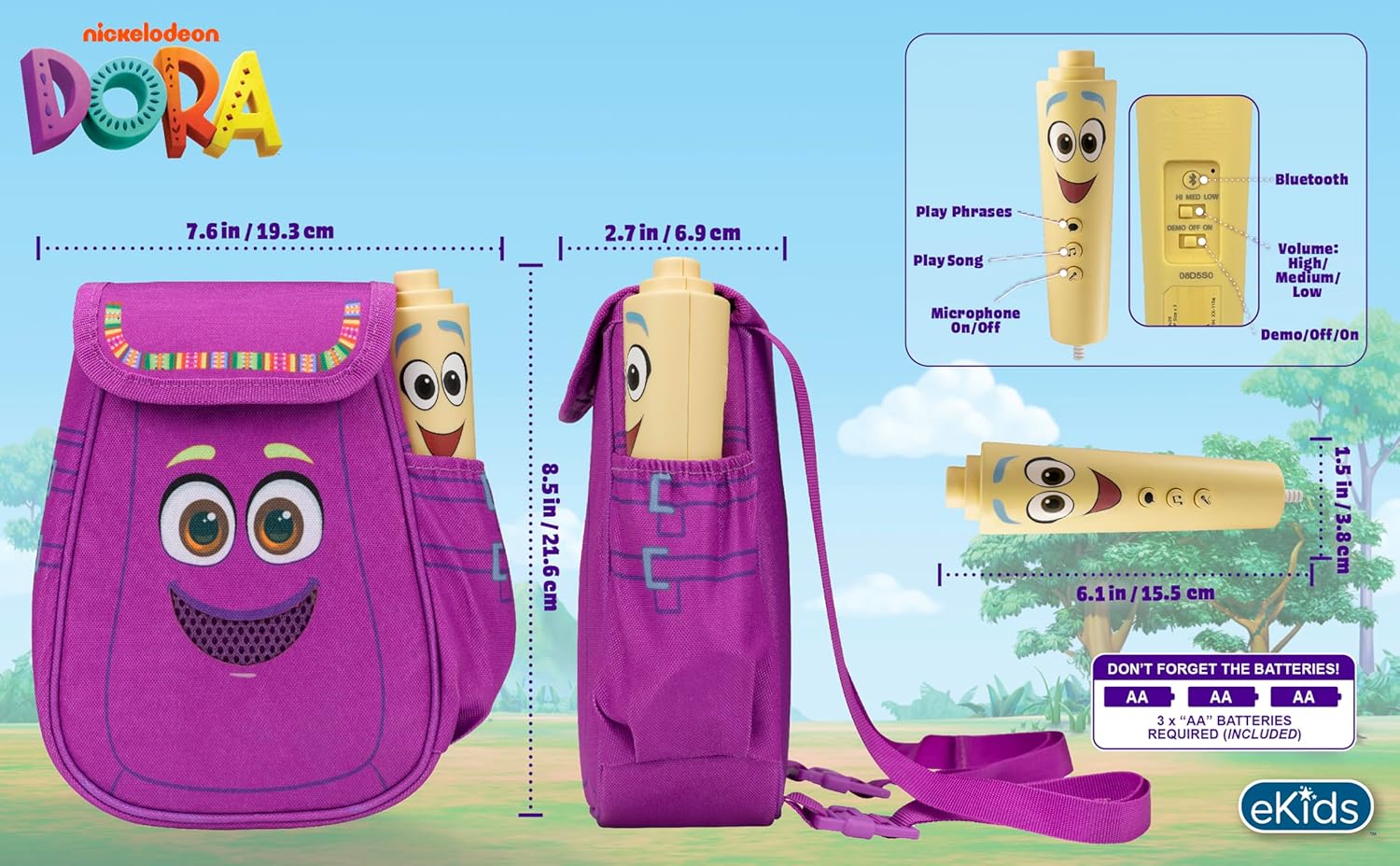
Նկար 4. Հետևի view of the boombox, indicating battery compartment and control buttons.
4.2 Խոսափողի միացում
The wired microphone is typically pre-connected or plugs into a dedicated port on the boombox. Ensure the microphone cable is securely plugged in.
5. Գործառնական հրահանգներ
5.1 Միացում/անջատում
Locate the Power switch (often labeled ON/OFF or with a power symbol) on the unit. Slide it to the 'ON' position to power on the device. Slide it to 'OFF' to power off.
5.2 Playing Built-in Music
Press the designated 'Play Song' button (refer to Figure 4 for button layout) to cycle through the pre-loaded songs. The unit includes extended clips of 'Rainforest Ritmo', 'Cake', and 'Empanada'.
5.3 Միկրոֆոնի օգտագործումը
To use the microphone, ensure the 'Microphone On/Off' switch (refer to Figure 4) is in the 'On' position. Speak or sing into the microphone to ampԲարձրացրեք ձեր ձայնը boombox բարձրախոսի միջոցով։
5.4 Bluetooth կապ
To stream music from an external device:
- Համոզվեք, որ բումբոքսը միացված է։
- Activate Bluetooth on your external music device (e.g., smartphone, tablet, computer).
- Որոնել available Bluetooth devices and select "eKids Dora" or a similar name.
- Once paired, you can stream audio from your device to the boombox.

Figure 5: Bluetooth connectivity allows streaming from various compatible devices.
5.5 Ձայնի վերահսկում
Adjust the volume using the 'Volume: High/Medium/Low' switch on the unit (refer to Figure 4).
5.6 Դեմո ռեժիմ
The unit may include a 'Demo/Off/On' switch (refer to Figure 4). Set it to 'Demo' for a brief demonstration of features, or 'On' for full functionality.
6. Պահպանում
- Մաքրում: Սրբեք սարքը փափուկ, չոր կտորով։ Մի օգտագործեք հղկող մաքրող միջոցներ և մի ընկղմեք սարքը ջրի մեջ։
- Մարտկոցի խնամք. Հեռացրեք մարտկոցները, եթե սարքը երկար ժամանակ չի օգտագործվելու՝ արտահոսքը կանխելու համար։
- Պահպանում: Սարքը պահեք զով, չոր տեղում՝ ուղիղ արևի լույսից և ծայրահեղ ջերմաստիճաններից հեռու։
7: Անսարքություն
| Խնդիր | Լուծում |
|---|---|
| Ոչ մի ուժ | Check battery installation and ensure batteries are fresh. Confirm the power switch is in the 'ON' position. |
| Բարձրախոսից ձայն չկա | Increase the volume. Ensure the microphone is switched 'ON' if using it. If using Bluetooth, check device volume and connection. |
| Խոսափողը չի աշխատում | Ensure the microphone is securely plugged in and its 'On/Off' switch is in the 'On' position. |
| Bluetooth-ը չի միանում | Ensure the boombox is in Bluetooth pairing mode (if applicable, check manual for specific instructions). Turn off and on Bluetooth on your external device. Move devices closer together. |
8. Տեխնիկական պայմաններ
- Ապրանքանիշը: էլեկտրոնային երեխաներ
- Մոդելի անվանումը: 115
- Գույնը: Դորա
- Power Source: Battery Powered (3 x 'AA' batteries)
- Խոսողների թիվը. 1
- Միացման տեխնոլոգիա. Bluetooth, 3.5mm audio jack (for wired microphone)
- Նյութի Քաշը: 0.52 կգ
- Նյութի չափերը (D x W x H): 10.63"D x 2.24"W x 8.17"H
- UPC: 092298961934
- Արտադրող: KIDdesigns
9. Երաշխիք և աջակցություն
Այս ապրանքը գալիս է ա 1 տարվա սահմանափակ երաշխիք from the manufacturer, KIDdesigns. For warranty claims or technical support, please refer to the contact information provided with your purchase documentation or visit the eKids official webկայք։
For additional product information or to explore other eKids products, visit the eKids ապրանքանիշի խանութ.
Ask a question about this manual
Ask about setup, troubleshooting, compatibility, parts, safety, or missing instructions. Manuals+ will review the question and use this page’s manual context to help answer it.