
Ներածություն
This manual provides essential instructions for the setup, operation, maintenance, and troubleshooting of your Insignia 32-inch 1080p HD HDR LCD Fire TV Smart TV, model NS-32F401CA26. Please read this manual thoroughly before using your television to ensure proper and safe operation.
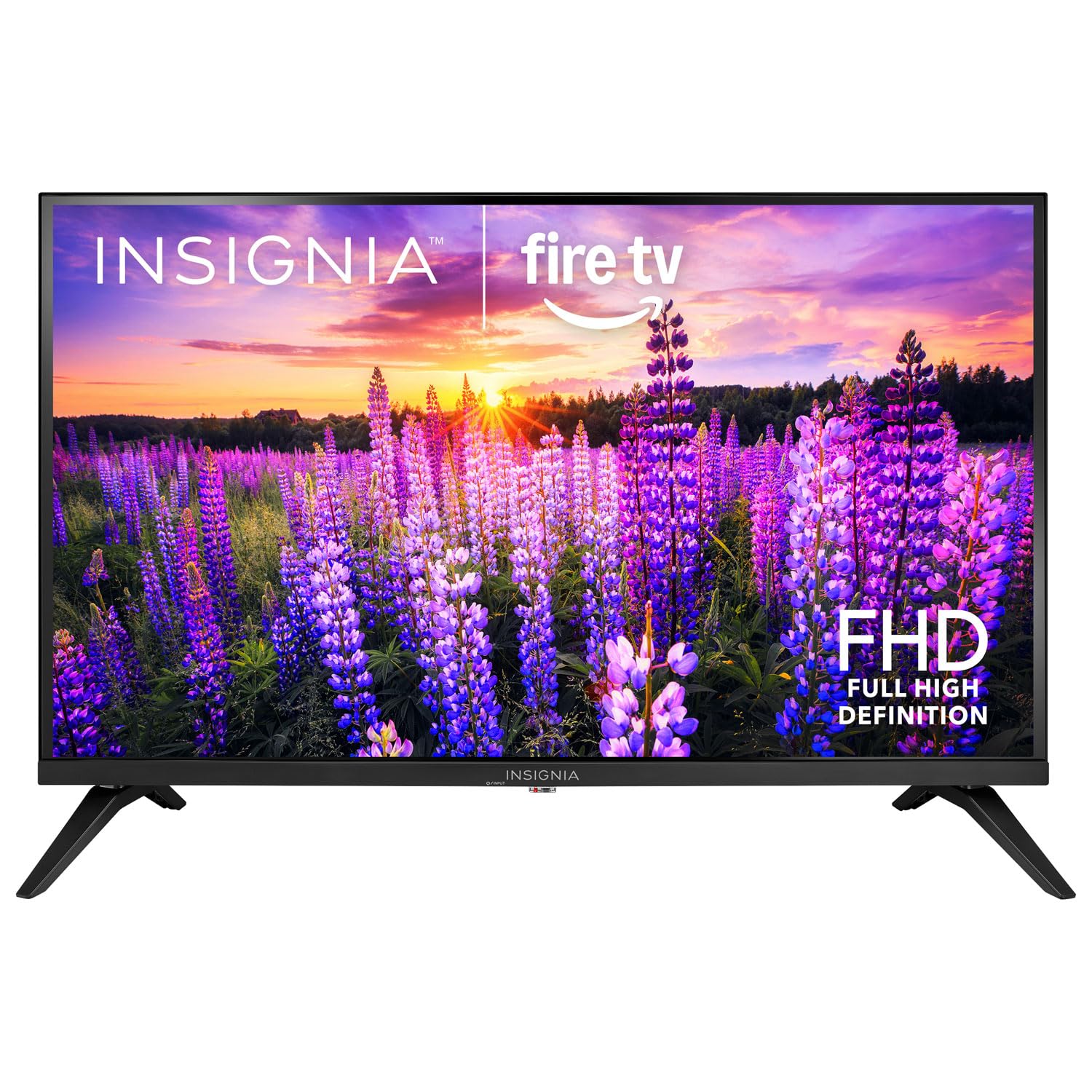
Պատկեր՝ առջևի view of the Insignia 32-inch Fire TV Smart TV, showing the screen and a remote control.
1. Կարգավորում
1.1 Փաթեթազերծում
Զգուշորեն հեռացրեք հեռուստացույցը և բոլոր պարագաները փաթեթավորումից: Պահպանեք փաթեթավորման նյութերը հետագա տեղափոխման կամ պահպանման համար:
1.2 Հենարանի կամ պատի ամրացման ամրացումը
Հենարանի տեղադրման համար՝
- Հեռուստացույցը դեմքով դեպի ներքև դրեք փափուկ, մաքուր մակերեսի վրա՝ էկրանը վնասելուց խուսափելու համար։
- Հավասարեցրեք հենակը հեռուստացույցի ներքևի մասում գտնվող պտուտակների անցքերի հետ։
- Ամրացրեք հենարանները տրամադրված պտուտակներով։
Պատի տեղադրման համար.
- This TV supports a VESA Mount Standard of 200 x 200 mm.
- Use a compatible wall mount kit (sold separately) and follow its installation instructions.
- Ensure the wall can support the weight of the TV and the mount.
1.3 Հոսանքի միացում
Plug the power cord into the TV's power input, then plug the other end into a working electrical outlet.
1.4 Արտաքին սարքերի միացում
Your TV includes multiple ports for external devices:
- HDMI Ports (Total 2): Միացրեք Blu-ray նվագարկիչներ, խաղային կոնսոլներ, մալուխային/արբանյակային հեռուստատեսության ընդունիչներ։
- USB 3.0 Port (Total 1): Միացրեք USB կրիչներ՝ մեդիա վերարտադրման համար։
- Անտենայի/մալուխի մուտք։ Միացրեք ալեհավաք՝ եթերային հեռարձակումների կամ մալուխային կապի համար:
1.5 Initial Setup (Fire TV OS)
Upon first power-on, the TV will guide you through the Fire TV setup process:
- Հեռակառավարման զուգավորում. Insert the included 2 AAA batteries into the remote. Follow on-screen instructions to pair the remote.
- Networkանցային կապ Ընտրեք ձեր Wi-Fi ցանցը և մուտքագրեք գաղտնաբառը:
- Amazon հաշիվ. Log in with your Amazon account or create a new one.
- Ալիքի սկանավորում. Եթե օգտագործում եք անտենա, հեռուստացույցը կփնտրի հասանելի ալիքները։
- Ծրագրային թարմացումներ. The TV may download and install the latest software updates.
2. Ձեր հեռուստացույցի գործարկում
2.1 Միացում/անջատում
Սեղմեք Իշխանություն հեռակառավարման վահանակի վրա գտնվող կոճակը՝ հեռուստացույցը միացնելու կամ անջատելու համար։
2.2 Fire TV ինտերֆեյսի նավարկություն
Օգտագործեք ուղղորդող վահանակը և Ընտրել button on your remote to browse the Fire TV home screen, access apps, and navigate menus.
2.3 Alexa ձայնային հեռակառավարիչի օգտագործումը
Սեղմեք և պահեք կոճակը Ալեքսա button on your remote and speak into the microphone to:
- Որոնել ֆիլմեր և հեռուստաշոուներ։
- Launch applications (e.g., "Open Netflix").
- Control playback (e.g., "Pause", "Fast forward").
- Ask questions or get information.
2.4 Հավելվածներ մուտք գործելը
Popular streaming services like Amazon Prime Video, Netflix, and YouTube are pre-installed. You can download additional apps from the Amazon Appstore.
2.5 Պատկերի և ձայնի կարգավորումների կարգավորում
Մուտք գործեք Կարգավորումներ menu on the Fire TV home screen to adjust:
- Նկար՝ Brightness, contrast, color, aspect ratio (16:9).
- Ձայն: Volume, sound mode, DTS Virtual-X settings.
- Ցուցադրել: Resolution (1080p), refresh rate (120 Hz).
2.6 Pնողական վերահսկողություն
The TV includes parental control features. Navigate to the Կարգավորումներ մենյու, ապա ընտրեք Նախապատվություններ, իսկ հետո Ծնողական վերահսկողություն to set restrictions on content, purchases, and app usage. A PIN is required to enable or disable these controls.
3. Պահպանում
3.1 Հեռուստացույցի մաքրում
- Էկրան: Զգուշորեն սրբեք էկրանը փափուկ, թել չթողնող կտորով։ Համառ հետքերի դեպքում մի փոքր սրբեքampՍրբեք կտորը ջրով կամ հեռուստացույցների համար հատուկ նախատեսված էկրանի մաքրող միջոցով: Մի՛ ցողեք հեղուկը անմիջապես էկրանի վրա:
- Մարմին: Սրբեք հեռուստացույցի շրջանակը և հենակը փափուկ, չոր կտորով։
- Հեռուստացույցը մաքրելուց առաջ միշտ անջատեք այն։
3.2 Ծրագրային ապահովման թարմացումներ
Your Fire TV Smart TV automatically checks for and installs software updates when connected to the internet. You can manually check for updates in the Կարգավորումներ ընտրացանկը տակ My Fire TV > Մոտ > Ստուգեք թարմացումների համար.
3.3 Հեռակառավարման վահանակի մարտկոցի փոխարինում
When the remote control's performance degrades, replace the two AAA batteries. Ensure correct polarity when inserting new batteries.
4: Անսարքություն
| Խնդիր | Հնարավոր պատճառ | Լուծում |
|---|---|---|
| Ոչ մի ուժ | Էլեկտրական լարը միացված չէ, վարդակը չի աշխատում։ | Ensure power cord is securely plugged into TV and a live outlet. Test outlet with another device. |
| Ոչ մի նկար կամ ձայն | Սխալ մուտքի աղբյուր. արտաքին սարքը անջատված է կամ անջատված։ | Սեղմեք Մուտքագրում button on the remote to select the correct source. Check connections of external devices. Ensure devices are powered on. |
| Հեռակառավարումը չի աշխատում | Մարտկոցները մեռած են, հեռակառավարիչը միացված չէ։ | Replace batteries (2 AAA). Re-pair remote by holding the Տուն button for 10 seconds near the TV. |
| Wi-Fi կապի հետ կապված խնդիրներ | Սխալ գաղտնաբառ; ռաութերի խնդիրներ; հեռուստացույցը չափազանց հեռու է ռաութերից։ | Verify Wi-Fi password. Restart your router and modem. Move TV closer to router or use a Wi-Fi extender. |
| Հավելվածները չեն բեռնվում կամ խափանվում են | Temporary software glitch; insufficient memory. | Restart the TV. Clear app cache (Settings > Applications > Manage Installed Applications). Ensure sufficient storage. |
5. Տեխնիկական պայմաններ
| Մոդելի համարը | NS-32F401CA26 |
| Էկրանի չափը | 32 դյույմ |
| Ցուցադրման տեխնոլոգիա | LCD |
| Բանաձեւ | 1080p (Full HD) |
| Թարմացման արագություն | 120 Հց |
| Աջակցվում է HDR ձևաչափին | HDR10 |
| Ասպեկտների հարաբերակցություն | 16։9 |
| Միացման տեխնոլոգիա | Wi-Fi |
| HDMI պորտեր | 2 |
| USB 3.0 պորտեր | 1 |
| Աջակցվող ինտերնետ ծառայություններ | Amazon Prime Video, Netflix, YouTube, Alexa |
| Բանախոսի նկարագրություն | DTS Virtual-X virtual surround sound |
| Integrated Surround Sound Format | DTS Virtual-X |
| Վերահսկման մեթոդ | Remote (with Alexa Voice) |
| Պահանջվում է մարտկոցներ | 2 AAA (ներառված) |
| Ապրանքի չափերը (D x W x H) | 47.3D x 17.1W x 71.9H սանտիմետրեր |
| VESA ստանդարտ ամրացում | 200 x 200 մմ |
| Լրացուցիչ հատկանիշներ | Ծնողական վերահսկողություն |
6. Երաշխիք և աջակցություն
For warranty information, please refer to the warranty card included with your product or visit the official Insignia support website. For technical assistance, product registration, or service inquiries, please contact Insignia customer support through their official channels.
Note: Specific warranty terms and support contact details may vary by region and are subject to change.