
1. Ներածություն
This manual provides detailed instructions for the setup, operation, and maintenance of your WiiM Sub Pro Wireless Smart Subwoofer. Please read this manual thoroughly before using the product to ensure proper functionality and to maximize your audio experience. The WiiM Sub Pro is designed to deliver deep, distortion-free bass, enhancing movies, music, and gaming with its 8-inch high-excursion woofer and 250W Class-D ampավելի կենդանի

Պատկեր 1.1. Առջև view of the WiiM Sub Pro Wireless Smart Subwoofer.
2. Անվտանգության տեղեկատվություն
Սարքի վնասը կամ անձնական վնասվածքը կանխելու համար խնդրում ենք պահպանել հետևյալ անվտանգության միջոցառումները.
- Do not expose the subwoofer to water, moisture, or extreme temperatures.
- Ապահովեք սարքի շուրջ պատշաճ օդափոխություն՝ գերտաքացումից խուսափելու համար:
- Use only the provided power cable and RCA cable.
- Մի փորձեք ինքներդ բացել կամ վերանորոգել սարքը։ Բոլոր սպասարկման աշխատանքները դիմեք որակավորված մասնագետներին։
- Keep the subwoofer away from heat sources such as radiators, heat registers, stoves, or other apparatus that produce heat.
- Position the unit on a stable, flat surface to prevent it from falling.
3. Փաթեթի բովանդակությունը
Ստուգեք, որ բոլոր իրերը առկա են տուփի մեջ՝
- WiiM Sub Pro (Black) x 1
- Օգտագործման ուղեցույց x 1
- Հոսանքի մալուխ x 1
- RCA մալուխ x 1

Image 3.1: Included components: WiiM Sub Pro, power cable, and RCA cable.
4. Ապրանքը ավարտված էview
The WiiM Sub Pro is an 8-inch wireless smart subwoofer designed to integrate seamlessly into your home audio system. It features a 250W Class-D amplifier, Wi-Fi 6, and Bluetooth 5.3 connectivity for flexible placement. The unit also includes an RCA input for wired connections.
Հիմնական հատկանիշները:
- Deep Bass Performance: 8-inch high-excursion woofer delivers bass down to 25 Hz.
- AI RoomFit Auto-Calibration: One-tap tuning optimizes bass response for your specific room acoustics.
- Անլար միացում: Wi-Fi 6 and Bluetooth 5.3 for flexible placement and integration.
- App-Driven Control: Full control over EQ, crossover, phase, and latency via the WiiM Home App.
- Multi-Room Integration: Seamlessly pairs with other WiiM streamers, ampլայֆերներ և բարձրախոսներ։
Հետևի վահանակի միացումներ.

Image 4.1: Rear panel of the WiiM Sub Pro, highlighting connectivity options.
- Էլեկտրաէներգիայի մուտքագրում. Connects to the included power cable.
- RCA մուտքագրում. For wired connection to any receiver or soundbar with an RCA sub-out.
- Վերականգնման կոճակ. Used for factory reset or troubleshooting.
5. Կարգավորում
Follow these steps to set up your WiiM Sub Pro:
- Տեղադրում: Position the subwoofer in your desired location. Ensure it is near a power outlet and has adequate ventilation.
- Էլեկտրաէներգիայի միացում. Connect the power cable to the subwoofer's power input and then to a wall outlet.
- Download WiiM Home App: Download the WiiM Home App on your smartphone or tablet from the App Store or Google Play Store.
- Initial Pairing (Wireless):
- Բացեք WiiM Home հավելվածը:
- The app will automatically search for new devices. Select 'WiiM Sub Pro' when it appears.
- Follow the on-screen instructions to connect the subwoofer to your Wi-Fi network.

Image 5.1: WiiM Home App displaying the setup prompt for the WiiM Sub Pro.
- Լարային միացում (ըստ ցանկության): If you prefer a wired connection or are connecting to a non-WiiM system, use the included RCA cable to connect the subwoofer's RCA input to the 'Sub Out' port on your receiver or soundbar.
6. Գործողություն
The WiiM Sub Pro is primarily controlled through the WiiM Home App. Once connected, you can manage its settings and integrate it with other WiiM devices.
AI RoomFit™ Calibration:
The AI RoomFit™ feature automatically optimizes the subwoofer's sound for your room's acoustics. This process typically takes about 2 minutes.
- In the WiiM Home App, navigate to the WiiM Sub Pro settings.
- Select the 'RoomFit' option.
- Follow the on-screen prompts to initiate the calibration process. Ensure your room is quiet during calibration.

Image 6.1: WiiM Home App RoomFit welcome screen, illustrating acoustic optimization.

Image 6.2: Visual representation of the AI RoomFit calibration process in a home audio environment.
Հավելվածի վերահսկում.
The WiiM Home App provides comprehensive control over your subwoofer's performance:
- Մակարդակի ճշգրտում. Fine-tune the subwoofer's output level.
- Crossover հաճախականությունը: Set the frequency at which the subwoofer handles bass, typically between 20Hz and 250Hz. The WiiM Sub Pro supports a maximum crossover of 110Hz for optimal performance.
- Ֆազի վերահսկում. Adjust the phase (0° to 180°) to ensure proper integration with your main speakers.
- Պարամետրային EQ: Utilize the 10-band parametric equalizer for precise sound customization.
- Latency Tweaks: Adjust for any audio delay.

Image 6.3: Screenshots of the WiiM Home App interface for device selection and subwoofer settings.
Multi-Room Integration:
The WiiM Sub Pro can be wirelessly paired with other WiiM streamers, amplifiers, and speakers to create a synchronized multi-room audio experience. This allows for cinema-grade bass to fill every corner of your home.
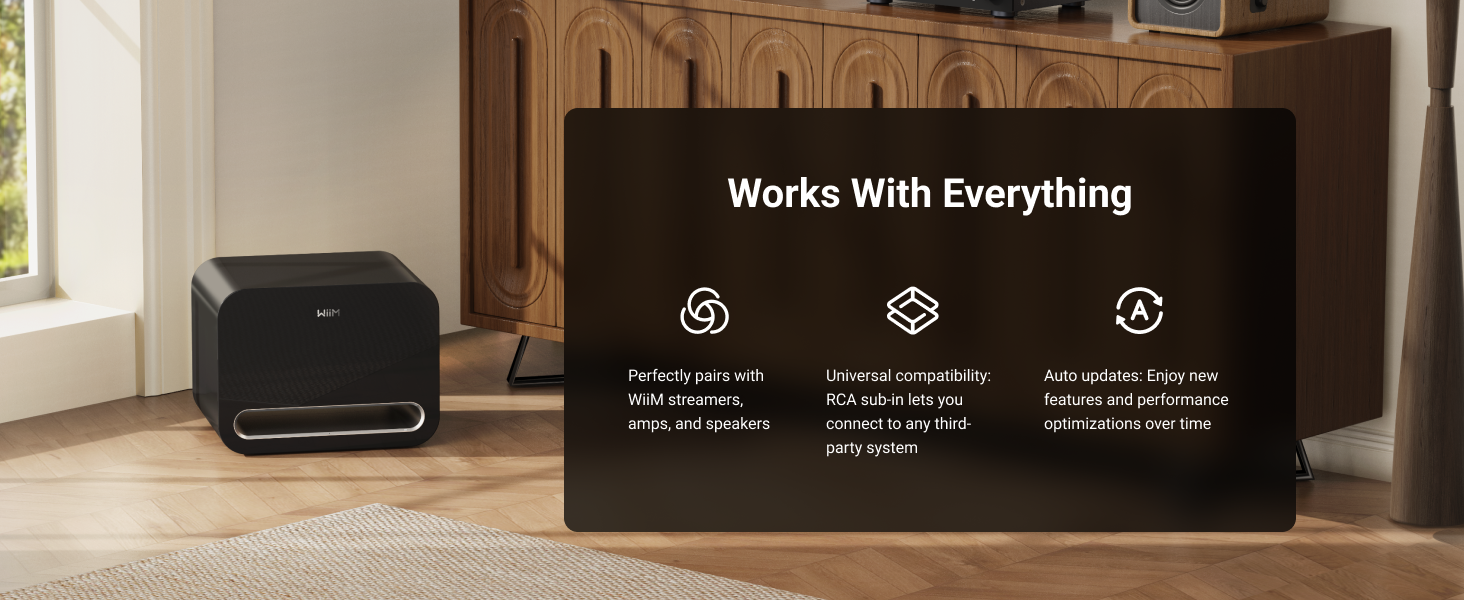
Image 6.4: The WiiM Sub Pro's compatibility with the WiiM ecosystem, RCA systems, and over-the-air updates.
7. Պահպանում
To ensure the longevity and optimal performance of your WiiM Sub Pro, follow these maintenance guidelines:
- Մաքրում: Use a soft, dry cloth to clean the exterior of the subwoofer. Avoid abrasive cleaners, solvents, or harsh chemicals.
- Օդափոխում: Ensure that the ventilation ports are not blocked. Do not place the subwoofer in an enclosed space without adequate airflow.
- Ուժի Կառավարում: The subwoofer features Auto Standby and Signal Wake functions. Auto Standby puts the unit into a low-power state when no audio signal is detected, and Signal Wake reactivates it upon detecting an audio signal.

Image 7.1: Illustration of the Auto Standby and Signal Wake features.
Fրագրակազմի թարմացումներ.
The WiiM Sub Pro receives Over-The-Air (OTA) firmware updates to improve performance and add new features. Ensure your device is connected to the internet for these updates.

Image 7.2: The WiiM Sub Pro supports Over-The-Air (OTA) firmware updates.
8: Անսարքություն
If you encounter issues with your WiiM Sub Pro, refer to the following common problems and solutions:
| Խնդիր | Հնարավոր պատճառ | Լուծում |
|---|---|---|
| Սուբվուֆերից ձայն չկա | Power not connected; volume too low; incorrect source selection; wireless connection issue; RCA cable not connected properly. | Check power connection. Increase volume in the app. Verify correct input source. Re-establish wireless connection via WiiM Home App. Ensure RCA cable is securely connected. |
| Bass is weak or distorted | Incorrect crossover settings; improper phase; subwoofer placement; RoomFit calibration not performed or incorrect. | Adjust crossover frequency and phase in the WiiM Home App. Experiment with subwoofer placement. Perform AI RoomFit calibration. |
| Subwoofer disconnects from Wi-Fi | Weak Wi-Fi signal; network interference; router issues. | Move subwoofer closer to the Wi-Fi router. Check for other devices causing interference. Restart your Wi-Fi router. Reconnect via the WiiM Home App. |
| Bass output limitation in wireless mode (Alexa Multi-Room Music, Roon Ready, LMS, Google Cast) | Known temporary software limitation. | WiiM is actively working on a resolution for this. Ensure your device receives firmware updates. |
| App cannot find subwoofer | Subwoofer not powered on; not in pairing mode; Wi-Fi issues. | Ensure subwoofer is powered on. Check Wi-Fi connection on both subwoofer and smartphone. Try restarting the app and subwoofer. |
9. Տեխնիկական պայմաններ
| Առանձնահատկություն | Հստակեցում |
|---|---|
| Մոդելի անվանումը | SUB001 |
| Բարձրախոսի տեսակը | Սաբվուֆեր |
| Subwoofer տրամագիծը | 8 դյույմ |
| Բարձրախոսի առավելագույն ելքային հզորություն | 250 Վտ |
| Հաճախականության արձագանք | Down to 25 Hz |
| Միացման տեխնոլոգիա | Bluetooth 5.3, Wi-Fi 6 |
| Անլար կապի տիրույթ | Up to 200 Feet (Wi-Fi), 0.2 Kilometers (Bluetooth) |
| Վերահսկման մեթոդ | App (WiiM Home App) |
| Հատուկ առանձնահատկություններ | Bass Boost, Hi-Res Audio, Multi-Room Audio, AI RoomFit Calibration |
| Աուդիո ելքի ռեժիմ | Մոնո |
| Դիմադրություն | 4 Օմ |
| Ազդանշան-to-Noise հարաբերակցությունը | 101 դԲ |
| Ապրանքի չափերը (D x W x H) | 15.7" x 12.7" x 11.8" (399մմ x 322մմ x 301մմ) |
| Նյութի քաշը | 35.2 ֆունտ |
| Նյութ | Փայտ |
| Գույն | Սեւ |
| Էլեկտրաէներգիայի աղբյուր | Լարով էլեկտրական |
| Ներքին/Դրսի օգտագործումը | Փակ |
| UPC | 741365254539 |

Image 9.1: Product dimensions of the WiiM Sub Pro.
10. Երաշխիք և աջակցություն
The WiiM Sub Pro comes with a Limited Warranty. For specific warranty terms and conditions, please refer to the warranty card included in your package or visit the official WiiM website. For technical support, troubleshooting assistance, or service inquiries, please contact WiiM customer support through their official channels.