
1. Ներածություն
The Cherry KW 550 MX LP is a 96% mechanical low-profile keyboard designed for multi-device wireless connectivity. It features durable PBT keycaps and Cherry MX LP 2.0 Ivory switches, offering a smooth and direct typing experience. This manual provides essential information for setting up, operating, maintaining, and troubleshooting your keyboard.
Տեսանյութ. Cherry KW 550 MX LP Mechanical Keyboard OverviewԱյս տեսանյութը տեսողականորեն ներկայացնում էview of the Cherry KW 550 MX LP mechanical keyboard, demonstrating its slim design, low-profile MX 2.0 Ivory switches, PBT keycaps, and multi-device wireless capabilities. It shows the keyboard in use, highlighting its ergonomic features and backlighting.
2. Կարգավորում
2.1 Փաթեթի բովանդակությունը
- Cherry KW 550 MX LP Keyboard
- USB-A-ից USB-C լիցքավորման մալուխ
2.2 Սկզբնական լիցքավորում
Before first use, connect the keyboard to a USB power source using the provided USB-A to USB-C cable. The RGB LED under the CHERRY key indicates the battery status during charging. The keyboard can be used while charging.

Պատկեր՝ Rechargeable Lithium Battery. This image focuses on the keyboard's rechargeable lithium battery, which allows for continued operation while charging. It also shows the sturdy, fold-out feet for height adjustment and the included USB-A to USB-C charging cable.
2.3 Միացում սարքերին
The Cherry KW 550 MX LP supports wireless multi-device connectivity for up to 4 devices via Bluetooth or a wired USB-C connection.
- Bluetooth միացում: The keyboard has 3 Bluetooth channels. To pair, select a channel (F1, F2, or F3) by pressing the FN key simultaneously with the desired F-key. The corresponding LED will blink, indicating pairing mode. Որոնել the keyboard on your device's Bluetooth settings and connect.
- Լարային միացում. Connect the keyboard directly to your computer using the supplied USB-A to USB-C cable. The keyboard will automatically switch to wired mode.

Պատկեր՝ Mechanical Multi-Device Keyboard in 96% Layout. This image illustrates the compact 96% layout of the Cherry KW 550 MX LP keyboard, highlighting its dimensions (14.80 inches length, 4.92 inches width, 0.98 inches height) and weight (1.58 lbs). It also shows icons for Bluetooth and wired USB connectivity, indicating its multi-device capability for up to 4 devices.
2.4 Ստեղնաշարի բարձրության կարգավորում
The keyboard features sturdy, fold-out feet on the underside to adjust the typing angle for improved ergonomics.
3. Գործողություն
3.1 Typing Experience with MX LP 2.0 Ivory Switches
The keyboard is equipped with Cherry MX Low Profile 2.0 Ivory switches. These switches provide a smooth and direct typing feel with linear switching characteristics, meaning there is no tactile bump or audible click. They are designed for durability with over 100 million actuations per key.

Պատկեր՝ Original Cherry MX Low Profile 2.0 Switches. This image provides a close-up view of the Cherry MX Low Profile 2.0 Ivory switches, emphasizing their linear switching characteristics without a click. It highlights the smooth typing feel and optimized acoustics, along with the "Made in Germany" origin.
3.2 Backlighting and Status LEDs
Ստեղնաշարն ունի 10-stage dimmable white illumination. Use the designated function keys (often combined with the FN key) to adjust the brightness. Additionally, red status LEDs are present for CAPS LOCK, NUM LOCK, WIN key, and F1 to F4 keys, providing visual feedback on their activation status.

Պատկեր՝ Elegant White Lighting. This image showcases the keyboard's 10-stage dimmable white backlighting, allowing for a customized setup. It also points out the additional red status LEDs for CAPS LOCK, NUM LOCK, WIN, and F1 to F4 keys, which indicate activated functions.
3.3 PBT Keycaps and Advanced Features
The keyboard is fitted with high-end PBT keycaps, known for their durability and abrasion resistance. It also incorporates N-Key rollover, ensuring all key presses are registered simultaneously, and anti-ghosting technology to prevent unintended inputs during fast typing.
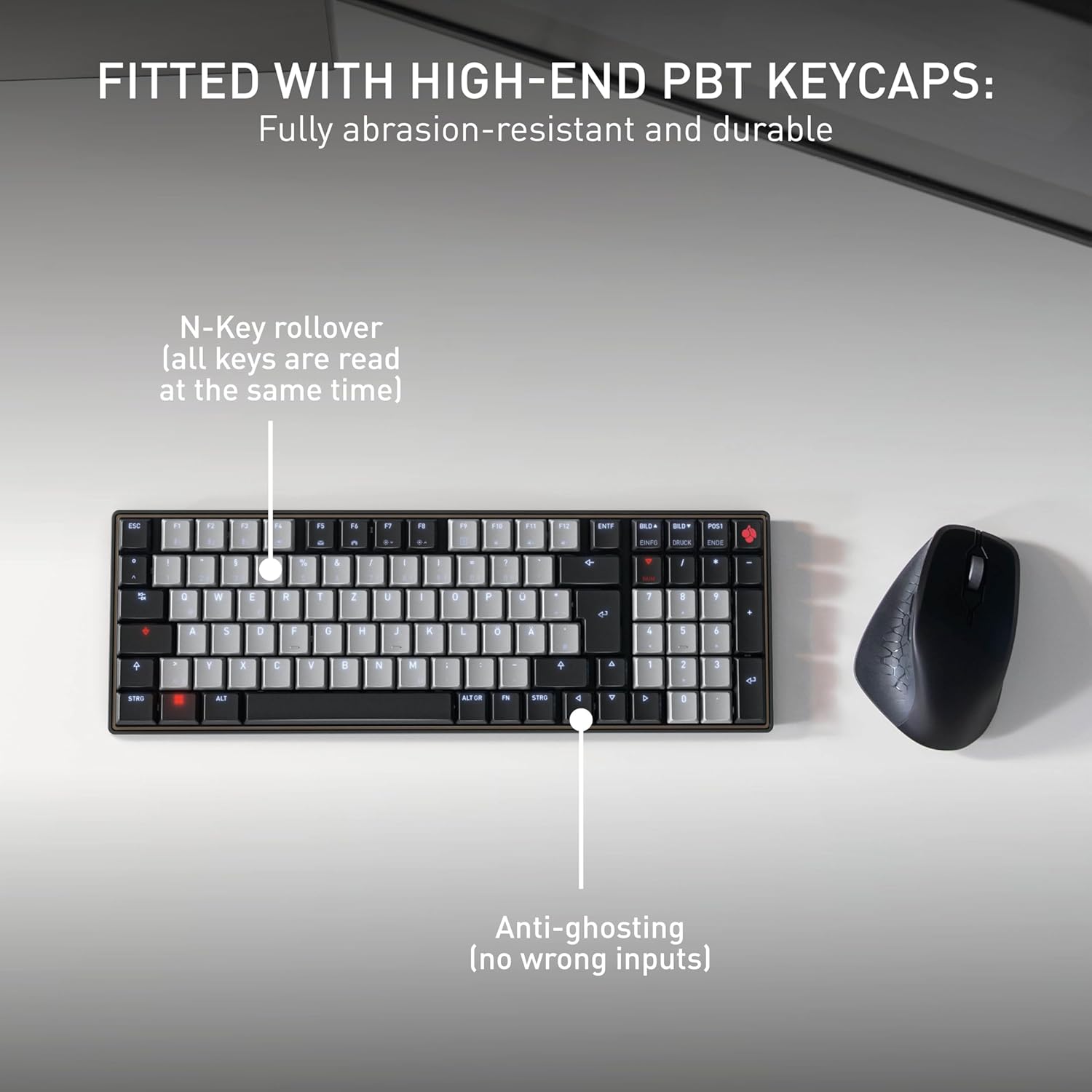
Պատկեր՝ Fitted with High-End PBT Keycaps. This image displays the keyboard's durable, abrasion-resistant PBT keycaps. It also illustrates key features like N-Key rollover, ensuring all keys are registered simultaneously, and anti-ghosting technology to prevent incorrect inputs during rapid typing.
4. Պահպանում
4.1 Ստեղնաշարի մաքրում
- Մաքրելուց առաջ անջատեք ստեղնաշարը բոլոր սարքերից։
- Օգտագործեք փափուկ, առանց մզկի կտոր, թեթևակի դampջրով կամ մեղմ մաքրող լուծույթով՝ ստեղների կափարիչները և մակերեսը սրբելու համար։
- Խուսափեք կոշտ քիմիական նյութեր, հղկող մաքրող միջոցներ օգտագործելուց կամ հեղուկներ ուղղակիորեն ստեղնաշարի վրա ցողելուց։
- Բանալիների միջև ընկած բեկորների համար օգտագործեք սեղմված օդ։
4.2 Մարտկոցի խնամք
- To maximize battery life, avoid fully discharging the keyboard frequently.
- Լիցքավորեք մարտկոցը, երբ հայտնվի մարտկոցի ցածր լիցքի ցուցիչը։
- Store the keyboard in a cool, dry place if not used for extended periods.
5: Անսարքություն
5.1 Ստեղնաշարը չի արձագանքում
- Ստուգեք մարտկոցը. Ensure the keyboard is charged. Connect it via USB-C cable to see if it powers on.
- Լարային միացում. If using wirelessly, try connecting directly with the USB-C cable to rule out Bluetooth issues.
- Bluetooth Re-pairing: If using Bluetooth, delete the keyboard from your device's Bluetooth list and attempt to re-pair it. Ensure the correct Bluetooth channel (F1, F2, or F3) is selected on the keyboard.
- Վերագործարկեք սարքը. Restart the connected computer or device.
5.2 Հետին լուսավորության խնդիրներ
- Պայծառության ճշգրտում. Ensure the backlighting is not set to the lowest brightness level. Adjust using the designated function keys.
- Էներգախնայողություն. The backlighting may turn off after a period of inactivity to conserve battery. Press any key to reactivate.
5.3 Ստեղները չեն գրանցվում կամ կրկնակի մուտքագրվում են
- Մաքուր բանալիներ՝ Check for any debris under the affected keycaps.
- Ներկառուցված ծրագրի թարմացում. Check the official Cherry webկայք՝ ձեր ստեղնաշարի մոդելի համար առկա ցանկացած ծրագրային ապահովման թարմացումների համար։
6. Տեխնիկական պայմաններ
| Առանձնահատկություն | Մանրամասն |
|---|---|
| Բրենդ | Բալի |
| Մոդելի անվանումը | Cherry MX KW 550 LP |
| Մոդելի համարը | G8A-25510HOAUS-2 |
| Միացման տեխնոլոգիա | Bluetooth |
| Ստեղնաշարի նկարագրություն | Compact Mechanical |
| Անջատիչի տեսակը | Linear (Cherry MX Low Profile 2.0 Ivory) |
| Բանալիների քանակը | 99 |
| Ստեղնաշարի դասավորություն | QWERTY |
| Հատուկ առանձնահատկություններ | Multi-Connection, PBT Keycaps, Slim Mechanical |
| Նյութ | Մետաղ |
| Էլեկտրաէներգիայի աղբյուր | սնուցվում է մարտկոցով |
| Ներառված բաղադրիչներ | USB մալուխ |
| UPC | 840183609207 |
7. Երաշխիք և աջակցություն
7.1 Երաշխիքային տեղեկատվություն
The Cherry KW 550 MX LP keyboard comes with a 2 տարի երաշխիք գնման օրվանից։ Այս երաշխիքը ներառում է արտադրական թերությունները և անսարքությունները նորմալ օգտագործման դեպքում։ Խնդրում ենք պահպանել գնման ապացույցը երաշխիքային պահանջների համար։
7.2 Հաճախորդների աջակցություն
For technical assistance, troubleshooting, or warranty inquiries, please visit the official Cherry website or contact their customer support. You can find contact details and further resources at www.cherry.de/en/support.