
Ներածություն
This manual provides detailed instructions for the safe and efficient operation of your GOVO Goloud 980 160W Party Speaker. Please read this manual thoroughly before using the product and retain it for future reference. Proper use ensures optimal performance and longevity of your device.
Ինչ կա տուփի մեջ
Փաթեթավորումը բացելիս ստուգեք, որ հետևյալ բոլոր իրերը ներառված են.
- 1 x GOVO Goloud 980 Party Speaker
- 1 x անլար խոսափող
- 1 x Հեռակառավարման վահանակ
- 1 x Type-C մալուխ
- 1 x Օգտագործողի ձեռնարկ (այս փաստաթուղթը)
- 1 x Երաշխիքային քարտ
Ապրանքը ավարտվել էview և Առանձնահատկություններ
The GOVO Goloud 980 is a 160W party speaker designed for powerful audio output and versatile entertainment. Key features include:
- Immersive 160W Sound: Delivers powerful audio with deep bass.
- Vibrant Flame LEDs: Adjustable LED lighting to enhance the ambiance.
- Երկարացված նվագարկման ժամանակ. Մինչև 6 ժամ մարտկոցի կյանք:
- Բազմակողմանի միացում. Supports Bluetooth v5.3, TF card, AUX, and USB inputs.
- Personalized EQ Modes: Five customizable audio modes (Normal, Party, Pop, Rock, Jazz).
- Կրկնակի խոսափողի մուտքեր. Includes two ports for microphone connections, ideal for karaoke.
- TWS ռեժիմ: Allows pairing two Goloud 980 speakers for a stereo experience.

Image: The GOVO Goloud 980 speaker showcasing its powerful sound capabilities with illuminated woofers.
Կարգավորում
1. Սկզբնական լիցքավորում
Before first use, fully charge the speaker using the provided Type-C cable. Connect the cable to the speaker's charging port and a compatible USB power adapter (not included). The charging indicator will show the charging status.
2. Միացում/անջատում
- Միացնելու համար սեղմեք և պահեք կառավարման վահանակի վրա գտնվող «Միացում» կոճակը։
- Անջատելու համար կրկին սեղմեք և պահեք Միացման կոճակը։
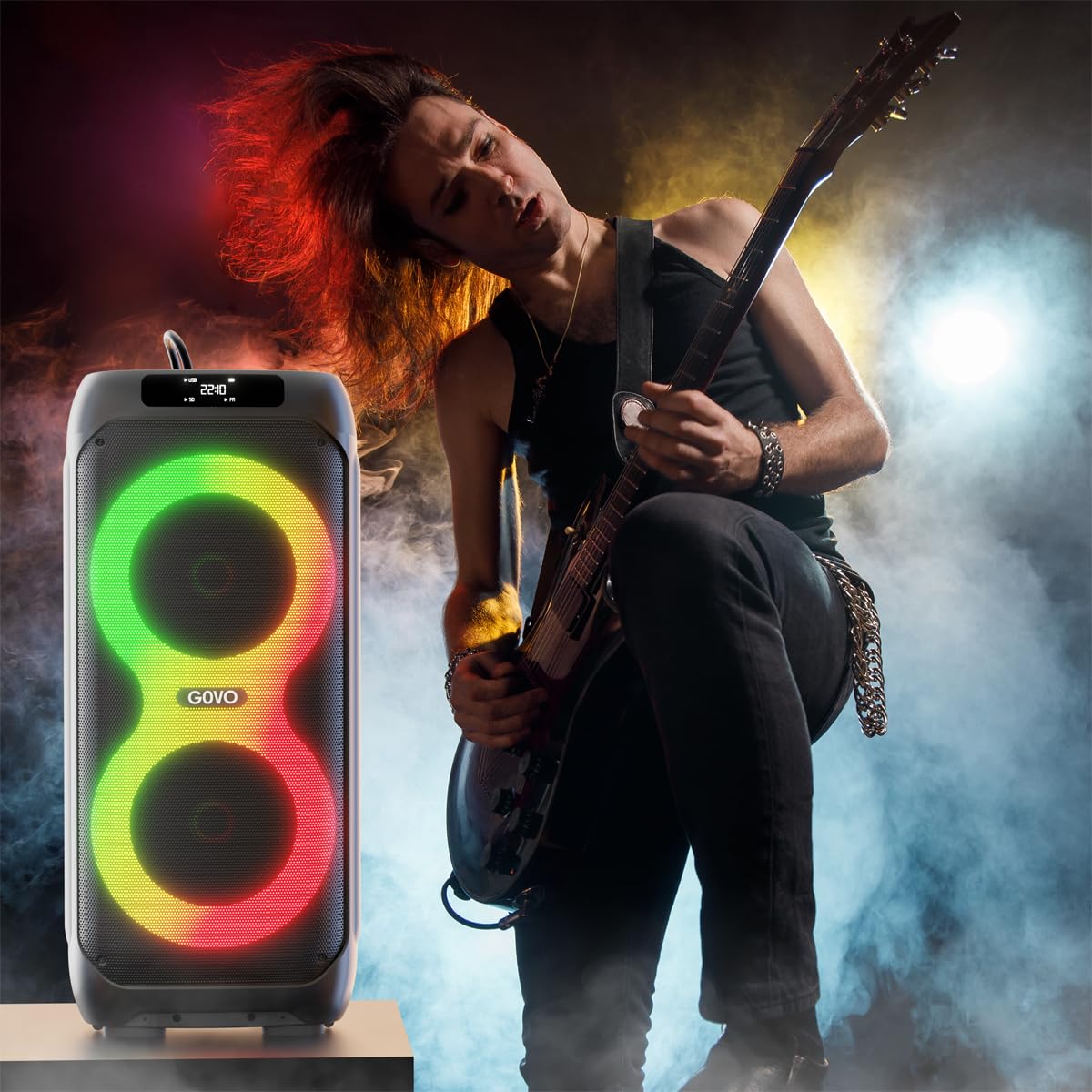
Image: Close-up of the speaker's control panel, showing the power switch, USB, AUX, and microphone inputs.
Գործառնական հրահանգներ
1. Bluetooth զուգավորում
- Ensure the speaker is powered on and in Bluetooth mode. The LED display will indicate "BT".
- Ձեր սարքի վրա (սմարթֆոն, պլանշետ և այլն) միացրեք Bluetooth-ը և որոնեք հասանելի սարքերը։
- Select "GOVO Goloud 980" from the list.
- Once paired, the speaker will emit an audible confirmation, and the LED display will show a stable Bluetooth icon.
2. AUX մուտքագրում
Connect an audio device using a 3.5mm AUX cable (not included) to the AUX port on the speaker. The speaker will automatically switch to AUX mode or can be manually selected via the Mode button.
3. USB նվագարկումը
Տեղադրեք USB ֆլեշ կրիչ, որը պարունակում է MP3 աուդիո files into the USB port. The speaker will automatically detect and begin playing music from the drive. Use the control panel or remote to navigate tracks.
4. TF քարտի վերարտադրում
Տեղադրեք TF (MicroSD) քարտ MP3 աուդիոյով files into the TF card slot. The speaker will automatically switch to TF card mode and play music. Use the control panel or remote for track control.
5. TWS (True Wireless Stereo) Mode
To pair two GOVO Goloud 980 speakers for a stereo sound experience:
- Համոզվեք, որ երկու բարձրախոսներն էլ միացված են և Bluetooth ռեժիմում են, բայց միացված չեն որևէ սարքի։
- On one speaker, press and hold the TWS button (refer to the control panel diagram in the manual if available). The speaker will indicate it's searching for another TWS speaker.
- The two speakers will automatically pair. A confirmation sound will indicate successful pairing.
- Connect your device to the primary speaker via Bluetooth as described in step 1. Audio will now play in stereo through both speakers.
6. Wireless Microphone Usage
The GOVO Goloud 980 includes a wireless microphone for karaoke or announcements.
- Համոզվեք, որ անլար միկրոֆոնը միացված է։
- The microphone will automatically connect to the speaker.
- Adjust microphone volume and echo effects using the dedicated controls on the speaker's control panel or remote.
- Additional wired microphones can be connected to the MIC1 and MIC2 ports.

Image: A person using the wireless microphone with the GOVO Goloud 980 speaker, highlighting its karaoke feature.
7. EQ ռեժիմներ
Cycle through the five preset equalizer modes using the EQ button on the control panel or remote control to optimize sound for different genres:
- Նորմալ: Հավասարակշռված ձայնի պրոֆեսիոնալfile.
- Կուսակցություն: Enhanced bass and treble for lively gatherings.
- Փոփ: Optimized for popular music genres.
- Ռոք: Emphasizes guitar and drum frequencies.
- Ջազ: Smoother, warmer tones suitable for jazz music.
Տեխնիկական սպասարկում
- Մաքրում: Բարձրախոսի արտաքին մասը մաքրելու համար օգտագործեք փափուկ, չոր կտոր։ Մի օգտագործեք հղկող մաքրող միջոցներ կամ լուծիչներ։
- Պահպանում: Երկար ժամանակ չօգտագործելու դեպքում բարձրախոսը պահեք զով, չոր տեղում՝ արևի ուղիղ ճառագայթներից և ծայրահեղ ջերմաստիճաններից հեռու։
- Մարտկոցի խնամք. To prolong battery life, avoid fully discharging the speaker frequently. Charge it regularly, even if not in constant use.
- Ջրի ազդեցությունը. Այս բարձրախոսը ջրակայուն չէ։ Խուսափեք ջրի կամ բարձր խոնավության ազդեցությունից։
Անսարքությունների վերացում
| Խնդիր | Հնարավոր պատճառ | Լուծում |
|---|---|---|
| Ոչ մի ուժ | Մարտկոցը սպառվել է։ Էլեկտրական մալուխը ճիշտ միացված չէ։ | Charge the speaker fully; Ensure the power cable is securely connected. |
| Ոչ մի ձայն | Volume too low; Incorrect input mode selected; Device not paired. | Increase volume on speaker and connected device; Select the correct input mode (Bluetooth, AUX, USB, TF); Re-pair Bluetooth device. |
| Bluetooth կապն անկայուն է | Device too far from speaker; Interference; Low battery. | Move device closer to speaker (within 10 meters); Avoid obstacles; Charge the speaker. |
| Խոսափողը չի աշխատում | Microphone not powered on; Volume too low; Incorrect port used for wired mic. | Ensure wireless mic is on; Increase mic volume; For wired mics, use MIC1 or MIC2 ports. |
Տեխնիկական պայմաններ
| Առանձնահատկություն | Մանրամասն |
|---|---|
| Մոդելի անվանումը | Goloud 980 |
| Բարձրախոսի տեսակը | Outdoor / Party Speaker |
| Ելքային հզորություն | 160 Վտ |
| Միացման տեխնոլոգիա | Bluetooth v5.3, Auxiliary, USB, TF Card |
| Մարտկոցի միջին ժամկետը | Մինչև 6 ժամ |
| Վերահսկման մեթոդ | Remote, On-device controls |
| Ապրանքի չափերը (D x W x H) | 34D x 76W x 32.7H սանտիմետրեր |
| Նյութի քաշը | 12 կգ |
| Ներառված բաղադրիչներ | Speaker, Wireless Mic, Remote Control, Type-C Cable, User Manual, Warranty Card |
| Գույն | Սեւ |
| Անջրանցիկ | Ոչ |
Երաշխիք և աջակցություն
The GOVO Goloud 980 Party Speaker comes with a Սահմանափակ երաշխիք. Please refer to the included Warranty Card for specific terms, conditions, and duration of the warranty.
For technical support, service, or warranty claims, please contact GOVO customer service through their official website or the contact information provided on your warranty card. Ensure you have your product model number (Goloud 980) and proof of purchase ready when contacting support.
You can visit the GOVO Store for more information: GOVO Official Store