
1. Ներածություն
The SENTKENG Y03008 InstaVision 1080P WiFi Camera is an indoor security camera designed for monitoring your home, baby, or pets. It offers 1080P Full HD video, pan and tilt functionality for wide coverage, two-way audio communication, infrared night vision, and intelligent motion detection. This manual provides essential information for setting up, operating, and maintaining your camera.
2. Անվտանգության տեղեկատվություն
- Ensure the camera is used indoors only.
- Օգտագործեք միայն տրամադրված սնուցման ադապտերը և մալուխը։
- Սարքը հեռու պահեք ջրից, խոնավությունից և ծայրահեղ ջերմաստիճանից:
- Մի՛ փորձեք ինքներդ ապամոնտաժել կամ վերանորոգել տեսախցիկը։ Խնդիրներ առաջանալու դեպքում կապվեք աջակցության ծառայության հետ։
- Պահել երեխաների և ընտանի կենդանիներից հեռու:
3. Փաթեթի բովանդակությունը
Խնդրում ենք ստուգել փաթեթի վրա հետևյալ կետերը.
- SENTKENG Y03008 InstaVision 1080P WiFi Camera
- Հրահանգների ձեռնարկ
- Type-C լիցքավորող մալուխ
- Պատի փակագիծ
- Պտուտակային փաթեթ

Image: The camera, Type-C charging cable, wall bracket, screw package, and instruction manual are included in the box.
4. Ապրանքը ավարտված էview
Familiarize yourself with the main components of your camera:
- Տեսախցիկի Ոսպնյակներ. Նկարահանում է 1080P Full HD տեսանյութ։
- Բանախոս: Երկկողմանի աուդիո հաղորդակցության համար:
- Storage Card Slot: Insert a microSD card (up to 128GB, not included) for local storage.
- Վերականգնել բանալի. Օգտագործվում է տեսախցիկը գործարանային կարգավորումներին վերականգնելու համար։
- Type-C լիցքավորման նավահանգիստ. Միացրեք հոսանքի մալուխը այստեղ:
Պատկեր՝ մանրամասն view of the camera highlighting the camera lens, speaker, storage card slot, reset key, and Type-C charging port.
5. Կարգավորման ուղեցույց
5.1 Powering On and App Installation
- Միացում՝ Connect the camera to a power outlet using the provided Type-C charging cable and power adapter. The camera will power on automatically.
- Download the InstaVision App: Որոնել 'InstaVision' in your smartphone's app store (iOS or Android) and download the application.
- Գրանցվել/Մուտք գործել՝ Open the InstaVision app and follow the on-screen instructions to register a new account or log in if you already have one.

Image: The camera next to a smartphone displaying the InstaVision app's welcome screen, illustrating the easy connection process.
5.2 Միացում Wi-Fi-ին
- Սարքի ավելացում. In the InstaVision app, tap the '+' icon or 'Add Device' to begin the pairing process.
- Ընտրեք տեսախցիկի տեսակը՝ Ընտրեք համապատասխան տեսախցիկի մոդելը ցանկից։
- Հետևեք հավելվածի հրահանգներին. The app will guide you through connecting the camera to your 2.4GHz Wi-Fi network. Ensure your phone is connected to the same 2.4GHz Wi-Fi network during setup.
- Հաստատում: Once connected, the camera's indicator light will change, and the app will confirm successful pairing.
5.3 Տեղադրման տարբերակներ
The SENTKENG Y03008 camera offers flexible installation:
- Tabletop Mount (Freestanding): Place the camera on any flat surface such as a table, shelf, or desk. Ensure it has a clear view այն տարածքը, որը ցանկանում եք վերահսկել:
- Առաստաղի տեղադրում. Use the included wall bracket and screws to mount the camera to the ceiling. After mounting, you may need to adjust the image orientation in the InstaVision app settings.

Պատկեր. Օրինակamples of camera placement, showing both flat surface installation and ceiling mounting options.
6. Գործառնական հրահանգներ
6.1 Ուղիղ View և նվագարկումը
Once connected, open the InstaVision app to access the live video feed from your camera. You can view իրական ժամանակի սնունդtage և review recorded events from anywhere, anytime.
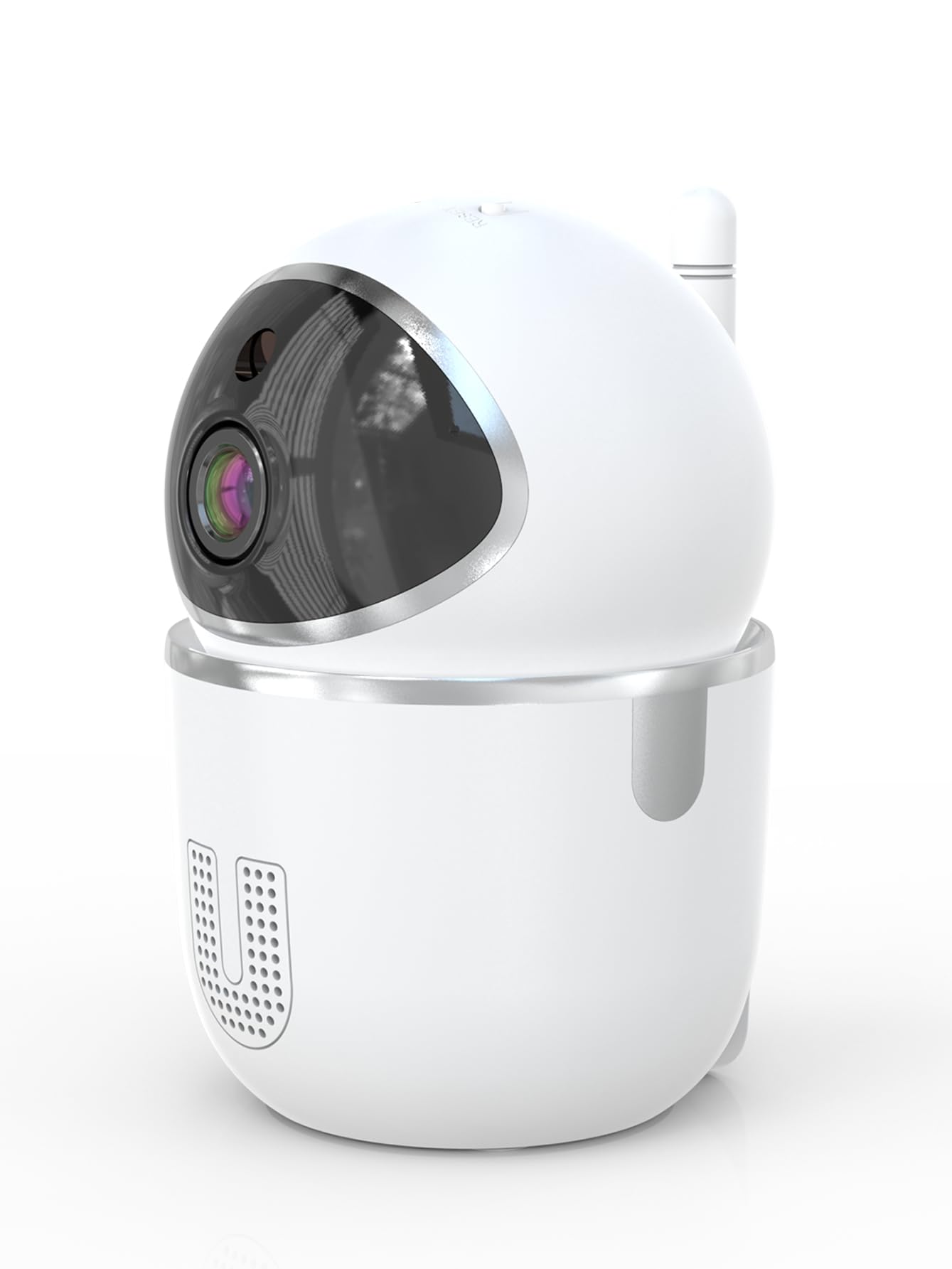
Image: A smartphone displaying the live video feed from the camera, showing a living room scene.
6.2 Շրջադարձի և թեքության կառավարում
Remotely control the camera's viewing angle through the InstaVision app. The camera supports 355° horizontal rotation and 90° vertical tilt, allowing you to cover a wide area with minimal blind spots.

Image: The camera illustrating its pan (355°) and tilt (90°) capabilities, showing the range of motion.
6.3 Երկկողմանի աուդիո
The built-in microphone and speaker enable real-time two-way communication. Tap the microphone icon in the app to speak through the camera, and listen to audio from the camera's surroundings.
6.4 Գիշերային տեսիլք
The camera is equipped with powerful infrared LEDs, providing clear black-and-white video footage in low-light conditions or complete darkness, ensuring 24/7 monitoring.
6.5 Շարժման հայտնաբերում և ահազանգեր
The camera detects motion and sends instant notifications to your smartphone. You can customize motion detection sensitivity and alert schedules within the InstaVision app.

Image: A smartphone screen showing a list of motion detection events and alerts, indicating human presence.
6.6 Պահպանման տարբերակներ
- MicroSD քարտի պահեստավորում. Insert a microSD card (up to 128GB, not included) into the camera's card slot for local recording. The camera will automatically overwrite the oldest footagե. երբ քարտը լիքն է։
- Ամպային պահեստավորում. An optional cloud service is available via a paid InstaVision app subscription. This provides secure off-site storage for your recordings.

Image: The camera with visual cues indicating support for both local microSD card storage (up to 128GB) and optional cloud storage.
6.7 AI Detection (Subscription)
With a paid InstaVision app subscription, you can access advanced AI-powered features such as recognizing people, pets, and specific human actions. This allows for more precise alerts and faster searching of recorded events.

Image: A smartphone screen demonstrating the contextual AI search feature, allowing users to quickly find specific events like package deliveries or pet movements.
6.8 Multi-User Viewինգ
Share access to your camera's live feed with family members or trusted individuals through the InstaVision app, allowing multiple users to view տեսախցիկը միաժամանակ։

Image: The camera surrounded by multiple smartphones, illustrating the multi-user viewing capability for real-time online monitoring.
7. Պահպանում
- Մաքրում: Օգտագործեք փափուկ, չոր կտոր՝ տեսախցիկի օբյեկտիվը և կորպուսը մաքրելու համար: Մի օգտագործեք հեղուկ մաքրող միջոցներ կամ աէրոզոլներ:
- Fրագրակազմի թարմացումներ. Regularly check the InstaVision app for available firmware updates. Keeping your camera's firmware updated ensures optimal performance and security.
- MicroSD քարտի կառավարում. If using a microSD card, periodically check its status in the app. Format the card if necessary to maintain recording quality.
8: Անսարքություն
8.1 Տեսախցիկը չի միանում Wi-Fi-ին
- Համոզվեք, որ ձեր Wi-Fi ցանցը 2.4 ԳՀց է: Տեսախցիկը չի աջակցում 5 ԳՀց Wi-Fi-ին:
- Check that your Wi-Fi password is entered correctly.
- Տեսախցիկը մոտեցրեք ձեր Wi-Fi ռաութերին։
- Վերագործարկեք ձեր ռոուտերը և տեսախցիկը։
- Perform a factory reset on the camera using the reset key and try connecting again.
8.2 Տեսանյութերի հոսք չկա
- Verify the camera is powered on and connected to Wi-Fi.
- Ստուգեք ձեր ինտերնետ կապը:
- Restart the InstaVision app.
8.3 Շարժման հայտնաբերումը չի աշխատում
- Ensure motion detection is enabled in the InstaVision app settings.
- Կարգավորեք շարժման հայտնաբերման զգայունությունը։
- Check the detection zone settings to ensure the desired area is covered.
8.4 Երկկողմանի աուդիո խնդիրներ
- Ensure your phone's microphone is enabled for the InstaVision app.
- Ստուգեք ձայնի կարգավորումները ձեր հեռախոսի և հավելվածի ներսում։
- Ensure there are no obstructions blocking the camera's speaker or microphone.
9. Տեխնիկական պայմաններ
| Մոդելի անվանումը | Y03008 InstaVision |
| Ներքին/Դրսի օգտագործումը | Փակ |
| Տեսանյութի նկարահանման լուծում | 1080p լիարժեք HD |
| Pan/Tilt Range | 355° Հորիզոնական, 90° Ուղղահայաց |
| Միացման տեխնոլոգիա | Անլար (2.4 ԳՀց Wi-Fi) |
| Էլեկտրաէներգիայի աղբյուր | Լարով էլեկտրական |
| Գիշերային տեսողության տիրույթ | 8 մետր |
| Պահպանման ընտրանքներ | MicroSD card (up to 128GB, not included), Cloud Storage (optional subscription) |
| Հատուկ առանձնահատկություններ | 2-Way Audio, PTZ Technology, Motion Detection, AI Detection (subscription) |
| Ապրանքի չափերը | 3.18 x 2.63 x 4.02 դյույմ |
| Նյութի քաշը | 8.5 ունցիա |
10. Երաշխիք և աջակցություն
10.1 Երաշխիքային տեղեկատվություն
For detailed warranty information, please refer to the documentation included with your purchase or visit the official SENTKENG webկայք։ Պահպանեք ձեր գնման ապացույցը երաշխիքային պահանջների համար։
10.2 Հաճախորդների աջակցություն
If you encounter any issues or have questions regarding your SENTKENG Y03008 InstaVision Camera, please contact SENTKENG customer support through the InstaVision app or the official SENTKENG website. Our support team is available to assist you.