
1. Ներածություն
This manual provides detailed instructions for the installation, operation, and maintenance of your SENTKENG Y05009 Indoor Camera. Please read this manual thoroughly before using the product to ensure proper function and safety. The SENTKENG Y05009 is a 1080P WiFi camera designed for indoor monitoring, featuring pan/tilt capabilities, two-way audio, IR night vision, and motion detection.
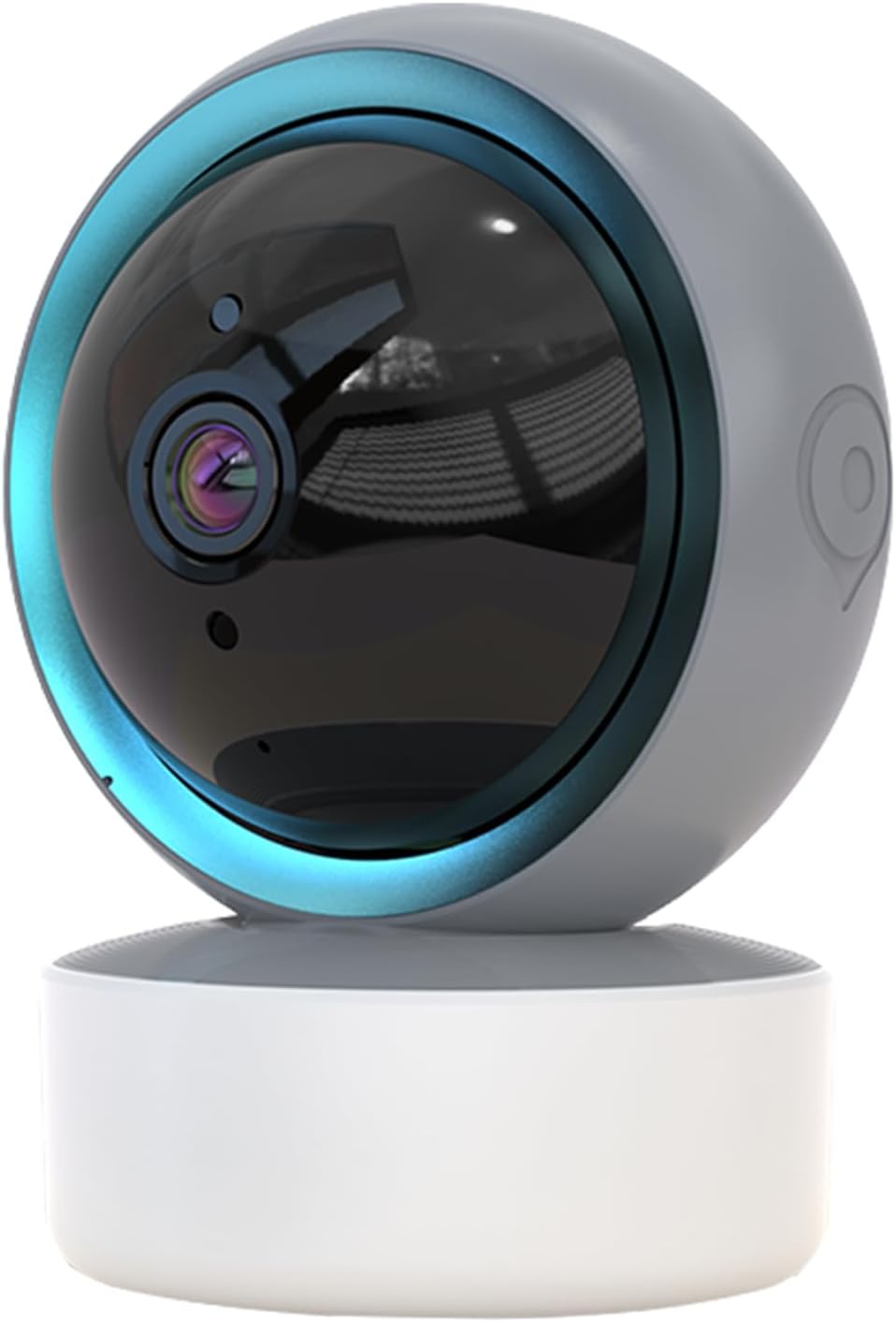
Image 1.1: SENTKENG Y05009 Indoor Camera. This image displays the compact, spherical design of the camera with its lens and base.
2. Փաթեթի բովանդակությունը
Խնդրում ենք ստուգել, որ բոլոր իրերը առկա են փաթեթում։
- SENTKENG Y05009 Indoor Camera
- USB հոսանքի մալուխ
- Power Adapter (not explicitly listed but implied for a plug-in device)
- Մոնտաժային բրա և պտուտակներ
- Հրահանգների ձեռնարկ

Image 2.1: Package Contents. This image shows the camera, USB cable, mounting accessories, and the user manual included in the box.
3. Ապրանքը ավարտված էview
The SENTKENG Y05009 camera features a compact design with essential components for effective indoor monitoring.
3.1 Տեսախցիկի բաղադրիչներ
- Ոսպնյակներ: Նկարահանում է 1080P տեսանյութ։
- Ինֆրակարմիր LED-ներ. Provide night vision capabilities.
- Խոսափող: Աուդիո մուտքի և երկկողմանի զրույցի համար։
- Բանախոս: Աուդիո ելքի և երկկողմանի զրույցի համար։
- MicroSD քարտի բնիկ. Supports local storage up to 128GB (card not included).
- Վերականգնման կոճակ. Used for factory reset or pairing mode.
- Power նավահանգիստ: USB port for connecting the power cable.
Image 3.1: Camera Component Details. This image highlights the speaker, microSD card slot, reset button, and power port on the camera.
4. Կարգավորում
Follow these steps to set up your SENTKENG Y05009 Indoor Camera.
4.1 Միացում
- Միացրեք USB սնուցման մալուխը տեսախցիկի սնուցման միացքին։
- Plug the other end of the USB cable into the provided power adapter.
- Plug the power adapter into a standard electrical outlet. The camera will power on and initiate its startup sequence.
4.2 Հավելվածի տեղադրում և հաշվի ստեղծում
- Ներբեռնեք InstaVision հավելվածը ձեր սմարթֆոնի հավելվածների խանութից (iOS կամ Android):
- Open the InstaVision app and create a new account or log in if you already have one.

Image 4.1: InstaVision App Interface. This image shows the 'Welcome to InstaVision' screen on a smartphone, illustrating the initial app setup.
4.3 Միացում Wi-Fi-ին
The camera supports 2.4GHz Wi-Fi networks only.
- In the InstaVision app, tap 'Add Device' or the '+' icon.
- Select your camera model or 'Smart Camera'.
- Follow the on-screen instructions to connect the camera to your 2.4GHz Wi-Fi network. This typically involves scanning a QR code generated by the app with the camera's lens or listening for an audio prompt.
- Միանալուց հետո տեսախցիկի ցուցիչի լույսը կփոխվի, և դուք կստանաք հաստատում հավելվածում։
4.4 Տեղադրում և տեղադրում
The camera can be placed on a flat surface or mounted to a ceiling.
- Սեղանի տեղադրում. Place the camera on a stable, flat surface such as a table or shelf.
- Առաստաղի տեղադրում. Use the provided mounting bracket and screws to secure the camera to the ceiling. Ensure the camera is oriented correctly for optimal viewինգ.
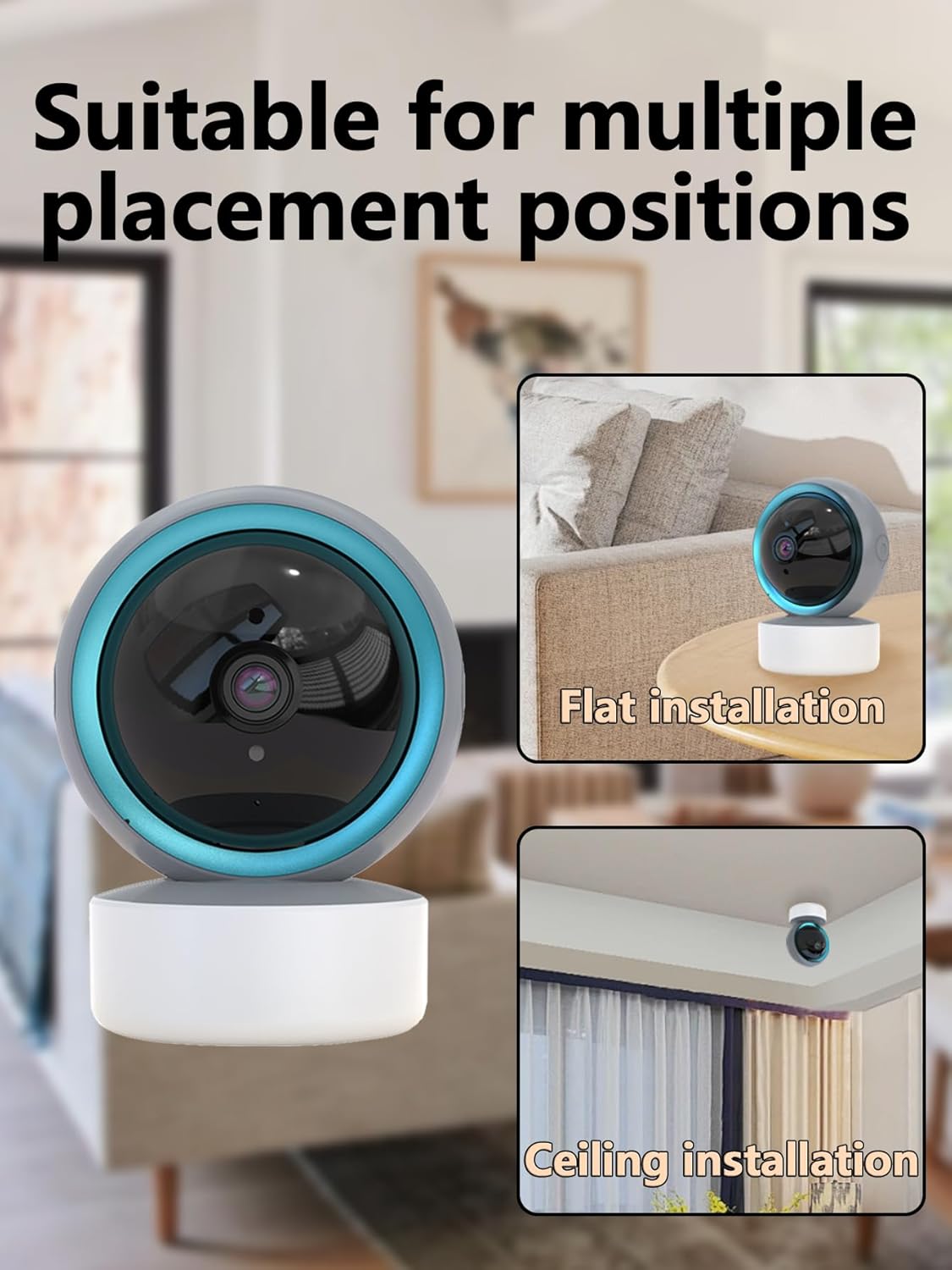
Image 4.2: Multiple Placement Positions. This image illustrates the camera placed on a flat surface and mounted on a ceiling.
5. Գործառնական հրահանգներ
Learn how to use the various features of your SENTKENG Y05009 camera.
5.1 Ուղիղ View և շրջադարձի/թեքման կառավարում
- Open the InstaVision app and select your camera from the device list.
- You will see the live video feed.
- Use the directional controls within the app to remotely rotate the camera lens: 355° հորիզոնական և 90° ուղղահայաց.

Image 5.1: Multi-Angle Rotation. This image demonstrates the camera's ability to rotate 355 degrees horizontally and 90 degrees vertically.
5.2 Երկկողմանի աուդիո
The camera features a built-in microphone and speaker for real-time communication.
- Ուղիղ եթերի ժամանակ view, հպեք միկրոֆոնի պատկերակին հավելվածում։
- Speak into your phone to transmit audio through the camera's speaker.
- The camera's microphone will capture audio from its surroundings, which you can hear through your phone.
5.3 Շարժման հայտնաբերում և ահազանգեր
The camera can detect motion and send instant notifications to your phone.
- Enable motion detection in the InstaVision app settings for your camera.
- Անհրաժեշտության դեպքում կարգավորեք զգայունության մակարդակը։
- When motion is detected, you will receive a push notification on your smartphone.
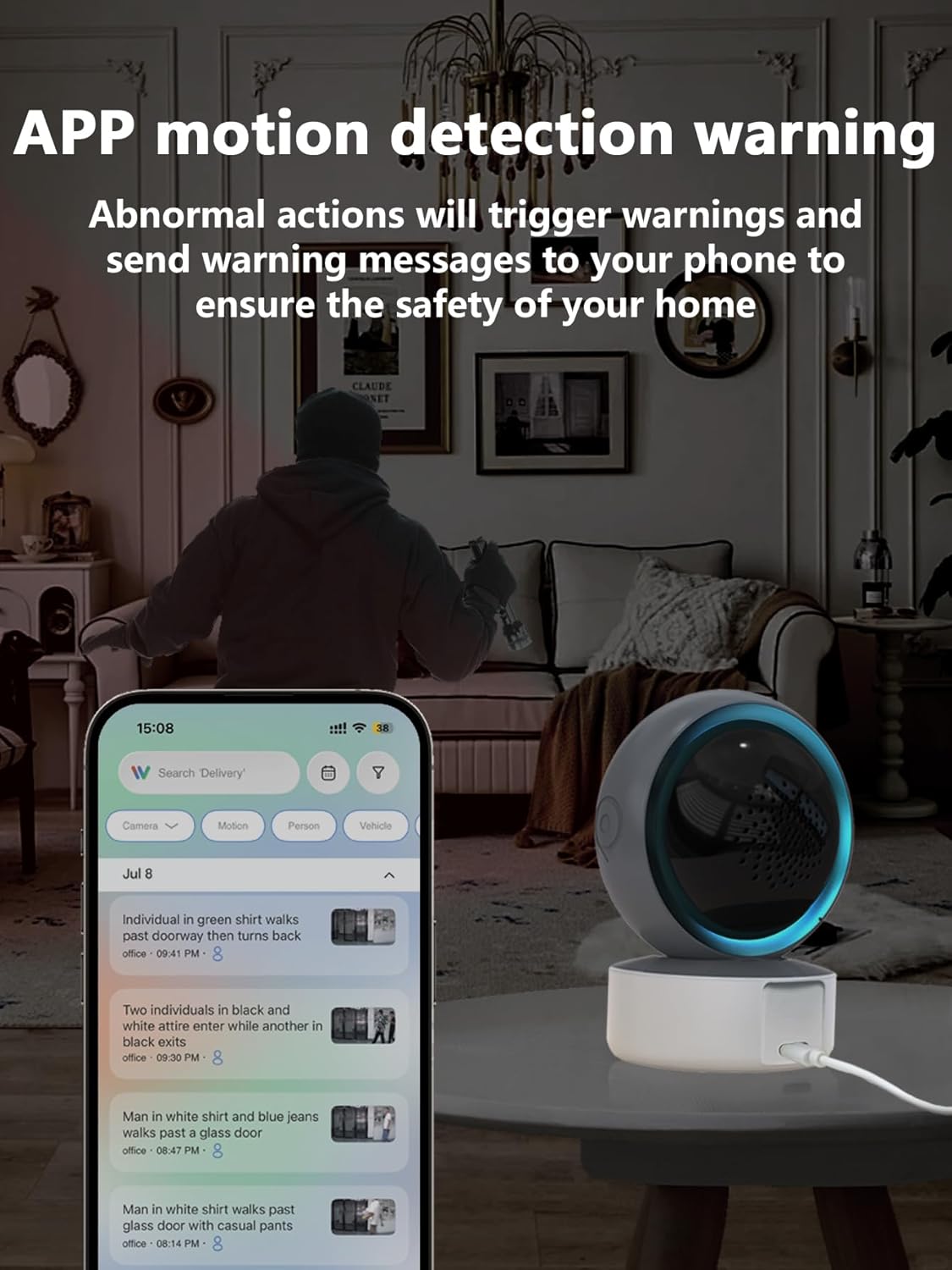
Image 5.2: APP Motion Detection Warning. This image shows a smartphone displaying motion detection alerts from the InstaVision app, with the camera monitoring a room.
5.4 IR գիշերային տեսողություն
Տեսախցիկը թույլ լուսավորության պայմաններում ավտոմատ կերպով անցնում է ինֆրակարմիր գիշերային տեսողության։
- Infrared LEDs provide clear black-and-white images up to 8 meters in complete darkness.
- No manual activation is required; the camera adjusts automatically.

Image 5.3: Clear IR Night Vision. This image depicts the camera providing a clear view in a dark room, with a smartphone displaying the night vision feed.
5.5 Տեսանյութի պահպանում
The camera offers two storage options for recorded footage:
- MicroSD քարտ. Insert a microSD card (up to 128GB, not included) into the camera's slot for local storage. Recordings will be saved directly to the card.
- Ամպային ծառայություն. An optional cloud storage subscription is available through the InstaVision app for remote and secure storage of your video recordings.

Image 5.4: Video Playback & Storage Function. This image shows the camera, a microSD card, and a smartphone displaying cloud storage icons, illustrating the dual storage options.
5.6 AI Detection (Subscription)
Advanced AI-powered detection features are available with a paid InstaVision app subscription. These features may include:
- Անձի հայտնաբերում
- Կենդանիների հայտնաբերում
- Specific human action recognition
5.7 Multi-User Viewինգ
The InstaVision app allows multiple users to view տեսախցիկի սնուցումը միաժամանակ։
- In the app, navigate to the camera settings and find the 'Share Device' option.
- Invite other users by entering their InstaVision account details.
- Shared users will receive an invitation and can then access the camera feed.

Image 5.5: Simultaneous Online Viewing by Multiple Users. This image shows several individuals viewing the camera feed on their smartphones, indicating the family share function.
6. Պահպանում
Regular maintenance helps ensure the longevity and optimal performance of your camera.
- Մաքրում: Զգուշորեն սրբեք տեսախցիկի օբյեկտիվը և կորպուսը փափուկ, չոր կտորով: Խուսափեք կոշտ քիմիական նյութերի կամ հղկող նյութերի օգտագործումից:
- Ծրագրային թարմացումներ. Periodically check the InstaVision app for firmware updates for your camera. Keeping the firmware updated ensures you have the latest features and security enhancements.
- Power Cycle: Եթե տեսախցիկի հետ կապված խնդիրներ կան, փորձեք այն 10 վայրկյանով անջատել սնուցման աղբյուրից, ապա նորից միացնել։
7: Անսարքություն
If you encounter problems with your SENTKENG Y05009 camera, refer to the following common issues and solutions.
- Camera is offline:
- Ensure the camera is properly powered on and the power adapter is securely plugged in.
- Check your Wi-Fi network connection. Ensure the camera is within range of your 2.4GHz Wi-Fi router.
- Վերագործարկեք տեսախցիկը՝ այն անջատելով և նորից միացնելով։
- If the issue persists, try resetting the camera and re-pairing it with the app.
- Հնարավոր չէ միանալ Wi-Fi-ին.
- Verify that your Wi-Fi network is 2.4GHz. The camera does not support 5GHz networks.
- Համոզվեք, որ մուտքագրում եք ճիշտ Wi-Fi գաղտնաբառը:
- Move the camera closer to your Wi-Fi router during the setup process.
- Reset the camera and attempt the connection process again.
- Motion detection alerts are not received:
- Check the motion detection settings in the InstaVision app to ensure it is enabled and sensitivity is adjusted appropriately.
- Verify that your smartphone's notification settings allow alerts from the InstaVision app.
- Ensure the camera has a stable internet connection.
- Տեսանյութի վատ որակ.
- Համոզվեք, որ տեսախցիկի օբյեկտիվը մաքուր է և զերծ փոշուց կամ բծերից։
- Ստուգեք ձեր Wi-Fi ազդանշանի ուժգնությունը: Թույլ ազդանշանը կարող է ազդել հեռարձակման որակի վրա:
- Ensure adequate lighting for optimal daytime video.
8. Տեխնիկական պայմաններ
| Առանձնահատկություն | Հստակեցում |
|---|---|
| Մոդելի անվանումը | Ե05009 |
| Ներքին/Դրսի օգտագործումը | Փակ |
| Տեսանյութի նկարահանման լուծում | 1080p |
| Միացման տեխնոլոգիա | Անլար (2.4 ԳՀց Wi-Fi) |
| Էլեկտրաէներգիայի աղբյուր | Լարով էլեկտրական |
| Pan/Tilt Range | Հորիզոնական 355°, Ուղղահայաց 90° |
| Գիշերային տեսողության տիրույթ | 8 մետր |
| Պահպանման ընտրանքներ | MicroSD Card (up to 128GB), Cloud Storage (subscription) |
| Երկկողմանի աուդիո | Այո՛ |
| Շարժման հայտնաբերում | Այո՛ |
| AI-ի առանձնահատկությունները | Optional (subscription required) |
| Համատեղելի սարքեր | Սմարթֆոն (iOS, Android) |
| Ապրանքի չափերը | 3.58 x 2.97 x 4.69 դյույմ |
| Նյութի քաշը | 9 ունցիա |
9. Աջակցության տեղեկատվություն
For further assistance or technical support, please refer to the contact information provided with your product packaging or visit the official SENTKENG webկայք։