Ներածություն
This manual provides essential information for the proper setup, operation, and maintenance of your LG SPM7A 3.1.2 Channel High Res Audio Sound Bar. Please read this manual thoroughly before using the product to ensure safe and optimal performance.
The LG SPM7A Sound Bar is designed to enhance your home audio experience with advanced features. It incorporates Meridian Audio Technologies, Dolby Atmos and DTS:X with upfiring height speakers for immersive sound. Enjoy high-resolution audio that delivers sound closer to the original recording, 4K and Dolby Vision video passthrough, and AI Sound Pro, which intelligently adjusts sound levels based on what you are watching.
Ինչ կա տուփի մեջ
Փաթեթավորումից հանելիս համոզվեք, որ բոլոր բաղադրիչները առկա են և լավ վիճակում են՝
- LG SPM7A ձայնային բար
- Անլար սուբվուֆեր
- Հեռակառավարման վահանակ (պահանջվում է 2 AAA մարտկոց, ներառված է)
- Հոսանքի մալուխներ (Sound Bar-ի և Subwoofer-ի համար)
- HDMI մալուխ
- Wall Mount Bracket (with screws and anchors)
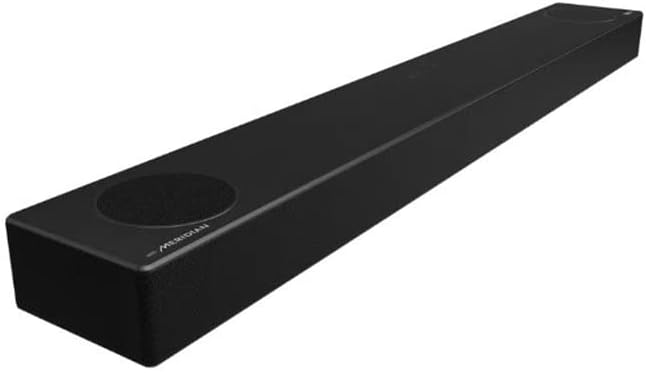
Image: LG SPM7A Sound Bar and Wireless Subwoofer components.
Կարգավորում
Follow these steps to set up your LG SPM7A Sound Bar system:
- Տեղադրում: Place the sound bar centrally below your television. Position the wireless subwoofer in a convenient location near the sound bar, ensuring it has access to a power outlet. The wireless connection allows for flexible placement.
- Էլեկտրաէներգիայի միացում. Connect the power cable to the sound bar's power input and then to a wall outlet. Do the same for the wireless subwoofer. The subwoofer should automatically pair with the sound bar once both are powered on.
- TV Connection (HDMI ARC Recommended):
- Connect one end of the provided HDMI cable to the HDMI OUT (TV ARC/eARC) port on the sound bar.
- Connect the other end of the HDMI cable to the HDMI ARC/eARC port on your television. This connection allows for high-quality audio transmission and control of the sound bar with your TV remote.
- Alternative TV Connection (Optical): If your TV does not have an HDMI ARC/eARC port, connect an optical cable (not included) from the OPTICAL IN port on the sound bar to the optical digital audio output on your television.
- External Device Connection (HDMI IN): To connect an external device (e.g., Blu-ray player, game console) directly to the sound bar, use an HDMI cable to connect the device's HDMI OUT to the HDMI IN port on the sound bar. Then, connect the sound bar's HDMI OUT (TV ARC/eARC) to your TV's HDMI ARC/eARC port.
- USB միացում. Աուդիո նվագարկելու համար files from a USB device, insert the USB drive into the USB port on the sound bar.

Պատկեր՝ Հետևի մաս view of the LG SPM7A Sound Bar showing HDMI, Optical, and USB ports.
Video: A detailed look at the LG SPM7A Sound Bar's connections and features.
Գործող
Control your sound bar using the included remote control or the touch controls on the unit itself.
- Միացում/անջատում. Սեղմեք հեռակառավարման վահանակի կամ ձայնային վահանակի վրա գտնվող միացման կոճակը՝ սարքը միացնելու կամ անջատելու համար։
- Ներածման ընտրություն. Press the 'F' (Function) button on the remote or the sound bar to cycle through available input sources (HDMI ARC, HDMI IN, Optical, Bluetooth, USB). The current input will be displayed on the sound bar's front panel.
- Ձայնի վերահսկում. Use the VOL +/- buttons on the remote control or the +/- buttons on the sound bar to adjust the volume.
- Ձայնային ռեժիմներ. The sound bar offers various sound modes to optimize your listening experience:
- AI Sound Pro: Automatically analyzes content and optimizes sound settings in real-time.
- Ֆիլմ. Enhances cinematic sound for movies.
- Երաժշտություն: Օպտիմալացնում է ձայնը երաժշտության նվագարկման համար։
- Ստանդարտ: Ապահովում է հավասարակշռված ձայն ընդհանուր լսողության համար։
- Bass Blast/Bass Blast+: Boosts bass for a more powerful low-end.
- Bluetooth զույգ. To pair a Bluetooth device, select the Bluetooth input on the sound bar. On your device, search for