1. Ներածություն և ավարտview
The vretti HP2 Portable Bluetooth Label Maker Machine is a compact and intelligent device designed for creating custom labels wirelessly. This thermal label printer offers high-quality, inkless printing for various organizational needs in home, office, and retail environments. Its portable design allows for convenient use anytime, anywhere.
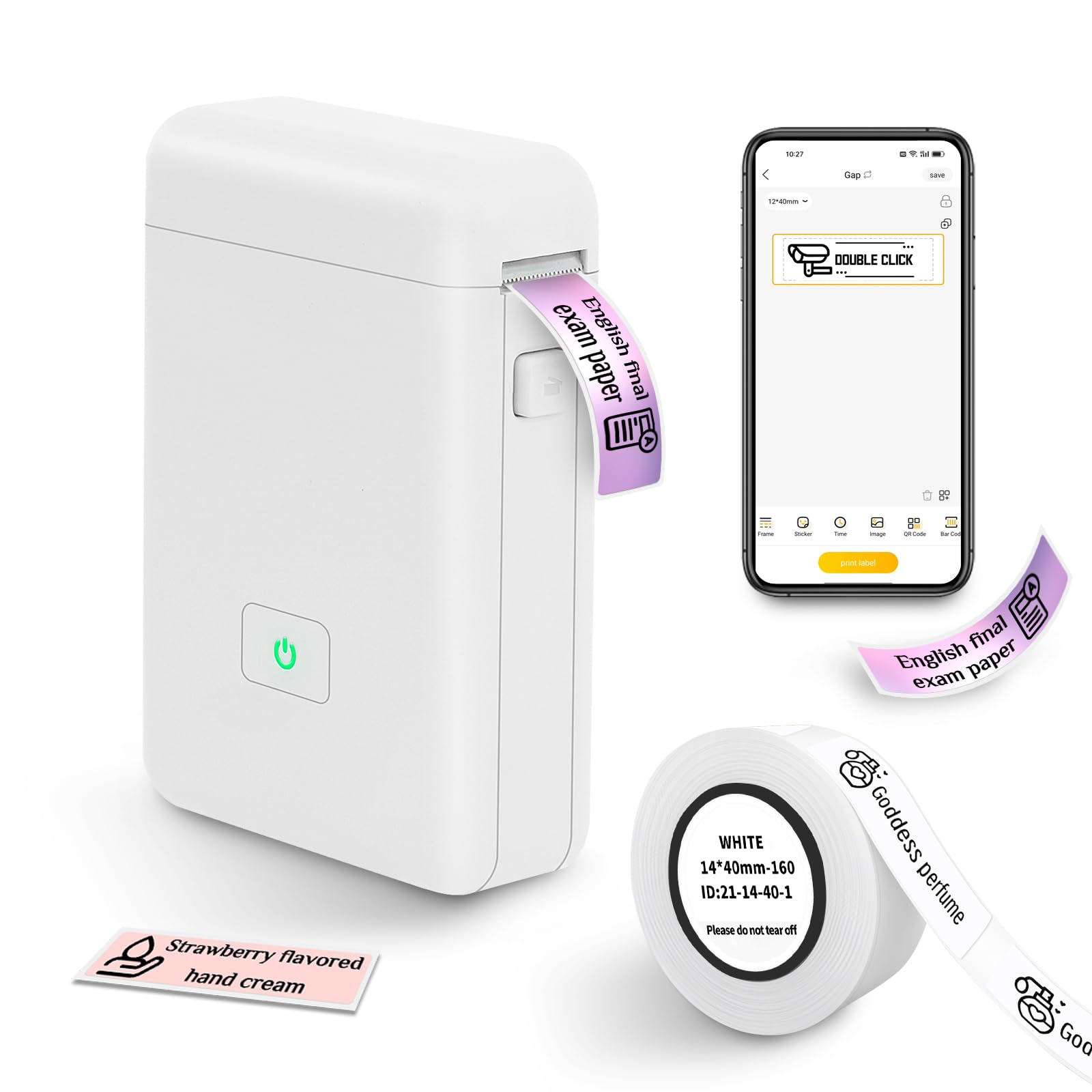
Figure 1: The vretti HP2 Portable Bluetooth Label Maker Machine, a compact white device with a power button, shown on a countertop.
2. Ի՞նչ կա տուփի մեջ
Upon unboxing your vretti HP2 Label Maker Machine, you should find the following components:
- 1 x vretti HP2 Label Maker Machine
- 1 x Roll of 14x40mm White Label Paper
- 1 x USB լիցքավորման մալուխ
- 1 x Product Usage Guide (Instruction Manual)
3. Կարգավորում
Follow these steps to set up your vretti HP2 Label Maker Machine:
- Սարքի լիցքավորում. Connect the label maker to a power source using the provided USB charging cable. The power indicator light will show charging status. Ensure the device is fully charged before first use.
- Տեղադրեք պիտակների գլանափաթեթը՝ Open the cover of the label maker by pressing the designated button. Insert the label paper roll into the machine, ensuring the labels feed correctly. Close the cover securely.
- Ներբեռնեք հավելվածը՝ The vretti HP2 operates via Bluetooth connectivity with a smartphone app. Download the "XeasyLabel" app from your device's app store (iOS or Android). This label maker does not work with computers.
- Միացեք Bluetooth-ի միջոցով. Turn on the label maker by pressing and holding the power button until the indicator light turns green. Open the "XeasyLabel" app on your smartphone and follow the in-app instructions to connect to the HP2 device via Bluetooth.

Figure 2: Visual guide for connecting the vretti HP2 label maker via Bluetooth and downloading the XeasyLabel app from app stores.
4. Գործառնական հրահանգներ
Once your vretti HP2 is set up and connected to the "XeasyLabel" app, you can begin creating and printing labels:
- Create a New Label: In the "XeasyLabel" app, select the option to "Create a New Tag" or choose from "Label Templates."
- Customize Your Label: The app offers extensive customization options, including over 60 fonts, 12+ languages, and 400+ borders. You can add text, tables, symbols, logos, barcodes, QR codes, images, time, or import data from Excel.
- Կարգավորել կարգավորումները. Before printing, you can adjust print density and the number of copies within the app.
- Տպել պիտակը. Tap the "Print" button in the app. The label maker will quickly print your customized label. Labels are of fixed length (e.g., 14x40mm) and do not support continuous label tape.
- Tear Off Label: Once printed, gently tear off the label using the serrated edge on the device.

Figure 3: A step-by-step visual of the XeasyLabel app interface, demonstrating device connection, new label creation, and print preview.

Նկար 4: Վերևview of the XeasyLabel app's rich customization options, including various templates, patterns, and fonts for label design.
5. Հավելվածի առանձնահատկությունները
The "XeasyLabel" app is a versatile tool that enhances the functionality of your vretti HP2 label maker. Key features include:
- Լայնածավալ հարմարեցում. Access to over 60 fonts, 12+ languages, and 400+ borders to personalize your labels.
- Template Variety: Utilize templates for text, tables, symbols, logos, barcodes, QR codes, images, time, and Excel data insertion.
- Պատկերի տպագրություն՝ Upload and print images directly from your phone (note: prints in monochrome).
- Barcode & QR Code Generation: Easily create and print barcodes and QR codes for inventory or product management.
- Print Density Control: Adjust the darkness of your print for optimal readability.
Video 1: Official product video from vretti-us demonstrating the HP2 Label Maker Machine with Tape, showcasinգ) դրա առանձնահատկությունները և օգտագործման հեշտությունը։
6. Պահպանում
To ensure the longevity and optimal performance of your vretti HP2 Label Maker Machine, follow these maintenance guidelines:
- Մաքրում: Regularly clean the print head with a soft, lint-free cloth to prevent dust and debris buildup. Do not use harsh chemicals or abrasive materials.
- Պահպանում: Պիտակավորիչը պահեք զով, չոր տեղում՝ ուղիղ արևի լույսից և ծայրահեղ ջերմաստիճաններից հեռու։
- Մարտկոցի խնամք. To maintain battery health, avoid fully discharging the device frequently. Charge it regularly, even if not in constant use.
- Թղթի մշակում. Use only vretti-approved thermal label paper. Ensure the paper is loaded correctly to prevent jams and damage to the print head.
7: Անսարքություն
If you encounter issues with your vretti HP2 Label Maker Machine, refer to the following common troubleshooting tips:
- Սարքը չի միանում. Ensure Bluetooth is enabled on your smartphone and the label maker is powered on. Restart both the device and the app, then attempt to reconnect.
- Տպման վատ որակ. Check if the label paper is loaded correctly and is not running out. Clean the print head as described in the Maintenance section. Adjust print density settings in the app.
- Թղթի խցանումներ. Open the cover and carefully remove any jammed paper. Ensure the new roll is inserted properly and the cover is closed.
- Սարքը միացված չէ. Ensure the device is fully charged. If the issue persists, try using a different USB charging port or cable.
- Հավելվածի խնդիրներ. If the app is unresponsive, close it completely and reopen. Ensure your app is updated to the latest version.
- Համատեղելիություն: Note that this label maker is designed for use with smartphones (iOS & Android) and does not work with computers.
8. Տեխնիկական պայմաններ
| Առանձնահատկություն | Հստակեցում |
|---|---|
| Ապրանքի չափերը | 3"D x 2"W x 1.5"H |
| Նյութի քաշը | 7 ունցիա (0.2 կիլոգրամ) |
| Միացման տեխնոլոգիա | Bluetooth |
| Տպագրության տեխնոլոգիա | Ջերմային |
| Տպման առավելագույն լուծում | 203 dpi |
| Առավելագույն մեդիայի չափը | 3 x 4 դյույմ |
| Աջակցվող լրատվամիջոցների չափերը | 14x40 Millimeters, 50 x 30 millimeters |
| Մարտկոց | 2000 MAH Lithium Ion (1 required) |
| Վերահսկման մեթոդ | App (XeasyLabel) |
| Համատեղելի սարքեր | Սմարթֆոններ (iOS և Android) |
| Մոդելի անվանումը | HP2 |
9. Երաշխիք և աջակցություն
The vretti HP2 Portable Bluetooth Label Maker Machine comes with a 1 տարվա երաշխիք գնման օրվանից:
For technical support, warranty claims, or further assistance, please contact vretti customer service through the official vretti webկայքում կամ ձեր ապրանքի փաթեթավորման մեջ նշված կոնտակտային տվյալներում։


