1. Ներածություն
The BTF-LIGHTING DR03W is a versatile 2.4G WiFi RGB SPI Controller designed for addressable LED strips such as WS2812B, WS2811, and WS2815. It offers multiple control methods including Tuya APP/Smart Life APP, third-party voice control (Alexa, Google Home), and optional RF remote controls (WR01RF, RC03RFB). This manual provides detailed instructions for installation, operation, and troubleshooting to ensure optimal performance of your LED lighting system.

Image 1.1: BTF-LIGHTING DR03W RGB SPI Controller and its retail packaging, showing QR codes for Tuya Smart and Smart Life apps.
2. Անվտանգության տեղեկատվություն
- Ապահովեք էլեկտրամատակարարման ծավալըtage matches the requirements of your LED strip (DC 5V, 12V, or 24V).
- Do not connect the controller to a 5.0 GHz Wi-Fi network; it only supports 2.4 GHz Wi-Fi.
- Այս ապրանքը նախատեսված է միայն ներքին օգտագործման համար:
- Խուսափեք կառավարիչը խոնավության կամ ծայրահեղ ջերմաստիճանների ազդեցությանը ենթարկելուց։
- Անջատեք հոսանքը որևէ միացում կամ անջատում կատարելուց առաջ։
3. Փաթեթի բովանդակությունը
Ստանդարտ փաթեթը ներառում է.
- 1 x BTF-LIGHTING DR03W RGB SPI Controller
- 1 x Power Supply (Note: The power supply is included as per product specifications, but its type may vary based on the specific kit purchased.)
4. Ապրանքը ավարտված էview
The DR03W controller features multiple connection points and indicators for easy setup and operation.

Նկար 4.1՝ Մանրամասն view of the DR03W controller showing input/output terminals and buttons.
Կառավարիչի բաղադրիչներ՝
- Power Input (V+, V-): Connect your DC 5V/12V/24V power supply.
- DC Socket Input: Alternative power input via a barrel connector.
- LED ցուցիչ: Shows the controller's status.
- Match/Set Button: Used for pairing with RF remotes and network configuration.
- Micro Speaker (MIC): For music synchronization features.
- Data Output (DAT, GND): Connects to the data input of your addressable LED strip. The controller supports two SPI signal outputs.
5. Կարգավորում և տեղադրում
5.1 Հաղորդալարերի միացումներ
Համոզվեք, որ բոլոր էլեկտրական լարերը անջատված են, նախքան որևէ լարերի միացում կատարելը։
5.1.1 One-Wire Data LED Strip Connection (e.g., WS2812B, WS2811)
Image 5.1: Wiring diagram for connecting a one-wire data LED strip (e.g., WS2812B) to the DR03W controller.
Connect the LED strip as follows:
- Վերահսկիչ V+ to LED strip V+
- Վերահսկիչ DAT to LED strip DAT (Տվյալներ)
- Վերահսկիչ GND to LED strip GND
5.1.2 Dual-Wire Data LED Strip Connection (e.g., WS2813, WS2815, TM1934)

Image 5.2: Wiring diagram for connecting a dual-wire data LED strip (e.g., WS2815) to the DR03W controller.
Connect the LED strip as follows:
- Վերահսկիչ V+ to LED strip V+
- Վերահսկիչ DAT to LED strip DAT (Տվյալներ)
- Վերահսկիչ GND to LED strip GND
- Վերահսկիչ DAT (second output) to LED strip Պահուստային տվյալների (if applicable, for redundancy)
5.1.3 Series Connection & Voltage Supplementation

Image 5.3: Diagram illustrating series connection of LED strips with voltage supplementation. The power supply output voltage must match the LED strip's working voltage.
For longer LED strip installations, voltage drop can occur. Supplement power at intervals along the strip to maintain consistent brightness and color. Ensure the power supply output voltage matches the LED strip's working voltage.
5.1.4 Parallel Connection & Signal Ampկենսագործունեություն
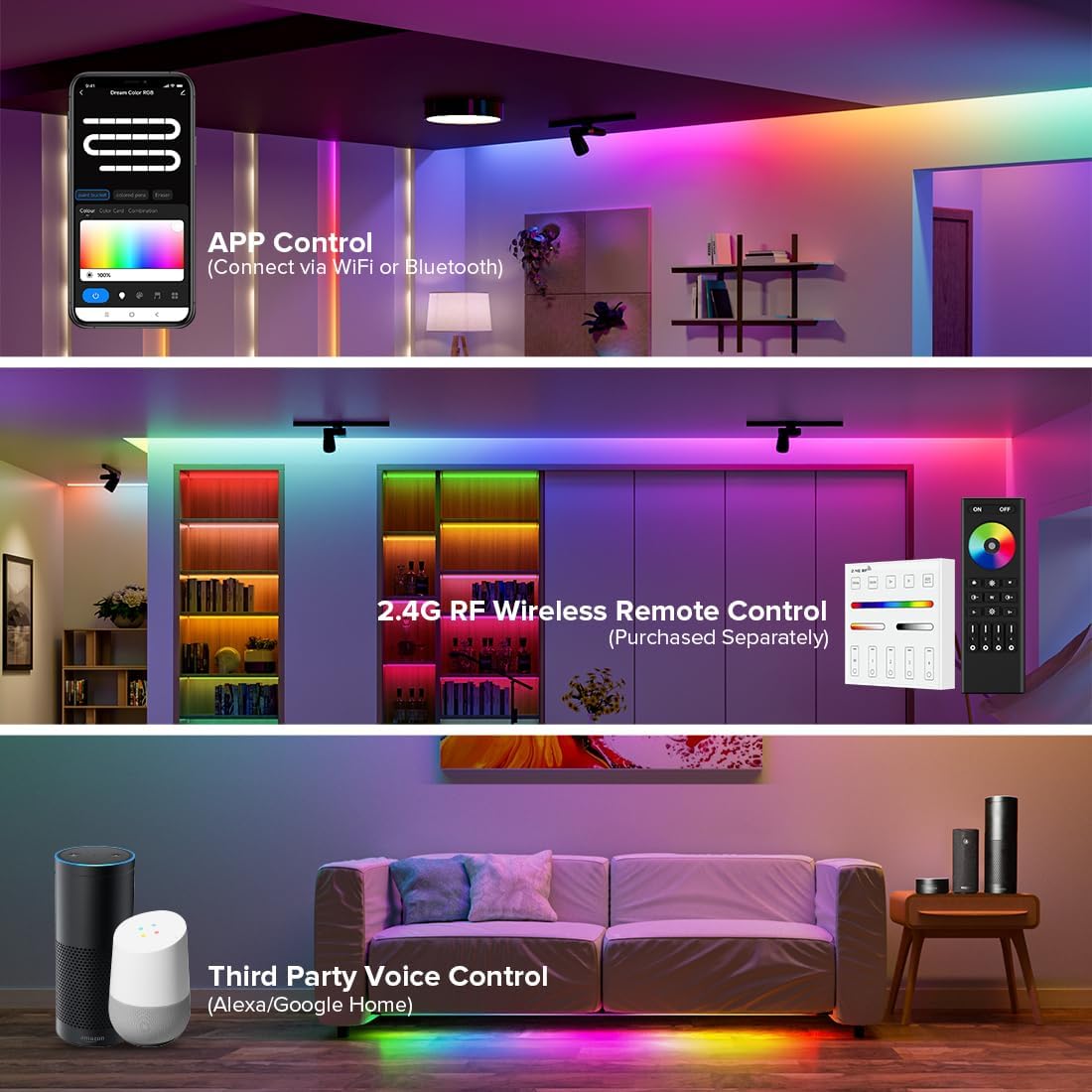
Image 5.4: Diagram illustrating parallel connection of multiple LED strips using a signal amplifier for extended installations.
When connecting multiple LED strips in parallel, especially if they are long, a signal amplifier may be required to ensure signal integrity and prevent degradation. Connect the amplifier between the controller and the parallel LED strips.
5.2 Հավելվածի տեղադրում և զուգակցում
The DR03W controller works with the Tuya Smart or Smart Life applications.
- Ներբեռնեք հավելվածը՝ Scan the QR code on the product packaging or controller, or search for "Tuya Smart" or "Smart Life" in your mobile app store.
- Գրանցվել/Մուտք գործել՝ Ստեղծեք հաշիվ կամ մուտք գործեք ձեր գոյություն ունեցող հաշիվ:
- Սարքի ավելացում. Power on the DR03W controller. The LED indicator should blink rapidly. If not, press and hold the 'SET' button for 5-10 seconds until it blinks rapidly to enter pairing mode. In the app, tap '+' to add a device, then select 'Lighting' -> 'Light Strip (Wi-Fi)'.
- Միացեք Wi-Fi-ին. Enter your 2.4 GHz Wi-Fi network password. The controller will connect to the network. Once connected, the LED indicator will stop blinking.
- Վերանվանել սարքը. You can rename the controller for easier identification (e.g., "Living Room LED").
5.3 RF Remote Control Pairing (Optional)
The DR03W controller supports 2.4Ghz RF remotes such as RC03RFB, RC04RFB, RC05RFB, and WR01RF (purchased separately).

Նկար 5.5: Օրինակamples of compatible 2.4GHz RF remote controllers (RC03RFB, RC04RFB, RC05RFB, WR01RF).
To pair an RF remote:
- Համոզվեք, որ կառավարիչը միացված է։
- On the RF remote, press and hold the 'ON' button for the desired zone within 3 seconds of powering on the controller.
- The LED strip connected to the controller will flash to indicate successful pairing.
The controller supports multi-zone control and signal transmission/synchronization, allowing one remote to control multiple controllers within a 30m range.

Image 5.6: Signal transmission and mode synchronization feature, enabling extended control distance.
6. Գործողություն
6.1 Smartphone App Control (Tuya Smart / Smart Life)
The app provides comprehensive control over your LED strips.

Image 6.1: Remote control via smartphone app, showing usage in office and home environments.
6.1.1 Setting LED Strip Length (Pixel Quantity)
It is crucial to set the correct number of ICs (pixels) for your LED strip in the app for proper functionality.

Image 6.2: App interface for adjusting the LED strip length (pixel count). The adjustable range is 20-720 ICs.
Navigate to the device settings in the app and find the 'Light Strip Length' option. Adjust the pixel count to match the number of ICs on your LED strip (e.g., 100 ICs for a 16.4ft FCOB WS2811 720LED/m RGB LED strip).
6.1.2 Color Correction
If the colors displayed by the LED strip do not match the colors selected in the app (e.g., green appears blue), you can calibrate them.

Image 6.3: App interface for color correction, allowing adjustment of R/G/B sequence.
In the app, go to 'Color Correction' and select the color button that corresponds to the actual color displayed by the LED when a specific color is chosen in the app.
6.1.3 Color Modes and Dynamic Effects

Image 6.4: App interface demonstrating Color Bucket, Colored Pens, and Eraser tools for color control.
The app offers various ways to control colors and effects:
- Color Bucket: Change the color of the full segment of the LED strip. Select from 'Colour', 'Color Card', or 'Combination' patterns.
- Colored Pens: Change the color of a single segment of the LED strip.
- Ռետին: Turn off the light of a single segment of the LED strip.
The controller includes 44 default dynamic modes and allows for 10+ custom dynamic modes (jumping, breathing, flickering, flowing, rainbow, meteor). Color, brightness, and speed are adjustable.

Image 6.5: App interface displaying various predefined dynamic modes and options for creating custom dynamic effects.
6.1.4 Music Synchronization
The controller supports music rhythm functions using its built-in microphone or your mobile phone's microphone.

Image 6.6: LED strip lights synchronizing with music, demonstrating the built-in and mobile phone microphone options.
Select 'Music Rhythm' in the app and choose between 'Built-in microphone' or 'Mobile Phone microphone' to sync your lights with audio.
6.1.5 Ընդլայնված առանձնահատկություններ
- Ժամաչափի կարգավորում. Schedule automatic turn on/off times for your LED strips.
- Հետհաշվարկ: Set a countdown for the lights to turn off.
- Tap-to-Run և ավտոմատացում. Create custom scenarios and automations based on conditions (e.g., turn on lights when you arrive home).
- Սցենարի հարմարեցում. Save your favorite color and effect combinations as custom scenes.
- Sleep/Wakeup Plan: Gradually dim or brighten lights for sleep and wake cycles.
- Չանհանգստացնել ռեժիմ. Configure the controller to require two power cycles to turn on after a power outage, saving energy in areas with frequent power interruptions.
- Սարքի համօգտագործում. Կիսվեք սարքի վերահսկողությունով ընտանիքի անդամների հետ հավելվածի միջոցով։
- Խմբի վերահսկում. Group multiple controllers or lamps of the same type to control them simultaneously.

Image 6.7: Group control allows multiple lamps to be controlled together, while device sharing enables family members to access the device.

Image 6.8: Do Not Disturb mode requires two power cycles to activate lights, and Tap-to-Run/Automation allows for customized ambiance.

Image 6.9: Voice control compatibility with Google Assistant and Amazon Alexa.
6.2 Voice Control (Alexa / Google Home)
The DR03W controller is compatible with Amazon Alexa and Google Home for voice commands. After pairing the controller with the Tuya Smart/Smart Life app, link your Tuya/Smart Life account to your Alexa or Google Home app. You can then use voice commands such as "Alexa, turn on the living room lights" or "Hey Google, set the bedroom lights to blue."
7. Համատեղելիություն
The DR03W controller supports almost all one-wire LED driver ICs, including:
- WS2811
- WS2812B
- WS2813
- WS2815
- TM1934
- FCOB RGB WS2811 IC
- FCOB WS2812B IC
Note: This controller does NOT control PWM RGB or RGBW LED strips that do not have an integrated IC.
8. Տեխնիկական պայմաններ
| Առանձնահատկություն | Հստակեցում |
|---|---|
| Մոդելի համարը | DR03W |
| Բրենդ | BTF-LIGHTING |
| Վերահսկման մեթոդ | App Control (Tuya/Smart Life), RF Remote Control, Voice Control (Alexa/Google Home) |
| Անլար կապ | 2.4Ghz Wi-Fi (IEEE 802.11 b/g/n) |
| Ներածման ծավալըtage | DC 5V-24V |
| Ելքային ազդանշան | SPI Signal x 2 |
| Աջակցվող ինտեգրալ սխեմաներ | WS2811, WS2812B, WS2813, WS2815, TM1934, FCOB RGB WS2811 IC, FCOB WS2812B IC |
| Max. Pixel Quantity | 720 ICs (Adjustable range: 20-720 ICs) |
| Գործող ջերմաստիճանը | -25°C-ից մինչև 55°C |
| Նյութի քաշը | 2.39 ունցիա |
| Փաթեթի չափերը | 4.29 x 1.85 x 1.1 դյույմ |
| Ներքին/Դրսի օգտագործումը | Փակ |
9: Անսարքություն
- Controller not connecting to Wi-Fi:
Ensure your Wi-Fi network is 2.4 GHz. The controller does not support 5.0 GHz networks. Check your Wi-Fi password and ensure the controller is in pairing mode (LED indicator blinking rapidly). - LED strip not lighting up or displaying incorrect colors:
Verify all wiring connections (V+, DAT, GND) are correct and secure. Check that the power supply voltage matches the LED strip's requirements. Ensure the LED strip length (pixel quantity) is correctly set in the app. Perform color correction in the app if colors are inconsistent. - RF Remote not controlling the LED strip:
Ensure the remote is paired correctly with the controller. Re-attempt the pairing process by holding the 'ON' button for the desired zone within 3 seconds of powering on the controller. Check the remote's battery. - Lights remain faintly red when turned off:
This issue has been reported by some users, particularly with WS2814 LEDs. Ensure the correct LED type is selected in the app if such an option is available. If the issue persists, it may be a limitation with certain LED types or app configurations. - Inconsistent brightness or color along a long LED strip:
This indicates voltage drop. Implement voltage supplementation by injecting power at regular intervals along the LED strip (refer to Section 5.1.3). - Ձայնային կառավարումը չի աշխատում.
Ensure your Tuya Smart/Smart Life account is correctly linked to your Alexa or Google Home app. Check your internet connection and verify the device name used in voice commands matches the name set in the app.
10. Պահպանում
- Keep the controller clean and free from dust. Use a dry, soft cloth for cleaning.
- Avoid placing the controller in areas with high humidity or direct sunlight.
- Պարբերաբար ստուգեք լարերի միացումները մաշվածության կամ թուլացման ցանկացած նշանի համար։
- Ապահովեք կառավարիչի շուրջ բավարար օդափոխություն՝ գերտաքացումը կանխելու համար։
11. Երաշխիք և աջակցություն
For warranty information and technical support, please refer to the documentation provided with your purchase or visit the official BTF-LIGHTING website. You can also contact BTF-LIGHTING customer service through the platform where you purchased the product.


