Ներածություն
Thank you for choosing the GOBOULT Crown Smart Watch. This manual provides essential information for the proper setup, operation, and maintenance of your device. Please read it thoroughly to ensure optimal performance and longevity of your smartwatch.
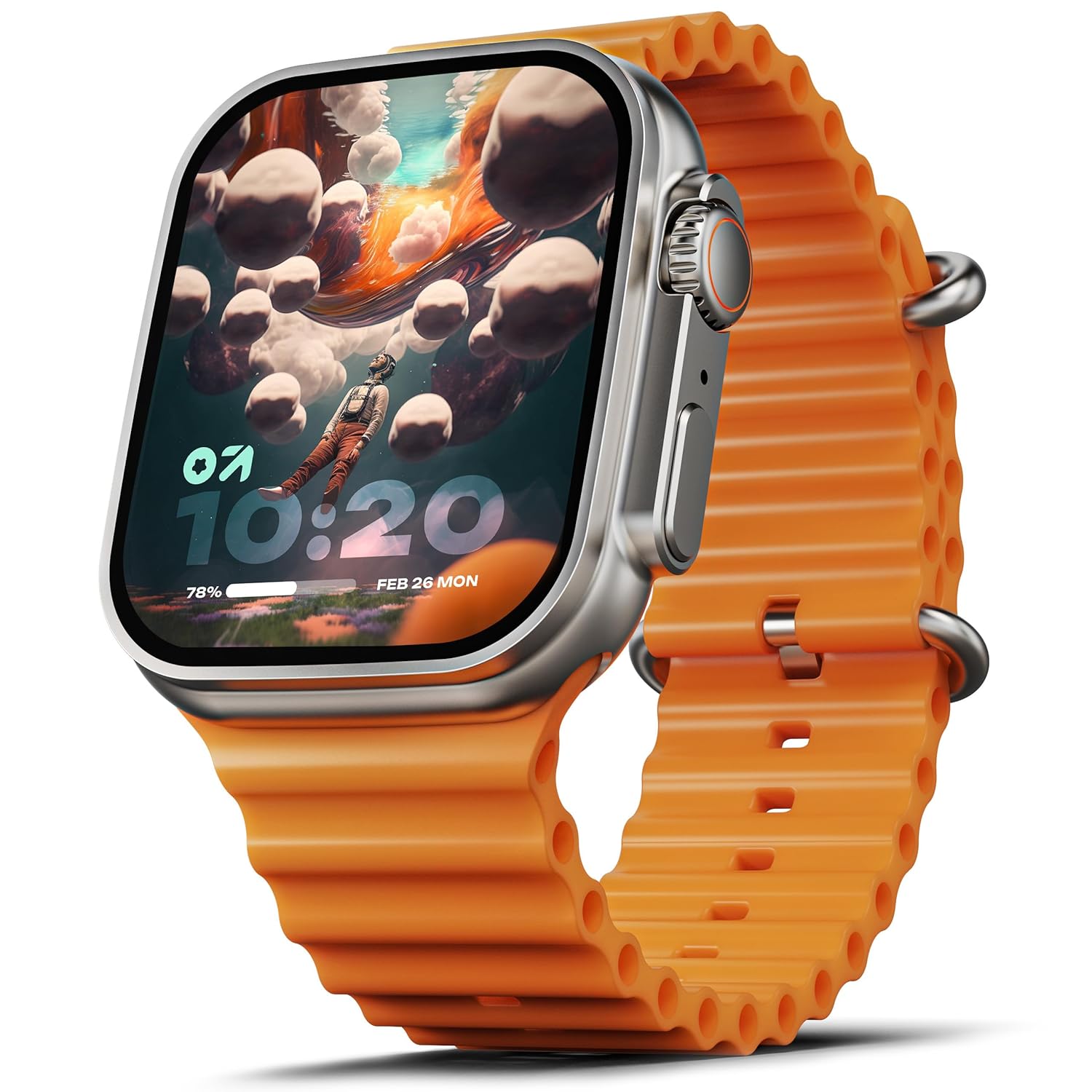
Image: The GOBOULT Crown Smart Watch, featuring a large display and an orange silicone strap.
Ինչ կա տուփի մեջ
Տուփը բացելուց հետո, խնդրում ենք ստուգել, որ հետևյալ բոլոր ապրանքները ներառված են.
- GOBOULT Crown Smart Watch
- Լիցքավորման մալուխ
- Օգտագործողի ձեռնարկ
- Երաշխիքային քարտ
Սկսել
1. Խելացի ժամացույցի լիցքավորում
Before initial use, fully charge your GOBOULT Crown Smart Watch. Connect the provided charging cable to the charging port on the back of the watch and to a standard USB power adapter. The watch display will indicate charging status.
2. Միացում/անջատում
To power on, press and hold the side button until the GOBOULT logo appears. To power off, navigate to the settings menu on the watch, select 'Power Off', and confirm.
3. Ձեր սմարթֆոնի հետ կապակցում
- Download the official GOBOULT companion app from your smartphone's app store (available for Android and iOS).
- Համոզվեք, որ Bluetooth-ը միացված է ձեր սմարթֆոնի վրա:
- Open the GOBOULT app and follow the on-screen instructions to search for and pair with your Crown Smart Watch.
- Հաստատեք զուգավորման հարցումը և՛ ձեր հեռախոսի, և՛ ժամացույցի վրա։
Գործառնական հրահանգներ
Ցուցադրում և նավիգացիա

Image: Close-up of the smartwatch display, highlighting its 1.95-inch size and 900 Nits brightness for clear visibility.
- 1.95" HD Display: The large, high-definition screen provides clear visuals and responsive touch interaction.
- 900 նիտ պայծառություն։ Ensures excellent visibility even in bright outdoor conditions.
- Working Rotating Crown: Use the functional rotating crown on the side of the watch to scroll through menus, zoom in/out, and switch watch faces.
Պատկեր՝ Պայթյուն view illustrating the internal mechanism of the working rotating crown, used for navigation and control.
Bluetooth զանգ

Image: The smartwatch screen showing an incoming call, alongside diagrams explaining Bluetooth 5.2 calling features like call answer/reject, dial pad, and contact sync.
The GOBOULT Crown Smart Watch supports Bluetooth Calling 5.2, allowing you to make and receive calls directly from your wrist. It features a built-in speaker and microphone for clear communication.
- Զանգերի պատասխանում/մերժում. Tap the green icon to answer or the red icon to reject an incoming call.
- Հավաքման պահոց. Access the dial pad on the watch to make outgoing calls.
- Sync Contacts: Sync your phone's contacts to the watch via the companion app.
Առողջության մոնիտորինգ
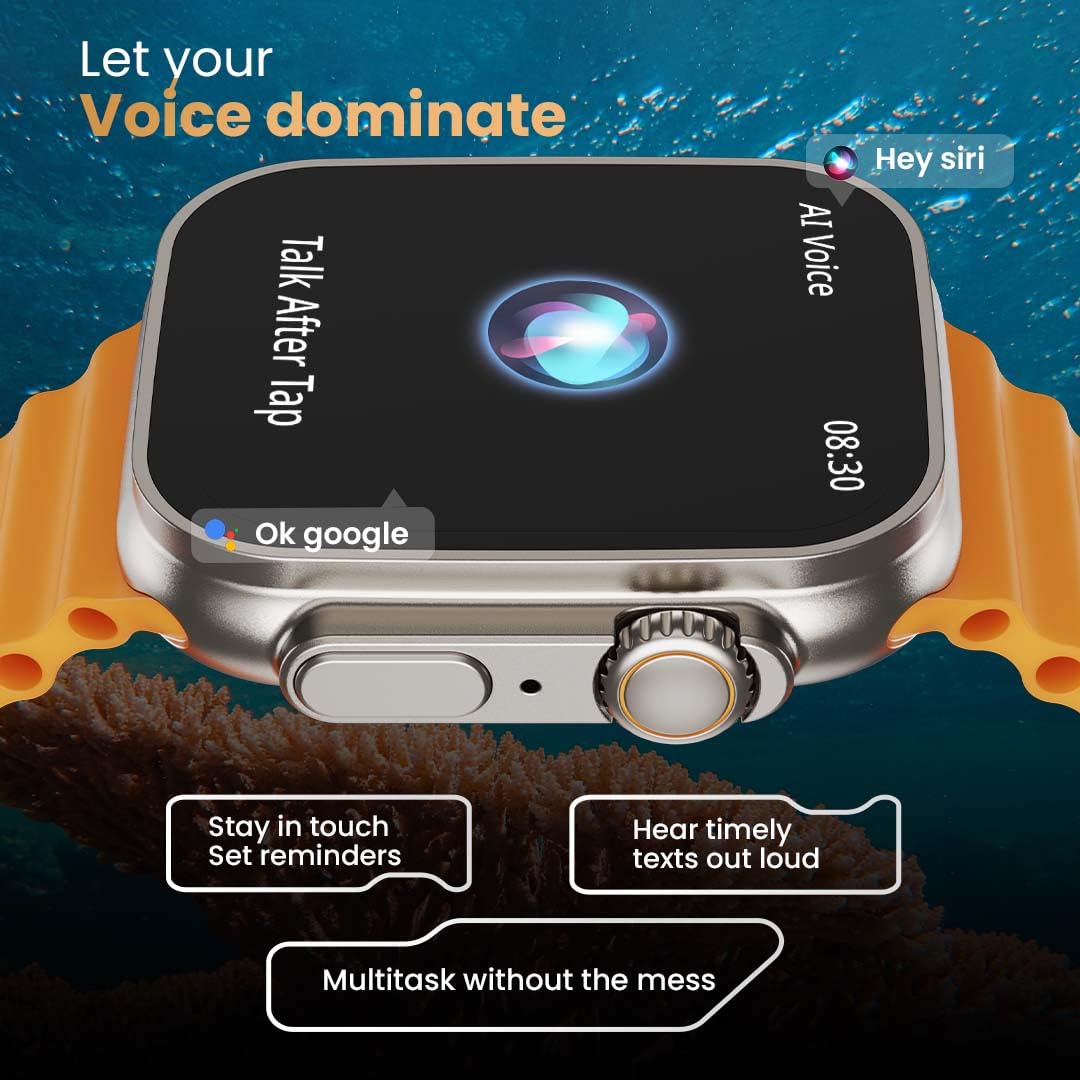
Image: The rear of the smartwatch showing its health sensors, accompanied by a list of health metrics it tracks, including heart rate, SpO2, and sleep.
The watch is equipped with an advanced health suite to help you monitor your well-being:
- 24/7 Heart Rate Monitor: Անընդհատ հետևում է ձեր սրտի զարկերին ամբողջ օրվա ընթացքում։
- SpO2 Blood Oxygen Saturation Monitor: Չափում է ձեր արյան թթվածնի մակարդակը։
- Քնի մոնիտորինգ. Վերլուծում է ձեր քնի ռեժիմը և որակը։
- Գործունեության հետագծում. Գրանցվում են քայլերը, հեռավորությունը և այրված կալորիաները։
- Female Menstrual Cycle Tracking: Provides insights and predictions for menstrual cycles.
- Շնչառական ուսուցում. Հանգստացման համար շնչառական վարժությունների ուղղորդում:
Սպորտային ռեժիմներ
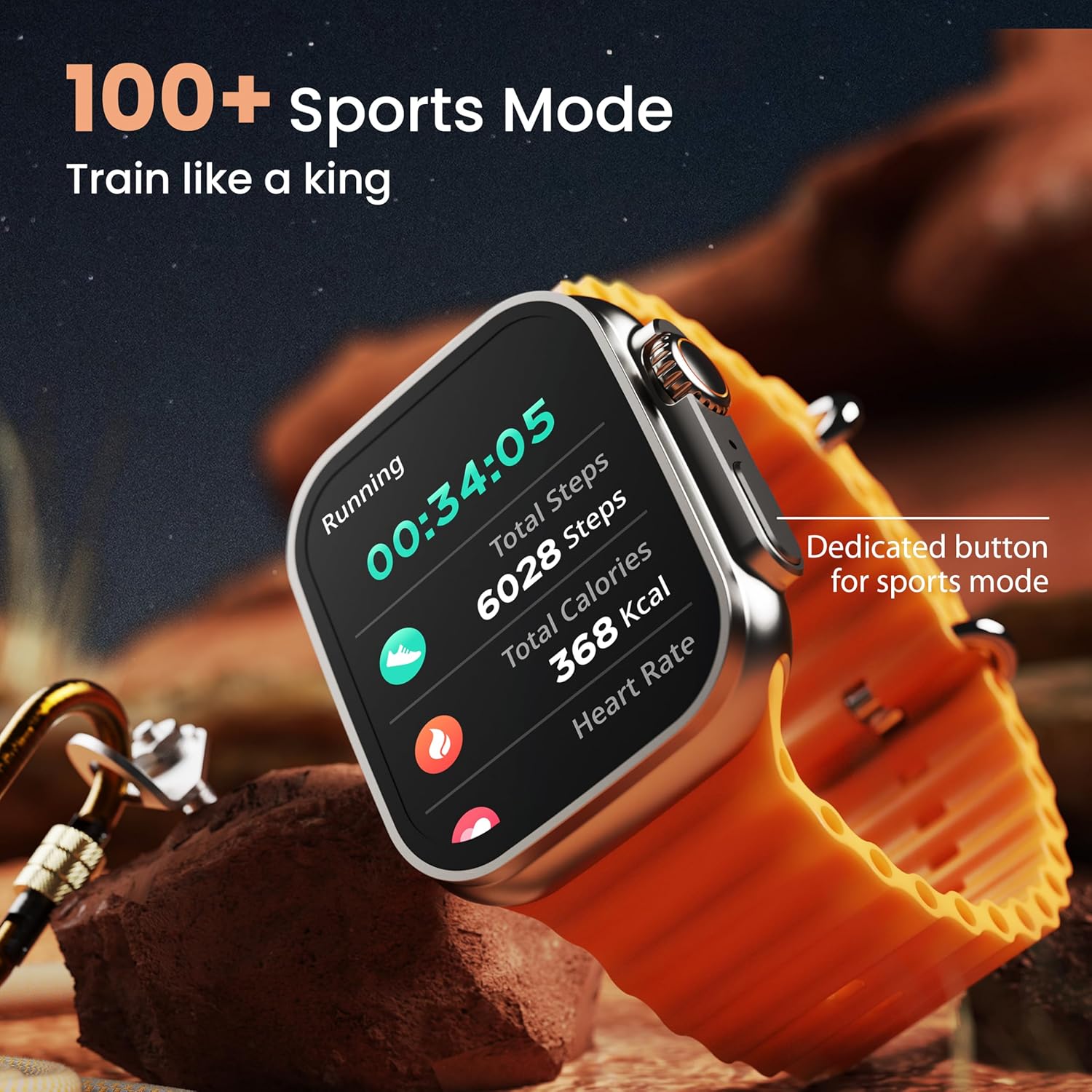
Image: The smartwatch screen showing a 'Running' sports mode with real-time metrics like duration, total steps, calories, and heart rate. A dedicated button for sports mode is also visible.
With over 120 sports modes, the GOBOULT Crown Smart Watch can track a wide range of physical activities. Select your desired sport from the watch menu to record real-time metrics, performance insights, and track your progress.
Անհատականացում

Պատկեր՝ Կոլաժի ցուցադրությունasing various watch faces, including custom and animated options, along with different UI styles available for personalization on the smartwatch.
Անհատականացրեք ձեր խելացի ժամացույցի փորձը.
- 100+ Cloud-Based Watch Faces: Choose from a wide selection of watch faces available through the companion app.
- Անհատականացման ընտրանքներ. Customize your screen with widgets, backgrounds, and layouts to match your style.
- 8 UI Styles: Select from different user interface styles for menu navigation.
Լրացուցիչ գործառույթներ
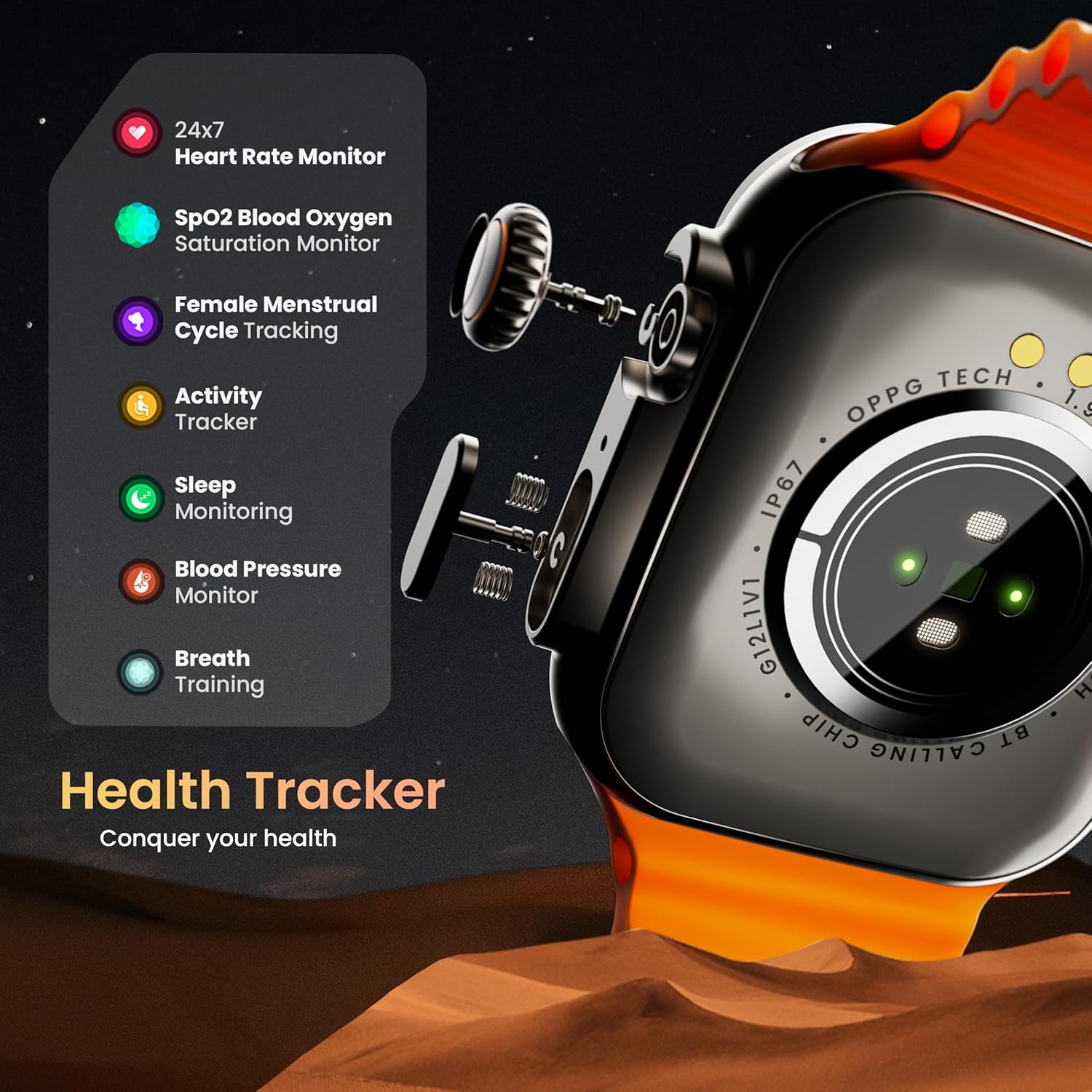
- AI Ձայնային օգնական. Interact with your watch using voice commands (e.g., "Hey Siri" or "Ok Google") for tasks like setting reminders or hearing texts aloud.
- Գտեք իմ հեռախոսը. If your paired phone is misplaced, use this feature on your watch to make it ring/vibrate.
- Մինի խաղեր. Enjoy pre-installed mini-games directly on your watch.
- Ծանուցումներ և հիշեցումներ՝ Receive SMS, WhatsApp, social media, and mail notifications. Set goal achievement reminders.
- Հաշվիչ: Ժամացույցի վրա հասանելի է հաշվիչի հիմնական գործառույթը։
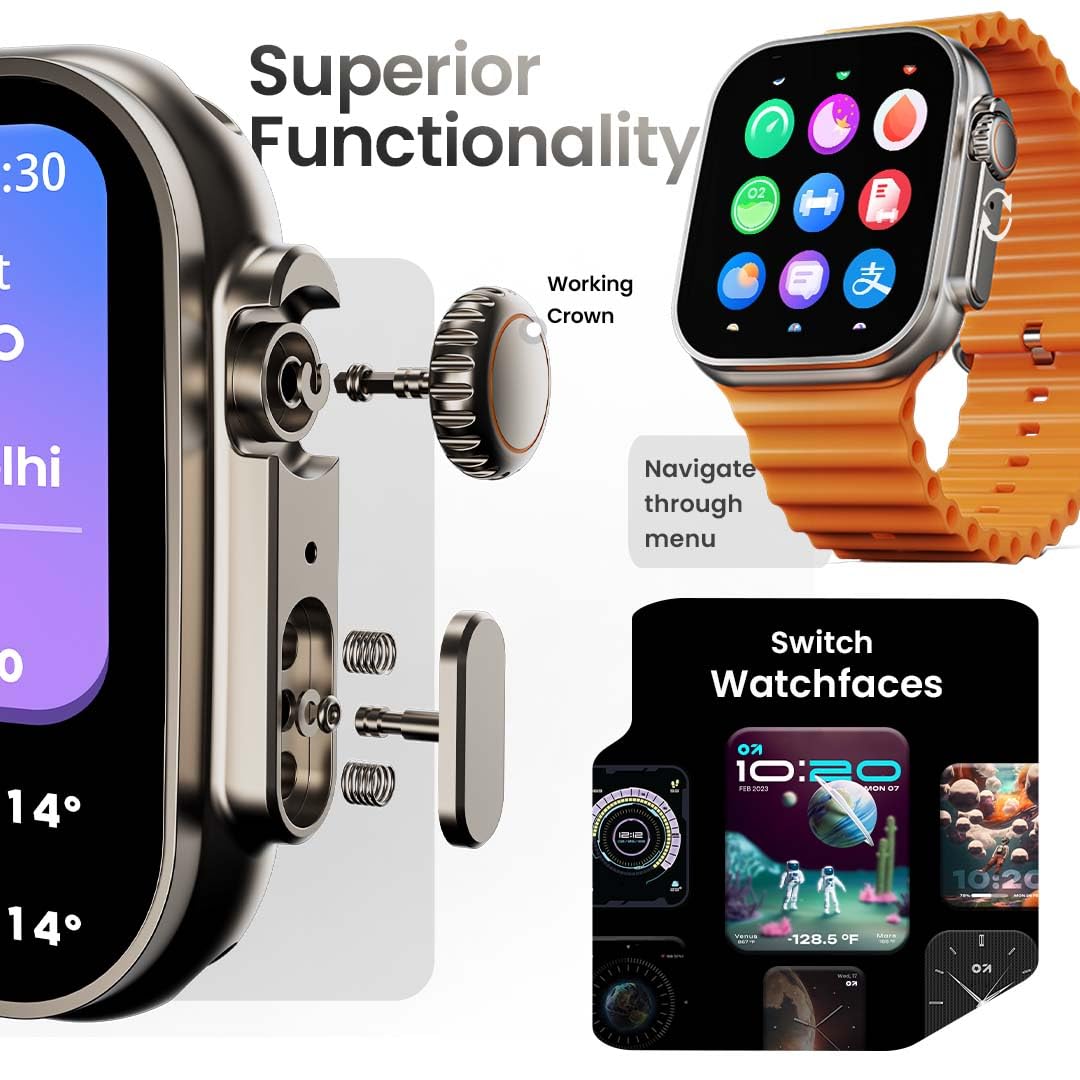
Image: The smartwatch screen showing the AI Voice Assistant interface, indicating support for voice commands like "Hey Siri" and "Ok Google".
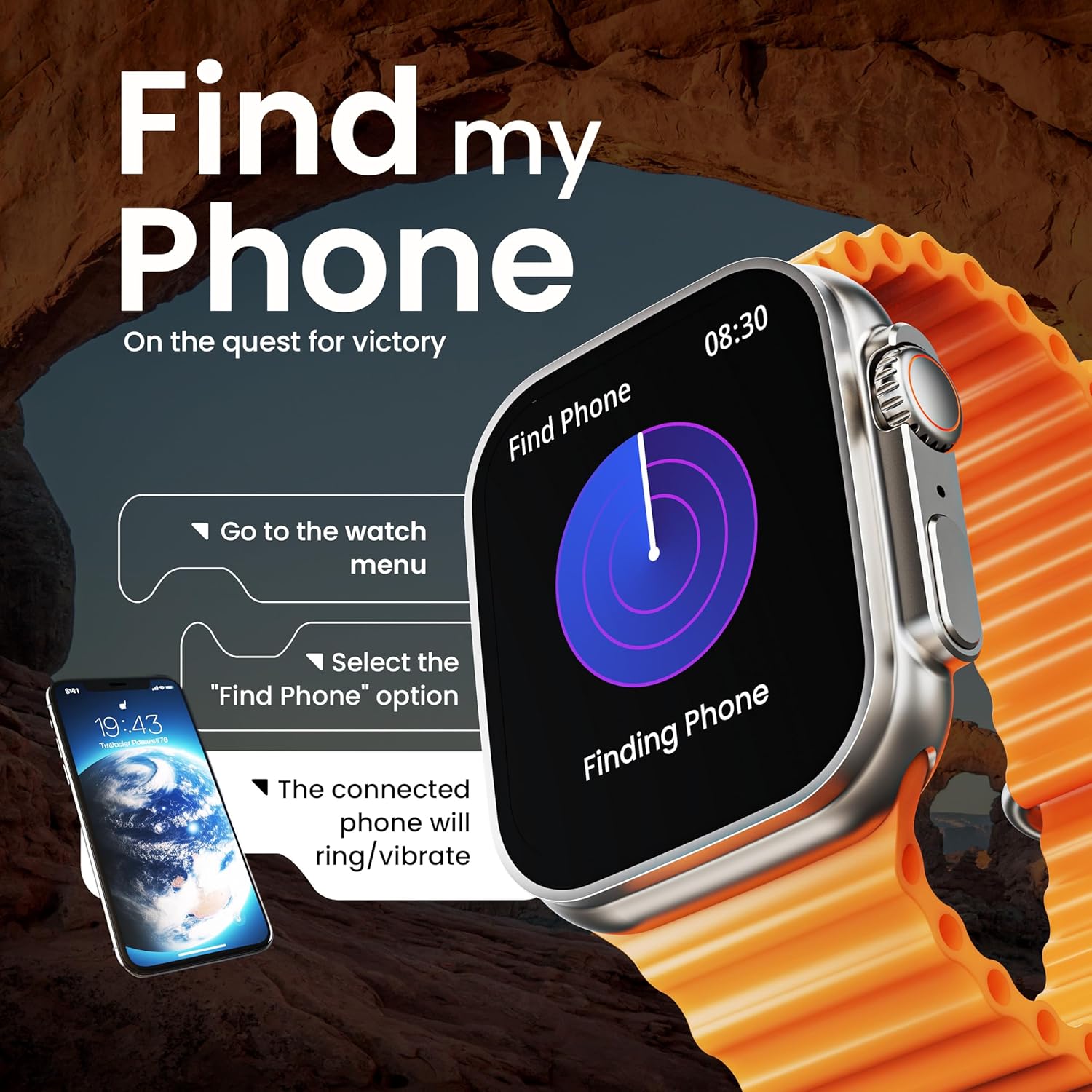
Image: The smartwatch screen illustrating the 'Find Phone' feature, with instructions on how to activate it to locate a connected smartphone.
Պատկեր՝ Խելացի ժամացույցի էկրանի ցուցադրությունasing a selection of mini-games available on the device, such as 'Young Bird', 'Hamster', and 'Battleships'.

Image: The smartwatch screen showing a calculator interface, along with a pop-up notification and a list of reliable and robust features like sync notifications and reminders.
Տեխնիկական սպասարկում
Մաքրում
Regularly clean your smartwatch and strap to prevent skin irritation and maintain device hygiene. Use a soft, lint-free cloth. If necessary, slightly dampՋրով լվացեք կտորը։ Խուսափեք կոշտ քիմիական նյութերից կամ հղկող նյութերից։
Ջրակայունություն
The GOBOULT Crown Smart Watch is IP67 water resistant. This means it is protected against dust and can withstand immersion in water up to 1 meter for up to 30 minutes. It is suitable for daily use and light splashes but not recommended for swimming, showering, or diving.
Գոտիների խնամք
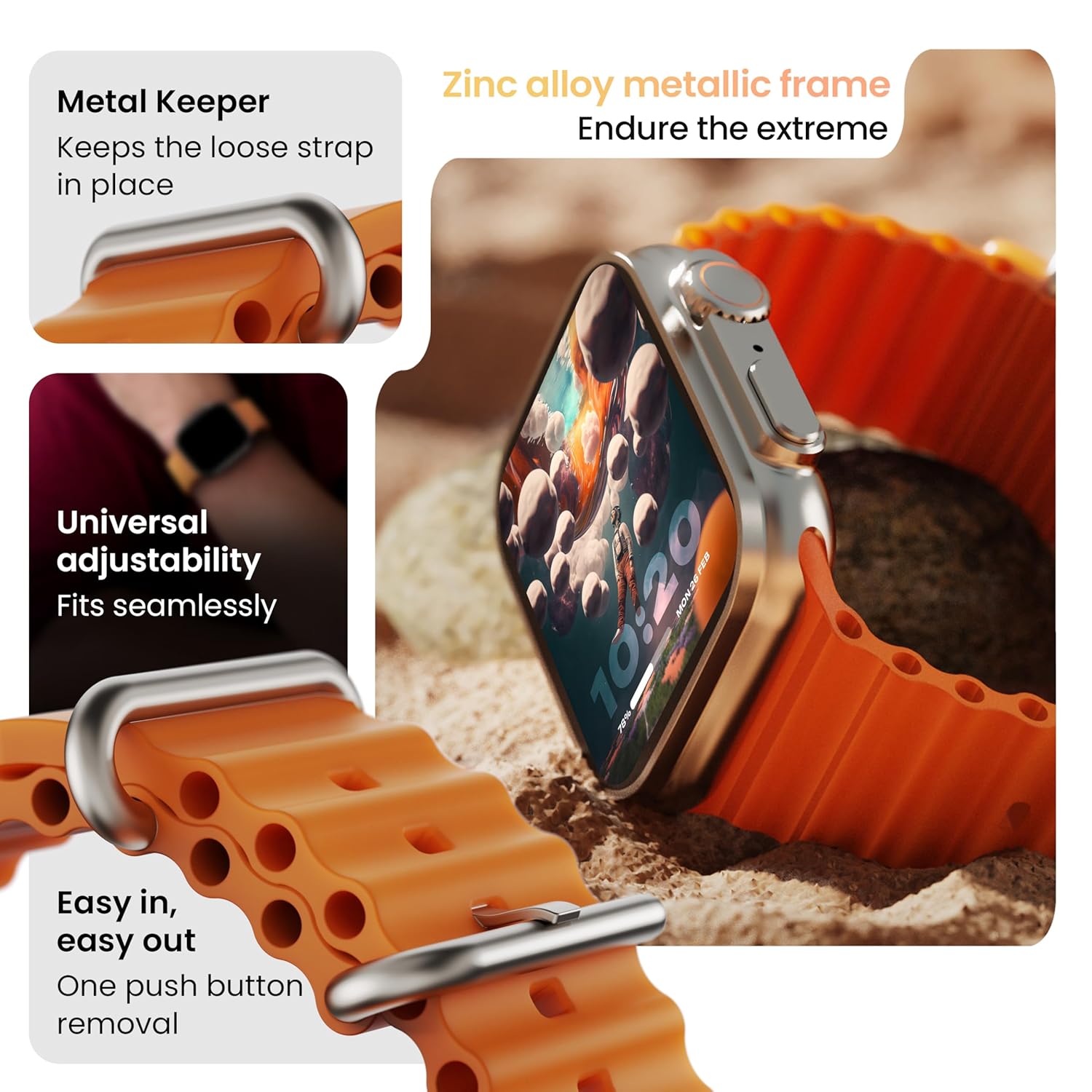
Պատկեր՝ մանրամասն view of the smartwatch strap, highlighting features such as the metal keeper for securing the loose end, universal adjustability for a seamless fit, and a push-button mechanism for easy removal.
The skin-friendly silicone strap is designed for comfort. Ensure it is not too tight or too loose for accurate health tracking. Clean the strap regularly, especially after workouts, to remove sweat and dirt.
Անսարքությունների վերացում
Ժամացույցը չի միանում
- Համոզվեք, որ ժամացույցը լիովին լիցքավորված է։ Միացրեք այն լիցքավորիչին առնվազն 30 րոպե։
- Սեղմեք և պահեք կողային կոճակը 10-15 վայրկյան՝ հարկադիր վերագործարկման փորձ կատարելու համար։
Զուգակցման խնդիրներ
- Համոզվեք, որ Bluetooth-ը միացված է ձեր հեռախոսի և ժամացույցի վրա։
- Ensure the watch is within the Bluetooth range (approximately 10 meters).
- Վերագործարկեք և՛ հեռախոսը, և՛ ժամացույցը։
- Մաքրեք ձեր հեռախոսի Bluetooth քեշը կամ մոռացեք սարքը և փորձեք կրկին զուգակցել։
Առողջական անճշտ տվյալներ
- Համոզվեք, որ ժամացույցը ամուր է կրում ձեր դաստակին, բայց ոչ չափազանց ամուր։
- Մաքրեք ժամացույցի հետևի մասում գտնվող սենսորները։
- Avoid excessive movement during measurements for better accuracy.
Ծանուցումները չեն երևում
- Ստուգեք, թե արդյոք ժամացույցը ճիշտ է միացված ձեր հեռախոսին Bluetooth-ի միջոցով։
- Verify notification permissions for the GOBOULT app in your phone's settings.
- Համոզվեք, որ «Չխանգարել» ռեժիմը ակտիվ չէ ո՛չ ձեր հեռախոսի, ո՛չ էլ ժամացույցի վրա։
Տեխնիկական պայմաններ
| Առանձնահատկություն | Մանրամասն |
|---|---|
| Բրենդ | ԳՈԲՈՒԼՏ |
| Մոդել | Crown Smart Watch |
| Ցուցադրման չափը | 1.95 դյույմ |
| Ցուցադրման պայծառություն | 900 նից |
| Միացում | Bluetooth 5.2 |
| Օպերացիոն համակարգ | Android Wear 1.0, iOS compatible |
| Մարտկոցի աշխատանքի տևողությունը (միջին) | 7 օր |
| Մարտկոցի լիցքավորման ժամանակը | 150 րոպե |
| Մարտկոցի հզորությունը | 300 մլնamp Ժամեր |
| Ջրակայունություն | IP67 |
| Նյութի քաշը | 40 գ |
| Ներառված բաղադրիչներ | Smartwatch, Charging Cable, User Manual, Warranty Card |
Երաշխիք և աջակցություն
Your GOBOULT Crown Smart Watch comes with a Warranty Card included in the box. Please refer to this card for detailed information regarding warranty coverage and terms. For technical support or further assistance, please contact GOBOULT customer service through the contact information provided on the warranty card or the official GOBOULT webկայք։


