FreeStyle Manuals & User Guides
FreeStyle, a brand of Abbott Diabetes Care, specializes in continuous glucose monitoring (CGM) systems that allow people with diabetes to track glucose levels without routine fingersticks.
About FreeStyle manuals on Manuals.plus
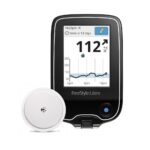
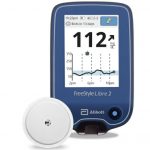
FreeStyle is the flagship brand of glucose monitoring technology manufactured by Աբբոտ շաքարախտի խնամք. Dedicated to simplifying diabetes management, FreeStyle offers a range of continuous glucose monitoring (CGM) systems, including the popular FreeStyle Libre 14 day, FreeStyle Libre 2, and FreeStyle Libre 3 systems. These innovative devices utilize small, discreet sensors worn on the back of the upper arm to automatically measure glucose levels day and night.
The FreeStyle Libre portfolio empowers users with Type 1 and Type 2 diabetes to view real-time glucose data, track trends, and share reports with healthcare professionals through the FreeStyle LibreLink app and LibreView software. By reducing the need for traditional fingerstick testing, FreeStyle technology provides a user-friendly and effective way to maintain glycemic control.
FreeStyle manuals
Վերջին ձեռնարկները՝ manuals+ ընտրված այս ապրանքանիշի համար։
FreeStyle Libre BN59-01439A 2nd Gen with Gaming Hub Հրահանգների ձեռնարկ
FreeStyle Libre Ստանդարտ գրավոր պատվեր գլյուկոզայի շարունակական մոնիտորինգի համար և մատակարարման հրահանգներ
FreeStyle Libre 3 Reader Շարունակական գլյուկոզայի մոնիտորինգի համակարգի օգտագործման ուղեցույց
FreeStyle LibreLink հավելվածի օգտագործման ուղեցույց
FreeStyle Libre 2 Flash գլյուկոզայի մոնիտորինգի համակարգի օգտագործման ուղեցույց
FreeStyle Libre Sensor գլյուկոզայի օգտագործման ուղեցույց
FreeStyle Libre FLASH GLUCOSE MONITORING Օգտվողի ուղեցույց
FSL-2 FDA Clears Reader for Abbotts FreeStyle Libre Օգտագործողի ուղեցույց
Guida all'Esercizio Fisico per la Gestione del Diabete | FreeStyle Abbott
FreeStyle Libre 3 Plus: Guida Rapida all'Utilizzo del Sensore di Glucosio
Freestyle 750 Shark X Watch Instructions and Features
Freestyle Killer Shark Touch 시계 사용자 설명서
Freestyle Quartz Analog Watch Instructions
Freestyle #630 FLOW 10 Watch User Instructions
Freestyle HUCKFIN Digital Watch User Manual
Freestyle #813 Macdaddy Watch Instructions and Features
Freestyle Shark Leash Mini Watch User Manual and Instructions
Freestyle Pulse #980 Watch: Features, Modes, and Instructions
Freestyle #330 Combine Watch: User Instructions and Operation Guide
Freestyle SPRINT Watch User Manual
FreeStyle manuals from online retailers
FreeStyle Freedom Lite Blood Glucose Monitoring System User Manual
FreeStyle Precision Neo Blood Glucose Test Strips User Manual
FREESTYLE FH0955 LED Bluetooth Headphones User Manual
Freestyle Caroline Marks Signature Shark Classic Leash Watch FS101112 User Manual
Freestyle Shark Classic Tide 600 Wristwatch User Manual
Freestyle Shark Clip Digital Watch User Manual
Freestyle Shark Classic Clip Green Tea Unisex Watch Instruction Manual
Freestyle Freestyle Lite Blood Glucose Monitoring System User Manual
Freestyle Shark Classic Clip Sour Unisex Watch FS101089 User Manual
FreeStyle Libre Sensor Instruction Manual
FreeStyle support FAQ
Հաճախակի տրվող հարցեր այս ապրանքանիշի ձեռնարկների, գրանցման և աջակցության վերաբերյալ։
-
Where should I apply the FreeStyle Libre sensor?
The sensor is approved for application on the back of the upper arm. Avoid areas with moles, scarring, or recent insulin injections.
-
Is the FreeStyle Libre sensor waterproof?
Yes, the sensor is water-resistant in up to 1 meter (3 feet) of water for a maximum of 30 minutes. It should not be submerged longer than 30 minutes or used above 10,000 feet.
-
What devices are compatible with the FreeStyle Libre 3?
The FreeStyle Libre 3 system is compatible with select iPhone and Android devices. For iOS, it supports iPhone 7 and newer (iOS 15.6+). for Android, it supports select Samsung, Google Pixel, and other devices running Android 10 or higher. Always check the official compatibility guide before updating OS.
-
Do I still need to perform fingerstick tests?
Fingersticks are required if your glucose readings and alarms do not match your symptoms or expectations, or if you see the Check Blood Glucose symbol on your reader or app.